Your Guide to Using a Chat Widget for Website Growth
Discover how a chat widget for website can boost engagement and drive conversions. Our guide covers key benefits, essential features, and best practices.
Think of a chat widget for a website as your company's digital front door—always open, always welcoming. It's that small, interactive window, usually tucked in the corner of a webpage, that lets visitors talk directly to you in real-time. It’s a digital concierge, ready to answer questions, guide users, and offer help without making them dig for an email address or pick up the phone.
What Is a Website Chat Widget and Why You Need One

At its heart, a chat widget is a direct line to your customers, right when they need you most. It closes the gap between their questions and your answers, turning a passive visit into an active, helpful conversation. This is exactly what modern customers expect; they want answers now, not hours or days from now.
The technology has come a long way. What started as simple live chat, completely dependent on a human agent being available, has evolved into a smart, AI-driven system. Today's widgets can run 24/7, handling thousands of conversations at once without a single person having to step in. You can learn more about how this tech is changing the game in our guide on AI-powered customer service.
From Static Pages to Dynamic Conversations
Without a chat widget, your website is basically a digital brochure. People can look, but they can't easily interact. This creates friction. If a visitor has a question about pricing, a feature, or shipping, they're forced to hunt for a contact page or, more likely, just leave.
A chat widget completely changes this dynamic. It invites interaction and delivers the instant gratification that builds trust and keeps potential customers on your site. For businesses like SaaS companies and e-commerce stores, this isn't just a nice-to-have feature—it's a critical tool for staying competitive.
A chat widget meets customers where they are, at the exact moment they need help. It's the difference between leaving a visitor to find their own way and having a helpful guide ready to assist them on their journey.
The rapid adoption of this technology signals a huge shift in how businesses engage with customers. More than 515,000 websites have already embedded live chat, and the numbers don't lie: 63% of consumers say they are more likely to return to a website that offers it. These tools have a direct, measurable impact on customer loyalty and retention, as highlighted by live chat trend data on Nextiva.com.
The Immediate Impact on Your Business
Putting a chat widget on your site isn't a long-term project with far-off results. The benefits are immediate and touch almost every part of your business. It's not just about support; it’s about driving growth, boosting efficiency, and finally understanding what your audience truly wants.
Here’s a quick look at where you'll see the biggest wins right away.
Instant Impact of a Website Chat Widget
| Business Area | Key Benefit |
|---|---|
| Sales | Instantly engage prospects, answer pre-sale questions, and capture leads 24/7. |
| Customer Support | Provide immediate answers to common questions, reducing ticket volume for human agents. |
| Marketing | Gather valuable customer feedback and insights directly from user conversations. |
| User Experience | Reduce friction and help visitors find what they need faster, improving overall satisfaction. |
As you can see, a simple widget can become a powerhouse for lead generation, customer satisfaction, and priceless market research, all at the same time.
What a Chat Widget Really Does for Your Business
Dropping a chat widget onto your website isn't just a minor tweak; it’s a fundamental shift in how you connect with people. It closes the gap between someone passively browsing your site and actively engaging with your brand. The results aren't just cosmetic—they create real, tangible benefits that you'll see in your sales, support, and marketing numbers.
Let's break down what you can actually expect.
Give Customers the Instant Answers They Expect
In a world where we can get anything on demand, patience is a virtue few customers have. If someone has a question, forcing them to send an email and wait is a great way to lose them for good. A chat widget for website platforms delivers the instant gratification people have come to expect, giving them answers in seconds, not hours.
This speed is the bedrock of a great user experience. When you greet visitors with a friendly, helpful message, you’re telling them you're there and ready to help. That simple gesture can transform a frustrating hunt for information into a smooth, positive interaction. It's how you build loyalty from the very first click.
Turn Your Website into a 24/7 Lead Generator
People visit your website at all hours of the day and night, long after your sales team has logged off. Every one of those late-night visitors is a potential lead walking away. An AI-powered widget, on the other hand, is always on, ready to engage potential customers and capture their details.
Think of it as your tireless digital salesperson. It can:
- Qualify leads by asking smart questions about what they're looking for.
- Capture contact info like names and email addresses so your team can follow up.
- Book demos or schedule calls right on your team's calendar, automatically.
This constant, around-the-clock activity transforms your website from a static brochure into a powerful lead-gen engine that never sleeps. You'll never miss an opportunity to connect with a hot prospect again.
Massively Boost Your Support Team's Efficiency
Ask any support agent what drains their time, and they'll tell you it's the repetitive questions. Answering the same things about pricing, shipping, or basic features over and over keeps them from tackling the complex issues where they're needed most.
This is exactly where an AI chat widget proves its worth. It can instantly handle up to 80% of common customer questions without needing a human to step in. By taking all the high-volume, low-effort queries off their plate, the widget frees up your agents to focus on high-stakes problems that require real empathy and critical thinking.
The point isn't to replace your team—it's to make them better. The chat widget becomes the first line of defense, filtering out the noise so your experts can shine where it counts.
This makes your entire support operation more efficient and scalable. For a perfect example of this in action, look at Vodafone's success with Chatlingual, where they hit an incredible 80% First Contact Resolution rate after implementing this kind of strategy.
Tap Into a Goldmine of Customer Insights
Every single conversation in your chat widget is a nugget of pure customer insight. Unlike stiff surveys or feedback forms, chat logs give you the raw, unfiltered truth about what your customers are really thinking and struggling with.
By analyzing these conversations, you can:
- Pinpoint common friction points and confusing spots on your website.
- Uncover new feature requests and ideas for your next product.
- Hear the exact words your customers use to describe their problems.
This direct line to your audience is priceless. It lets you make smart, data-driven decisions to improve your products, tweak your marketing, and build a better all-around experience. Your chat widget doesn't just talk; it listens, learns, and gives you the intelligence you need to get ahead.
What to Look For: The Key Features of a Modern Chat Widget
Picking a chat widget for your website can feel like navigating a sea of look-alike options, all promising the world. But here's the reality: not all chat tools are created equal. A basic widget might give you a simple live chat window, and that's it. A truly modern platform, however, is packed with intelligent features designed to not just answer questions, but to actively grow your business and make your teams more efficient.
Getting a handle on these key features is crucial. It’s the difference between buying a simple pop-up box and investing in a powerful platform that grows right alongside you. Think of this as your buyer's guide—a checklist of the non-negotiable features that separate the best from the rest.
This diagram really nails down how a single, well-chosen chat tool can become a hub for so many business goals, from pulling in new leads to making your whole operation run smoother.
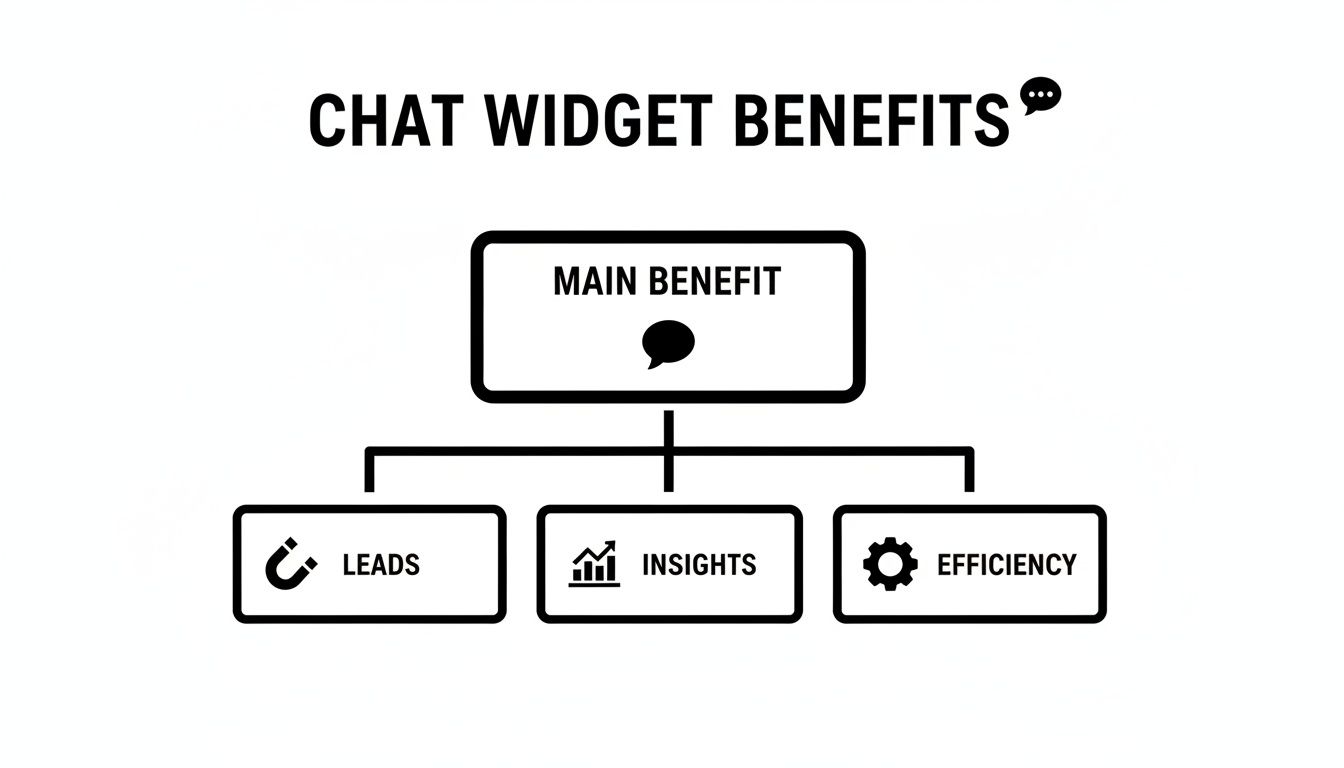
As you can see, it’s not just about one thing. A great widget supports multiple goals at once, becoming a central part of how you engage with customers and drive growth.
Seamless Embedding and Brand Customization
First things first: your chat widget shouldn't look like a tacked-on afterthought. It needs to feel like a natural part of your website. The best platforms, like SupportGPT, make this incredibly simple with a copy-and-paste code snippet that works on any site—no developer needed.
Once it's on your site, you need total control over how it looks. Look for the ability to change colors, fonts, and logos to perfectly match your brand. This isn't just about aesthetics; it’s about creating a cohesive, professional experience that builds trust from the very first click.
Powerful Large Language Model (LLM) Support
The "brain" behind any modern AI chat widget is its Large Language Model (LLM). This is the engine that actually understands what people are asking and crafts those surprisingly human-like responses. A top-tier platform won't lock you into their one-and-only proprietary model.
Instead, it should give you choices. You want the flexibility to plug into leading LLMs like OpenAI’s GPT-4, Google’s Gemini, or Anthropic’s Claude. This lets you pick the best model for your specific needs, whether you're optimizing for raw power, speed, or cost-effectiveness. It's a key sign of a future-proof solution.
The ability to switch between different LLMs is like being able to choose the best engine for your car. You can prioritize raw power, fuel efficiency, or a balance of both, depending on the journey ahead.
This adaptability means your chat widget will always be on the front lines of AI innovation, without forcing you to rip everything out and start over.
Enterprise-Grade Guardrails and Response Control
Letting an AI talk directly to your customers can be a little nerve-wracking. What if it says the wrong thing or goes completely off-script? This is precisely where enterprise-grade guardrails come in. These are the rules and constraints you put in place to ensure your AI always stays on-brand, on-topic, and 100% professional.
A powerful widget gives you fine-grained control over this. You should be able to:
- Define the AI’s persona: Set a specific tone of voice, whether that's friendly and casual or buttoned-up and formal.
- Prevent hallucinations: Restrict the AI to only answer questions based on the knowledge base you provide, stopping it from making things up.
- Block inappropriate topics: Make sure the conversation stays focused on your business and steers clear of sensitive or irrelevant subjects.
Think of these guardrails as your quality control, making sure every AI interaction is a positive reflection of your brand.
Smart Escalation to Human Agents
Let's be real: no AI is perfect. Some conversations just need a human touch. A make-or-break feature is the widget's ability to recognize when it's in over its head and seamlessly pass the conversation to a human agent.
And this is about more than just a "talk to a human" button. Smart escalation uses natural language to pick up on cues like user frustration, highly complex questions, or clear buying signals. For instance, if a user types "I need to speak to a manager" or asks the same question three times, the widget should know to automatically route the chat to the right person.
This creates a safety net that prevents customers from getting stuck in a frustrating bot loop. It gives you the best of both worlds: the 24/7 efficiency of AI and the empathetic, problem-solving skills of your team.
Comprehensive Analytics and Conversation Tracking
You can't improve what you don't measure. A modern chat widget must do more than just chat—it has to give you deep insights into its own performance. Basic stats like the number of conversations are a start, but you need more to truly understand what's going on.
Look for a robust analytics dashboard that tracks meaningful KPIs, such as:
- Resolution Rate: What percentage of issues is the AI actually solving on its own?
- User Satisfaction Scores (CSAT): Are people walking away happy or frustrated?
- Escalation Rate: How often do chats need to be handed off to a human?
- Most Frequent Questions: What are the biggest pain points your customers are consistently hitting?
This data is an absolute goldmine. It shows you where the gaps are in your help docs, how to train your AI better, and ultimately, how to understand your customers on a much deeper level.
Feature Checklist for Your Next Chat Widget
To help you sort through the noise, we've put together a quick comparison of what separates a basic chat tool from a truly advanced, AI-powered platform.
| Feature | Basic Implementation | Advanced (AI-Powered) Implementation |
|---|---|---|
| Embedding & Customization | Limited color and logo options. | Full CSS control, custom fonts, and a seamless look that perfectly matches your brand identity. |
| AI Model (LLM) | A single, proprietary "black box" model. | Flexibility to choose from top models like GPT-4, Gemini, or Claude to fit your specific needs. |
| Guardrails & Control | Simple keyword blocking. | Granular controls for persona, tone of voice, and restricting answers to your knowledge base. |
| Human Escalation | A manual "request agent" button. | Smart, automatic escalation based on user frustration, intent, or complex query detection. |
| Analytics | Basic metrics like chat volume and duration. | Deep insights into resolution rates, user satisfaction (CSAT), and conversation topic trends. |
| Security & Compliance | Standard password protection. | Enterprise-grade features like data encryption at rest and in transit, plus SSO integration. |
This checklist should give you a clear framework for evaluating options. The goal is to find a solution that not only meets your needs today but is also equipped to handle the challenges of tomorrow.
Robust Security and Compliance Features
Last but certainly not least: security is absolutely non-negotiable, especially when you're handling customer conversations and data. A trustworthy chat platform must be built on a rock-solid, secure foundation.
Look for fundamentals like data encryption, both for information moving across the internet and for data stored on servers. For businesses with stricter security policies, features like Single Sign-On (SSO) are a must. SSO lets your team log in using your company’s existing authentication system (like Okta or Azure AD), which both simplifies access and dramatically boosts security. It's a clear sign that a provider takes enterprise-level needs seriously.
How to Implement Your Website Chat Widget

Getting a chat widget live on your site is much easier than it sounds. Long gone are the days of complex, developer-heavy projects. Today's platforms are built so marketers and support leads can launch a powerful AI assistant in minutes, not months.
Think of it as a clear roadmap. We'll walk you through the entire process, from picking the right tools to fine-tuning performance. Let's get started.
Step 1: Choose Your Platform and AI Model
First things first, you need to select the right platform. Your best bet is a no-code solution that gives you a simple dashboard to control everything. This is a game-changer for staying agile—you can make tweaks and push updates instantly without needing to file a ticket with your tech team.
Next up is the AI model, which is basically the "brain" of your widget. Look for a platform that gives you choices, like OpenAI's GPT-4 or Google's Gemini. Having options lets you strike the perfect balance between performance, speed, and cost for your specific needs.
Step 2: Train Your AI with Your Knowledge
An AI is only as good as the information you feed it. This is probably the most important step: training the widget on your own trusted content. This is what separates a truly helpful assistant from a generic bot that gives vague, or worse, incorrect answers.
The training process usually looks like this:
- Upload your knowledge base: Start by feeding it your help articles, FAQs, product docs, and policy guides.
- Scrape your website: Let the platform crawl public pages like pricing, features, and about us sections to soak up key details.
- Connect other data sources: If you have information living elsewhere, pull it in to create a single source of truth for the AI.
This is how you turn a generic chatbot into a genuine expert on your business. You can find a more detailed breakdown of this in our guide on adding a chat widget to your website.
Step 3: Configure Rules and Escalation Paths
With your AI trained, it’s time to set the ground rules. Here, you'll define the widget's personality, set up guardrails to keep it on-topic, and create a safety net for when it gets stuck. You can tell it to be friendly and conversational or stick to a more formal, professional tone.
Even more critical is setting up a clear escalation path. What happens when the AI doesn't know the answer or a user just types "talk to a human"? A smart system will automatically route that conversation to the right person on your team, so no customer ever gets stuck in a frustrating loop.
The goal of an AI assistant isn't to block users from human help, but to solve problems so efficiently that they rarely need it. A well-defined escalation path is the key to achieving this balance.
Step 4: Embed and Test Your Widget
Okay, the core setup is done. The final technical piece is actually putting the widget on your website. For most modern platforms, this is as simple as copying a single line of JavaScript and pasting it into your site's code. It's a one-and-done task that brings your AI assistant to life.
But don't flip the switch for everyone just yet. Before you go live, test it thoroughly. Act like a customer. Ask it tough questions, try to confuse it, and make sure the escalation path works perfectly. This is your chance to iron out any kinks before they affect a real user.
The good news? Your customers are ready for this. With tools like ChatGPT having an estimated 815 million users, people are already comfortable talking to AI. As detailed in ChatGPT usage trends on First Page Sage, this familiarity means less of a learning curve for your visitors and a chat widget that feels like a natural part of your website from day one.
Getting the Most Out of Your Chat Widget
Putting a chat widget on your site is the easy part. The real work—and the real payoff—comes from fine-tuning it until it becomes a powerhouse for your support and sales teams. Let’s walk through the practices that separate a basic chat tool from a truly exceptional one.
Think of your widget's first message as your digital handshake. A bland "How can I help you?" is forgettable and puts all the effort on your visitor. Instead, a proactive and context-aware greeting can be the spark that starts a great conversation.
For instance, if a visitor is lingering on your pricing page, your widget could pop up with: "Hey! Trying to figure out which plan fits best? I can walk you through the options." It's specific, helpful, and shows you're paying attention, which makes people far more likely to engage.
Have a Clear Handoff to a Human
Nothing frustrates a customer more than getting stuck in a "bot loop"—that endless, maddening cycle where an AI just can't grasp their problem. You absolutely need a safety net: a smooth, obvious way for them to talk to a person.
A solid escalation path should feel effortless for the customer. Here’s what that looks like:
- It’s smart: The AI should be trained to spot frustration. If a user types "talk to a human" or asks the same question three times, it should automatically offer to connect them to a live agent.
- It’s seamless: When the chat is handed over, your human agent must see the entire conversation history. Making a customer repeat their issue is a cardinal sin of support.
- It’s efficient: The system should be smart enough to route the conversation to the right team—sales, tech support, billing—based on what was discussed.
This approach gives you the best of both worlds: the 24/7 availability of AI and the nuanced problem-solving only a human can provide.
Keep Training Your AI
Your chat widget isn't a "set it and forget it" tool. It’s more like a new team member that needs ongoing coaching to get better at its job. The best way to do this is by regularly diving into the conversation logs. These transcripts are a goldmine, showing you exactly where the AI got confused, missed the mark, or gave a half-baked answer.
Think of your AI as a new employee. In the beginning, it needs guidance and feedback to learn the ropes. Consistent training is how you transform it from a rookie into a seasoned expert on your business.
Use what you learn to beef up your knowledge base. Seeing tons of questions about a specific feature? It's a clear signal you need to write a better help article and feed it to the AI. This constant cycle of reviewing, learning, and updating is what drives your resolution rates up and keeps customers happy. To learn more, take a look at our guide on improving the entire customer support chat process.
Common Mistakes to Avoid
Even with the best of intentions, it’s easy to make a few missteps that can sabotage your chat widget’s effectiveness. Knowing what these common traps are ahead of time will help you sidestep them.
Here are a few big ones to watch out for:
- Hiding the Human Option: Don't ever make it a puzzle for users to find a real person. Burying that "talk to an agent" button feels deceptive and only makes people angry.
- Sounding Like a Robot: Give your AI a personality that reflects your brand. A cold, generic tone can make your company feel distant and unapproachable.
- Ignoring the Data: If you aren’t regularly checking your analytics—resolution rates, satisfaction scores, top questions—you're just guessing. You have to measure performance to improve it.
- Forgetting About Security: Your chat widget is a gateway to customer data, so it needs to be secure. To lock down your site and widget, it’s a good practice to run regular web application penetration testing.
By actively managing your chat widget for website and sidestepping these common blunders, you can turn it from a simple add-on into one of your most valuable business assets.
Why SupportGPT Is the Ideal Chat Widget Solution
Choosing the right chat widget for your website comes down to finding a tool that ticks all the boxes we’ve covered. It has to be easy to get started, smart enough to actually help people, and secure enough to meet enterprise standards. We built SupportGPT from the ground up to do exactly that, making it the clear choice for businesses serious about improving their customer experience.
Everything begins with a simple, no-fuss setup. SupportGPT is a true no-code platform, which means anyone on your team—whether in marketing, support, or operations—can build, train, and launch a powerful AI assistant in just a few minutes. You don’t need to pull in a developer. If you can copy and paste one line of code, you have all the technical skill you need to get it live on your site.
Power and Flexibility Built In
But easy setup is just the start. SupportGPT gives you the flexibility that modern businesses demand. You’re not stuck with a single, one-size-fits-all AI model. You get to choose from the best LLMs available, like OpenAI’s GPT-4 and Google’s Gemini, so you always have the right tool for the job.
This power is matched with robust controls. Our enterprise-grade guardrails are there to give you complete confidence in your AI. You can:
- Restrict AI responses to only use your own curated knowledge, which puts an end to inaccurate "hallucinations."
- Define a specific persona and tone of voice to make sure every conversation feels perfectly on-brand.
- Prevent off-topic chatter to keep the assistant focused on solving customer problems, not getting sidetracked.
These controls turn a generic chatbot into a professional extension of your team.
With SupportGPT, you get the best of both worlds: the raw power of leading AI models and the fine-grained control needed to deploy them safely and effectively. It’s about making AI work for your business, on your terms.
A Complete Solution from Day One
SupportGPT also nails the details that make a chat widget genuinely useful. Smart escalation logic seamlessly hands off complex or sensitive issues to a human agent, stopping customer frustration before it starts. Plus, the built-in analytics give you a clear view into performance, showing you exactly what’s working and where you can make things even better.
Best of all, you can try it all out without any commitment. SupportGPT’s generous Free tier gives you everything you need to build and launch your first AI assistant and see the results for yourself. When you're ready, you can scale up to Pro and Enterprise plans for features like SSO, higher limits, and dedicated support. It’s a complete, risk-free way to transform your website support.
Got Questions About Chat Widgets? We’ve Got Answers.
Jumping into a new tool always brings up a few questions. It's natural to wonder about the technical lift, how it'll affect your team, and whether the AI can actually deliver good answers. Let's tackle some of the most common concerns head-on.
How Much Technical Skill Do I Actually Need?
Worried you'll need a developer on speed dial? You can relax. Modern platforms like SupportGPT are built so that you don't have to write a single line of code.
Seriously, if you can copy and paste a small snippet of text into your website’s backend, you’re good to go. This means your support or marketing team can get it live and manage it themselves, without ever needing to file a ticket with engineering.
Is This AI Widget Going to Replace My Team?
That’s a big one, and the answer is a firm no. Think of an AI chat widget less as a replacement and more as a powerful new teammate—one that never sleeps. It’s a force multiplier for your existing crew.
The AI is brilliant at handling the constant stream of repetitive, easy-to-answer questions that come in 24/7. This frees up your human experts to focus their brainpower on the tricky, high-value conversations where their empathy and problem-solving skills really shine. The widget filters out the noise, so your team can focus on the nuance.
How Do I Make Sure the AI Gives Accurate Answers?
An AI is only as smart as what you teach it. The secret to getting accurate, on-brand answers lies in training it on your own trusted content. You simply feed it your existing knowledge base—help docs, product specs, and website pages.
But it doesn't stop there. Top-tier platforms also let you set up guardrails, which are rules that govern the AI's tone and keep it from going off-topic. This prevents it from inventing answers and ensures every response sounds like it’s coming from you. This is more important than ever, as nearly two-thirds of consumers have used a chatbot in the last year, and business adoption is projected to jump by 34% by 2025. You can dive deeper into these chatbot trends on AdamConnell.me.
Ready to see what a smart AI assistant can do for your customer support? Get started with SupportGPT today and find out just how easy it is to add one to your website. https://supportgpt.app