Your Guide to an AI Chatbot for Small Business
Discover how an AI chatbot for small business can drive growth, automate support, and increase sales. Learn to choose, set up, and optimize your bot.

Picture a team member who works around the clock, never takes a break, and instantly answers every customer question. That’s what an AI chatbot for small business can do for you. It's less of a tech tool and more of an intelligent partner, ready to help your customers 24/7. This isn't just a minor upgrade; it's a fundamental shift in how you can grow your business without having to grow your payroll.
Your 24/7 Employee You Never Knew You Needed
Let's be clear: we're not talking about those clunky, frustrating pop-ups from a few years ago. Modern AI chatbots are sophisticated conversationalists, built on the same kind of powerful technology that drives tools like ChatGPT. They don't just follow a rigid script. They actually understand what your customers are asking, figure out their intent, and provide genuinely helpful answers drawn from your own business knowledge.

If you're a small business owner, you're already juggling a dozen different things. Being unable to offer round-the-clock support feels like leaving money on the table and letting potential customers down. An AI chatbot solves that problem head-on. It acts as your tireless front-line agent, fielding all the common questions and freeing you up to focus on the bigger picture.
The New Competitive Edge for SMBs
This kind of technology used to be a luxury reserved for massive corporations with deep pockets. Not anymore. The rise of accessible AI has leveled the playing field, giving small businesses a real shot at competing by delivering an exceptional customer experience. You can see this shift happening in the adoption numbers.
In a remarkable surge, small business AI adoption skyrocketed from just 6.3% in February 2024 to 8.8% by August 2025. This rapid climb signals a pivotal shift for SMBs, particularly in customer-facing tools.
This trend highlights a simple truth: the businesses leaning into AI are pulling ahead. Tools like chatbots are helping owners manage support and sales far more efficiently, which is a massive win when you're running a lean operation.
More Than Just Answering Questions
A truly effective AI chatbot for small business does a lot more than just spit out answers. It becomes an active part of your growth engine.
- Capturing Leads: A smart chatbot can spot a potential customer, ask the right qualifying questions, and collect their contact info so no opportunity slips away. You might be interested in our guide on building a powerful lead generation chatbot.
- Improving Customer Satisfaction: When people get instant help anytime, day or night, they're happier. It's that simple. You build a reputation for being responsive and reliable.
- Streamlining Operations: By automating all the repetitive inquiries, you let your team focus their energy on high-value conversations that really do need a human touch.
At the end of the day, bringing an AI chatbot into your business is about becoming more efficient, more responsive, and more focused on what your customers truly need.
How AI Chatbots Unlock Real Business Growth
An AI chatbot isn't just a nifty add-on for your website; it's a strategic tool that directly impacts your bottom line. It delivers real-world results in three key areas: elevating your customer support, speeding up your sales cycle, and making your daily operations a whole lot smarter. This is about more than just answering questions—it's about building a more efficient and profitable business.
Let's dig into how these benefits actually translate into a return on your investment, turning your website into a growth machine that works for you around the clock.

Revolutionize Your Customer Support
The most immediate change you'll see from an AI chatbot for small business is in your customer support. It offers instant, correct answers to common questions, which is a massive win for the customer experience and frees up your human team to tackle the tricky stuff.
- 24/7 Availability: Your business never really closes online. A chatbot is always on, ready to help a customer at 2 AM on a Sunday, which builds incredible trust and loyalty.
- Instant Resolutions: We all know customers hate to wait. An AI bot can instantly handle up to 80% of routine queries, wiping out those frustrating support queues.
- Reduced Support Costs: By automating the repetitive questions, you can operate with a leaner support staff. This directly lowers your overhead without letting service quality slip.
- Team Empowerment: When the bot handles the easy stuff, your support agents can pour their energy into complex, high-value issues that need a human touch. It's a huge boost for morale and productivity.
This isn't just a small tweak; it turns your support from a necessary cost into a powerful tool for keeping customers happy. To see just how big an impact this can have, check out the benefits of AI in customer service in our detailed guide.
Accelerate Sales and Lead Generation
A chatbot isn't just for support—it's also a proactive sales assistant. It engages visitors, qualifies potential leads, and turns your website's passive traffic into genuine opportunities. Think of it as having your best salesperson greeting every single person who walks through your digital door.
A well-designed chatbot can guide visitors through your offerings, answer product questions on the spot to overcome hesitation, and even book demos or calls right on your calendar. This kind of immediate engagement means you never lose a potential customer because you were too slow to respond.
"AI isn’t about replacing salespeople—it’s about amplifying them."
That amplification happens by automating the top of your sales funnel. The chatbot can ask a few smart questions to identify hot leads, grab their contact info, and then smoothly hand off the conversation to a human rep to close the deal. This whole process shrinks your sales cycle and keeps your pipeline full of high-quality prospects.
Streamline Operations and Gain Insights
Every single conversation your chatbot has is a goldmine of data. This information gives you a direct line into what your customers are asking, the problems they're hitting, and what they’re really looking for on your site.
You can use these analytics to:
- Identify Content Gaps: Find out what questions your website or help articles aren't answering.
- Improve Product Offerings: Spot recurring complaints or feature requests that can guide your next product update.
- Optimize Marketing Copy: Understand the exact words and phrases your customers use to describe their needs.
It's this operational boost that’s driving a massive wave of adoption. Generative AI chatbots are quickly becoming a must-have for small businesses, with an estimated 42% of U.S. SMBs using them by 2025. The trend is especially strong in retail and e-commerce, where 24/7 assistance is non-negotiable.
To see the real-world impact, let's compare a few key business metrics before and after bringing an AI chatbot on board.
Manual Support vs AI Chatbot Impact on Business Metrics
| Business Metric | Manual Support (Before AI) | AI-Powered Support (After AI) |
|---|---|---|
| Customer Wait Time | 5-10 minutes (or longer) | Instant for 80% of queries |
| Support Staff Workload | Overwhelmed with repetitive questions | Focused on complex, high-value tasks |
| Operational Hours | Limited to 9 AM - 5 PM, Mon-Fri | 24/7/365 availability |
| Lead Capture Rate | Dependent on visitor filling out a form | Proactive engagement captures more leads |
| Cost Per Resolution | Higher due to human agent time | Significantly lower due to automation |
| Customer Satisfaction | Varies based on wait times/agent | Consistently high due to speed/accuracy |
This table makes it clear: an AI chatbot doesn't just manage conversations. It fundamentally creates a more intelligent, responsive, and profitable business.
Choosing the Right AI Chatbot Features
Picking an AI chatbot isn't like just adding another app to your tech stack. It’s more like hiring a new team member, one that’s going to be on the front lines talking to your customers 24/7. Not all bots are created equal, and the features you choose can mean the difference between a genuinely helpful assistant and a frustrating digital dead-end.
Let's break down the must-have features. These are the core skills that elevate a chatbot from a simple Q&A gadget to a powerful tool that can actually drive growth, make customers happier, and save you time. Focusing on these will make sure you’re investing in something that pulls its weight from day one.
Go Global with Multilingual Support
Your website is your storefront to the world, open to anyone, anywhere. If your chatbot only speaks one language, you're slamming the door on a massive chunk of potential customers. Today, multilingual support isn't a "nice-to-have"—it's a basic requirement for any business looking to grow.
Think about it: a potential customer from Germany lands on your site. They can ask about shipping costs or product specs in German and get an instant, clear answer. You've just removed a huge piece of friction and created a fantastic first impression. This one feature can make a world of difference for your international conversion rates.
A smart chatbot can automatically detect a visitor's language and switch gears on the fly, making every conversation feel natural. For any small business with big ambitions, this is non-negotiable.
Ensure a Safety Net with Smart Escalation
Let's be real: no AI is perfect. Some problems just need a human. That's where smart escalation comes in—it’s the bot’s ability to recognize when it’s out of its league and smoothly pass the conversation to a real person.
And this is more than just a "talk to an agent" button. A truly smart system can spot triggers in the conversation. If a customer starts talking about "legal issues" or seems incredibly frustrated, the bot should know to immediately flag a human for help. It can even create a priority support ticket without the customer lifting another finger.
A chatbot without an escalation path is a dead end for your customers. Smart escalation is your safety net, making sure tricky or sensitive situations get the human attention they need. It builds trust instead of breeding frustration.
This lets the bot handle all the repetitive, easy stuff, freeing up your team to focus on the high-stakes moments where they can really make a difference.
Understand Your Customers with Robust Analytics
Every single chat is a goldmine of information about your customers. Without good analytics, you're letting all that insight slip through your fingers. A quality AI chatbot platform will give you a clear dashboard showing you what people are asking, where they're getting stuck, and how well your bot is doing its job.
This data isn't just for show. It gives you real, actionable feedback:
- Top Queries: What are the most common questions? Maybe you need to clarify something on your pricing page or beef up your FAQ.
- Conversation Outcomes: How many chats did the bot handle on its own versus how many needed a human? This tells you how effective it is.
- User Satisfaction: A simple thumbs-up or thumbs-down at the end of a chat can give you a direct pulse on customer sentiment.
This is how you get better. You see what's working and what isn't, and you make adjustments. A platform like SupportGPT provides this kind of detailed tracking, letting you see exactly what's happening in conversations so you can fine-tune your bot's performance.
Build Trust with Enterprise-Grade Guardrails
When you put a chatbot on your site, you're giving it a voice to speak for your brand. You absolutely have to know its responses will always be accurate, on-brand, and helpful. That’s the job of enterprise-grade guardrails.
Think of guardrails as the official company policy and training manual for your bot. They set the rules of engagement.
- Stop it from Making Stuff Up: Guardrails force the bot to stick to the script—the knowledge you've given it. This prevents it from "hallucinating" or giving out wrong information.
- Keep it On-Brand: You can set a specific tone of voice. Do you want it to be friendly and casual, or more formal and professional? Guardrails ensure it always sounds like you.
- Keep it Focused: You can prevent the bot from getting sidetracked with irrelevant questions. It’s there to talk about your business, and guardrails keep it on topic.
These controls are what allow you to trust your AI. They give you the peace of mind that your AI chatbot for small business is always a reliable and professional representative, protecting your hard-earned reputation in every single chat.
Your Step-By-Step Chatbot Deployment Plan
Getting an AI chatbot for your small business up and running is a lot less intimidating than you might think. Forget needing a team of developers; modern, no-code platforms are built for business owners like you. This simple checklist will walk you through the process, taking you from an idea to a live, helpful AI assistant on your website.
Following these steps is all about making smart choices upfront to ensure your chatbot delivers real value from day one.
Step 1: Define Your Primary Goal
Before you touch a single setting, you need to answer one crucial question: What is the single most important job you want this chatbot to do? Is it to free up your support team by handling repetitive questions? Or is its main purpose to grab more qualified leads from your website traffic?
Nailing down one clear objective is key. A chatbot built to generate sales leads will need to act and respond differently than one designed purely for customer support.
- Support Goal: Instantly answer your top 10 most common customer questions to slash ticket volume.
- Sales Goal: Engage every visitor, find out what they need, and book a demo call with a sales rep.
- Operational Goal: Act as a guide, helping users find what they're looking for on a complex website.
Choosing a primary goal not only keeps you focused but also gives you a clear way to measure whether the chatbot is actually working for your business.
Step 2: Gather Your Knowledge Sources
An AI chatbot is only as smart as the information you feed it. Think of this as the orientation and training for your new digital employee. Your job is to give it accurate, up-to-date content it can use to answer questions correctly.
The easiest way to start is by using what you already have. Most chatbot platforms just need you to provide links to your existing resources, such as your:
- Help Center or FAQ pages
- Product and service descriptions
- Company "About Us" page
- Blog posts or case studies
The AI reads, indexes, and understands all of this information. This is what ensures that when a customer asks a question, the chatbot provides answers based only on your approved company information, preventing it from going off-script or making things up.
Step 3: Customize Your Chatbot’s Persona
Your chatbot is a direct extension of your brand, so its personality really matters. You’ll want to customize its tone of voice to match how you already communicate with your customers. A good platform will let you do this with simple, plain-English instructions.
You're not just building a tool; you're designing a brand experience. A chatbot's persona should feel like a natural extension of your team—whether that’s helpful and professional, or friendly and informal.
For example, you could give it an instruction like: "You are a friendly and helpful support assistant for an e-commerce store. Keep your answers concise and use emojis where appropriate." This simple command shapes every single interaction, creating a consistent and on-brand experience for every visitor.
Step 4: Deploy and Test in Minutes
Once you’ve set your goal, fed it knowledge, and defined its personality, you’re ready for the final step. Getting the chatbot live on your site is usually as simple as copying a small piece of code and pasting it into your website’s header. The whole thing often takes less than five minutes.
With the chatbot widget now on your site, the last thing to do is test it. Put yourself in your customers' shoes and ask the questions you expect them to ask.
- Ask about your pricing and features.
- Inquire about your return policy.
- Try to stump it with a question you know it can’t answer to see how it handles handing off to a human.
This quick testing phase is your chance to find any gaps in its knowledge and fine-tune its responses before your real customers start talking to it. For a deeper dive, our guide on how to build an AI chatbot covers this in even more detail.
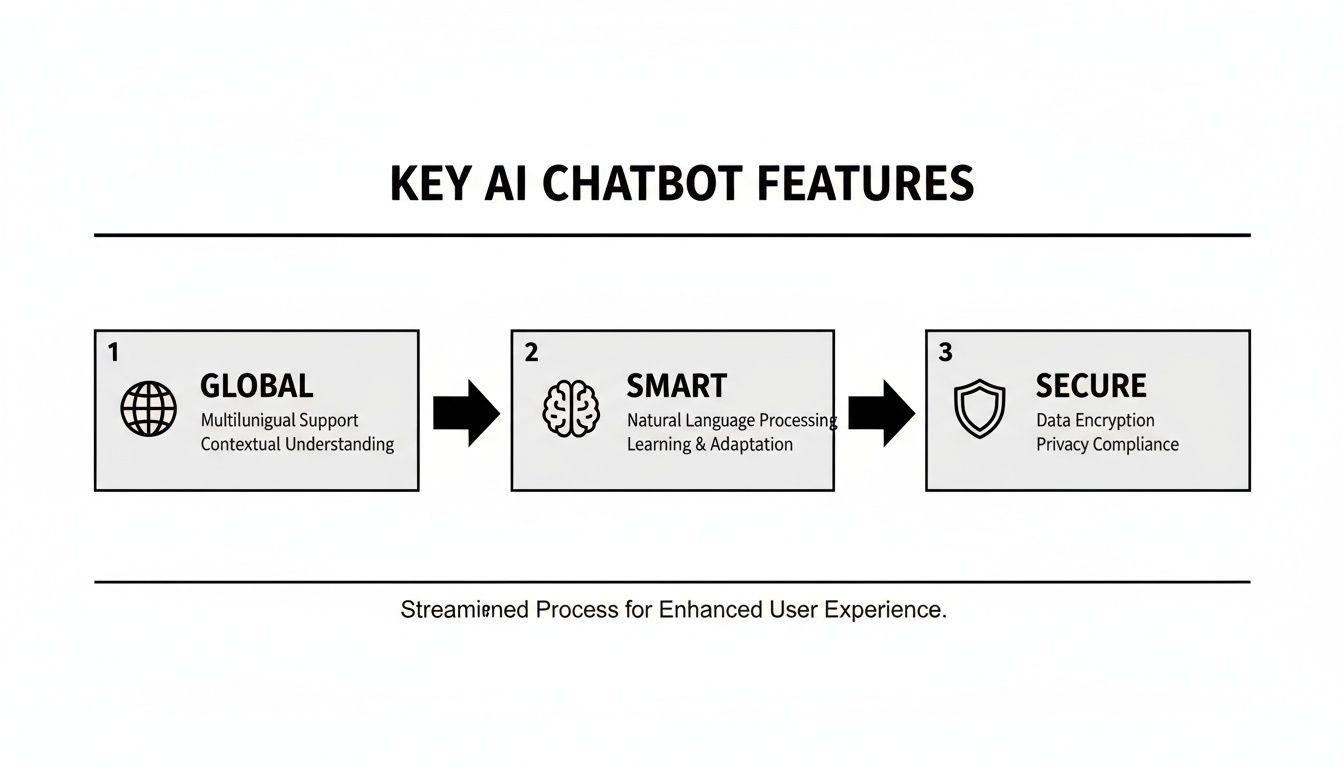
This process really comes down to these three core pillars: making your chatbot smart with the right information, secure with the right guardrails, and globally accessible to every customer. A successful deployment plan is one that builds on this foundation to create a trustworthy and effective tool.
Weaving Your Chatbot into Your Business
A chatbot shouldn't be an island. Its true magic is unlocked when you connect it to the other software you already use to run your business. Think of it less as a separate tool and more as the central nervous system for your customer conversations, tying everything together to make your whole operation run smoother.
When your chatbot can talk to your other apps, it stops being a simple Q&A bot and starts acting like a proactive member of your team. It can do things, not just answer questions. This is what separates a decent chatbot from one that becomes absolutely essential to how you handle sales and support.
Connecting to Your Everyday Tools
The whole point of integration is to build automated pathways that save you from tedious manual work. Instead of copying a customer's email from a chat and pasting it into your CRM, the chatbot just does it for you—instantly and without typos.
This means you can plug your chatbot right into the software that powers your business. Here are a few real-world examples of what that looks like:
- Your CRM: A visitor asks for a quote. The chatbot captures their info and automatically creates a new lead in your CRM, like HubSpot or Salesforce, attaching the full chat transcript. No more lost leads.
- Your Helpdesk: The bot tries to troubleshoot an issue but realizes it's too complex. It then automatically creates a support ticket in Zendesk or Freshdesk, assigning it to the right person.
- Your Team Chat: You can get instant alerts in Slack or Microsoft Teams the moment the bot identifies a VIP customer or a particularly frustrated user who needs a human touch.
These connections make sure the right information gets where it needs to go, right away. Your team can jump on opportunities and solve problems faster than ever.
Building Smart Workflows with AI Actions
Modern platforms like SupportGPT have taken this a huge step further with a feature called AI Actions. This lets you build powerful, automated workflows using plain English—no coding needed. You simply tell the bot what to do when certain things happen in a conversation.
Let's say a visitor on your website starts asking about your "enterprise plan." That's a huge buying signal. With AI Actions, you can create a rule that kicks off a whole sequence of events automatically.
AI Actions turn your chatbot from a passive librarian into an active employee. It’s the difference between a bot that knows a lead is hot and one that instantly does something about it.
Here’s how a smart workflow for that high-value lead would play out:
- Spotting the Opportunity: The chatbot picks up on keywords like “enterprise pricing,” “volume discount,” or “request a demo.”
- Gathering Intel: The bot then asks for the person's name, company, and email to qualify them.
- Taking Action: As soon as that info is collected, the bot fires off several actions simultaneously:
- Creates a new contact in your CRM.
- Pings your
#sales-leadschannel in Slack with the chat summary. - Adds the prospect to a "High-Intent Leads" email list in your marketing software.
This entire chain reaction happens in seconds, without a single person having to lift a finger. It ensures that hot leads never slip through the cracks just because someone was busy. For a small business, this kind of automation lets you punch way above your weight, capturing and acting on every single opportunity with lightning speed.
Finding the Right Plan for Your Business
Okay, you’re sold on the idea of an AI chatbot. The last piece of the puzzle is picking the right subscription. This isn't just about finding the cheapest option; it's about finding a plan that fits your business right now but also gives you room to grow without breaking the bank.
Think of it like choosing a business location. You don't rent a massive warehouse when you're just starting out in your garage. You find something that fits, knowing you can move up when the time is right. Most providers structure their plans around usage, so it's smart to explore various pricing models for AI solutions to get a feel for what’s out there. This helps you make a solid decision that supports where your business is headed.
Understanding Common Pricing Models
When you start shopping around for an AI chatbot for small business, you'll quickly notice a few common ways companies charge for their services. Each one is built for different types of businesses and website traffic.
- Flat Monthly Fee: This is as straightforward as it gets. You pay one set price every month for a package of features and a certain number of chats. It's predictable, which is fantastic for budgeting.
- Per-Conversation Model: With this model, you only pay for what you use. It's a great fit if your website traffic is still low, but watch out—it can get expensive quickly if your site suddenly gets popular.
- Tiered Plans: This is what you'll see most often. Providers bundle their offerings into tiers like "Free," "Pro," or "Enterprise." As you move up the ladder, you unlock more features, higher conversation limits, and better support.
For any small business, a good free tier is a game-changer. It’s your chance to take the chatbot for a real test drive on your own website and see the results for yourself before ever pulling out a credit card.
When Is It Time to Upgrade Your Plan
Starting small with a free or entry-level plan is always the smart move. But as your business grows, you'll start to see signs that it's time to level up. Catching these signals early means your chatbot can keep up with your success instead of becoming a bottleneck.
Your chatbot plan shouldn't hold your business back. Upgrading is a strategic move to unlock more advanced automation and security as your customer base and operational complexity grow.
Keep an eye out for these tell-tale signs that it's time to move to a more powerful plan:
- Hitting Usage Limits: Are you constantly getting "you're almost at your limit" notifications? If you're maxing out your monthly conversations or lead captures, that’s actually a great problem to have. It means the bot is working, and it’s time to give it more room to run.
- Needing Advanced Features: As your team grows, you might need more serious, enterprise-level features. Things like single sign-on (SSO) for better security or priority support to get help faster become less of a "nice-to-have" and more of a necessity.
- Desire for Deeper Integration: You've mastered the basics, and now you want the chatbot to do more. Upgraded plans often unlock more powerful integrations and AI Actions, letting you build complex workflows that connect your chatbot to all the other tools you use to run your business.
Got Questions? We’ve Got Answers.
Thinking about an AI chatbot for your small business is smart, but it's natural to have a few questions. Let's tackle some of the most common ones to give you a clear picture of what to expect when it comes to setup, customer experience, and the real-world impact on your sales.
How Hard Is It to Actually Set Up an AI Chatbot?
Honestly, it’s surprisingly easy. Forget the old days of needing a developer on speed dial. Today's best platforms are built for business owners, not coders. You can get a genuinely powerful AI assistant live on your website in just a few minutes, without touching a single line of code.
The whole process is incredibly straightforward:
- Sign Up: Just create an account on a no-code platform.
- Train the AI: This is the fun part. You simply give it links to your website, help desk articles, and product pages. The AI does the heavy lifting, learning everything it needs to know.
- Customize: A few clicks to change the chat widget’s colors and opening message to perfectly match your brand’s vibe.
- Deploy: Copy a small snippet of code and paste it into your website’s backend. If you can copy and paste, you can do this.
And that’s it. Your new AI chatbot for small business is ready to go, prepared to help your customers right away.
Will My Customers Get Annoyed by a Robot?
This is probably the biggest fear, and it comes from bad experiences with clunky, old-school chatbots. We’ve all been there, stuck in a loop of "I don't understand." But modern AI is a completely different ballgame.
Today's chatbots are powered by the same kind of advanced large language models (LLMs) that drive tools like ChatGPT. They're built to understand context, pick up on nuance, and hold a conversation that feels natural, not scripted.
The goal of a modern AI chatbot isn't to trick people into thinking it's human. It's to be genuinely helpful. When you train it on your own business data and set clear boundaries, it provides accurate, on-brand answers that build trust, not frustration.
You can even tune the bot’s personality to match your brand voice, whether you're fun and casual or more formal and professional. The result is a genuinely positive experience that leaves customers feeling heard and helped.
Can an AI Chatbot Really Help Me Make More Sales?
Absolutely. Think of it as your most dedicated sales assistant, one that never sleeps, takes a break, or has a bad day. It works 24/7 to make sure you never miss a chance to connect with someone ready to buy.
Here’s how it directly boosts your bottom line:
- Engages Every Visitor: It can proactively start a conversation with someone just browsing, turning a passive looker into an active lead.
- Answers Questions Instantly: It clears up any doubts a potential customer has about a product right in the moment they're thinking of buying.
- Qualifies Leads for You: It can ask the right questions to figure out who is a hot prospect versus someone just kicking the tires.
- Captures Contact Info: It seamlessly collects names and emails so your team can follow up and close the deal.
By giving every visitor immediate, personalized attention and turning them into qualified leads around the clock, a chatbot is one of the most effective tools you can have for driving conversions and growing your revenue.
Ready to see how an AI assistant can transform your customer support and sales? SupportGPT makes it easy to build and deploy a smart, secure chatbot trained on your business knowledge in minutes. Start for free and launch your AI agent today.