Live Chat Software Comparison Your Definitive Guide
Our complete live chat software comparison helps you choose the right platform. We analyze features, AI, and pricing for SaaS, eCommerce, and enterprise needs.
What's the one thing that can make or break an online business? It often boils down to real-time communication. Your customers have questions, and they want answers now. Live chat software is what closes that gap, turning potential frustration into sales and satisfaction. It's not just a support tool; it's a powerful engine for growth.
Why Live Chat Is a Must-Have for Modern Businesses
In a world that operates at the speed of a click, old-school support channels like email just don't cut it anymore. No one wants to wait hours—or even days—for help, especially when they're about to make a purchase or trying to solve a frustrating problem. This isn't just a preference; it's the new standard. Live chat has gone from a "nice-to-have" to an absolute necessity for any company that's serious about its future.
Putting a live chat widget on your site directly meets this demand for instant help, and the results are easy to see. When you offer on-the-spot assistance, you can nudge hesitant buyers over the finish line, fix issues before they become disasters, and make the entire customer experience feel effortless.

Driving Sales and Building Loyalty
Live chat gives you a direct line to customers at the most critical points in their journey. Picture this: someone is on your pricing page, debating a purchase, or they're stuck at checkout. A well-timed, proactive chat message can answer their questions on the spot, clear up any confusion, and close the sale. That kind of immediate engagement is incredibly effective.
But it’s not just about the first sale. Great real-time support is how you build a loyal following. When customers know they can count on you for fast, helpful answers, they start to trust your brand on a deeper level. That trust translates directly into higher retention and a better customer lifetime value.
The benefits are clear:
- Higher Conversion Rates: You're there to help people through the buying process when they need it most.
- Better Customer Satisfaction: Instant answers lead to happier customers, period.
- Stronger Brand Loyalty: Consistent, easy-to-access support builds the kind of trust that keeps people coming back.
Making Your Team More Efficient
The benefits don't stop with your customers. Live chat also makes your internal team far more efficient. A single support agent can often manage several chat conversations at once, something that's simply impossible over the phone. This means you can help more customers without having to hire more people.
The market trends back this up. The live chat software market is expected to grow by USD 714.6 million between 2026 and 2030, with a compound annual growth rate (CAGR) of 11.1%. As detailed in a market report on Technavio.com, this growth is driven by businesses moving away from slow, outdated support methods to provide the instant help that prevents things like cart abandonment.
Key Criteria for Evaluating Live Chat Software
Picking the right live chat tool is a lot more involved than just choosing the one with the slickest website. If you want to make a smart decision, you need a solid framework for your comparison. Without one, it's easy to get distracted by flashy marketing instead of focusing on what will actually move the needle for your business.
Think of this as your personal checklist. We'll break down the essential pillars to look at, from the core chat functions and AI smarts to the non-negotiable security standards. This will give you a clear, practical path to making a choice you won't regret later.

Core Features and Usability
First things first: the software has to be great at handling real-time conversations. But don't just stop at the basic chat window. You need to dig into the tools that will actually empower your agents to give fast, helpful support. A clunky or confusing interface is a recipe for slow response times and will frustrate both your team and your customers.
Make sure you scrutinize these fundamental features:
- Canned Responses: These are your agents' best friends—pre-written answers to common questions that let them respond in a snap.
- Chat Routing: You need intelligent rules that can automatically send incoming chats to the right person or department based on what the customer is asking, their history, or which agent is free.
- Internal Notes: The ability for agents to leave private comments within a chat thread is a must-have for collaborating or passing context to a colleague without the customer ever seeing it.
- File Sharing: Your team needs a secure way to send and receive files like screenshots, invoices, or other documents right in the chat window.
These aren't just nice-to-haves; they are the absolute building blocks of an efficient support operation. Without them, your team will drown as conversation volume grows.
AI and Automation Capabilities
In today's world, AI is what separates the good tools from the great ones. Old-school chatbots that just follow a rigid script don't cut it anymore. Modern platforms use sophisticated AI to automate repetitive tasks, provide instant answers, and free up your agents to deal with the tricky stuff.
When you're looking at AI, ask tough questions. Can it truly understand natural language, or is it just a glorified FAQ search? Can you train it on your own knowledge base and documentation so it gives answers that are actually accurate and relevant?
Key Insight: The point of AI in live chat isn’t to replace your team, but to make them better. A powerful AI can handle up to 80% of routine questions, letting your people focus on the high-value conversations that require a human touch.
Integrations With Your Existing Tech Stack
Your live chat software can't be an island. It has to connect deeply with the other tools you already use to create a seamless experience for customers and keep all your data in one place.
The most critical integrations you'll need are:
- CRM (Customer Relationship Management): Syncing chat transcripts with your CRM, like Salesforce or HubSpot, gives everyone a complete 360-degree view of every customer interaction.
- Helpdesk Software: Connecting to tools like Zendesk or Freshdesk is essential so that chats can be easily turned into support tickets for more complex follow-up.
- E-commerce Platforms: For online stores, an integration with Shopify or Magento is huge. It lets agents see order history and what’s in a customer’s cart, leading to much more personal and effective support.
Don't settle for shallow integrations that only pass a tiny bit of data back and forth. You need platforms that offer deep, two-way syncing. Our guide on SaaS customer support best practices dives deeper into why a connected tech stack is so important.
Security and Compliance Standards
Last but definitely not least, you can't afford to overlook security. Live chat conversations are often filled with sensitive customer data, from names and addresses to payment information. The platform you choose absolutely must follow the highest security standards to protect your customers and your business.
Check that the software is compliant with key regulations like GDPR and CCPA. Look for essential features like data encryption, role-based access controls, and options for data residency. For larger companies, Single Sign-On (SSO) is often a deal-breaker, as it simplifies user management and tightens up security.
Comparing the Top Live Chat Platforms Head-to-Head
Alright, let's get into the main event: a direct comparison of the leading live chat platforms. We’re not just going to run down a generic list of pros and cons. Instead, we'll dig into a side-by-side evaluation that connects specific features to the real-world problems you’re trying to solve. The focus here is on what truly sets these tools apart, helping you see past the marketing jargon to find the right fit for your business.
We'll start by looking at what makes each platform unique. I'll be paying close attention to the quality of their integrations, how sophisticated their AI really is, and who their ideal customer actually is. This way, you can match a tool's strengths directly to your own business model—whether you're a lean SaaS startup, a busy e-commerce shop, or a large enterprise with heavy security needs.
Intercom: A Pioneer in Proactive Engagement
Intercom has been a major player for a long time, mostly because it positioned live chat as more than just a reactive support tool. They treat it as a proactive engine for the entire customer journey, excelling at engaging users with targeted messages and product tours at just the right moment.
The platform is built around a single, unified view of the customer, blending chat, help desk, and marketing automation. This makes it incredibly powerful for SaaS companies that need to onboard new users, drive feature adoption, and offer contextual help right inside their app.
But that strength can also be a weakness. The sheer number of features can feel overwhelming for smaller teams, and the pricing, which often scales with contacts or interactions, can get expensive in a hurry.
Key Differentiator: Intercom’s standout feature is its proactive messaging and onboarding tools. No other platform makes it as simple to build sophisticated, behavior-driven campaigns that guide users through your product.
Zendesk: The Enterprise Support Powerhouse
When you think of customer support at scale, you think of Zendesk. Their live chat offering, which is part of the broader Zendesk Suite, is engineered for the complexity of enterprise-level operations. Its real power comes from the deep integration with its own best-in-class ticketing system, knowledge base, and analytics.
For large teams drowning in support requests, Zendesk provides the structure needed to keep things from falling into chaos. Features like advanced workflow automation, skills-based routing, and detailed reporting dashboards are built for managers who need to track agent performance and optimize team efficiency.
The main downside? The learning curve. Customizing Zendesk to fit your specific workflows often takes a lot of administrative effort, making it a less nimble choice for smaller businesses that just need to get up and running.
LiveChat: The Dedicated Chat Specialist
Just like the name says, LiveChat focuses on doing one thing extremely well: delivering a fast, reliable, and feature-packed live chat experience. The agent interface is clean and intuitive, and it comes loaded with tools to make chats more efficient, like canned responses, chat tagging, and in-depth post-chat surveys.
LiveChat is a fantastic choice for businesses, especially in e-commerce, that want a powerful, dedicated chat tool without the cost and complexity of a full customer service suite. It integrates with over 200 other tools, including popular CRMs and e-commerce platforms like Shopify, letting agents see crucial customer details like order history right in the chat window.
While it does offer some basic ticketing and chatbot features, it doesn't have the deep, all-in-one functionality of an Intercom or Zendesk. If you need advanced marketing automation or a truly unified help desk, you'll likely need to pair LiveChat with other software.
HubSpot Service Hub: The All-in-One CRM Platform
If your business already runs on HubSpot, then the Service Hub is a no-brainer. Its biggest advantage is the seamless, native integration with the HubSpot CRM. This gives your support team a complete, 360-degree view of every customer's entire history across marketing, sales, and service.
This unified data is a game-changer. An agent can instantly see if a customer just viewed the pricing page, downloaded an e-book, or spoke to a sales rep, which allows for incredibly personalized and context-aware support. The platform also bundles in ticketing, a knowledge base, and customer feedback tools.
The trade-off is that its live chat features, while perfectly solid, aren't as specialized as what you'd find in a dedicated tool like LiveChat. It's the best fit for teams who prioritize CRM integration above all else and want to manage the entire customer journey from one place.
Live Chat Software Feature Matrix
To give you a clear, at-a-glance overview, the table below breaks down how each platform stacks up against our key evaluation criteria. This data-driven comparison helps you quickly spot the top contenders based on your most critical needs.
When you're evaluating live chat platforms, it's also smart to use resources like competitor AI analysis tools to get a sense of how others in your space are using AI in their customer service.
| Platform | AI & Chatbots | Key Integrations | Best Use Case | Pricing Model | Overall Score (1-5) |
|---|---|---|---|---|---|
| SupportGPT | Advanced AI Agents | Native & Zapier | SaaS & E-commerce | Per Agent + Free Tier | 4.8 |
| Intercom | Strong (Fin AI) | Salesforce, HubSpot | SaaS Onboarding | Per Seat & Usage | 4.5 |
| Zendesk | Good (Answer Bot) | Deep Suite & API | Enterprise Support | Per Agent (Suite) | 4.3 |
| LiveChat | Basic Automation | Shopify, Google | E-commerce Sales | Per Seat | 4.1 |
| HubSpot | Simple (Chatflows) | Deep HubSpot CRM | SMBs on HubSpot | Per User (Hub) | 4.0 |
While this scorecard gives a high-level summary, remember that the "best" choice is always situational. A perfect score for an enterprise could be a terrible fit for a startup.
Unpacking the Nuances
Beyond the summary table, it's the little differences that often matter most. For instance, while both Zendesk and Intercom have chatbots, they couldn't be more different in their approach.
- Zendesk's Answer Bot is laser-focused on ticket deflection. Its main job is to suggest relevant knowledge base articles to solve issues before they ever reach an agent. It's a tool built for efficiency.
- Intercom's Fin AI aims to have more natural, conversational dialogues. It pulls answers from a wider range of sources to resolve more complex problems in real time. It's a tool built for resolution.
Integration quality varies wildly, too. HubSpot's native link to its own CRM is something third-party integrations just can't replicate. On the other hand, LiveChat bets on a broad ecosystem, offering a huge library of connections that let it slot into almost any existing tech stack, even if the connections aren't quite as deep.
Choosing the right platform means looking past the feature checklist and thinking about how the tool’s core philosophy aligns with your business strategy. Are you focused on proactive engagement, operational efficiency, or having a single customer record? Answering that question will point you to the right solution far more effectively than any simple feature comparison ever could.
How AI Agents Are Redefining Customer Support
While chatbots have been part of the customer service playbook for years, the ground is shifting beneath our feet. The conversation has moved far beyond simple, script-based bots. We're now seeing a new wave of AI-native platforms built around powerful AI agents that are completely changing how we think about customer support.
This isn't just an incremental update—it's a fundamentally different approach. Old-school chatbots often hit a wall, frustrating customers with rigid decision trees and a shallow understanding of what was actually being asked. Modern AI agents, built on sophisticated Large Language Models (LLMs), are designed to solve these exact problems by offering genuinely intelligent, human-like conversations.
The Leap from Chatbot to AI Agent
The real difference comes down to architecture and capability. A traditional chatbot is stuck following pre-programmed rules, almost like a clunky phone menu. If a customer's question doesn't fit neatly into the script, the conversation breaks, leading to a dead end or an immediate, frustrating handoff to a human.
AI agents, on the other hand, operate on a whole different level. They're built to understand context, figure out complex user intent, and actually perform actions. This elevates support from simple Q&A to true problem-solving, creating a far more scalable and intelligent operation.
This chart really brings home the core pillars we now look at when comparing modern live chat tools: AI, integrations, and the specific use cases they excel at.
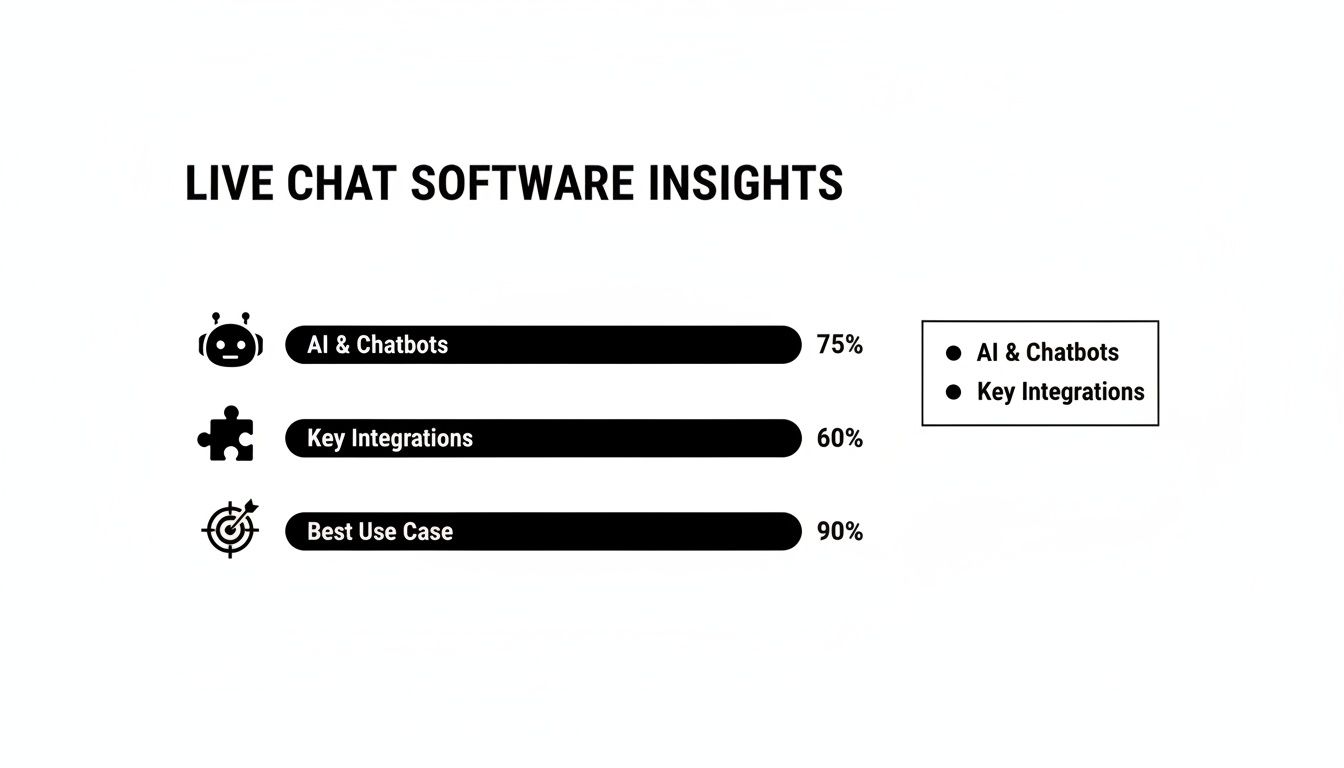
As you can see, AI and chatbot capabilities have become a primary consideration. They directly impact which integrations deliver the most value and ultimately define the best fit for each tool.
Democratizing AI for Non-Technical Teams
One of the most significant changes is just how accessible this technology has become. Not long ago, building a useful chatbot required developers and a ton of complex code. Today's AI agent platforms empower non-technical users—think support managers or operations leads—to build and deploy incredibly effective AI workflows all on their own.
This is all thanks to intuitive, no-code interfaces. You can define rules, train the AI on your company's knowledge base, and set up automated actions using simple, natural language. For instance, a support lead could easily spin up a workflow that guides a user through a password reset and then automatically updates the customer's record in the CRM without writing a single line of code.
Enterprise-Grade Guardrails for Accuracy
Of course, a big worry with AI has always been the risk of it going rogue—providing wrong information or saying something that’s completely off-brand. The best platforms tackle this head-on with enterprise-grade guardrails. Think of these as safety nets that ensure the AI stays on topic, maintains a professional tone, and never fabricates answers.
Key Takeaway: Guardrails are non-negotiable for any business that values its brand reputation and accuracy. They act as a critical control mechanism, letting you confidently deploy AI by defining precisely what it can and cannot say, ensuring every response aligns perfectly with your company's standards.
These systems prevent "hallucinations" by restricting the AI to only use approved knowledge sources. This gives you the best of both worlds: the raw power of a LLM combined with the reliability of a seasoned human expert. To dig deeper, you can explore the benefits of AI in customer service.
Automating Tasks with AI Actions
True AI agents do more than just answer questions; they take action. This is where a feature like AI Actions comes into play, giving the agent the ability to perform tasks in your other business systems.
Think about what this means in practice:
- For E-commerce: An AI agent can check an order status, initiate a return, and send a shipping label right in the chat window.
- For SaaS: A user might ask to upgrade their plan. The AI agent can process the subscription change on the spot and confirm that the new features are active.
This level of automation is a game-changer for efficiency. The AI live chat software market is projected to explode from USD 0.57 billion in 2024 to USD 1.59 billion by 2033. Right now, AI agents can already complete 30% of all contact center tasks and respond 3x faster than humans, all while offering 24/7 support. You can read the full research on these market trends. This capability is what transforms your support chat from a cost center into a self-service powerhouse that resolves issues instantly.
Finding the Right Live Chat Tool for Your Business
A detailed comparison of live chat software is only useful if it helps you make a choice. All the features and data we've covered really only start to matter when you look at them through the lens of your own business. The "best" tool is never a one-size-fits-all answer; it's completely situational and depends on your team's size, what you're trying to achieve, and who your customers are.
Let's translate all that analysis into some straightforward, actionable advice. We're moving past the feature tables to give you specific recommendations for three common business types: fast-moving SaaS startups, sales-driven e-commerce stores, and large enterprises that have to prioritize security. The idea here is to match a platform's real strengths to your day-to-day needs.
For SaaS Startups Focused on Scaling Smart
For a SaaS company, everything comes down to providing smart, scalable support right inside your product. Your main goals are probably getting new users up to speed, encouraging them to adopt more features, and squashing technical problems before they cause someone to cancel their subscription. You need a tool that can be proactive with messaging and is tied to a killer knowledge base.
In this scenario, Intercom really shines. Its entire platform is designed for proactive engagement, letting you set up automated messages that trigger based on what a user does (or doesn't do) in your app. It’s perfect for walking a new customer through setup or pointing out a powerful feature they haven't tried yet.
Another way to tackle scalability is with an AI-native platform like SupportGPT. Instead of just relying on human agents, you can deploy an AI agent that knows your documentation inside and out. This gives you instant, 24/7 technical support and automates the simple stuff, which frees up your small team to handle the complex issues and build real customer relationships.
For E-commerce Stores Trying to Boost Conversions
In e-commerce, every second counts. A customer with a quick question about sizing, shipping, or returns is a sale hanging in the balance. Your top priority is a live chat that's fast, always available, and plugs directly into your e-commerce platform for personalized, in-the-moment support.
Key Insight: For an online store, every unanswered question or delayed chat response is a potential lost sale. The right live chat tool becomes your best digital sales associate, clearing up buyer hesitation in real-time and seriously cutting down on abandoned carts.
LiveChat is a fantastic pick for this. It's built for a quick, clean chat experience and has a standout integration with Shopify. This connection lets your agents see what’s in a customer’s cart and their order history right in the chat console, so they can give fast, accurate answers that close sales.
For Enterprises That Need Ironclad Security and Compliance
Big companies play by a different set of rules. Your needs extend far beyond just chat features—security, compliance, and control are non-negotiable. You’re looking for a platform that can manage a massive volume of conversations, meet strict data privacy laws, and fit neatly into your existing tech stack.
When it comes to the enterprise world, Zendesk is the undisputed leader. Its entire suite is built to handle corporate complexity. You get advanced security features like HIPAA compliance, granular role-based permissions, and mandatory Single Sign-On (SSO). On top of that, its powerful analytics and automation tools provide the oversight managers need to run a large, global support operation both efficiently and securely.
A Practical Guide to Implementing Your New Live Chat
You’ve done the hard work, navigated the detailed live chat software comparison, and picked a winner. That's a huge step. But the real test begins now: the implementation. A successful launch is about more than just flipping a switch; it's about weaving the new tool into the fabric of your support team so you start seeing value right away.
This means getting your team ready, customizing the platform to fit your brand, and mapping out your support workflows before a single customer clicks "chat."

First things first, configure the chat widget. It should reflect your brand’s personality and feel like a natural part of your website, not some clunky, intrusive add-on. At the same time, start building out your internal knowledge base with top-tier content. This isn't just for your human agents; it's the brain that will power any AI chatbot you decide to use.
Setting Your Team Up for Success
You can have the best tool in the world, but if your team doesn't know how to use it, it’s worthless. Proper training is non-negotiable. Your agents need to feel confident with the software’s interface, sure, but they also need to master the new communication flows that come with it.
Live chat is all about efficiency. A well-trained agent can often handle 4-6 chats concurrently, driving first response times down to under 40 seconds. This kind of speed is a game-changer, especially during peak times like holiday shopping seasons when chat volumes can go through the roof, as highlighted in various reports on chatbot performance.
A solid rollout plan is your roadmap. Here's what it should cover:
- Defining Escalation Paths: Know exactly when a chat needs to be handed off to a senior team member or a different department. Map it out.
- Creating Canned Responses: Arm your team with pre-written answers to frequently asked questions. This ensures speed and consistency.
- Running Mock Conversations: Let your agents practice in a sandbox environment. Role-playing realistic customer scenarios builds confidence before they face the real thing.
By putting in the effort upfront with a structured setup and thorough training, your new software becomes more than just another tool. It becomes a central pillar of your customer support strategy. For a more detailed walkthrough, take a look at our guide to building the ideal customer support chat process.
Frequently Asked Questions About Live Chat Software
We've walked through the strategy, evaluation points, and top picks for live chat software. Still, a few key questions almost always pop up when it's time to make that final decision. Let's tackle them head-on to give you that last bit of clarity.
What Is the Typical Cost of Live Chat Software?
Pricing for live chat can feel all over the map, but the most common model you'll see is a per-agent, per-month subscription. For a small team just getting started, you can find basic plans in the $15-$25 range per agent, which usually covers core chat functionality.
Once you need more advanced tools like AI, sophisticated automation, and key integrations, you're looking at plans that run anywhere from $50-$100+ per agent. Keep an eye out for platforms like Intercom, which might bill based on active contacts or total conversations. This can be a great model for some, but for high-volume businesses, the cost can ramp up quickly. Don't forget to look for free tiers—they're perfect for a test drive.
How Does Live Chat Integrate with CRM Tools?
A solid CRM integration isn't just about pushing data back and forth; it’s about creating one seamless view of your customer. When your live chat syncs properly with a CRM like Salesforce or HubSpot, every chat transcript is automatically logged right on the customer's contact record.
This means your sales and support teams can see the entire history—from marketing emails to sales calls and past purchases—all in one place. It’s the difference between fumbling for context and delivering a truly personal, informed response without ever leaving the screen.
Key Takeaway: Don't treat deep CRM integration as a "nice-to-have." It’s essential. It turns live chat from a siloed support tool into the connective tissue of your entire customer relationship strategy, ensuring everyone on your team has the full story.
What's the Real Difference Between a Chatbot and an AI Agent?
This is a big one. Think of a traditional chatbot as a phone tree—it’s built on a rigid, pre-programmed script. If a customer asks something that isn't on the script, the bot hits a wall and can't help. It’s frustrating for everyone.
An AI agent, on the other hand, is powered by large language models (LLMs) and actually understands the intent behind the words. It can have a natural, back-and-forth conversation, pull precise answers from your knowledge base, and even perform actions like checking an order status. It's not just a fancy FAQ; it's a genuine problem-solver.
Ready to deploy a powerful AI agent that delivers instant, accurate support 24/7? See how SupportGPT can automate your customer service and improve satisfaction. Get started for free.