Chatbot vs Virtual Agent: Key Differences and Use Cases
Compare chatbot vs virtual agent capabilities, escalation and use cases to choose the right customer support tool for your team in 2026.
The most repeated advice in support automation is to buy the most autonomous agent you can afford and push containment as high as it will go. Follow that and you end up with a system that keeps customers away from your team while failing the cases that matter. Autonomy is a feature. A clean handoff is the outcome.
Containment is the easiest number to move and the easiest to fake. A bot that refuses to escalate looks excellent on a dashboard and terrible in a customer's inbox. The distinction that changes results isn't how intelligent the conversation feels. It's scope, and what survives the transfer to a person.
Chatbot vs Virtual Agent at a Glance
The short version: a chatbot answers questions and guides customers through predefined paths. A virtual agent can understand a request, use business data, take action, and hand the case to a person when it becomes too complex. The handoff matters as much as the action: for high-risk requests, a well-designed agent should escalate rather than act alone.
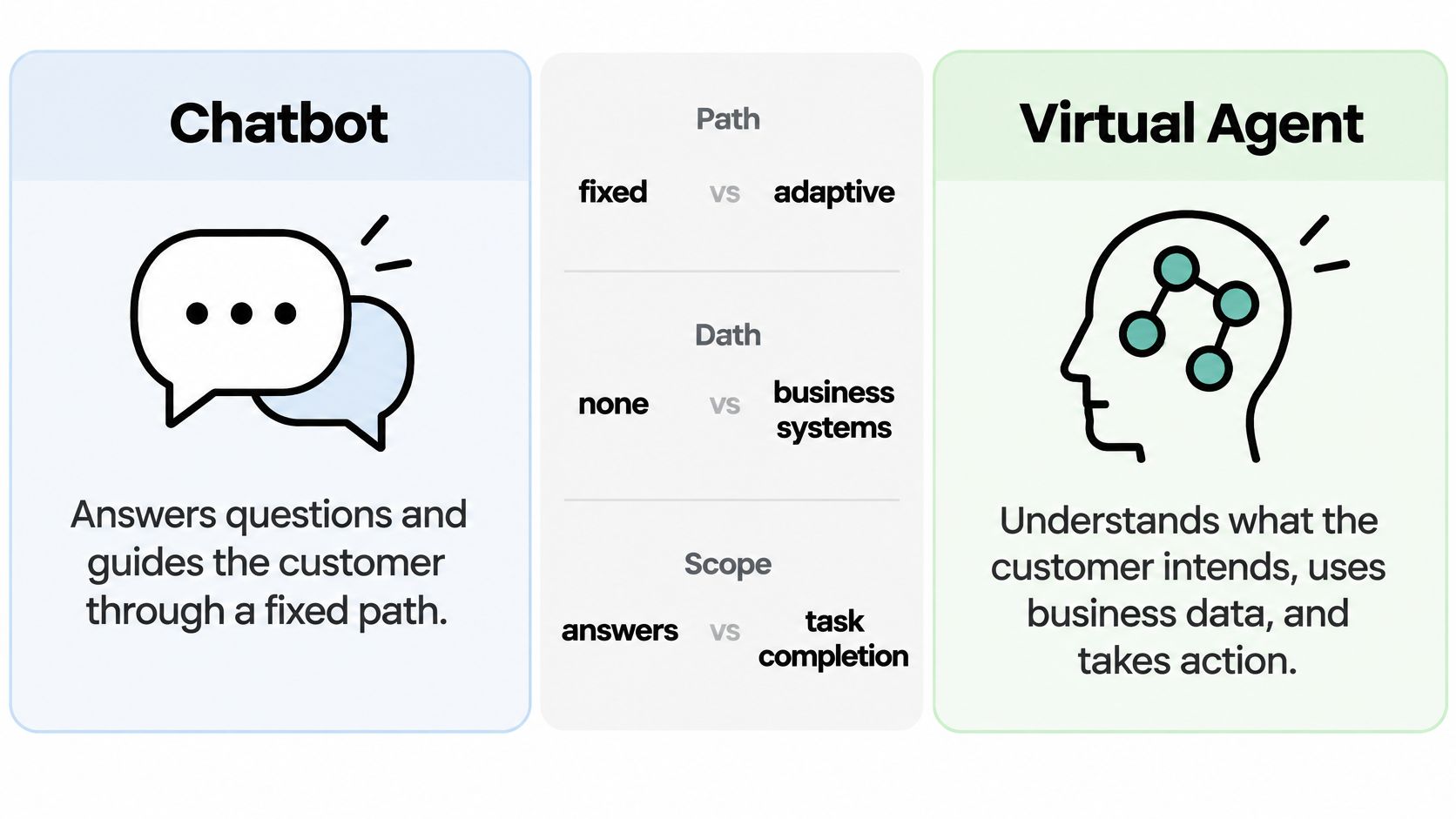
Chatbot and virtual agent compared on seven criteria
| Criterion | Chatbot | Virtual agent |
|---|---|---|
| Core purpose | Answers predefined questions or follows fixed flows | Understands intent and completes tasks in business systems |
| Context handling | Usually scripted, single-turn or short paths | Keeps multi-turn context and uses business data |
| System access | None or read-only information | Runs actions such as password resets, order changes or refund status checks |
| Exception handling | Falls back to a generic message | Responds to ambiguous requests and routes complex cases to a person |
| Escalation | Manual or keyword-triggered | Rule-based handoff based on complexity, with context passed on |
| Typical build | Decision tree or FAQ matching | Language model plus knowledge sources, rules and integrations |
| Success measure | Intent accuracy and fixed-response accuracy | Task completion, handoff quality and resolution |
The most useful distinction is what the system can do. Can it change something in a customer's account, or only explain what the customer should do? That answer clarifies the tool's scope, what information it needs, and whether a human can pick up the case with the context intact.
The underlying technology may be the same. A language model connected to FAQs can still function as a chatbot: it may phrase answers naturally without changing the customer's outcome. Production differences come from scope, integrations, and escalation rules, not the model named on a pricing page.
In a vendor demo, test the boundary between advice and action. Ask the agent to change a plan or reset access, then have it escalate before completing the task. If it can only explain the steps, it acts like a chatbot. If it can perform the task and pass the conversation to a human with the details already collected, it behaves more like a virtual agent. For high-risk requests, that handoff may be the better result than greater autonomy.
The labels alone tell you little. Use the seven criteria to compare what each product does, then check the different types of chatbots and where each one breaks to see how much capability can sit under the chatbot label.
Why the Two Terms Overlap in Practice
Vendors blur these labels because the split is scope and capability, not a separate branch of technology. The ACM paper on conversational agent design notes that academic literature often uses "chatbot" and "conversational agent" as synonyms, while some writers reserve chatbot for a narrower, specialized assistant and use conversational or virtual agent for broader systems that support more general tasks.
A name from the 1960s that outlived its meaning
The chatbot lineage is usually traced to ELIZA, built in the 1960s to imitate a psychotherapist through scripted conversational patterns. The name stuck, and it's still applied to everything from a three-button widget to an assistant that resets credentials and issues refunds. That's why arguing about the label wastes time and why the comparison table above beats any definition.
Market adoption shows why the operational meaning is the one worth keeping. Gartner's forecast, as the same paper recounts it, put integration of virtual customer assistants or chatbot technology at fewer than 2% of customer-service operations in 2017, and projected that 25% would do so by 2020. The same account reports reductions of up to 70% in call, chat and email inquiries at organizations that implemented a virtual customer assistant.
Read those milestones carefully. They describe workflow-connected automation with escalation built in, not a new species of software. The reduction came from handling the request, not from phrasing the reply more smoothly.
What the overlap costs buyers
- Procurement gets lazy. A feature grid that lists "AI chatbot" as one line item hides whether the thing can touch your order system.
- Pilots get scored wrong. Teams measure deflection because it's available, then discover customers recontacted within a week.
- Roadmaps drift. A team buys a scripted flow expecting agent behavior, then spends two quarters building integrations the vendor never mentioned.
When a vendor uses both names on the same page, ask two things. What can this tool change in the customer's account, and what exactly does it hand to a person when it gives up?
The label never settles those questions. A tool that answers predefined questions or walks a fixed flow is a chatbot, and a tool that uses business context, completes actions and transfers complex cases to staff is a virtual agent.
Use Cases by Task Type and Visitor Need
Availability doesn't produce self-service. In a Gartner survey of 497 business-to-business and business-to-consumer customers run from December 2022 through February 2023, only 8% had used a chatbot during their most recent customer-service experience, and just 25% of those users said they'd use that chatbot again.
That survey also split performance by task. Chatbot-assisted customers resolved only 17% of billing disputes, against as much as 58% of return or cancellation requests. The strongest driver of repeat use was whether the chatbot moved the issue forward, which explained 18% of the variance in willingness to reuse it.

The lesson isn't that chatbots fail. It's that they fail in a predictable place: the moment a request needs an account touched.
Where a chatbot is enough
Information requests reward speed and consistency. Store hours, shipping cutoffs, warranty terms, product specifications, return windows, availability. A scripted or retrieval-backed widget handles these in one turn and never gets tired.
- E-commerce: "Do you ship to Ireland, and by when do I need to order for Friday delivery?" is a policy answer, not an account action.
- SaaS: "What's included in the Standard tier?" belongs in a widget that reads your pricing page.
- SMB support: "Are you open on Saturdays?" should never consume a human's afternoon.
SupportGPT's embedded chat agents answer visitor questions and hand conversations to a person, which covers the information half of that split without pretending to be more than it is.
Where you need an agent that can act
Action requests break scripted bots. Changing a plan, adding seats, resetting SSO access, checking refund status, correcting a shipping address, cancelling a subscription. Each one needs a system write and a confirmation the customer can see. For a worked version of this split in practice, an AI customer service example with real task flows shows how information and action requests diverge under the same interface.
The practical divide: if the customer's goal is to know something, a chatbot serves them. If the goal is to have something done, they need a tool with system access and a route to a human when the write fails.
Take your ten highest-volume requests and mark each one information or action. If more than three land in the action column, a purely scripted bot will escalate those at full cost while looking like it's working.
Risk-Based Routing for Customer Requests
The boundary isn't intelligence. It's complexity and emotional stakes. The recent customer-service study published in the Journal of Marketing Research and Case Studies found chatbots were perceived as more effective for low-complexity, transactional tasks because they improved speed and convenience, while human agents produced stronger outcomes on complex or emotionally sensitive cases involving trust, reassurance and perceived resolution quality. The same paper cites earlier research in which human agents were up to 2.7 times more likely than automated systems to resolve an issue on first contact.
That gap has nothing to do with whether the bot can hold a conversation. It comes from judgment, and judgment is what you're routing.
Five criteria that set the boundary
- Reversibility. Can a wrong action be undone in one step? A password reset is trivially reversible. A cancelled subscription with a retention credit applied is not.
- Financial impact. Money moved, refunded, credited or charged raises the cost of an error by an order of magnitude.
- Privacy exposure. Anything touching identity, payment details or account takeover deserves a human who can verify against a second factor.
- Emotional stakes. Failed deliveries, bereavement-related cancellations, distressed customers. Speed matters less than being heard.
- Cost of a wrong answer. Multiply likelihood by damage. High either way means a person owns the decision.
Routing customer requests by risk and first handler
| Request type | Risk if wrong | Best first handler |
|---|---|---|
| Password reset | Low, reversible | Virtual agent with an identity check |
| Order status | Low | Chatbot or virtual agent |
| Subscription change | Medium, financial | Virtual agent with confirmation step |
| Failed delivery | Medium | Virtual agent gathers details, human approves refunds |
| Cancellation with retention offer | Medium to high | Virtual agent presents options, human confirms |
| Billing dispute | High, financial | Human, with the virtual agent collecting facts |
| Security incident or account takeover | High, privacy | Human immediately |
| Vulnerable customer or distress | High, emotional | Human immediately |
The contrarian conclusion follows. The best virtual agent strategy is often deliberately less autonomous, using automation to gather facts, explain options and execute low-risk actions while keeping judgment-heavy decisions with people. A team that automates the top of that table and stops is ahead of a team that automates the bottom and spends its week cleaning up.
Your boundary rule: if a wrong answer is hard to reverse, costs money, or involves personal data, a human owns the decision even when automation opens the conversation.
The escalation path needs to exist before launch, not after the first complaint. How an escalation process should be structured covers the triggers and ownership handoffs that make this workable.
Why Handoff Quality Matters More Than Autonomy
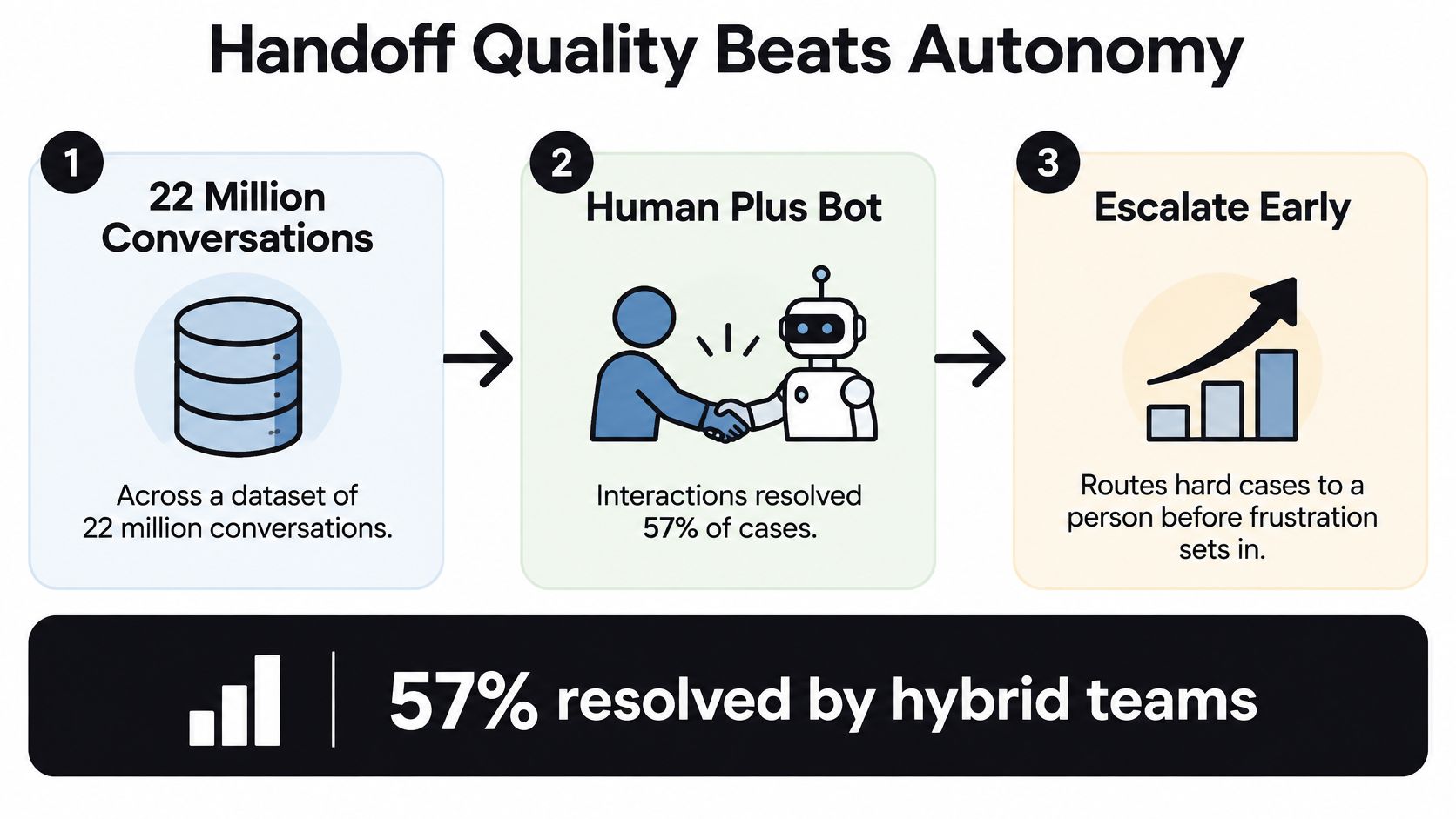
More autonomy does not automatically mean better support. Across a dataset covering 22 million conversations, human-plus-bot interactions resolved 57% of cases, compared with 29% for bots alone, according to Tidio's collection of AI customer service statistics. Hybrid support outperformed pure automation, making the handoff a measure of quality, not a sign that the system failed.
A weak handoff makes customers repeat themselves. In the same source, 84% of surveyed AI-service users said they had to repeat information they had already given a chatbot, including 37% who said it happened frequently. The bot may have collected the details, but if the human agent cannot see them, the customer pays for the gap.
The handoff sequence in five steps
- Detect the trigger. Escalate when a query is complex, repeated attempts fail, sentiment deteriorates, or the request involves authentication. Use the situation, not one keyword, to guide the decision.
- Summarize the intent and collected details. Include what the customer needs, what has been verified, and what has already been tried.
- Transfer the live conversation with its thread intact. A short ticket summary is not a substitute for the conversation context.
- Let the human confirm and close. The agent should be able to acknowledge what the customer has already done, rather than ask them to start over.
- Record whether the customer had to repeat information. That gives a direct signal about handoff quality.
Escalation instructions should be written in natural language, with query complexity guiding when a human takes over. SupportGPT lets teams define those instructions and pass sensitive conversations to people with the context intact. Automate the early steps, but keep human judgment available for requests that need it.
Four metrics to track instead of containment
Containment alone can reward a system for keeping customers in automation, even when they do not get help. Track handoff completeness (whether the human receives intent, collected details, and authentication state), escalation triggers (which conditions fire and whether they fire late), time to human ownership, and post-handoff resolution. If a system contains 70% of conversations but resolves only 45%, its containment figure hides the customers who remain stuck.
A handoff that preserves context is worth more than a hundred extra scripted answers. It lets customers explain their problem once instead of repeating it to each agent.
For a closer look at how AI and human agents divide the work, focus on ownership and routing, not just how many tasks automation can handle.
How to Test Each One Before You Choose
Report two numbers, never one. Containment tells you how many conversations stayed with the machine. Task completion tells you how many customers got what they came for. A tool sitting at 80% containment and 45% completion is losing more than half the people it kept, and a blended "resolution rate" hides that entirely.
Evaluation scorecard for chatbots and virtual agents
| Dimension | Metric to report | Basic chatbot | Virtual agent |
|---|---|---|---|
| Task outcome | Task-completion percentage | Fixed answer delivered | Action confirmed in the system |
| Intent handling | Intent classification accuracy | In-scope intents only | Ambiguous requests and recovery |
| Context | Dialogue-consistency rating 0-5 | Single-turn answers | Consistency across follow-up questions |
| Safety | Policy compliance and toxicity score 0-1 | Off-topic filtering | Authentication boundaries and guardrails |
| Tone | Empathy or politeness rating 1-5 | Scripted tone | Tone when the customer is frustrated |
| Escalation | Containment and safe-handoff rate | Deflection share | Handoff with context intact |
Why a low escalation rate can be a red flag
In a randomized experiment, GPT-based support bots escalated 66 of 835 engaged sessions, or 7.9%, while classical Power Virtual Agents escalated 99 of 578, or 17.1%. The 9.2-percentage-point difference was statistically significant (τ = -5.05, p = 4.9 × 10⁻⁷) and represented a 53.8% relative reduction in escalation, per the arXiv study comparing GPT-based and classical support bots.
Record that as containment evidence and nothing more. Lower escalation can also mean the system never recognized that a person was needed. The same study found no statistically significant escalation difference between the GPT-3.5 and GPT-4 variants, which points at retrieval quality, workflow design, guardrails and escalation rules as the main levers rather than the model label.
A test set you can build this week
A 2025 evaluation framework for conversational systems recommends scoring tools across five operational dimensions instead of a single chatbot-versus-agent verdict: coherence and context retention, intent fulfillment, safety compliance, emotional appropriateness and user satisfaction. Its suggested measures map onto the scorecard above, including a 0-5 dialogue-consistency rating, task-completion percentage, a 0-1 toxicity score, 1-5 empathy ratings, CSAT and average session duration. Its task-based evaluation used more than 100 customer-support interactions covering login issues, password resets and policy inquiries, which is a reproducible design you can copy.
Build a set of at least 100 realistic interactions, tag each with the expected outcome, and segment results by intent, language, model, knowledge source and whether the case escalated. Weak spots surface fast when you slice that way.
One responsibility note before you ship. AI-generated responses can be inaccurate or unsuitable, and testing agent behavior and reviewing important output is the customer's job, not something a vendor does for you. Run the scorecard against two shortlisted tools in one afternoon, mark each row pass or fail, and the practical guide to evaluating AI agents gives you the scoring discipline to keep it honest.
Choose Your Setup Based on Risk and Volume
Pick your starting point from your request mix, not from the product category on a pricing page. Volume alone doesn't decide it; the share of requests that need an account action does.
Three starting points by situation
A small site with mostly policy questions. Store hours, shipping terms, product specs, availability. Start with a widget that answers those and hands everything else to a person. You don't need integrations yet, and you don't need a six-week implementation.
A SaaS or e-commerce team with steady account work. Plan changes, seat additions, access resets, refund-status checks. You need an agent wired to the account system, plus a confirmation step before anything medium-risk executes. Change the plan, show the new price, wait for the customer to confirm, then apply it.
A team that handles disputes, takeovers or distressed customers. Leave the decision with people. Use automation to collect facts, verify identity and draft the summary, then hand over. That's a deliberate ceiling on autonomy, and it's the right one when a wrong answer costs real money or privacy.
The whole build doesn't need an engineering sprint. You can go from idea to a live agent in minutes by adding your knowledge, shaping the tone, testing real questions and deploying, with no technical setup required to build one. If you want to test the workflow before spending anything, the Free plan doesn't require a credit card.
The launch sequence
- List your twenty most frequent requests. Pull them from tickets, chat transcripts and search queries, not from memory.
- Assign a first handler to each using the risk categories above, and mark which ones automation is allowed to complete versus only prepare.
- Write one plain-language escalation rule and require every handoff summary to carry intent, details already collected and authentication state.
- Score at least 100 realistic interactions on the scorecard and review the failures with the people who'll inherit the escalations.
- Review weekly after launch on three questions: did customers repeat themselves, how long until a human owned the case, and did it resolve after the handoff.
Judge the setup by task completion on information requests and by hybrid resolution on high-risk requests. Containment is a diagnostic, not a grade.
SupportGPT gives you the pieces this comparison calls for: an embedded chat agent that answers visitor questions from your own knowledge sources, natural-language escalation rules that route complex queries to your team, and handoffs that arrive with the conversation context intact. You can build an agent, test it in the playground against your ten highest-volume requests, and embed it on your site in an afternoon, with no credit card needed on the Free plan. Start at SupportGPT and run the scorecard before you commit to anything bigger.