Chat Support Online: Models, Setup and Vendor Choice
Chat support online explained: live agent vs AI chatbot vs hybrid, a build roadmap, escalation flows, KPIs, privacy practices and vendor criteria for 2026.
You're comparing chat tools because customers are already asking questions while they browse your site or app. Some need a quick answer about an order; others have a billing problem that shouldn't be handled by a bot alone. The useful question isn't whether to add chat. It's how to make sure a conversation stays clear, private and accountable when it moves from automated help to a person.
Online chat works best when it's treated as a support channel with defined limits, not just a chat box added to a page. Choose the model, map its connections to your systems, decide when a human must take over, and test the whole journey before launch.
What Online Chat Support Is and Which Model Fits
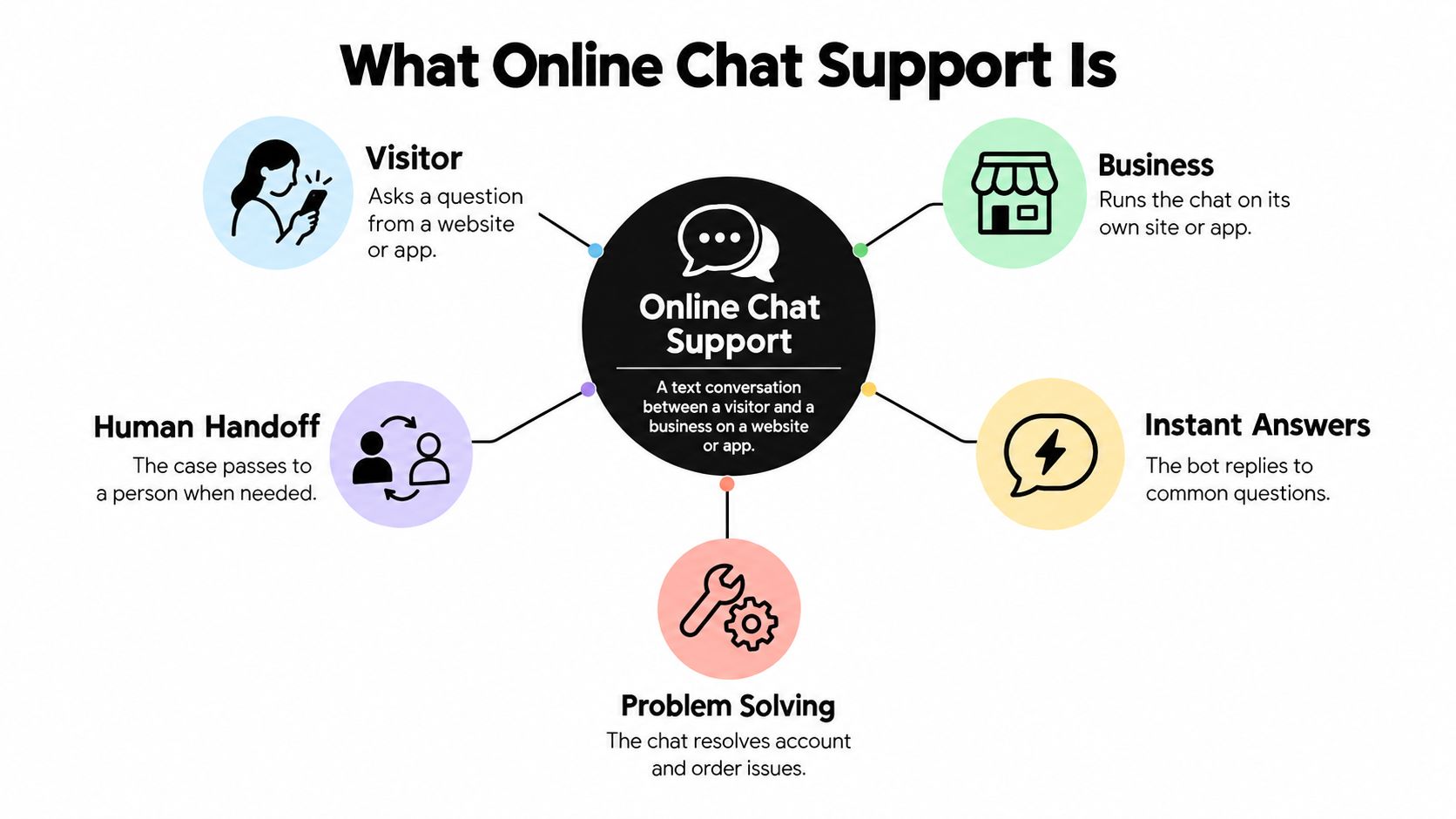
Online chat support is a text conversation between a visitor and a business on a website or app. It helps answer questions, solve problems and, when needed, pass a case to a person. Much like a shop counter, an assistant can answer routine questions about opening hours or where to find a product, but calls a manager when a customer disputes a charge or requests a refund.
The basic chat format predates business websites. The University of Illinois created Talkomatic in 1973, an early chat system that let up to five people communicate at once. Later, customer-service adoption grew: Forrester data cited by the International Customer Management Institute puts chat adoption among customer-service organisations at 38% in 2009 and 58% in 2014. In 2014, 42% of surveyed customers used chat to contact businesses, compared with 23% who used email and 16% who used social-media forums. The change reflects a practical advantage: chat can meet people in the context of the page they're already using and leave a written record.
Three models cover most setups. The comparison makes clear that the deciding feature isn't just how quickly a reply appears. It's whether a difficult conversation can reach someone with the relevant context intact.
| Model | How It Answers | First Response | Strongest Use | Main Weakness |
|---|---|---|---|---|
| Live agent | A person types replies from a queue | Minutes, depending on staffing | Complex, emotional or high-value cases | Cost and wait times grow with volume and opening hours |
| AI chatbot | A model answers from your approved sources | Seconds, available 24/7 | Repetitive questions such as order status, pricing and setup | Can give wrong answers and stall on unusual cases without a handoff |
| Hybrid | Bot answers first, then transfers to a person with the transcript | Seconds from the bot, then queue time for a person | Balances cost with resolution quality | Results depend on how well the handoff is designed |
Routing should reflect what the issue needs, not just which team is available. A practical guide to routing customer issues to the right teams can help clarify how responsibility should follow a case. For more on how the human-led and automated options differ, see this live chat versus chatbot comparison.
Rule of thumb: Use live agents for rare, high-stakes cases, chatbots for repetitive questions at any hour, and a hybrid model when volume is high but some cases still need judgment. The hybrid only works when the transcript travels with the case.
Where Online Chat Support Pays Off
A customer checking an order status is a straightforward place to start: the answer is usually drawn from a known system, and a bot can help without making the customer search through an account page. Returns, sizing and delivery questions fit a similar pattern, provided the bot uses current policies and can pass an exception to a person.
Other useful cases include SaaS onboarding, where a visitor might ask how to connect an account; marketplace support, where buyers and sellers need help with a transaction; and small-business websites that receive questions outside staffed hours. Sales teams can also use chat to qualify a visitor's needs and collect details for a follow-up, rather than treating every conversation as a support ticket.
Mobile access deserves attention from the outset. Comm100's benchmark of 40,149,888 conversations worldwide across 13 industries in 2017 found that 43.78% of customers accessed live chat on a mobile device. Its report also recorded an overall proactive-chat acceptance rate of about 7%, compared with 22.98% in e-commerce and 9.92% in telecommunications. Those sector differences are a reminder that a chat invitation's timing and relevance matter: a prompt beside a product or delivery question may feel useful, while an untimely pop-up can interrupt browsing. The Comm100 Live Chat Benchmark Report provides the figures and the benchmark's scope.
A well-designed chat channel can support:
- After-hours access: Visitors can get answers or leave a case when the team isn't staffed.
- More focused queues: A bot can handle common questions, leaving people to work through complex cases.
- Consistent explanations: Approved answers reduce differences between replies to the same routine question.
- Searchable conversation history: Agents can review what a customer asked and what the system answered.
Test whether the channel fits your actual workload: export the 20 most common questions from email and support tickets, then group them by topic. If most fall into three to five themes, chat is a reasonable candidate for those intents. If the questions are mostly unique or require individual judgment, begin with human-led chat or a limited hybrid instead.
Requirements and Tech Stack to Settle Before You Build
Start with requirements, not vendor features. Write down where customers will chat, which systems the assistant must read or update, which languages the team supports, and where customer data may be stored. A website widget is different from an in-app chat, and an assistant that can answer order questions needs an approved connection to order information. A helpdesk or CRM connection matters only if the people handling escalations can use it.
Build in four layers
- Chat interface: Decide where the customer starts the conversation, such as a website widget, mobile app, WhatsApp or Slack. Keep the opening prompt and route to a person visible.
- Knowledge layer: Gather help-centre articles, product pages, policy documents and relevant PDFs. Remove outdated or contradictory instructions before connecting sources.
- Model layer: Choose the language model and estimate its cost per conversation using your expected question types and answer lengths. Treat model choice as one part of the system, not a substitute for well-maintained knowledge.
- Orchestration layer: Track conversation state, identify details such as an order number, and set confidence thresholds. If the system is unsure or its answer conflicts with the conversation, it should ask a useful clarification or hand the case to a person.
The last layer matters because a relevant reply must respond to what the customer just said, rather than returning to a generic script. In a controlled study, highly contingent responses, meaning replies that directly and appropriately address the preceding message, received a mean satisfaction score of 4.80, compared with 3.22 for less-contingent responses. The difference was statistically significant, with F(1,127)=11.77, p=.001 and d=.61, according to the Journal of Computer-Mediated Communication study. In practice, preserve context, answer the specific question first and avoid restarting the flow after the customer clarifies. A website chat widget guide can help with the interface decision.
Match the stack to the operation
A small SaaS company or a single website may need synchronised knowledge, transcript storage and one clear escalation contact. Keep the first version narrow, such as setup questions, and make sure the contact who receives escalations knows how to respond.
A growing e-commerce or marketplace operation needs more connections: order lookups, returns-policy controls, language detection and routing that can handle seasonal demand across the website widget, WhatsApp and helpdesk. Test that order details follow the customer's case rather than asking the customer to re-enter them after a transfer.
For a regulated or high-volume operation with around-the-clock coverage, assess single sign-on, data residency, audit logs, retention rules and human review for sensitive topics before selecting a platform. Answer three questions on paper before comparing vendors: What may the bot answer? What must it never answer? Who owns the knowledge base after launch?
How to Design Escalation Flows and Training Data
A useful chatbot can still frustrate customers if no one explains whether a person is available or what happens during a transfer. U.S. findings in a 2025 customer-experience survey show why the design must allow for both self-service and human help: 50% of customers said they had resolved an issue with AI or ChatGPT without human help in 2025, up from 32% in 2024, while 82% still preferred speaking with a real person when they needed support. Another survey in the same source found that 51% of consumers sometimes forget they're in a chat session because they multitask. The 2025 State of CX report points to a simple standard: solve the issue or make the handoff feel continuous.
Build the workflow in order
- Export recent chats and tickets. Group questions by intent so the bot starts with real customer demand rather than a list of assumptions.
- Tag every intent. Mark each one as automate, assist or hand off. This prevents a topic from becoming automated by default.
- Write explicit escalation triggers. Decide which signals or requests require a person, so the bot doesn't improvise its own boundary.
- Define what moves with the case. Include the transcript, customer name, order number, sentiment flag and what the bot has already tried. The agent shouldn't have to start from zero.
- Set an after-hours fallback. Offer a ticket with a stated response time and a callback option, so the customer has a next step when no agent is available.
- Prepare approved answers and real phrasings. For each automated intent, write the answer and collect examples of how customers ask the question in their own words.
- Test with exported questions. Run the sample conversations before launch, including unclear or out-of-scope requests, so failures surface in a pilot.
- Review failures regularly. Examine unsuccessful conversations and add missing information or new examples to the training material.
A clear knowledge base gives the bot something reliable to answer from. Teams building one can use this guide to create an AI-ready knowledge base; keep an internal owner responsible for approving updates. For practical support with knowledge-base training, focus on whether the assistant can find the correct answer and recognise when the source doesn't cover the question.
Sensitive conversations can be handed to your team with the conversation context intact. That context should include enough information to continue the case, while avoiding unnecessary personal details.
| Trigger | Example | Route |
|---|---|---|
| Risk | Payment dispute, safety concern or data-breach report | Immediate human review with full transcript |
| Ambiguity | Bot can't match intent after two clarifying questions | Clarify once, then transfer to a person |
| Repeated failure | Customer says the answer didn't help twice | Human with failed answers flagged |
| Emotional distress | Frustrated wording or rising negative sentiment | Priority human queue |
| Refunds and account changes | Refund request, plan change, email or address update | Human approval required |
| No agent available | Outside staffed hours or queue full | Ticket with transcript, stated response time and callback option |
These rules should answer the questions customers care about: Will I reach a person? Do I need to repeat everything? What happens outside business hours? Can the agent see the bot conversation? State expected wait times clearly, and don't show a human-handoff option unless the operation can honour it.
The following video offers another way to think through chat handoffs and workflow design.
KPIs That Show Whether Your Chat Is Working
A dashboard should tell you what to change, not just show how busy the chat channel is. Track how quickly the first reply arrives, whether the bot resolves questions, how often it escalates, and whether customers leave more frustrated than they arrived.
| KPI | How It Is Calculated | What to Do When It Moves |
|---|---|---|
| First-response time | Average seconds from customer message to first reply | Rising times mean staffing or queue routing needs review |
| Containment rate | Chats closed without a human divided by all chats | Low rates point to missing knowledge on common topics |
| Escalation rate | Chats handed to a person divided by all chats | A spike on one intent shows where automation should be extended or limited |
| Repeat-information rate | Handoffs where customers restate details divided by all handoffs | Any rise signals a broken handoff payload |
| Post-chat CSAT | Average satisfaction score from a short survey after the chat | A drop after a change should trigger transcript review |
| Unanswered-question rate | Customer questions the bot couldn't match divided by all questions | Clusters of gaps should become new knowledge-base entries |
| Sentiment change | Chats ending more negatively than they began, divided by all chats | A sustained rise should send that intent to a priority human queue |
Speed alone can hide a poor conversation. A study of more than 170,000 customer-service chat sessions found that conversational moods and sentiments were the strongest predictors of perceived satisfaction, while session length, time of day and response time showed weaker correlations. The study of customer-service chat satisfaction supports measuring sentiment change alongside response time, escalation and post-chat CSAT. A quick answer that leaves someone frustrated still signals a problem.
Read the measures together. High containment paired with a rising repeat-information rate suggests the bot closes chats but the agent can't see what the customer already shared. Low containment with high CSAT may mean customers are satisfied after a person steps in, but the bot hands off too much. If escalation rises on one intent, review that conversation type: the assistant may need better approved information, or the topic may belong with a person.
Use a steady review rhythm. Review failed conversations and unanswered-question clusters weekly; examine trends across all seven KPIs monthly; and inspect transcripts whenever CSAT drops after a change. A guide to chatbot performance metrics can help teams organise the measures, but the action still comes from reading them in combination.
Tone, Guardrails and Privacy Practices That Protect Trust
Collecting more context doesn't automatically improve support. A customer may be less willing to explain a problem if the chat doesn't make clear what information it keeps, who can see it or how to remove it. Personalisation is useful only when customers understand the boundaries.
Four rules for trustworthy chats
- Tone: Use short, steady sentences. End each answer with a clear next step, such as a link to an account page or a way to reach a person.
- Guardrails: Keep answers within approved support topics. Don't invent policy or give legal or medical advice, and tie policy answers to the approved source page.
- Languages: Detect the customer's language and answer from reviewed translations. Route regional differences, such as tax or legal wording, to a person who can verify them.
- Privacy: At the first message, explain in plain language what the system stores and for how long. Redact card and identification numbers before storage, separate temporary chat context from persistent customer records, and provide visible deletion and escalation options. Tell customers when a person or external system will receive the transcript.
A 2025 qualitative study found that users adjust what they disclose based on their trust in the provider, prior experience, perceived sensitivity and understanding of who can access their data. Anonymity, deletion options and adjustable privacy settings increased users' sense of control, while unclear data practices and third-party sharing contributed to disengagement, according to the 2025 study on privacy and conversational AI. These choices matter particularly for billing, identity, health, employment and account-security conversations.
Privacy rule: Explain collection before asking for sensitive details. Don't use a request for “more context” as a reason to gather information the team doesn't need.
Finally, keep accountability with the business. AI-generated replies can be inaccurate or unsuitable, so the customer's team must test the agent's behaviour and review important output before it goes live. Assign someone to approve policy changes and check that the chat still follows them after the knowledge base is updated.
Vendor Criteria for Evaluating Chat Platforms Like SupportGPT
| Criterion | What to Verify | Red Flag |
|---|---|---|
| Grounding and guardrails | Answers cite approved sources and refuse off-topic requests | Bot answers from general web knowledge with no source control |
| Escalation control | Rules can be written and tested, and handoff keeps the transcript | Handoff requires customers to restate everything |
| Transcripts and analytics | Conversations are searchable and the KPIs in this guide can be produced | Metrics can't be exported |
| Integrations | Your existing helpdesk, CRM and messaging channels are supported | Integration requires custom work with no timeline |
| Languages | Answers use the customer's language with tested translations | Machine translation has no review process |
| Data handling and privacy requests | Retention, deletion and access procedures are in writing | No named contact or written policy |
| Service commitments | Uptime, support tiers and SLAs appear in the contract | Marketing promises don't appear in the agreement |
| Data export | Transcripts and knowledge can be exported if you leave | Data is locked to the vendor |
Use the same test for every candidate. Export real questions from your chats and tickets, include requests the bot must refuse, and run the set through each platform. Verify transcript handoff, check that the analytics can produce the KPIs you need, and test exports before signing. A live chat software comparison can help frame the shortlist, but your own support questions are the better practical test.
Ask every vendor for the retention and deletion procedure, a named privacy contact, and written confirmation of service commitments. Treat sales claims as unconfirmed until the relevant terms appear in the agreement. For SupportGPT, service-level, support or security commitments apply only if included in a separate agreement signed by an authorised representative; the service is provided “as is” and “as available,” without a promise of uninterrupted or error-free service. Customers retain rights in submitted content, which SupportGPT may process only as reasonably needed to operate, secure and support the service.
SupportGPT states that it supports OpenAI, Gemini and Anthropic models, natural-language escalation rules, a testing Playground, live analytics, and integrations including Zendesk, Slack, WhatsApp and Stripe. Verify each against the same checklist rather than treating a feature list as proof that the fit is right.

Confirm Your Next Step Before Launching a Pilot
Don't roll out chat across every topic at once. Start with one high-volume, low-risk intent, such as order status or setup questions. Load approved answers and escalation triggers, then record a baseline in the KPI table before launch. Compare the pilot with that baseline using containment and repeat-information rate; expand only when customers can get a useful answer and don't have to repeat themselves after handoff.
For SupportGPT, the working sequence is to add knowledge, shape the tone, test real questions in the Playground and deploy the widget. You can embed the Ask AI widget by copying its embed code onto your site. Confirm plan limits, data handling and account questions in writing before the pilot starts; privacy requests and questions can be sent to support@supportgpt.app. For a separate high-stakes use case, this practical guide to evaluating AI answering for legal intake offers a testing perspective. Make the expansion decision from pilot results, not vendor promises.
SupportGPT provides embedded AI support agents that answer visitor questions from your knowledge sources and can hand conversations to a person with context intact. Test the answers and escalation rules against your own customer questions, then visit SupportGPT to see whether it fits a focused pilot.