Analytics Chatbot: A Guide for Support Teams
Discover how an analytics chatbot can transform your support team by delivering real-time insights and boosting efficiency. Learn more today.
82% of customers would rather talk to an AI chatbot than wait for a human representative. An analytics chatbot goes further than answering questions: it measures whether those conversations resolve problems, protect trust, and improve the business.
That distinction matters because a chatbot can appear busy while quietly frustrating customers. A high session count doesn't prove that people found the right answer, and a low escalation rate doesn't prove that users were satisfied. An analytics chatbot connects conversation data with operational decisions, so support teams can identify knowledge gaps, weak handoffs, risky answers, and early signs of churn.
The customer preference figure comes from a 2026 industry summary of support-channel trends cited by Itransition's conversational AI research. The practical question for product and support teams is what happens after customers choose the bot. Do they complete the task? Do they contact support again? Do they abandon the conversation after receiving a technically correct but unhelpful answer?
What Makes an Analytics Chatbot Different
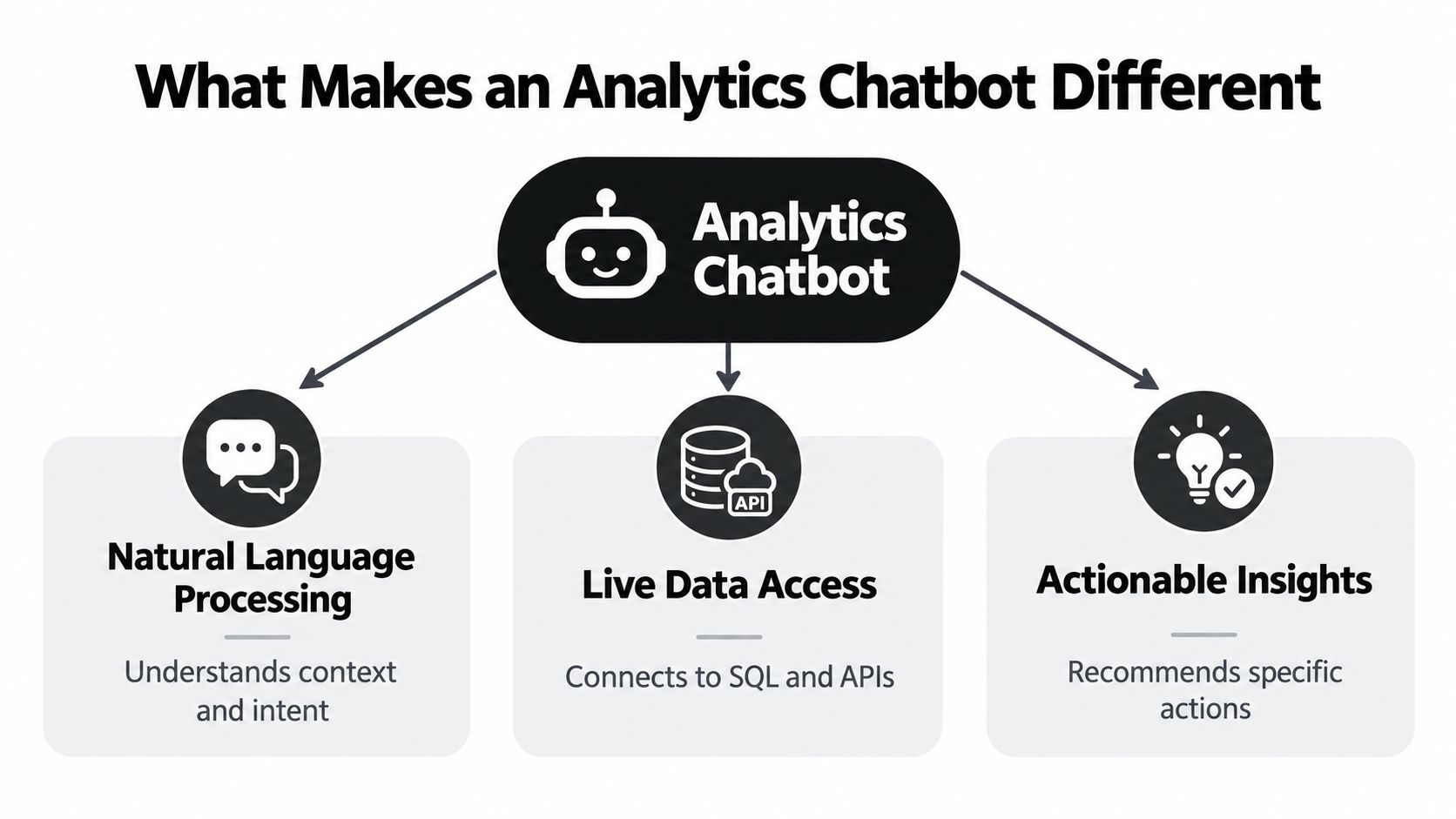
A standard chatbot is built to respond. An analytics chatbot is built to respond, observe, and improve. It combines natural language understanding with measurement across every interaction, allowing teams to examine what users asked, how the bot interpreted the request, where the flow failed, and what happened after the conversation ended.
The difference is easy to miss during a product demo. A generic bot may answer a billing question and display a successful completion event. An analytics-enabled system can connect that answer with intent confidence, follow-up questions, sentiment signals, escalation behavior, and the user's eventual support outcome. That additional context tells the team whether the bot solved the problem or merely ended the visible part of the conversation.
Answering is only the first layer
The customer preference statistic creates a useful challenge for product teams. If people prefer an AI assistant to waiting for a representative, the organization still needs to determine whether the assistant delivers a dependable experience. Preference creates an opportunity, not proof of performance.
A useful analytics chatbot records more than the final answer. It should help the team understand:
- Intent failures: Which requests does the system classify incorrectly or fail to classify at all?
- Knowledge gaps: Which questions recur because the source material is incomplete, outdated, or difficult to interpret?
- Escalation triggers: Which conversations need a person, and does the handoff include enough context for that person to help quickly?
- Frustration points: Where do users repeat themselves, change wording, abandon the flow, or express dissatisfaction?
- Outcome signals: Did the customer receive a resolution, open another ticket, cancel a service, or continue using the product?
This is why analytics shouldn't be treated as a report that someone reviews at the end of the month. Conversation analysis creates a continuous monitoring loop. The support team finds a pattern, adjusts content or routing, observes the next set of conversations, and checks whether the underlying problem changed.
Practical rule: A chatbot isn't successful because it produces an answer. It's successful when the answer moves the customer toward the intended outcome without creating avoidable work or risk.
Teams building a broader AI support program can also review how AI chat agents handle support workflows. The important design choice is to treat every conversation as both a service interaction and a source of product intelligence.
How Analytics Chatbots Measure Success
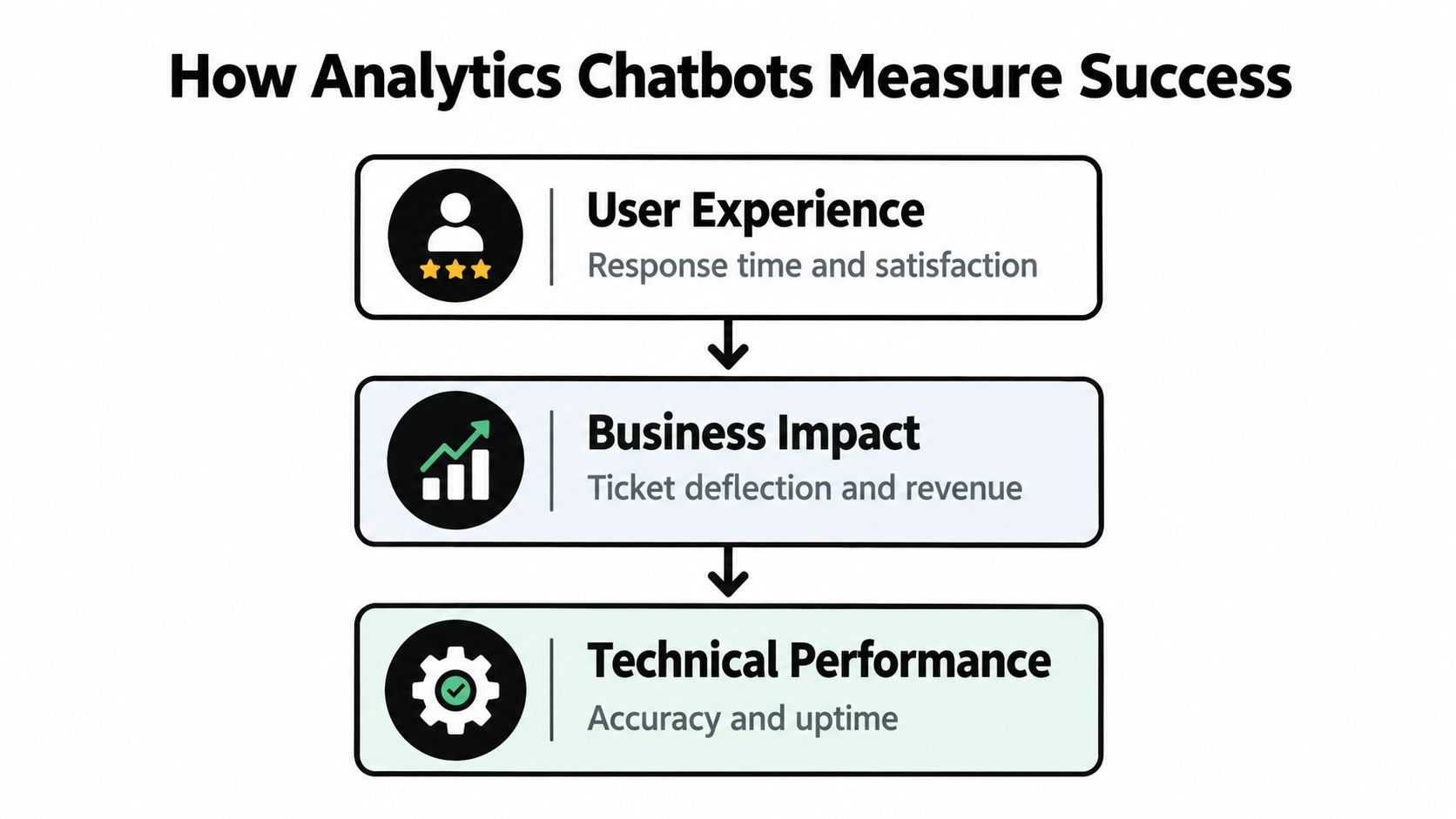
A useful measurement system separates activity from experience and diagnosis. Research on chatbot analytics commonly groups the data into three layers, performance statistics, user engagement, and conversation analysis, as described in this research on chatbot analytics measurement.
These layers answer different questions. Performance tells you what happened at the system level. Engagement shows how users behaved. Conversation analysis explains why the behavior occurred.
Start with performance statistics
The first layer includes basic operational measures such as conversation volume, response time, conversation length, availability, and the number of completed or abandoned sessions. These metrics help a team spot changes in demand and system behavior.
They're necessary, but they're weak on their own. A rise in conversation length might mean customers are having richer interactions, or it might mean the bot is asking too many clarifying questions. A fall in human escalations might indicate stronger automation, or it might show that users are leaving before they reach the handoff option.
Performance data tells you where to look. It rarely tells you what to fix.
Add user engagement signals
The second layer examines how people use the assistant. Teams can look for repeated visits, follow-up questions, restarts, early exits, feedback, and changes in behavior after a response. These signals reveal whether users are moving through the experience with confidence.
For example, a customer who asks a product question, receives an answer, and immediately asks the same question in different words may not be engaged. They may be signaling that the answer missed the intended meaning. A customer who opens the escalation route after several short exchanges may be showing that the bot's recovery path isn't working.
Engagement measures become more useful when teams group them by intent, product area, customer segment, and journey stage. An average across all conversations can hide a serious failure in one high-value workflow.
Use conversation analysis to find the cause
The third layer examines the language inside the conversation. Linguistic patterns can reveal confusion, frustration, ambiguity, missing information, and requests that fall outside the current knowledge base.
This is the diagnostic layer. It can show whether a containment problem comes from poor intent recognition, a weak dialog policy, an incomplete article, or an escalation rule that appears too late. The team can then turn those findings into training examples, revised prompts, fallback responses, routing conditions, and source-content updates.
A simple operating rhythm works well:
- Locate the changed metric. Find the intent or workflow where performance shifted.
- Read representative conversations. Look for repeated wording, missing context, and failed recovery attempts.
- Assign a cause. Decide whether the problem belongs to content, classification, dialog design, data freshness, or human handoff.
- Make one targeted change. Avoid changing several variables at once.
- Monitor the next conversations. Confirm that the change improved the underlying experience, not just the dashboard number.
For a practical overview of the measures teams commonly track, see this guide to chatbot performance metrics. The principle is straightforward: performance data identifies the symptom, while conversation analysis helps identify the cause.
Real-World Examples That Show the Difference
A support dashboard can tell a team that a chatbot answered many questions. It can't always tell the team whether customers felt understood or whether the answer addressed the actual reason they started the conversation.
Consider a SaaS billing flow. The bot correctly explains an invoice adjustment, but the customer keeps asking follow-up questions and eventually requests a person. A basic dashboard may record a valid answer and an eventual escalation. An analytics chatbot can expose the sequence: the customer used language associated with a disputed charge, the bot treated the request as a general billing explanation, and the response never acknowledged the concern behind the question.

Example one reveals an empathy and routing problem
The answer may be factually correct. The failure sits in intent interpretation and emotional context. The bot needs to distinguish between a customer asking how billing works and a customer challenging a charge. Those intents may require different language, different permissions, and different escalation rules.
A support manager reviewing the conversation should ask:
- Did the bot identify the customer's actual job to be done?
- Did it recognize language that indicated risk or dissatisfaction?
- Did it offer a clear next step?
- Did the human agent receive the conversation history and relevant account details?
- Did the customer need to repeat the issue after escalation?
This analysis turns a vague complaint about "bad bot tone" into a product backlog. The team might add a billing-dispute intent, introduce a confirmation question, change the fallback response, or route high-risk conversations earlier.
Example two exposes a knowledge gap
An ecommerce team may see repeated questions about returns and assume the bot's intent model is weak. Conversation analysis can reveal a different problem. Customers may be asking about an exception that the published policy doesn't explain, or the bot may be relying on an old article while the website shows a newer rule.
The numerical signals and the language patterns need to be read together. Repeated wording across many sessions points toward a missing or unclear source. Customers are effectively telling the company which part of the policy needs clarification.
A useful response is to update the source content, add examples for common edge cases, and test the revised answer against real phrasing from prior conversations. The team should then monitor whether follow-up questions and escalations decline for that intent. The point isn't to make the bot sound busier. It's to remove the information gap that caused the conversations in the first place.
A similar distinction appears in broader customer service AI examples, where the value of an assistant depends on how well it fits the surrounding workflow.
The following video provides another visual way to think about AI support interactions and the role of context in service delivery:
A resolved conversation should be judged by what happened after the answer, not only by whether the bot produced grammatically correct text.
The Gap Between Generic and Connected Analytics
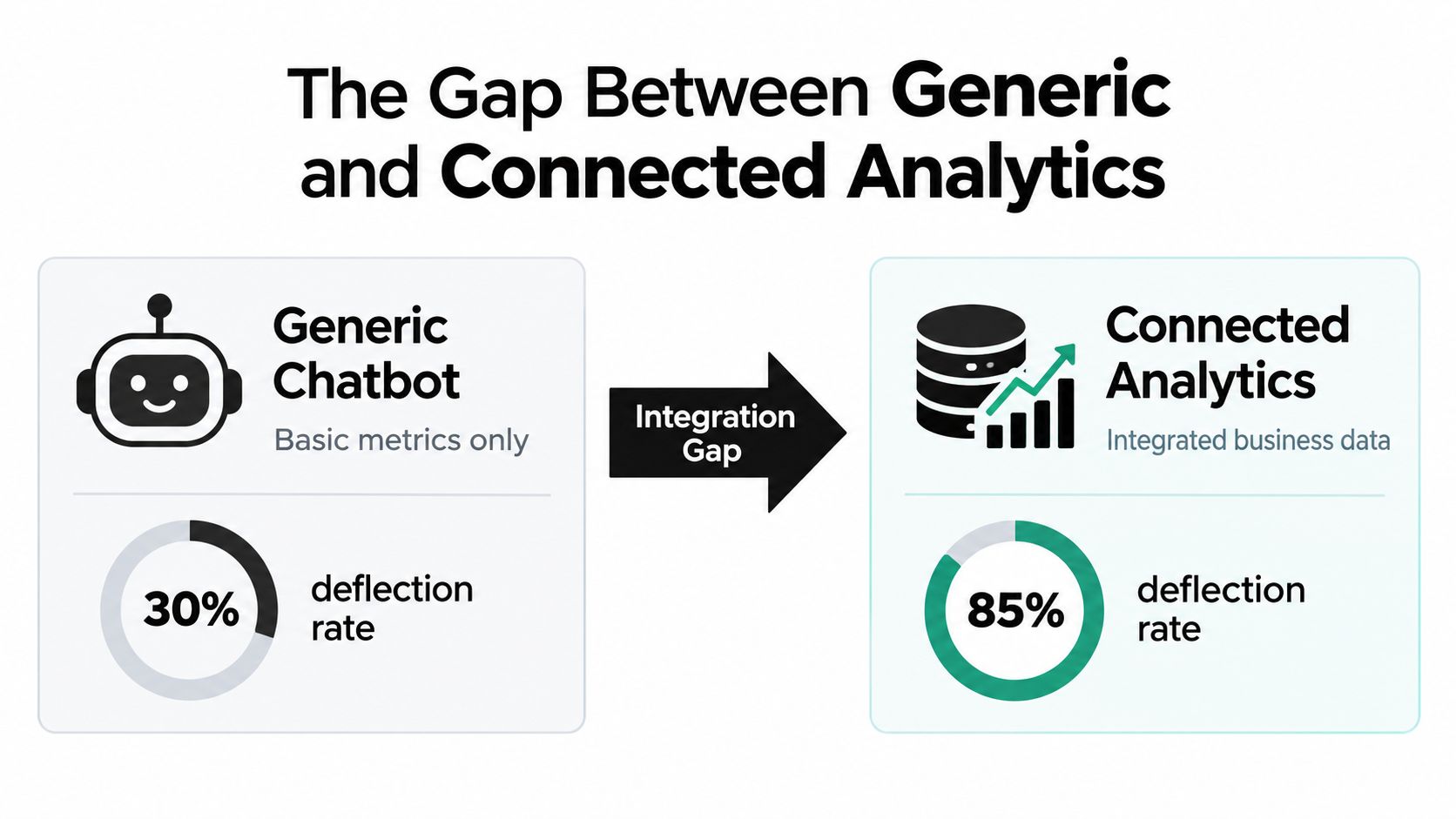
Many teams collect chatbot logs without connecting them to the systems that define business success. That creates a familiar workflow: export conversation data, clean it manually, join it with tickets or customer records, and upload the result into another tool. The organization has analytics, but the process still depends on the manual work the assistant was meant to reduce.
The maturity gap reflects this problem. Only 22% of marketers are considered mature in conversational analytics, even though 68% use it in some form, according to a 2026 assessment of conversational analytics maturity. Adoption alone doesn't show whether a team can connect a conversation to a resolution, revenue event, retention signal, or operational action.
Generic logs versus connected decisions
| Generic chatbot analytics | Connected analytics |
|---|---|
| Counts sessions and messages | Relates conversations to tickets, accounts, products, and outcomes |
| Reports a broad containment figure | Tests whether the customer actually received a resolution |
| Stores conversation transcripts separately | Connects language patterns with CRM and support records |
| Requires manual exports and cleaning | Uses current business data within governed access rules |
| Shows that a fallback occurred | Explains which intent, source, or workflow caused the fallback |
| Measures activity after the fact | Supports continuous changes to content, routing, and product flows |
A connected system should answer questions such as: Which unresolved conversations came from a recently changed product feature? Which accounts escalated after the bot cited an outdated source? Which customer segment receives an answer but continues contacting support? Those questions require more than a transcript. They require identifiers, permissions, source attribution, and reliable links between the conversation and the operational record.
Data access is not the same as useful intelligence
Connecting a chatbot to a database doesn't automatically create trustworthy analytics. The system still needs clear metric definitions, current sources, access controls, and a way to show where an answer came from. Without that context, an assistant can retrieve a value while misunderstanding what the value means.
A good implementation therefore monitors data freshness, source coverage, answer provenance, resolution quality, and analyst intervention. It also makes uncertainty visible. If the assistant can't verify a customer-specific answer, it should ask for clarification or route the request instead of presenting an unsupported conclusion.
Industry projections cited in the same research estimate that 33% of enterprise software applications will embed conversational analytics by 2026, up from 18% in 2024. Those figures are projections, not proof that every implementation will be mature. The teams that gain value will be the ones connecting conversational signals to decisions, rather than adding a chat box to an isolated dashboard.
For teams designing trustworthy answers from internal sources, source attribution for AI support is a useful part of the implementation conversation.
Key Metrics and Benchmarks to Track
Benchmarks help a team decide whether a problem deserves attention, but they shouldn't replace judgment. The right target depends on the workflow, the cost of an incorrect answer, the complexity of the request, and the quality of the available source material.
For customer-service-style systems, industry guidance places strong first-contact resolution around 75% to 90%, with 65% treated as a practical floor. The same benchmark guidance identifies intent recognition above 85% as a healthy target, as documented in this chatbot analytics benchmarking guide.
Begin with resolution quality
First-contact resolution is more meaningful than raw deflection. A conversation should count as successful only when the customer's intended task is complete or the handoff is appropriate and informed.
Track resolution by intent rather than only as a single workspace average. A bot may perform well on password questions and poorly on cancellations, billing disputes, or product configuration. Those workflows have different business consequences, so a blended score can hide the area that needs the most work.
For a SaaS team, useful outcome questions include:
- Ticket deflection: Did the customer avoid opening a ticket because the bot solved the issue?
- Repeat contact: Did the same customer return with the same problem?
- Escalation quality: Did the human receive enough context to continue without restarting discovery?
- Account risk: Did the conversation contain signals associated with dissatisfaction, cancellation, or lost product usage?
For ecommerce, add order status, return completion, delivery exceptions, and purchase friction to the outcome model. The exact metric matters less than connecting the interaction to the customer task.
Watch the failure path
A fallback rate below 10% is commonly treated as desirable, while an escalation rate above 40% is considered a warning sign in the cited benchmark guidance. These are directional benchmarks, not universal guarantees. A specialist workflow may require more human involvement than a simple information request.
When the numbers move in the wrong direction, inspect the recovery path:
- Recognition: Did the bot identify the correct intent?
- Clarification: Did it ask a useful question instead of repeating itself?
- Grounding: Did it rely on a relevant and current source?
- Safety: Did it avoid making a claim it couldn't verify?
- Handoff: Did it route the customer to the right person with usable context?
Add governance and cost measures
Outcome-linked analytics should also monitor hallucination rate, compliance violations, prompt-injection attempts, and cost per conversation. These measures shift the discussion from convenience to operational governance. A bot that reduces visible ticket volume while giving unsafe answers is not creating a durable improvement.
Review metrics at three levels. Product managers need intent and knowledge-gap trends. Support leaders need resolution, escalation quality, and repeat contact. Security and compliance teams need evidence that the assistant follows the permitted boundaries.
Performance benchmarking for support assistants can help teams organize these measures into a repeatable review process. The best dashboard is the one that leads to a specific action, such as updating a source, changing a threshold, or redesigning a handoff.
Why Analytics Chatbots Matter More Than Automation Volume
Automation volume is easy to celebrate because it produces a visible number. More sessions, more answers, and fewer human contacts can look like progress. None of those measures proves that customers got the right outcome.
A bot can deflect a ticket by making the escalation route difficult to find. It can reduce response time by giving a fast but incomplete answer. It can increase engagement because customers keep returning to correct the assistant's misunderstanding. These are not wins. They're symptoms that a volume-focused dashboard can misclassify.
Measure the cost of being wrong
The most valuable analytics chatbot often reveals a problem before the support queue makes the problem obvious. Repeated questions can expose a missing help article. Sudden escalation around a product area can point to a confusing interface. Correct answers followed by negative feedback can indicate that the bot lacks the emotional or account context required for the situation.
This is also where hidden churn risk appears. A customer may never write "I'm considering leaving," but repeated failed contacts, unresolved billing concerns, and requests for a human can form a meaningful pattern. Product and success teams can use those signals to investigate the account or fix the underlying journey.
Measure the failure you can prevent, not just the automation you can report.
Recent guidance describes a shift from simple engagement dashboards toward operational governance, with resolution rate, hallucination rate, and compliance violations becoming central performance measures. The trend is logical. As assistants operate across more customer touchpoints, the organization needs evidence that they are accurate, safe, and connected to business outcomes, not merely active.
Build a review loop around decisions
A practical team review can focus on a small set of questions:
- Which customer intents generated the most unresolved or repeated conversations?
- Which source documents did the assistant use, and were they current?
- Which escalations were appropriate, and which should have been resolved automatically?
- Which answers created risk through unsupported claims or poor compliance?
- What product, content, or workflow change will address the largest recurring problem?
This approach turns chatbot analytics into a shared operating system for support, product, content, and customer success. Support sees the immediate friction. Product sees confusing workflows. Content teams see missing explanations. Leadership sees whether the assistant is improving resolution quality without transferring hidden costs elsewhere.
The right benchmark isn't maximum automation. It's better understanding with earlier failure detection. Teams that find knowledge gaps, unsafe answers, and weak escalations early can fix them before customers absorb the cost through repeated contacts, lost trust, or preventable churn.
SupportGPT provides AI support agents with conversation tracking, analytics for chats and topics, sentiment and feedback signals, smart escalation, and training from your own sources. If you want to connect chatbot conversations with practical support improvements, visit SupportGPT and evaluate how its analytics and guardrails fit your workflows.