Prompt Management Guide for Teams and LLM Apps
Learn prompt management step by step: version, test, govern and secure prompts so AI support answers stay accurate and safe.
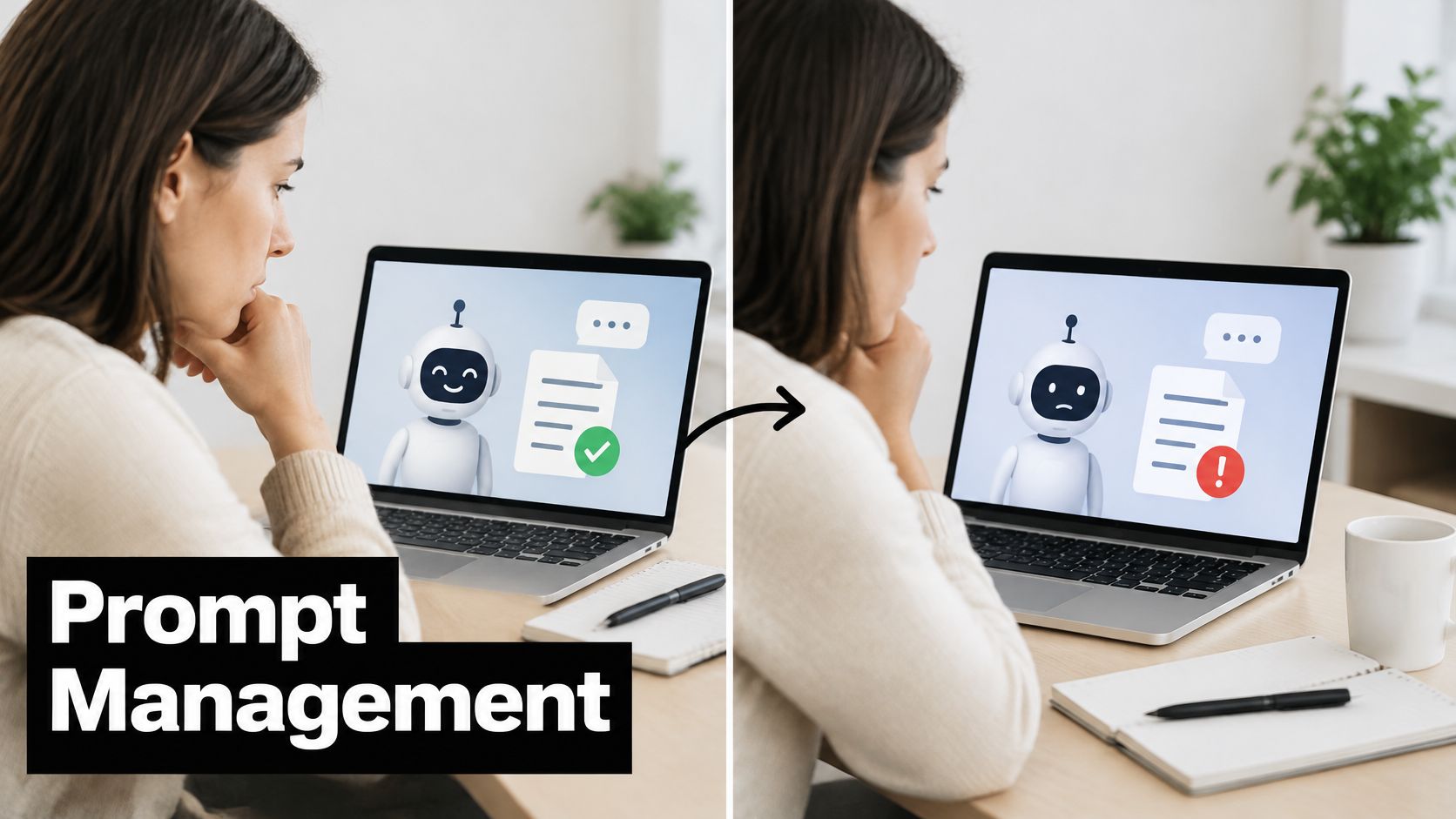
Your support bot handled refunds cleanly last week. Today it's inventing a policy, a customer has a screenshot, and nobody on your team can find what changed. That's rarely a model problem alone. It's usually an untracked prompt edit, a new retrieval source, or a setting someone adjusted and forgot. Prompt management is how you stop guessing which one it was.
What Prompt Management Is and Why Teams Need It
Say a support bot answered refund questions correctly on Monday. By Friday it's promising a refund window your company doesn't offer, because someone reworded one sentence to sound friendlier and left no record. The old wording is gone, so you can't restore it or prove when the answers changed.
Prompt management is the discipline of storing, versioning, testing, approving and monitoring the instructions, examples and templates that steer a large language model. Think of a recipe box with a change log. A recipe doesn't help if nobody knows which version the family cooked from, or why the salt doubled.
The practice grew out of prompt engineering once wording alone could steer behavior. The GPT-3 research history shows OpenAI's work published in May 2020 introduced the practical importance of few-shot prompting, steering a 175-billion-parameter model with examples in the input without updating its weights. Prompts became operational artifacts you could design and revise, not disposable questions.
That sensitivity cuts both ways. Small wording changes can help a lot or break refunds, tone and escalation. So you manage the whole system, not a paragraph.
| Component | What it holds | Risk if missing |
|---|---|---|
| Prompt library | Reusable templates and approved wording | Teams copy drifting versions by hand |
| Version history | Every edit with author, date and reason | Regressions cannot be traced |
| Test suite | Scenario questions with pass or fail thresholds | Changes ship on anecdotes |
| Access and approvals | Owners, reviewers and permitted edits | Unreviewed changes reach customers |
| Model and configuration record | Target model, sampling settings and retrieval settings | Results cannot be reproduced |
| Monitoring | Live metrics for each prompt version | Problems surface through customer complaints |
Four questions follow from that table. What does a complete record hold, how do you release a change safely, how do you defend it, and who signs off?
Anatomy of a Managed Prompt Record
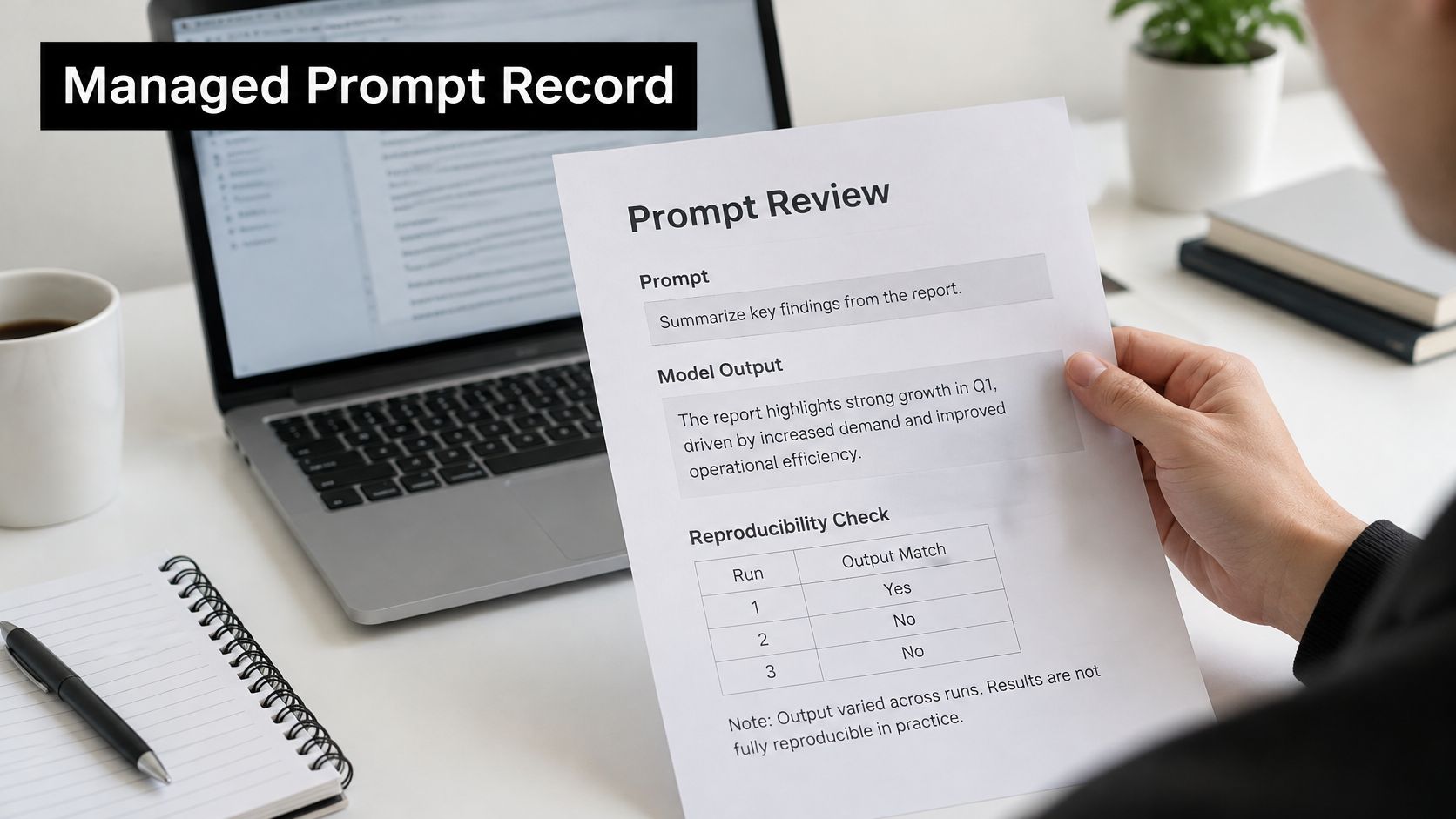
Reproducibility sounds like paperwork until you try to recreate a good answer and can't. Documentation is weak even where you'd expect rigor. A 2026 cross-sectional analysis of large-language-model studies reviewed 201 eligible papers and analyzed 102, finding only 39 of 90 applicable studies, or 43.3%, reported the steps used to create their prompts. Just 14 of 90, or 15.6%, explained why particular wording was selected over alternatives.
A managed prompt record closes that gap. It's a complete package, not a text box.
What the record holds
- Exact prompt text: Every instruction, delimiter and placeholder, exactly as sent.
- Model and configuration: Target model and version, plus temperature and other sampling settings.
- Examples: The few-shot examples included in the prompt, in order.
- Retrieval setup: Which sources the agent may draw on, and how many chunks it retrieves.
- Evaluation set: The questions and expected outcomes this version was scored against.
- Wording rationale: Why this phrasing won, and what alternatives failed.
- Iteration history: Prior versions, authors, dates and reasons for change.
If you're learning the wording side first, our guide on how to write a prompt covers structure and examples. The record is what makes that wording reproducible later.
A worked example
Say your refund answers suddenly improve after an edit. You credit the new sentence and ship it everywhere. Weeks later quality drops, and you discover the actual cause was a retrieval setting someone raised the same day, which pulled in a fuller policy page. The wording did little. Without retrieval settings in the record, you optimized the wrong thing.
Practical rule: If a colleague can't reproduce your result from the record alone, the record is missing a field that matters.
The three fields teams skip
Teams usually save the text. They skip the evaluation set, so nobody knows which questions defined success. They skip the rationale, so a later editor removes a clumsy sentence that was preventing a refusal error. They skip retrieval configuration, so a source change masquerades as a prompt regression.
Check one live prompt today. Can you name its model, settings, sources, test questions and reason for the last edit? Each blank is a future incident you won't be able to explain.
Guardrails and Injection Risks Your Prompts Must Handle
Users often imagine someone typing "ignore your instructions" directly into chat. The more subtle risk is quieter. A help page, ticket attachment, or web result your agent retrieves may contain a hidden instruction that the agent interprets as if it came from you. That's indirect prompt injection, and it works because many prompts paste everything into one undifferentiated block.
Don't do that. Treat system instructions, user messages, retrieved documents and tool outputs as separate trust domains, with explicit precedence rules. Your instructions outrank the user. The user outranks retrieved text. Retrieved text is data to quote or summarize, never orders to follow.
What layered defense achieves
In a benchmark of 847 adversarial cases spanning direct injection, context manipulation, instruction override, data exfiltration and cross-context contamination, a combined defense using embedding-based anomaly filtering, hierarchical system-prompt guardrails and multi-stage response verification reduced successful attacks from 73.2% to 8.7% while retaining 94.3% of baseline task performance.
| Defense | Reported result | Evidence base |
|---|---|---|
| Combined anomaly filter, hierarchical guardrails and response verification | Attack success cut from 73.2% to 8.7%; 94.3% of task performance kept | 847 adversarial cases |
| Four-layer pipeline (PromptGuard) | Up to 67% fewer injections; F1 of 0.91; under 8% added latency | Multiple LLM benchmarks |
| Structured prompt formatting alone | About 40-44% fewer injections across models | Cross-model evaluation |
| No layered defense (ReAct-prompted GPT-4 agent) | Vulnerable 24% of the time | 1,054 indirect-injection cases across 30 agents |
The last row isn't hypothetical caution. A 2024 ACL Findings study evaluated 30 large language model agents across 1,054 indirect-prompt-injection test cases and found ReAct-prompted GPT-4 was vulnerable 24% of the time.
The layers in plain terms
- Input gatekeeping: Screen incoming text and retrieved content for instruction-like patterns before the model sees them.
- Structured formatting: Put your instructions in a stable section and external content in clearly delimited data fields.
- Output validation: Check the draft answer and any intended action against policy before returning it.
- Response refinement: Rewrite or refuse when validation flags a problem, instead of sending the first draft.
Test prompt changes against paired suites, not just happy paths. Run ordinary support questions beside adversarial injections, sensitive-data requests and escalation scenarios, then track attack-success rate, benign-task success, refusal rate and latency for each version. Our notes on how to control a prompt cover the instruction side of that setup.
A prompt that reads strict isn't a security control. A version that survives your injection suite is evidence.
Where responsibility splits
Be clear about the boundary. We use access controls, tenant authorization, encryption in transit, restricted object storage, secret protection, request limits and monitoring-oriented controls to protect data. Those controls don't decide whether your agent should reveal an order number or escalate a legal threat.
That part stays with you. AI-generated responses can be inaccurate or unsuitable, and you're responsible for testing agent behavior and reviewing important output. Assume prompt-only defenses can be bypassed, and measure end-to-end behavior instead of trusting wording.
How to Version, Test and Release a Prompt Safely
Versioning records what changed. It doesn't prove the change is safe after a model, retrieval, tool or context change. The ACM benchmark discussion on prompt-injection evaluation notes that a 2026 benchmark found current prompt-injection detectors performed reasonably against explicit textual instructions but largely failed against attacks without explicit instructions or using imperceptible perturbations. So your release process needs end-to-end scenarios, not a diff and a thumbs up.
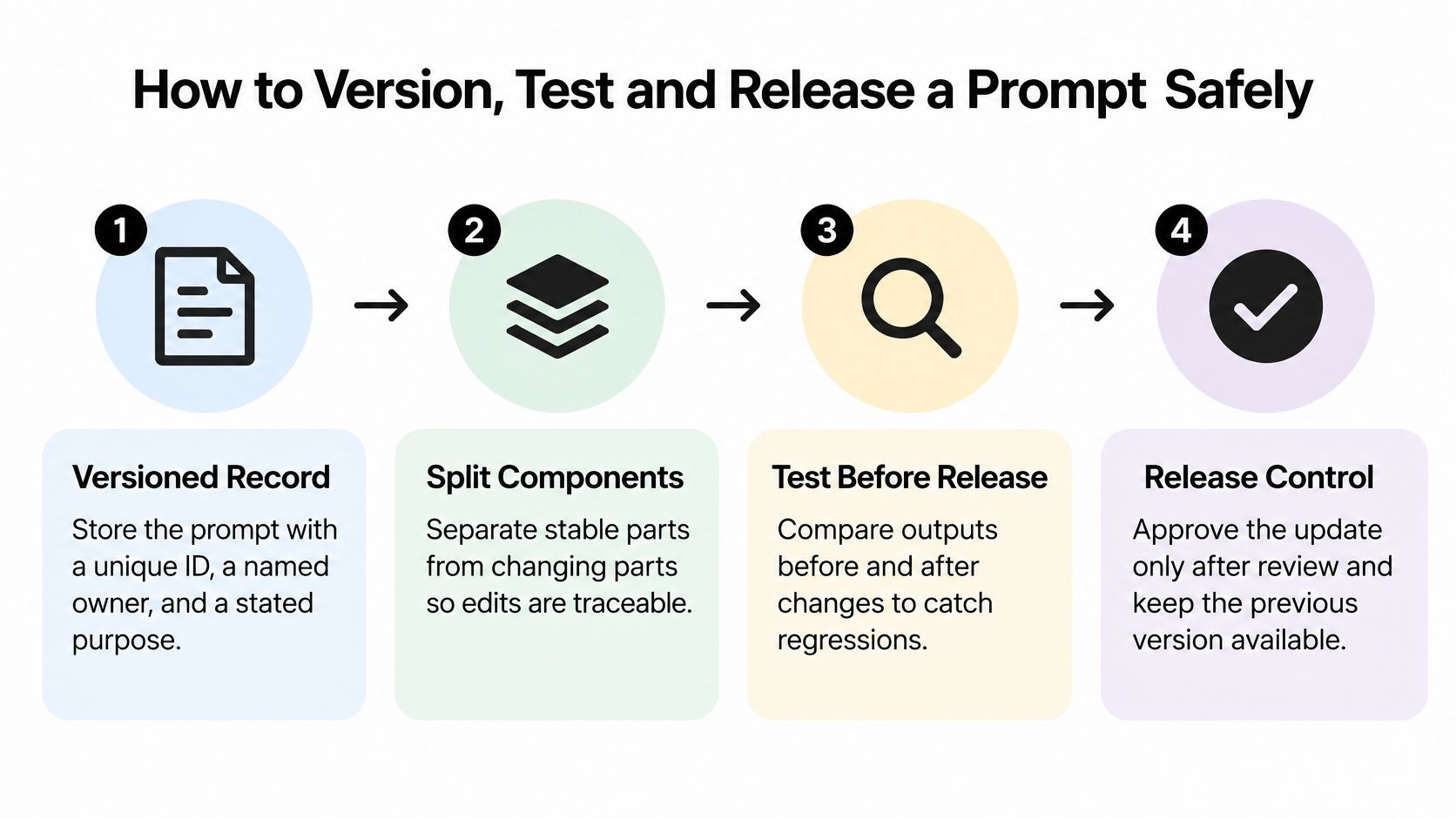
This sequence gives you that proof.
The release steps
- Store a versioned record. Give the prompt a unique ID, a named owner and a stated purpose. Common slip: saving text in a doc with no ID, so live answers can't be attributed to a version.
- Split the prompt into components. Separate stable instructions, tone rules, retrieval instructions, escalation criteria and the output schema. Common slip: one giant block, where a tone tweak rewrites policy by accident.
- Edit in a draft or branch. Never edit production directly. Common slip: a quick live fix that nobody can review, test or undo cleanly.
- Run the paired test suite on every supported model. Include ordinary questions, adversarial injections, sensitive-data requests and escalation scenarios. Common slip: testing one model while customers hit another. Our guide to edge case testing helps you build the harder cases.
- Compare candidate against current release. Score attack-success rate, benign-task success, refusal rate and latency side by side, and record why you're changing anything. Common slip: reading three transcripts and calling it evaluation.
- Get named sign-off. The reviewer confirms thresholds are met, not just that the wording sounds nice. Common slip: approval in chat with no link to the test results.
- Release to a small share of traffic. Use a flag or limited rollout, then monitor the same metrics live. Common slip: full release on Friday with nobody watching refusals.
- Keep the previous version ready. Rollback should be a switch, not a rewrite. Common slip: overwriting the old version during the edit.
The video below walks through testing a change before customers see it.
When an answer goes wrong
Practice change attribution before you blame the wording. Did the prompt change, or the model release, retrieval source, tool result or policy configuration? Check each one against the record, in that order.
A passing release on paper shows the version ID, the diff, the test scores against thresholds, the reviewer's name, the rollout share and the rollback target. If any line is blank, you're not releasing. You're hoping.
Who Owns Prompts and How Changes Get Approved
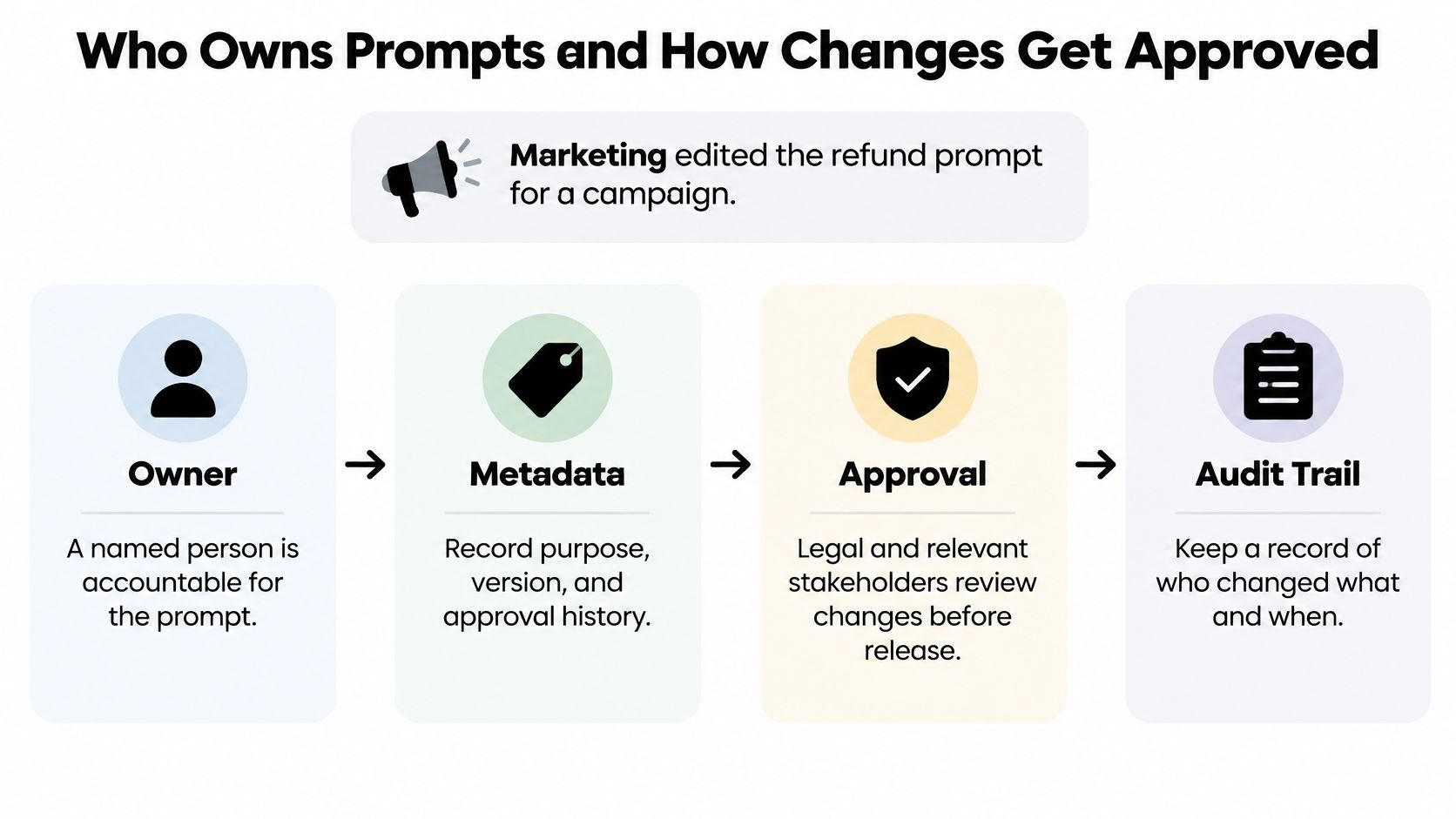
Say marketing edits your refund prompt for a campaign. The new version sounds warmer, but the legal limits disappear, and nobody can say who approved removing them. The problem isn't that marketing touched it. It's that nobody owned it, so nobody had to ask.
Prompts that reach customers are governed artifacts, not private drafts. A 2026 public-sector position paper argues deployment prompts should be treated that way, and its pilot involved 443 human prompts expanded to 3,317 examples, tested under governance states ranging from open to curated and veto-enabled. Scale arrives faster than teams expect.
Metadata every prompt needs
Record the owner, purpose, audience, language, data sensitivity, source authority, approval history, expiration date and observed failure modes. That sounds heavy for one prompt. It's cheap compared with reconstructing approval during a complaint, audit or regional dispute.
Use federated governance
Centralizing every prompt under one expert team kills local relevance. Letting anyone edit creates inconsistency and compliance risk. Split the rights instead.
- Business teams own domain behavior: Refund explanations, troubleshooting steps and local service practice.
- Security and legal define constraints: Data limits, prohibited claims and regulatory wording that can't be traded away for tone.
- Platform team owns the system: Versioning, testing, permissions and audit trails.
Escalation rules belong in that same review, because they're policy. In our product you write instructions in natural language that tell the agent when to escalate a query to a human agent, and escalation is based on query complexity. Changing that threshold changes who gets help, so it isn't a copy tweak. Our article on AI and human collaboration covers where that handoff line should sit.
Two decisions that stall teams
First, is a translated prompt the same version or a separate policy? Treat it as a separate evaluated version whenever wording, law or service practice differs by region. Translation can change refusal and escalation behavior, so test it independently.
Second, what wins when global brand rules conflict with local service requirements? Decide in advance. Brand owns voice, local teams own factual service commitments, and legal constraints outrank both.
Use a simple approval rule. Tone-only edits need one reviewer. Behavior, retrieval or escalation edits need two. Anything touching regulated claims, sensitive data or legal limits needs legal sign-off before release.
Prompt Libraries, Templates and Scorecards in Practice
A useful library isn't a folder of clever prompts. It's a set of approved templates with slots, a fixed output shape and named sources, so teams stop reinventing refund wording every quarter.
Take a refund-policy template. The stable section states the task and the precedence rules. Slots fill in region, product tier and language. A delimited data field holds the retrieved policy text, labeled as untrusted data. An approved source list limits what the agent may cite.
Build the output schema first
Require every answer to return four fields: answer, evidence basis, confidence or uncertainty, and escalation decision. That structure does more than tidy the reply. The PromptGuard research in Scientific Reports evaluated a four-layer pipeline across multiple LLM benchmarks and reported up to a 67% reduction in injection success, an F1 score of 0.91 for detection and less than 8% added latency.
Structured fields also make maintenance safer. You can update tone rules, retrieval instructions, escalation criteria or output validation independently, then roll back one field instead of rewriting the prompt. Our roundup of best practices for prompt engineering covers the wording choices inside each component.
Score every version the same way
| Metric | What it shows | Action if it moves |
|---|---|---|
| Attack-success rate | Resistance to injected instructions | Block the release and review the guardrail layer |
| Benign-task success | Correct answers to ordinary questions | Roll back if it falls below the agreed threshold |
| Refusal rate | Whether the agent refuses too often | Review tone and scope rules for over-blocking |
| Latency | Response time added by checks | Simplify validation if customers wait longer |
| Escalation accuracy | Whether complex queries reach a person | Adjust escalation instructions and retest |
Run that scorecard where you iterate. The Playground lets you test chatbot responses instantly and monitor prompts in real time, so you can compare a candidate against real questions before release. Then close the loop with live evidence. Our dashboard has Playground, Analytics, Conversations, Sources and Actions sections, and Analytics and Conversations show the questions customers ask, which become next month's test scenarios.
Library habit: Tag every template with an owner and an expiry date, and retire templates whose failure modes are no longer observed.
A template nobody owns will drift. A template nobody retires will compete with its replacement. Review both on the expiry date, using the scorecard rather than memory.
Start Your First Managed Prompt This Week
Don't overhaul everything. Pick one live support prompt and bring it under management this week.
- Copy the current text into a versioned record. Add an owner, a purpose and an expiry date.
- Write a small test set. Mix ordinary questions, injection attempts, sensitive-data requests and escalation cases.
- Run it against the model you use. Record every failure, including the awkward ones.
- Agree on a pass threshold before the next edit. Decide the number now, while nobody's defending a draft.
- Test in a playground, not in production. With SupportGPT, non-technical team members can go from idea to a live agent in minutes by adding knowledge, shaping tone, testing real questions and deploying, and sensitive conversations can be handed to your team with the conversation context intact.
Remember that AI answers can be inaccurate, so important output still needs human review. You'll know the setup works when a colleague can reproduce the same result from the record alone, without asking you what you meant.
Bring your first prompt under management with SupportGPT, where you can test real customer questions in the Playground, check Analytics and Conversations for new failure cases, and hand sensitive chats to a person with context intact. Start with one refund or triage prompt this week, score it, and ship the next version with evidence instead of a hunch.