What Is the Best AI Chatbot? 10 Picks for 2026
What is the best AI chatbot? Compare 10 leading platforms for business, support, research, e-commerce, and enterprise use.
Most AI-chat users don't commit to a single platform. In a 2026 survey of 388 active users across seven platforms, 82.4% used two or more, a useful warning against treating chatbot selection as a winner-takes-all contest (cross-platform AI-chat adoption research). Your company needs the right workflow, not allegiance to a brand.
So, what is the best AI chatbot? Choose Microsoft Copilot for Microsoft-centric organizations, Perplexity for cited research, Gorgias for e-commerce support, and Ada for complex enterprise service operations. General-purpose assistants belong in employee workflows, while dedicated support platforms such as SupportGPT deserve consideration when you need configurable customer-service automation without replacing your helpdesk.
The best chatbot depends on the job. An assistant that drafts excellent emails isn't automatically equipped to authenticate customers, retrieve order details, enforce refund policies, or transfer a complaint to a person. A low subscription price can also leave your developers responsible for integrations, monitoring, permissions, and ongoing maintenance.
Buying principle: Choose the system that reduces the work and risk surrounding an answer, not just the system that produces the most impressive answer.
Evaluate task fit, data grounding, workflow integration, guardrails, human escalation, analytics, pricing, and compliance together. For customer-facing deployments, this practical buyer's guide for support teams provides a complementary starting point. The recommendations below distinguish employee assistants, research tools, and customer-service agents so you can shortlist products without confusing distinct purchases.
1. OpenAI ChatGPT
Choose ChatGPT for broad employee productivity, not as a ready-made customer-support operation. Its general-purpose format suits teams that want help drafting documents, exploring ideas, analyzing files, and working through coding tasks without buying a separate tool for every activity.
ChatGPT combines conversational assistance with code and data-analysis tools, file and image handling, custom GPTs, connectors, and desktop and mobile access. Organizational workspaces add administration and centralized billing, but you should verify which controls and capabilities belong to the plan you're considering.
For a SaaS startup, the practical starting point is internal work: preparing help articles, reviewing anonymized feedback, or drafting responses that employees approve. Don't confuse a successful internal trial with permission to let the assistant answer customers autonomously.
Where the implementation work starts
A customer-facing deployment needs more than a useful chat interface. Someone must manage approved knowledge, access permissions, escalation rules, conversation records, and the connection to your existing support workflow.
- Best fit: Teams seeking a versatile assistant for writing, analysis, and technical knowledge work.
- Main trade-off: Usage limits and model availability can change, while some organizational capabilities require higher-tier plans.
- Cost consideration: Include employee seats, administrative oversight, and any separate integration or application-development work.
Use the AI model comparison guide when deciding which model to test for a particular workflow. Keep the purchasing distinction clear: an employee assistant and a deployed support agent are different products, even when they use related model technology. Choose ChatGPT for the former unless you have the resources to engineer the latter.
2. Anthropic Claude
A SaaS team preparing a detailed onboarding guide needs more than short answers. It needs an assistant that can work with substantial source material, follow editorial instructions, and help employees revise explanations without losing the intended meaning.
Claude is the shortlist choice for writing-heavy and document-heavy employee workflows. Claude offers large-context assistance for writing, reasoning, and code-related tasks, with individual plans and organizational Team and Enterprise options. Enterprise integrations include Google Drive, Microsoft 365, Slack, and GitHub, while organizational plans provide administration and centralized billing.
That makes Claude relevant to product, engineering, and customer-success teams working from extensive documentation. Treat its safety-focused positioning as a design characteristic to evaluate, not a guarantee that every response is accurate or every sensitive workflow is appropriate.
A polished explanation still needs verification when it changes a customer's rights, account access, or financial outcome.
Separate the assistant from the deployment
Choose the conversational product when employees will supervise the output. If you're building a custom application, evaluate the API architecture, knowledge retrieval, permissions, and monitoring separately; the Claude API implementation guide addresses that distinct decision.
The commercial limitation is usage planning. Heavy consumer usage may require a different plan, and enterprise purchasing can involve API-metered usage beyond seats. Ask for the actual billing structure rather than assuming a workspace subscription covers every application interaction.
Claude belongs on the shortlist when your team's main workload is sustained reading, drafting, and reasoning. It doesn't eliminate the need for a support interface, human handoff, or operational reporting when the buyer's real requirement is customer-service automation.
3. Google Gemini
Choose Gemini when your employees already work primarily in Google Workspace. The strongest reason isn't a claim that it wins every reasoning task. It's the opportunity to put assistance near the documents, messages, spreadsheets, and presentations employees already use.
Gemini is available through its app and through integrations with Gmail, Docs, Sheets, and Slides. Google One AI plans bundle access with storage and other services, while organizational requirements need to be assessed against the relevant Workspace offerings.
An independent usability comparison found Gemini's UX-Lite score was 84.5, ahead of ChatGPT at 81.5 and Claude at 77.3, but that measures usability rather than universal task superiority (AI-chat software usability study). Use that distinction when stakeholders try to turn a satisfaction result into a procurement verdict.
- Workflow advantage: Employees can evaluate assistance within familiar Google-oriented work.
- Procurement concern: Plan names and bundled benefits have evolved, so confirm current entitlements.
- Governance requirement: Validate administration, SSO, and compliance needs against the organizational offering, not a personal subscription.
Buy for the environment employees actually use
For a product-led SaaS company, test Gemini on approved onboarding documents, internal summaries, and routine communication. Check whether employees spend less time moving information between applications, and whether reviewers can identify the material behind an answer.
The Android AI assistant comparison is useful when mobile access is part of the decision. Still, personal-device convenience isn't an enterprise governance strategy. Choose Gemini for Google-aligned productivity, and evaluate a dedicated customer-service platform separately when you need website deployment, escalation, and support-resolution reporting.
4. Microsoft Copilot
If your organization runs on Word, Excel, PowerPoint, Outlook, and Teams, Microsoft Copilot should lead your employee-assistant shortlist. Moving employees into an unrelated chat workspace needs a clear benefit when their daily work already happens inside Microsoft applications.
Microsoft Copilot connects AI assistance with Microsoft 365 workflows. Copilot Studio serves a different requirement: building and hosting custom agents that use organizational data and governance controls.
For enterprise buyers, that distinction is vital. Purchasing employee assistance doesn't settle the architecture or economics of a customer-facing agent, and building an agent doesn't remove the need to design access boundaries.
Model the agent, not just the license
Copilot Studio uses credit-based metering for actions, and some premium models or capabilities can introduce additional metered costs. Ask the implementation team to map the intended conversation flow before procurement approves a budget.
- Data access: Identify which organizational sources the agent needs and which users may access them.
- Workflow scope: Separate answering a question from executing an action or accessing a restricted system.
- Commercial exposure: Model credits, premium capabilities, integrations, and ongoing administration together.
For a Microsoft-aligned enterprise, the advantage is alignment with existing identity, administrative, and compliance requirements. The limitation is that custom-agent deployment still requires ownership, including testing, permission management, and operational maintenance.
Use the Azure Bot Service guide to examine the broader implementation decision. Choose Copilot for Microsoft-centered productivity and consider Copilot Studio when your organization can support a governed agent-building program. Don't buy it solely because it shares the name of the assistant employees already recognize.
5. Perplexity
A research analyst asking about a competitor's positioning needs traceable evidence, not a support ticket workflow. Choose Perplexity for web-oriented research and fact-finding, especially when employees need to inspect the sources behind a summary.
Perplexity combines web-aware answers with inline citations. It also supports file and image uploads, projects for organizing research, and access to multiple models on paid tiers.
For SaaS teams, appropriate tasks include researching competitors, gathering background for product decisions, and exploring unfamiliar technical subjects. For e-commerce teams, it can support research into categories or publicly available market information, but it isn't a substitute for authenticated store data or approved customer-service policies.
A citation gives you something to check. It doesn't prove that the answer accurately represents the source.
Use citations as a review workflow
Require researchers to open the cited material before incorporating claims into a decision, customer message, or published document. Check whether the source supports the precise statement, whether its date matters, and whether the answer has combined evidence with interpretation.
The implementation burden is relatively contained when humans remain the final reviewers. Employees can use the research interface without asking your support team to redesign routing, permissions, or ticket ownership. That's a different value proposition from deploying an autonomous customer-service agent.
Models and features can vary by plan and over time, so choose a subscription based on the research workflow you need. Don't purchase Perplexity to solve website support automation. Purchase it when the primary output is a source-backed research brief that a person reviews, rather than a customer interaction the business must resolve.
6. Intercom Fin
Choose Intercom Fin when customer service already revolves around Intercom's inbox, messenger, and help center. Native workflow fit deserves more weight than an assistant's performance on a writing prompt.
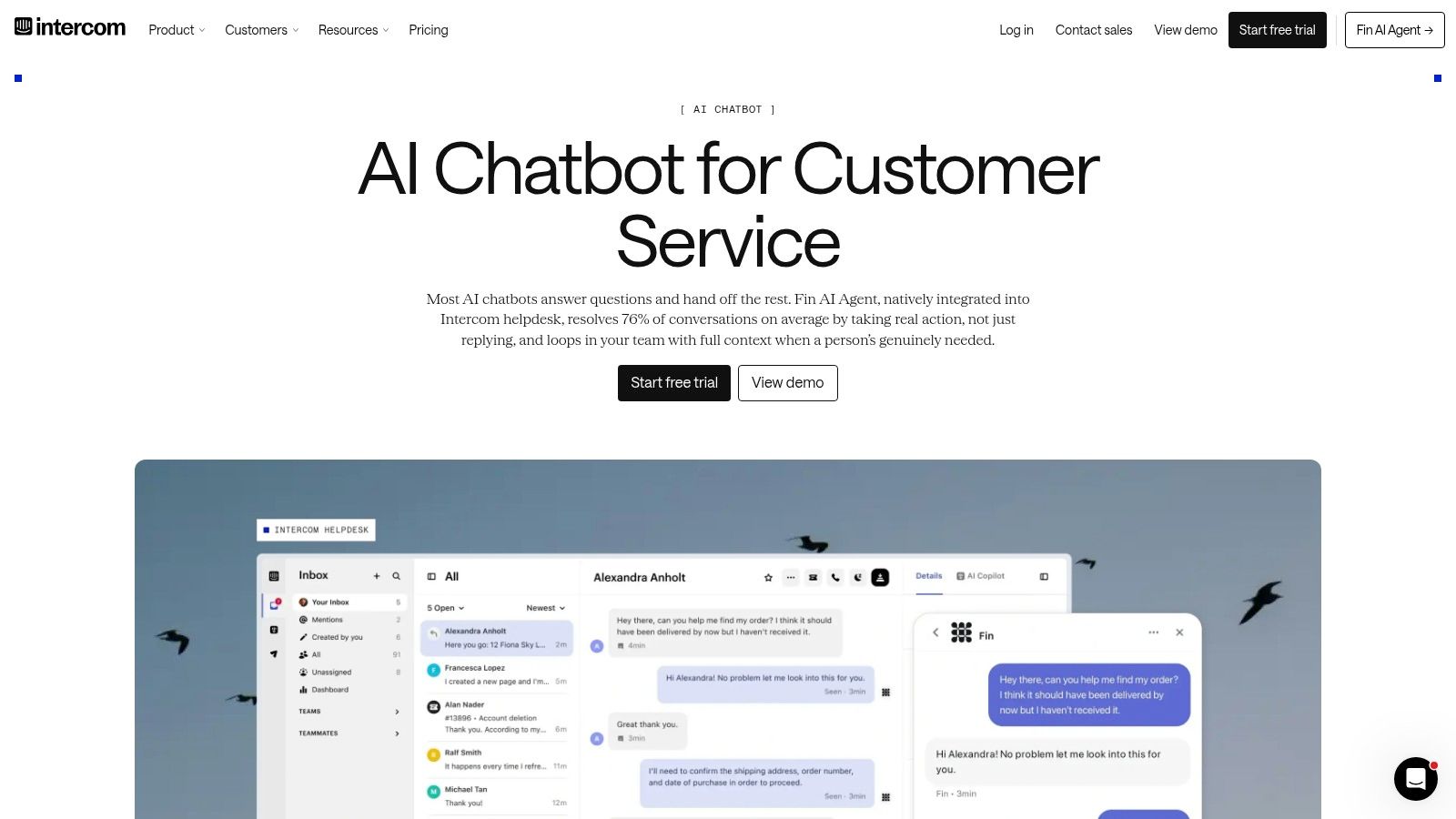
Intercom Fin answers support questions using help-center content and connected data, with natural-language setup, guardrails, human handoffs, and resolution-focused analytics. It's available within Intercom and as a standalone offering for other helpdesks.
For a product-led SaaS company, evaluate Fin on onboarding questions, feature explanations, and troubleshooting requests grounded in your documentation. Keep account-specific exceptions and unresolved problems connected to the human team rather than treating escalation as an undesirable result.
Make the definition of resolution explicit
Outcome-based pricing requires buyers to understand what the vendor counts as a successful resolution. A conversation that ends isn't necessarily a problem that's solved, so compare platform reporting with human review of representative interactions.
- Strongest fit: Teams that want automation closely connected to an established support workspace.
- Deployment work: Prepare approved content, connect relevant data, and define escalation behavior.
- Commercial limitation: Forecast outcome charges against actual support demand, and clarify advanced voice or complex-workflow requirements with sales.
The AI chatbot company comparison helps distinguish support platforms from general assistants. For Fin, the decisive test is whether the agent can answer accurately and transfer unresolved work with usable context.
Choose it for support operations, not general research. Its value should be judged through verified resolutions, agent workload, and customer effort, with the cost of maintaining connected knowledge included in the business case.
7. Zendesk AI Agents
An enterprise already using Zendesk should evaluate native automation before introducing another customer-service workspace. Zendesk AI Agents are the practical shortlist choice when existing tickets, administration, and reporting already sit in Zendesk.
Zendesk provides AI agents within its service suite, with support across messaging, email, and web forms. Its offering includes natural-language procedures, administrative controls, auditability, developer endpoints, and resolution-based metering.
The buying question isn't whether an AI agent can answer a demonstration question. It's whether your administrators can govern the procedures and your support leaders can inspect the outcome without creating a disconnected reporting process.
Focus on the procedure behind the answer
Evaluate a billing question differently from a product explanation. The former may require identity checks, account data, and restricted actions; the latter may be answerable from approved documentation.
Build those distinctions into procedures before increasing automation scope. Ask reviewers to assess whether the agent followed the approved path, not merely whether its final message sounded helpful.
- Operational advantage: Native connection to the agent workspace and reporting.
- Cost risk: Automated-resolution definitions directly affect forecasting and invoice interpretation.
- Preparation requirement: Good help-center content and deliberate orchestration remain necessary.
Choose Zendesk AI Agents when preserving your existing service operating model is a priority. Don't treat native integration as a reason to skip testing multilingual requests, incomplete prompts, policy exceptions, or transfers to human agents.
The full cost includes configuration and content ownership. Assign someone to maintain procedures as the product, policies, and support organization change. Without that ownership, you haven't completed the implementation, even if the agent is already answering customers.
8. Freshdesk Freddy AI
For a cost-conscious support manager, predictable purchasing mechanics can matter more than a long feature list. Choose Freshdesk Freddy AI when your small or mid-sized team uses Freshworks and wants to evaluate self-service automation alongside agent assistance.
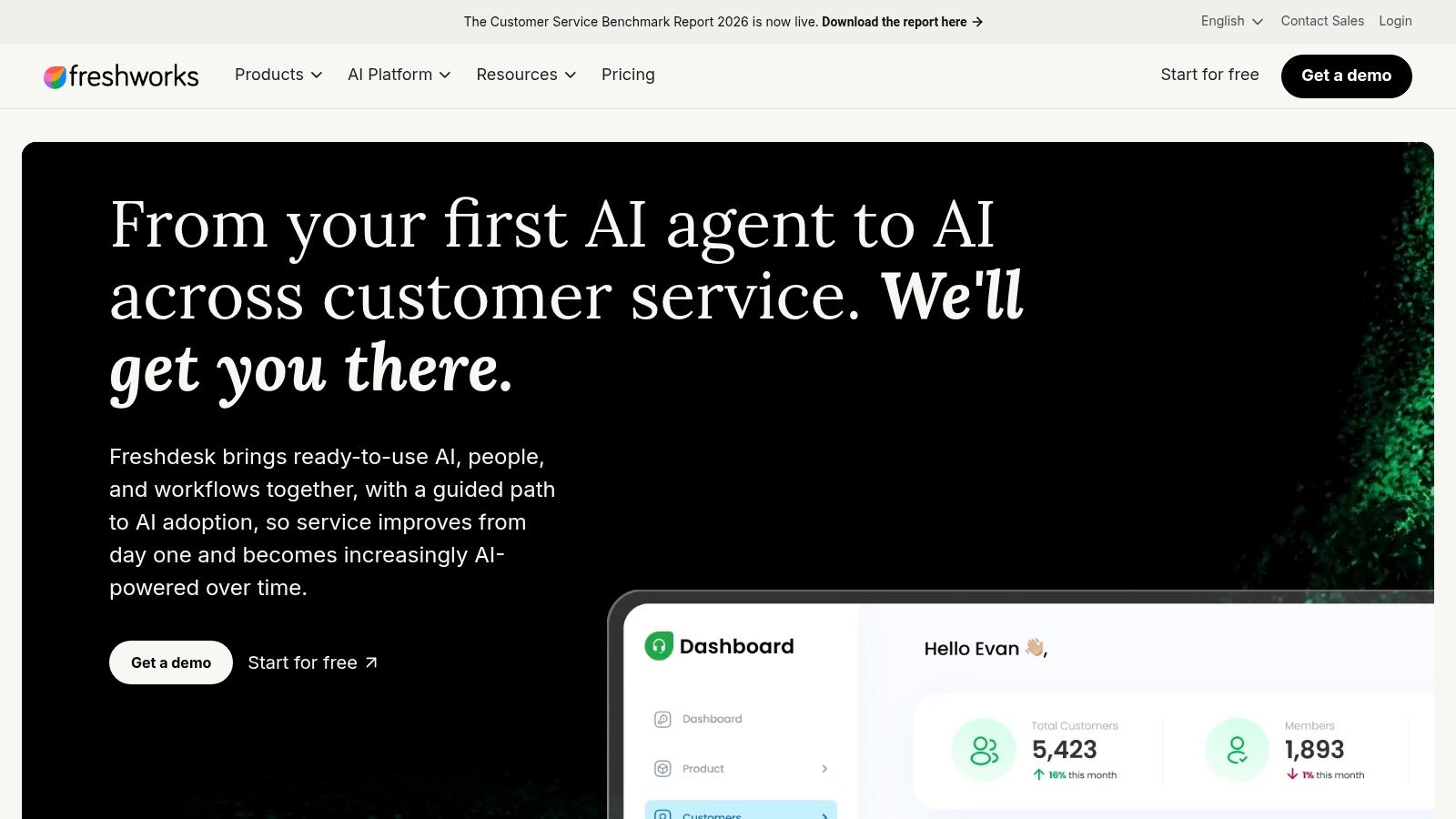
Freshdesk offers Freddy AI bots for self-service and Freddy Copilot for agent summaries, drafts, and next actions. Bot-session packs and per-agent copilot add-ons create distinct purchasing decisions, with support capabilities spanning chat, email, and messaging.
Don't combine those decisions into a vague AI budget. A bot serving customers and a copilot assisting employees affect different workflows, require different review practices, and should be evaluated against different outcomes.
Start with the bottleneck you can identify
If agents spend substantial effort reviewing conversations and preparing replies, test copilot assistance first. If customers repeatedly ask questions covered by approved documentation, test self-service with clear escalation boundaries.
- Session planning: Understand how bot sessions are counted and how packs apply to your workload.
- Seat planning: Purchase copilot access for the roles that will use it.
- Tier planning: Confirm whether required orchestration belongs to a higher-tier Freshworks offering.
Freshdesk's practical appeal is the ability to assess customer automation and agent assistance within the same support environment. Its limitation is fit: teams outside Freshworks must account for adopting or connecting another platform.
Published metering doesn't make the total cost self-evident. Include the underlying helpdesk, add-ons, configuration, knowledge maintenance, and human handling of unresolved requests. Choose Freddy AI when that combined cost and deployment effort suit your team, not just because one add-on appears affordable.
9. Gorgias Automate and AI Agent
An online store needs a chatbot that understands its service workflow, not just one that can write product descriptions. Choose Gorgias for e-commerce customer support, particularly when order status, returns, and repetitive store inquiries dominate the workload.
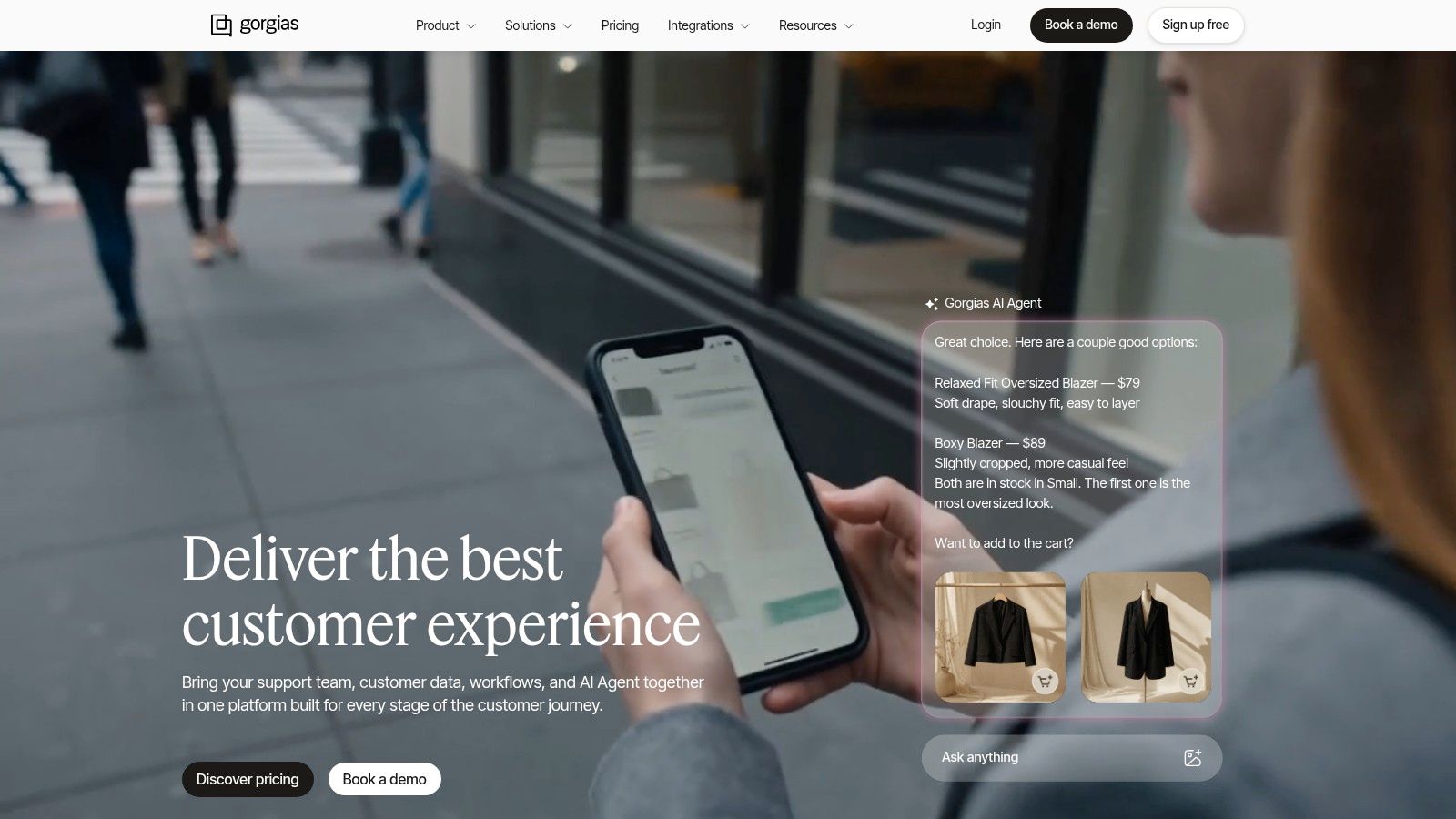
Gorgias connects with Shopify, Shopify Plus, BigCommerce, and Magento. Its Automate tools support quick replies and intent flows, while AI Agent addresses repetitive tickets, routing, FAQs, order-status questions, returns, and basic actions.
The advantage is commerce context. A store-support agent needs to distinguish a general return-policy question from a request involving a particular order, and the implementation should reflect that difference.
Define authority before enabling actions
Start with approved answers and read-only information retrieval. Expand the scope only after you've tested authentication, eligibility rules, exceptions, and human approval requirements for the actions you intend to automate.
- Routine request: Explain the published return policy using approved store content.
- Account-specific request: Retrieve appropriate order information after the required checks.
- Exception request: Route a disputed charge, unusual refund, or unresolved complaint to a person.
These are pilot scenarios, not claims that every store can enable every action without configuration. Confirm which capabilities, integrations, and permissions are available for your chosen plan.
Pricing varies by tier and automation usage, so evaluate costs against your actual ticket mix and operating model. Gorgias isn't the choice for general employee research or broad knowledge work. It's the choice when e-commerce support is the problem and connected store workflows justify the implementation effort.
10. Ada
Choose Ada for complex enterprise service operations with dedicated implementation resources. Don't shortlist it as though it were a lightweight writing assistant or a widget that requires no operational design.
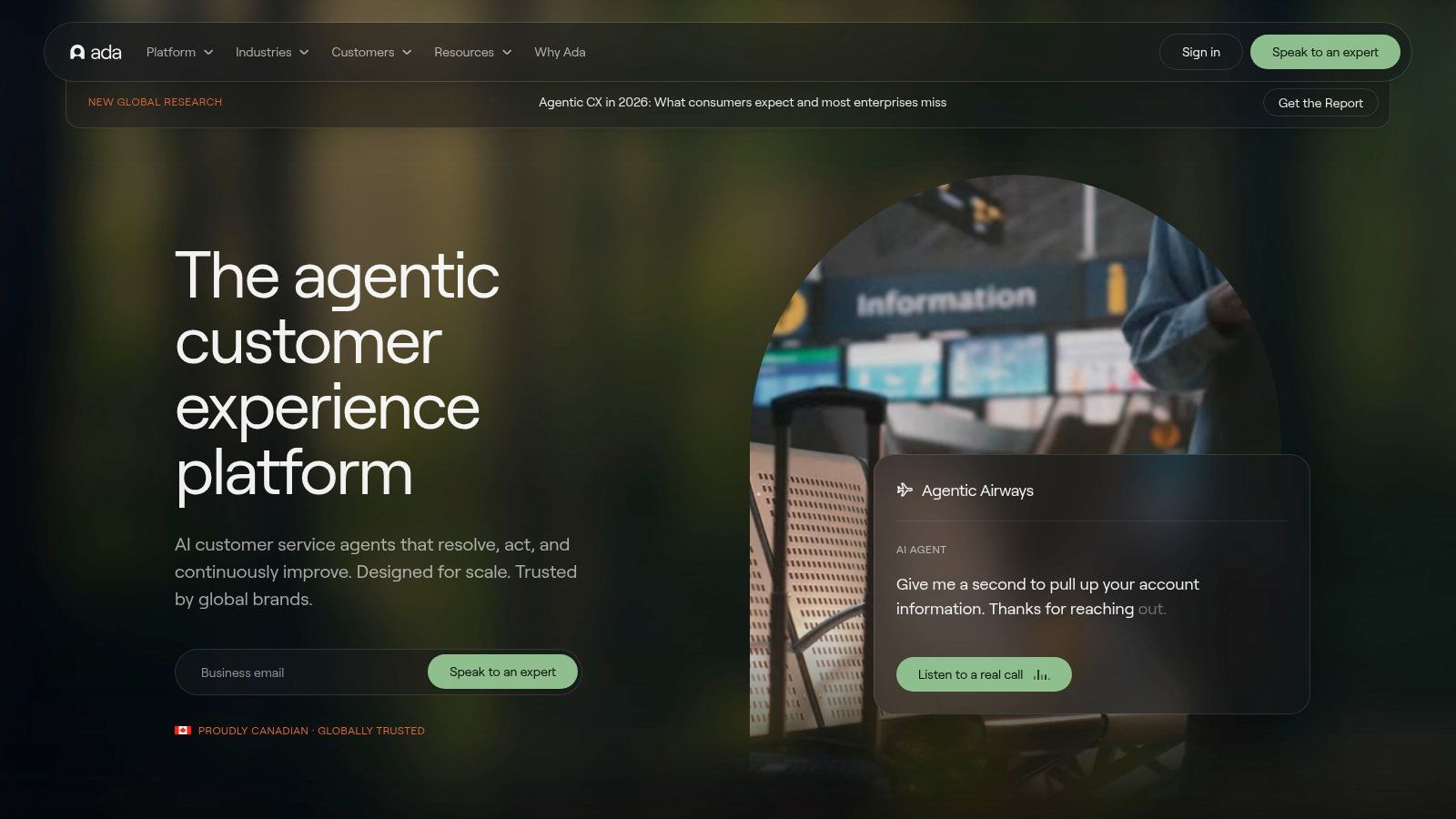
Ada provides enterprise customer-service agents across chat, email, voice, and messaging. Its capabilities include a low-code workflow builder, integrations, multi-step workflows, voice and IVR handoffs, and enterprise requirements such as SSO, SLAs, and programmatic tooling.
For a large customer-experience organization, the relevant purchase is a governed service system. Evaluate how teams will manage channel-specific behavior, permissions, workflow changes, and ownership when a request moves between automation and employees.
Budget for a service program
Ada's pricing is quote-based and typically involves annual contracts. Ask for a proposal tied to your channels, workflows, integration scope, governance requirements, and implementation responsibilities.
The limitation is deployment effort. Low-code configuration doesn't remove the need to map processes, prepare knowledge, define exceptions, and maintain connected systems.
Enterprise rule: Human handoff belongs in the architecture from the start, not in a recovery plan after customers complain.
Consumer research found 72% of respondents were open to AI-powered interactions only when they could escalate to a human, reinforcing the need to evaluate automation and accountability together (Five9 research on AI and human connection). Require demonstrations that preserve context through transfers, rather than demonstrations focused only on autonomous answers.
Choose Ada when your enterprise needs multi-channel orchestration and can staff the implementation. For a smaller team seeking narrowly scoped website support, prioritize a lighter deployment rather than purchasing complexity you won't operate.
Top 10 AI Chatbots Compared: Features and Use Cases
| Product | Best Fit | Core Strengths | Support & Standout Features | Pricing / Value |
|---|---|---|---|---|
| SupportGPT | 👥 Teams launching website or product support agents | No-code setup, multiple LLMs, multilingual support, analytics | ✨ Guardrails, human escalation, lead capture, and AI Actions | 💰 Free, Pro, and Enterprise plans |
| OpenAI ChatGPT | 👥 Individuals and teams doing general knowledge work | ★ Strong models, file and image tools, data analysis | ✨ GPTs, connectors, and broad app ecosystem; support bots need configuration | 💰 Free and paid plans; limits vary |
| Anthropic Claude | 👥 Users prioritizing writing, reasoning, and safety | ★ Helpful responses and large context windows | ✨ Strong guardrails; Team and Enterprise options | 💰 Free, Pro, Max, Team, and Enterprise |
| Google Gemini | 👥 Users and teams working in Google's ecosystem | ★ Gmail, Docs, Sheets, and Slides integration | ✨ Google One AI plans can bundle storage and AI access | 💰 Plans and benefits vary |
| Microsoft Copilot | 👥 Microsoft 365 organizations | ★ Office app integration and enterprise controls | ✨ Copilot Studio builds custom agents using organizational data | 💰 Licensing and usage credits require cost planning |
| Perplexity | 👥 Researchers and fact-finders | ★ Web-aware answers with inline citations | ✨ Source-focused research, projects, and file uploads; not turnkey support | 💰 Free and paid tiers; features vary |
| Intercom Fin | 👥 Support teams using Intercom or connected helpdesks | ★ Help-center answers, analytics, and contextual handoffs | ✨ Resolution-focused agent built into customer communications | 💰 Outcome-based pricing; model costs against support volume |
| Zendesk AI Agents | 👥 Teams already using Zendesk | ★ Native ticketing, reporting, and admin controls | ✨ Natural-language procedures and resolution-based automation | 💰 Resolution-metered; costs depend on usage |
| Freshdesk Freddy AI | 👥 Small and midsize support teams | ★ Self-service bots and agent copilot | ✨ Omnichannel support with session and copilot add-ons | 💰 Published add-on packs; advanced features may require higher tiers |
| Gorgias Automate and AI Agent | 👥 E-commerce support teams | ★ Shopify and other commerce integrations | ✨ Order-status, returns, and common store-request automation | 💰 Varies by plan and automation usage |
| Ada | 👥 Large enterprises with complex CX operations | ★ Multichannel automation, workflows, and governance | ✨ Voice and IVR handoffs with implementation support | 💰 Quote-only; typically annual contracts |
Choose by Workflow, Then Validate the Economics
There's no universal winner, but there is a clear buying order. Identify the job, shortlist products built for that job, and validate them using your own workload before committing.
Choose ChatGPT, Claude, or Gemini for general employee productivity. Put Microsoft Copilot first for Microsoft-aligned enterprises, and choose Perplexity for source-backed research. For customer-service automation, prioritize Intercom Fin, Zendesk AI Agents, Freshdesk Freddy AI, Gorgias, or Ada according to your existing helpdesk, company type, channel requirements, and implementation capacity.
Don't let a benchmark settle that decision. ChatBench found that isolated model accuracy didn't reliably predict interactive user-AI accuracy, with an approximately 10-percentage-point mean absolute error for free-text responses (ChatBench human-AI evaluation findings). Test conversations, clarification behavior, and recovery from ambiguity, not just answers to neatly written questions.
Run a pilot with operational consequences
Use real customer questions with sensitive information removed or appropriately protected. Include routine requests, missing context, outdated documentation, policy exceptions, multiple languages, and explicit requests for a person.
- Validate grounding: Check whether each substantive answer follows current approved sources.
- Validate resolution: Count containment only when the customer's issue is resolved.
- Validate escalation: Confirm that the right person receives the conversation and relevant context.
- Validate privacy: Test access boundaries, retention requirements, restricted data, and account-specific requests.
- Validate economics: Include subscriptions, metered usage, integrations, maintenance, review effort, and remaining human support.
The cost of being wrong belongs in the comparison. Deloitte found that 53% of surveyed U.S. users mostly or always verified generative-AI outputs independently, a reminder that fluent answers can still impose review work (Deloitte Connected Consumer findings). Measure that burden instead of assuming every automated response saves employee time.
For SaaS and e-commerce teams that don't want to adopt an entire helpdesk suite, SupportGPT is a practical alternative to evaluate. It offers configurable support agents, model choice, training on your own sources and links, guardrails, multilingual support, natural-language escalation rules, analytics, and website deployment through a lightweight widget.
The operating model still matters. Assign responsibility for knowledge updates, escalation review, and ongoing testing, whether you choose a standalone support platform or native helpdesk automation. Select the product that produces verified resolutions at an acceptable full cost, then expand its scope only after the pilot demonstrates reliable behavior.
SupportGPT lets non-technical teams build and deploy support agents using their own knowledge sources, configurable guardrails, model choice, and human escalation. Visit SupportGPT to configure an agent and use the playground to test representative customer questions before embedding it on your website.