Build a Modern Real Time Chat Application
Learn to build a scalable real time chat application. This guide covers architecture, protocols like WebSockets, and AI integration for developers.

When you think of a real-time chat application, you're thinking about instant two-way conversation. It’s the difference between sending an email and waiting for a reply versus having a live, flowing discussion. This immediacy comes from a persistent connection that makes the whole experience feel interactive and alive.
What Makes a Chat Application Real Time
Let's use an analogy. Traditional communication online was a bit like sending a letter. You'd write it, post it, and wait. The recipient gets it later, then sends a reply, which also takes time to arrive. This delay-filled, one-way process is called asynchronous communication. Early websites were built on this model—you’d click something, send a request, and wait for the entire page to reload with the new information.
A real-time chat app, on the other hand, is much more like a phone call. Once you're connected, both people can talk and listen at the same time. This is bidirectional communication, and it’s the magic ingredient that makes an app feel "live." The server can push information to you just as easily as you can send it, all without hitting a refresh button.
The Shift from Request-Reply to Persistent Connections
For years, the web ran on a simple request-reply model. Your browser (the client) asked a server for something, and the server sent it back. This worked perfectly for static web pages, but it was incredibly clunky for anything dynamic. To fake a real-time feel, developers had to use workarounds like polling, where the client would repeatedly ask the server, "Anything new yet? How about now?" As you can imagine, this was inefficient and created a ton of needless network noise.
Modern chat applications have a much smarter solution: they establish a persistent connection. The moment you open the app, it creates a dedicated, open channel back to the server.
This open channel is the secret sauce. It allows the server to instantly "push" new messages, typing indicators, and presence updates (like online statuses) to you the moment they happen.
This fundamental move from a "pull" model (where you have to ask) to a "push" model (where the server tells you) is what truly defines a real-time chat application. It’s the technology that powers the seamless experiences we’ve all come to expect from platforms like:
- Team Collaboration: Think of tools like Slack or Microsoft Teams, where instant messaging is the backbone of daily productivity.
- Customer Support: Those live chat widgets you see on websites that connect you with a support agent in seconds.
- Social Messaging: Global giants like WhatsApp, where billions of people exchange messages instantly every single day.
Getting your head around this core idea of bidirectional, persistent connections is the first real step. It's the foundation for building an application that delivers the responsive, engaging experience modern users demand.
Understanding Your Chat Architecture's Core Components
Every great real-time chat application, whether it's a simple customer support widget or a massive social platform, runs on a well-designed engine. Building this engine means getting to grips with its essential parts. Let's pull back the curtain on this architecture, piece by piece, to make these backend concepts clear so you can map out a solid plan for your own project.
At the very heart of the system is the signaling server. Think of it as an old-school telephone operator. Its main job isn’t to carry the conversation itself, but to connect the two parties who want to talk. When a user logs in, the signaling server handles the initial "handshake," establishing a connection and telling other parts of the system that this user is now available.
This first connection is what sets the stage for everything else.
The Messaging and Presence Layers
Once that connection is live, the messaging layer takes over. If signaling is the operator, the messaging layer is the secure phone line itself. This is where the actual conversations happen—where messages are routed from sender to recipient in an instant. A solid messaging layer is absolutely central to creating a reliable real-time chat application.
Working hand-in-hand with messaging is the presence system. This is what tells you who’s online, offline, or busy. It's the little green dot next to a colleague's name in Slack or the "last seen" status in WhatsApp. A presence system broadcasts these status updates to all connected users, creating the feeling of a living, active community within your app.
This simple infographic visualises the jump from one-way communication, like sending a letter, to the fully real-time chat we all use today.
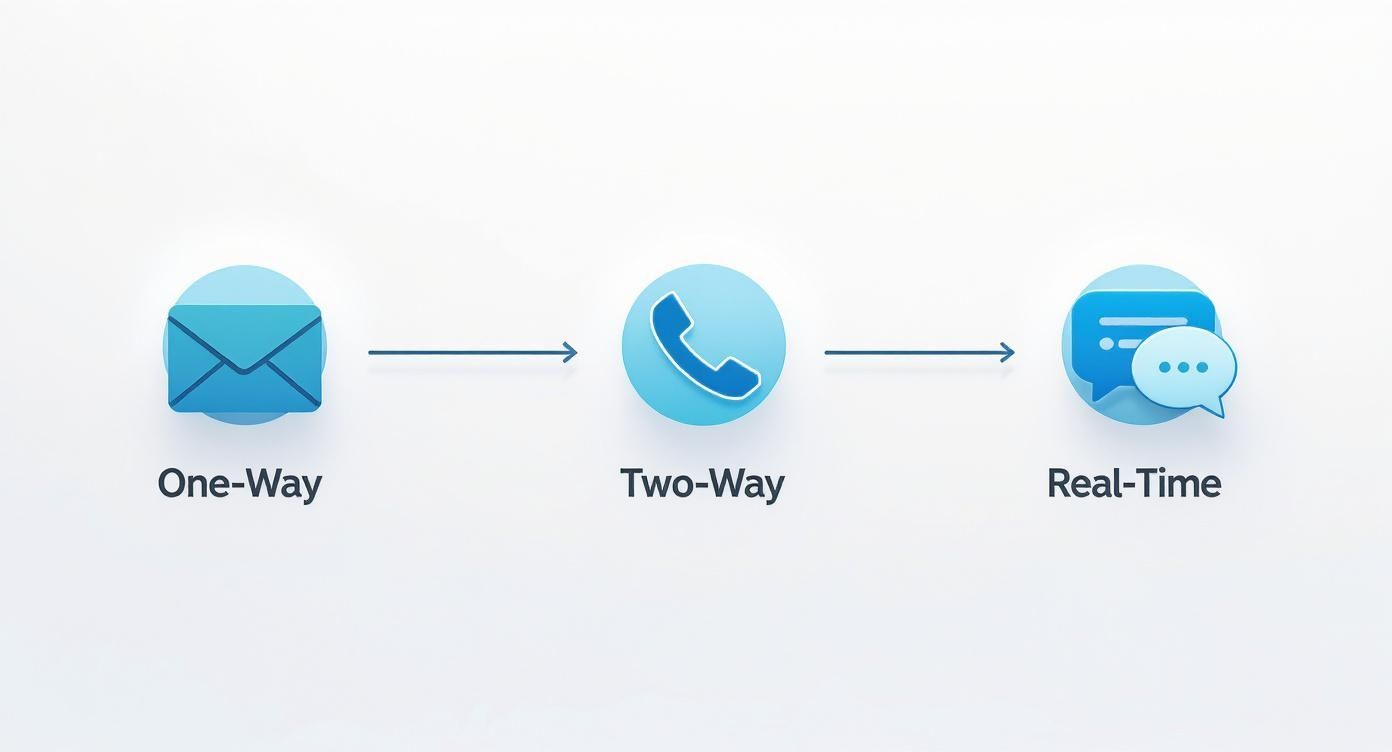
As you can see, real-time chat combines the best of both worlds. It enables an instant, two-way flow of information that feels as natural as talking to someone in the same room.
Ensuring No Message Is Left Behind
What happens if you send a message to someone whose internet connection just dropped for a second? This is where message delivery guarantees come into play. A robust architecture needs a plan for messages that can't be delivered instantly.
Think of it like a parcel delivery service. If you aren't home, the driver doesn't just throw the package away. They might try again later or leave a note. In a chat app, this is handled by a few key strategies:
- At-Most-Once Delivery: This is the most basic approach. The message is sent once. If it fails, it's gone for good. This is fine for non-critical data like typing indicators, but it's a no-go for actual messages.
- At-Least-Once Delivery: Here, the system guarantees the message will arrive, but it might show up more than once. The server keeps retrying until it gets a confirmation, which can sometimes lead to duplicates if the confirmation itself gets lost.
- Exactly-Once Delivery: This is the gold standard for chat. The system uses sophisticated checks and balances to ensure every message is delivered once and only once, even when the network is shaky. This often involves storing messages temporarily and using unique IDs to weed out duplicates.
The goal is to build a system that feels completely reliable to the user. They should never have to wonder if their message was sent or received. Implementing strong delivery guarantees is a non-negotiable part of earning that trust.
The demand for such reliable systems is skyrocketing. For instance, the India live chat software market was valued at USD 37.51 million in 2024 and is projected to hit USD 68.97 million by 2033. This growth shows just how crucial real-time chat has become for businesses wanting to connect with their customers. You can explore more insights about the Indian live chat market on imarcgroup.com.
By understanding signaling, messaging, presence, and delivery guarantees, you now have a clear blueprint of the core components needed to build a dependable and engaging real-time chat application from the ground up.
2. Choosing the Right Communication Protocol
When you're building a real-time chat app, one of the first big decisions you have to make is picking the right communication protocol. Think of this as choosing the right kind of road network for your application's data to travel on. Your choice here will have a massive impact on your app's speed, how well it scales, and just how complex the whole thing is to build and maintain.
Essentially, you have three main contenders to consider: WebSockets, WebRTC, and the older but still relevant Long-Polling. Each one has its own strengths and weaknesses, and picking the best fit really depends on what you're trying to accomplish.
WebSockets: The Two-Way Highway
For most chat applications focused on text, WebSockets are the go-to solution, and for a very good reason. Picture it like having a dedicated, private highway open at all times between a user's device and your server. Once that connection is established, data can flow freely in both directions without any of the stop-and-go traffic you get with traditional web requests.
This persistent, two-way (or "full-duplex") connection is incredibly efficient. It means the server can instantly push information—like new messages, typing indicators, or someone's online status—to the user the moment it happens. This is what delivers that snappy, low-latency experience everyone expects from a modern chat app.
WebRTC: The Direct Peer-to-Peer Connection
Now, if WebSockets are about connecting a user to your server, WebRTC (Web Real-Time Communication) is all about connecting users directly to each other. Think of it as setting up a private video call between two people. Once the initial connection is made, the actual video and audio data streams directly between their devices, largely bypassing your server.
This peer-to-peer (P2P) model makes WebRTC the hands-down winner for high-bandwidth stuff like video conferencing and voice calls. By cutting out the middleman for media streaming, it slashes server costs and keeps latency super low. For a standard group chat, however, it's often more firepower than you need.
Long-Polling: The Patient Question
Before WebSockets came along and became the standard, developers had to get creative. The result was Long-Polling, which is basically a smarter version of an older, less efficient technique.
Here's how it works: instead of the app constantly bugging the server every few seconds with "Got anything new for me?", it sends a single request and just... waits. The server keeps that request open until it actually has something to report, like a new message. As soon as it sends the update, the connection closes, and the app immediately opens a new one to start the waiting game all over again.
Long-Polling is like asking a friend on a road trip, "Are we there yet?" and they only answer you the moment you pull into the driveway. It's much quieter than asking every five minutes, but it's still not as good as the constant, open line of communication you get with WebSockets.
While it can be simpler to set up on older systems, Long-Polling is just not as efficient and doesn't scale nearly as well for a modern, busy chat application.
Comparison of Real Time Communication Protocols
So, how do you decide? You need to weigh the trade-offs. This table breaks down the core differences to help you choose the right protocol for your chat application.
| Protocol | Connection Type | Latency | Best Use Case | Scalability |
|---|---|---|---|---|
| WebSocket | Persistent Client-Server | Very Low | Text chat, notifications, live updates | Excellent |
| WebRTC | Peer-to-Peer (P2P) | Extremely Low | Video/audio calls, file sharing | High (for media) |
| Long-Polling | Request-Response | Moderate | Legacy systems, simple notifications | Poor to Fair |
The takeaway is pretty clear. For the vast majority of projects—whether you're building a group chat, private messaging, or just need to show presence indicators—WebSockets provide the ideal balance of performance and scalability. They give you a rock-solid foundation for a fast, feature-rich chat app without the complexity of WebRTC or the performance headaches of Long-Polling.
Building a Backend That Can Scale
A sleek, responsive user interface is fantastic, but it's only half the story. The real engine of any powerful real-time chat application is its backend. If that server-side architecture isn't built to handle the pressure, it'll crumble the moment your user base starts to grow. A beautiful app means nothing if it crashes when thousands of users log on.
Let's get into the server-side strategies that will keep your application fast and reliable, whether you're serving one hundred users or one million.

Getting this right from the start comes down to three core areas: managing message flow, picking the right database, and designing for growth. Nail these, and you'll save yourself countless headaches down the road.
Managing Peak Traffic with Message Queues
Picture your chat app during a major live event or a viral marketing campaign. Suddenly, thousands of messages are flooding the system every second. Without a smart way to manage this, your servers will get overwhelmed, leading to frustrating delays, lost messages, and a terrible user experience.
This is exactly what a message queue is for. Think of it as a sophisticated traffic controller for your data. Instead of every message hitting your main application server at once, they're first funnelled into the queue.
This queue acts as a buffer, holding the messages and feeding them to your backend services at a pace they can actually handle. This simple act of decoupling prevents your servers from melting down during sudden traffic spikes. Some of the go-to choices for this are:
- Apache Kafka: Built for high-throughput and durability, Kafka is a beast when you need to process massive, non-stop streams of data.
- RabbitMQ: A more traditional, highly flexible message broker that offers complex routing options and is known for its reliability.
By using a message queue, you ensure that even during the busiest moments, every single message is captured and processed without a hitch. It’s your insurance policy against data loss and service interruptions.
Choosing the Right Database for Chat History
Every message, emoji, and file shared needs to be stored somewhere. Your choice of database is critical, as it directly impacts how quickly users can access their chat history. The decision usually comes down to the two main families: SQL and NoSQL.
SQL databases, like PostgreSQL or MySQL, are structured and incredibly reliable. They're fantastic for complex queries and guaranteeing data integrity. However, their rigid schemas can sometimes become a bottleneck in a fast-moving chat app with a massive amount of write activity.
This is where NoSQL databases, such as MongoDB or Cassandra, often shine. They are purpose-built for flexibility and can handle enormous volumes of unstructured data—like chat messages—with ease. More importantly, their ability to scale horizontally makes them a natural fit for applications expecting explosive user growth.
For most modern chat applications, a NoSQL database provides the perfect blend of performance, flexibility, and scalability. It lets you store messages, user profiles, and other bits of data without being locked into a rigid, predefined structure.
Designing for Horizontal Scaling
So, what happens when your app gets so popular that even a single, monstrously powerful server isn't enough? The answer is horizontal scaling. Instead of making one server bigger and bigger (known as vertical scaling), you simply add more servers to share the load.
This approach is far more resilient and, in the long run, more cost-effective. A load balancer acts as the traffic cop at the front, distributing incoming connections and messages evenly across your fleet of servers. This ensures no single machine becomes a point of failure.
This architecture is often organised using microservices. Instead of building one giant, monolithic application, you break the backend into smaller, independent services. You might have one microservice that handles user authentication, another for message delivery, and a third just for presence updates. This separation makes the whole system much easier to develop, maintain, and scale individual parts as needed.
By weaving together message queues, a well-chosen database, and a horizontally scalable architecture, you're not just building a backend for today. You’re building a foundation that's ready for the growth of tomorrow, creating a dependable real-time chat application users can count on.
Weaving Smart AI Assistants into Your Chat
These days, users expect more than just a quick reply; they want an intelligent conversation. A modern real-time chat application truly shines when it’s powered by a smart AI assistant—one that goes beyond canned responses to actually understand what users are asking for, delivering accurate answers and making support a breeze.
This is where embedding a purpose-built AI becomes a real game-changer. Imagine an assistant that has absorbed every single product document, FAQ page, and support article your company has ever published. When a user asks a question, it’s not just guessing; it’s pulling answers directly from that trusted knowledge base, offering reliable help around the clock.

This kind of proactive support takes a huge weight off your human agents. The AI can tackle the bulk of common questions, freeing up your team to handle the complex, nuanced issues that genuinely need a human touch.
Designing Smart Escalation Rules
Of course, no AI has all the answers. That’s why a critical piece of the puzzle is creating smart escalation rules. These aren't just simple triggers; they're the intelligent instructions that tell the AI exactly when to pass the baton to a human agent.
Think of the AI as your front-line triage specialist. It greets the customer, gathers context, and does its best to solve the problem. But when it hits a wall, or if the user starts to sound frustrated, the escalation rule kicks in. The trick is to make this handoff completely seamless.
The goal is a "warm" transfer. The human agent should see the entire chat history and a quick summary of the issue, so the customer never has to repeat themselves. It’s all about creating a smooth, professional support experience.
Effective escalation rules could be based on:
- Keyword Triggers: If a user types "complaint," "refund," or "talk to a person," the chat is automatically flagged for an agent.
- Sentiment Analysis: The AI can pick up on frustration or anger in a user's tone and proactively route the conversation to a human for de-escalation.
- Failure Threshold: After two or three failed attempts to answer a question, the AI should automatically escalate to avoid annoying the user.
AI in Action: A Real-World Example
Let's walk through a typical scenario. A customer lands on your e-commerce website and opens the chat widget to ask, "Do you ship to Bengaluru?"
- Initial Triage: The AI assistant, having been trained on your shipping policies, instantly replies, "Yes, we offer free shipping to Bengaluru on all orders over ₹2,500."
- Follow-up Query: The customer then asks, "What is your return policy for damaged items?" Again, the AI pulls the answer straight from your knowledge base, providing a clear summary on the spot.
- Complex Escalation: Finally, the user types, "My order arrived with a broken screen, and I need a replacement organised." The AI recognises this is a job for a human, triggers an escalation rule, and seamlessly transfers the entire conversation—context and all—to an available support agent.
This level of automation is becoming non-negotiable, especially in markets seeing huge digital growth. In India, for example, WhatsApp is the go-to messaging platform for an estimated 853.8 million users. This massive audience underscores the need for scalable, AI-driven support that can handle the volume. You can find more stats on the global reach of messaging apps on wanotifier.com.
Tools like SupportGPT are built for this, making it simple for even non-technical teams to deploy intelligent assistants that can manage these kinds of interactions effortlessly.
How to Secure Your Chat Application
When you’re building a real-time chat application, trust is everything. If messages leak or accounts get compromised, you don’t just have a technical problem—you have a trust problem. And once that trust is gone, it’s nearly impossible to get back. Security can't be a feature you tack on at the end; it has to be baked in from the very first line of code.
Let's break down the essential security and compliance measures you absolutely need to get right.
The conversation around message security always starts with end-to-end encryption (E2EE). Think of it like sending a physical package in a locked box, and only the intended recipient has the key to open it. Even if someone intercepts the box on its journey—or in our case, if the message passes through your servers—its contents remain a complete secret. No one else can read it, not even you.
Implementing E2EE is more than a technical choice. It's a statement to your users that you genuinely respect their privacy. It’s the gold standard for a reason.
Controlling Access with Robust Authentication
So, encryption protects the messages themselves. But what about the user accounts? That's where authentication comes in. Having weak authentication is like installing a vault door on a tent—it’s pointless. You have to verify who is trying to get in, and a simple username and password just doesn't cut it anymore.
Here’s what solid authentication looks like in practice:
- Multi-Factor Authentication (MFA): This is a must. Requiring a second piece of proof, like a one-time code from an app or a text message, adds a massive layer of defence against stolen passwords.
- OAuth 2.0: Why reinvent the wheel? Letting users sign in with trusted providers like Google or GitHub offloads a lot of the security burden to companies with entire teams dedicated to it. It's also a much smoother experience for the user.
- Secure Session Management: After a user logs in, you need to manage their session carefully. This usually means using tokens, like JWTs, that have a set expiry time and are always sent over secure, encrypted channels.
These practices work in tandem to create a serious barrier against anyone trying to hijack a user's account.
A secure real-time chat application isn't just about one feature; it's about building a layered defence. Strong encryption protects the data in transit, while robust authentication protects the entry points.
Navigating Data Privacy and Compliance
Security doesn't stop at the technical level. It bleeds straight into legal and regulatory territory. Once you start handling user data from different parts of the world, you're playing in a whole new league with a different set of rules. You can't just ignore them.
You’ll need to get familiar with regulations like the General Data Protection Regulation (GDPR) in Europe, along with other regional privacy laws. These aren't just suggestions; they're legal frameworks that dictate how you must collect, process, and store personal data. One of the biggest principles you'll run into is data residency—the rule that data belonging to citizens of a specific country has to be stored on servers physically located within that country.
Getting this wrong can lead to eye-watering fines and a complete erosion of user trust. By thinking about data privacy from the very beginning, you’re not just avoiding legal headaches. You’re showing your users that you are fundamentally committed to protecting their rights. That combination—strong encryption, secure access, and careful compliance—is what a trustworthy chat application is built on.
Common Questions About Building Chat Apps
As you get closer to actually building your own real-time chat app, the big conceptual ideas start to give way to very practical questions. It’s the stuff that keeps developers and product owners up at night. Let's tackle some of the most common hurdles you'll face.
One of the first, and biggest, decisions you'll make is whether to build the whole thing yourself or just plug in a pre-built chat API. The right answer really comes down to your team's skills, budget, and how much time you've got.
Build from Scratch or Use an API?
Going the custom route gives you ultimate control. Every single feature, every bit of the user experience, is yours to design. At a massive scale, it can even be cheaper in the long run. But don't underestimate the effort involved. This isn't a weekend project; it requires serious engineering muscle in real-time systems, a huge upfront time investment, and a team ready to handle ongoing maintenance and scaling.
On the flip side, using a third-party chat API from a provider like Sendbird or PubNub gets you to launch day in a fraction of the time. They’ve already solved the hard problems—the backend infrastructure, the scaling, the reliability. This frees up your team to focus on what actually matters to your users: the front-end experience and unique features. Honestly, for most teams, grabbing an API is the smarter, more practical move.
How Do You Handle a Massive User Load?
Here’s the million-dollar question: what happens when your app gets popular? The single biggest technical nightmare is managing thousands, or even millions, of simultaneous connections without the app slowing to a crawl. Latency is the enemy.
A successful scaling strategy is never about a single solution. It requires a combination of horizontal scaling with load balancers, using message queues to buffer traffic spikes, and choosing a database that is optimised for high-speed read and write operations.
Think of it as a three-pronged attack. You add more servers (horizontal scaling), use a buffer (message queues) to manage sudden floods of messages, and pick the right database that won't buckle under pressure. This approach ensures that whether you have a hundred users or a million, the experience stays snappy.
The need for this kind of robust architecture is obvious when you look at the numbers in India. As of 2025, there are 752 million internet users and 462 million social media users. A staggering 25% of them are hopping on messaging apps multiple times a day. If you want to learn more about these trends, smarther.co has some great insights.
What About Messages for Offline Users?
People aren't always connected. So, what happens to a message sent to someone whose phone is off or out of service? A good chat system can't just let that message disappear into the void.
The solution is server-side persistence. When a message is sent, the server first stores it in a database, marking it as "undelivered" for any offline recipients.
As soon as that user comes back online and opens the app, their device pings the server, asks "anything for me?", and downloads all the waiting messages. Only then does the server update their status. Of course, you can't just rely on users to remember to check. That's where push notifications come in—they're the essential nudge that says, "Hey, you've got new messages," pulling users back into the conversation.
Ready to integrate a powerful AI assistant into your chat application without the development overhead? SupportGPT provides a complete platform to build, manage, and deploy AI support agents that deliver fast, accurate answers. Learn more about SupportGPT.