10 Prompt Management Tools for AI Teams
Compare 10 prompt management tools for versioning, evaluation, governance, pricing, and practical use across product, support, and developer teams.
The best prompt management tool isn't the one with the longest feature list. It's the one that matches how your team changes, tests, approves, and deploys AI behavior. A support team may need a prompt CMS with approvals and safe rollbacks. An engineering team may care more about traces, datasets, and evaluation runs. A platform team operating across model providers may need an AI gateway, cost controls, routing, and governance in the same control plane.
That distinction matters because prompt management has become a substantial software category. Market estimates place the broader prompt engineering tools market at $1.13 billion in 2025, with forecasts ranging from $1.49 billion in 2026 to $4.51 billion by 2030, depending on the market definition and forecast methodology (Atlan's market overview). G2 listed 86 prompt management products as of September 2026, with an average rating of 4.46 out of 5 (G2's category page). Buyers now face tool sprawl, not a shortage of options.
This comparison evaluates ten platforms by the operating model they support, including dedicated prompt CMS, observability and evaluation workspace, AI gateway, cloud-native flow platform, and MLOps registry. Pricing notes are planning signals only. Several vendors use usage-based, enterprise, or sales-led pricing, so confirm current limits and contract terms before committing.
1. LangSmith by LangChain
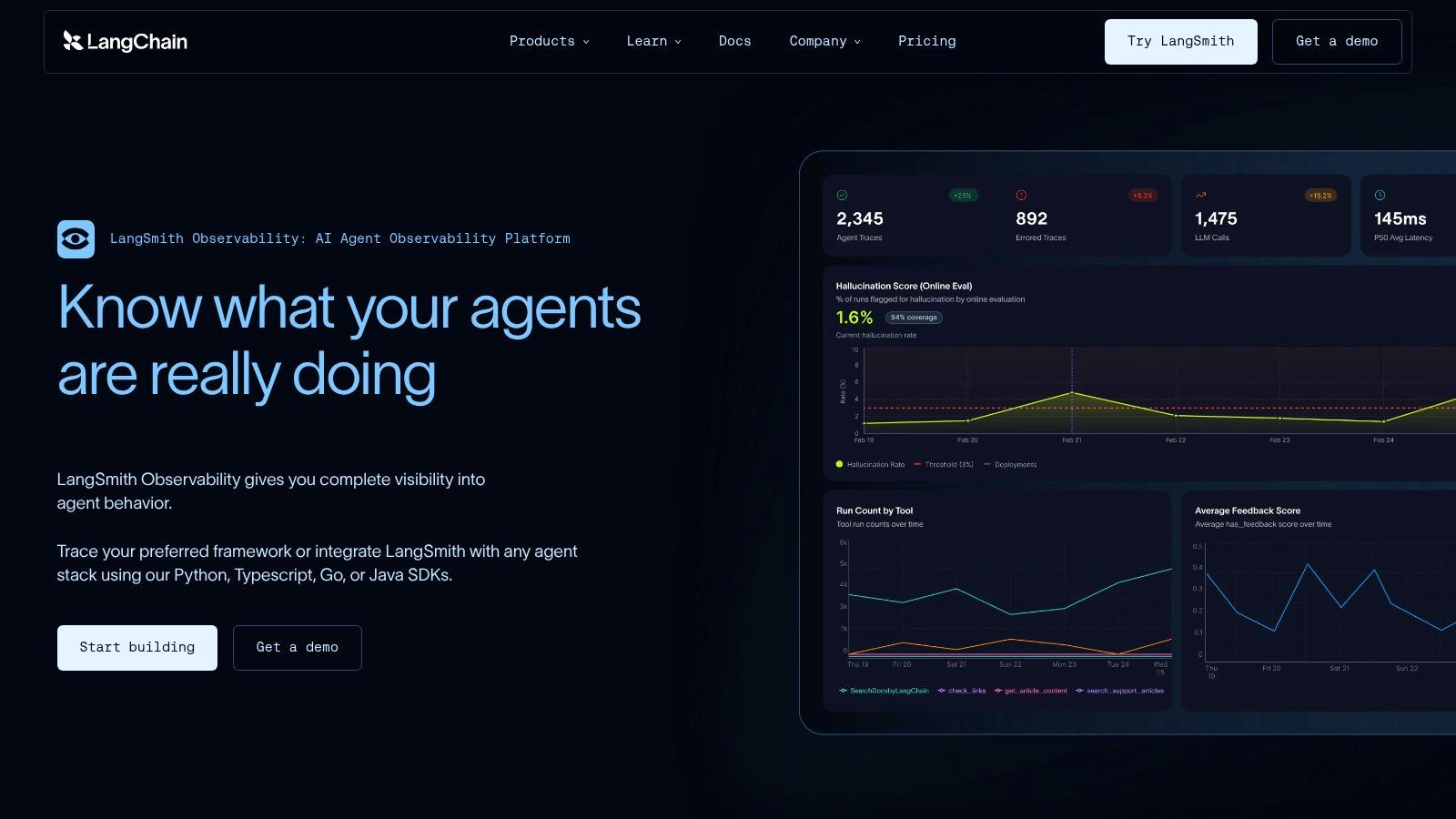
LangSmith is strongest when prompt management sits inside a broader agent, retrieval-augmented generation, or LangChain application lifecycle. It combines prompt and context versioning with traces, datasets, evaluations, and run comparisons, so a team can connect a prompt change to the behavior of an entire pipeline rather than judging the text in isolation.
The prompt registry supports version history, aliases, and environment-oriented workflows. That makes it practical to keep development and production behavior separate, promote a known version, and investigate which prompt an agent used. Its tracing layer is especially useful for RAG systems where the final answer depends on retrieval, tools, intermediate steps, and model calls.
Where LangSmith fits best
LangSmith's main advantage is the connection between prompt versions and agent observability. Dataset-based evaluations let teams compare a baseline and candidate across repeatable examples, while role-based workspaces and retention controls support larger deployments. The ecosystem around LangChain and LangGraph also reduces integration friction for teams already using those frameworks.
Practical rule: Use LangSmith when the prompt is only one part of the system you need to debug.
The trade-off is framework gravity. You can use LangSmith through APIs and SDKs without committing fully to LangChain, but the smoothest experience is still built around that ecosystem. Teams should also understand its storage and usage model before budgeting, since LangChain Storage Units can be unfamiliar at first. For teams evaluating LLM integration patterns, LangSmith is a strong observability-first choice, but it may be more platform than a support team needs for simple prompt approvals.
2. Humanloop
Humanloop treats prompts as first-class operational assets rather than snippets buried in application code. Its registry, editor, evaluations, monitoring, and SDK create a unified workflow for product managers, support leaders, engineers, and AI specialists who need to collaborate without passing every wording change through a deployment pipeline.
The platform supports multiple model providers, which helps teams compare models without rebuilding the surrounding prompt workflow. Its proxy capability is particularly useful when a team wants to change a prompt or model without deploying application code. That separation can shorten the path from an approved change to a controlled production test, provided the team is comfortable placing the proxy in the request path.
Why cross-functional teams consider it
Humanloop's strongest operating model is a shared evaluation workspace. Product and support teams can work in a visual interface, while developers use the API and SDK to connect prompts to applications. Evaluations and monitoring remain close to the prompt object, which makes review more concrete than comparing untracked text files.
That approach works well for customer-facing assistants, where a prompt change can affect tone, escalation behavior, grounding, and output structure at the same time. Teams can review those changes with engineering rather than relying on informal edits in a shared document.
Humanloop is a better fit for organizations that want non-engineers involved in prompt operations without removing engineering controls.
The main drawback is commercial planning uncertainty. Public self-serve pricing is limited, and the product has a clear enterprise orientation. Small teams may find the sales process and broader platform scope heavier than necessary. Before adopting it, confirm provider support, proxy behavior, data handling, access controls, and how the platform fits with your AI prompt optimization workflow.
3. Langfuse
Langfuse is the open-source-first option in this list. It combines prompt management with tracing, evaluations, datasets, and metrics, while offering both cloud hosting and self-hosted deployment. The core appeal is control. Teams can keep prompt and observability data within their own infrastructure, then move to managed hosting when operational convenience matters more than direct ownership.
Its prompt management workflow supports reusable templates, versioning, labels, and runtime retrieval. Client-side caching patterns help teams avoid making the prompt registry a dependency on every inference request. That detail matters in production. If the registry becomes unavailable, a local cache or last-known-good version can keep the application running while the team investigates.
The self-hosting trade-off
Langfuse works best for teams that already have a clear answer for infrastructure ownership, backups, upgrades, authentication, and data retention. Its cloud offering removes much of that work, while self-hosting provides greater control over sensitive traces and prompt content.
The open-source core also makes it easier to test the operating model before negotiating a broader commercial commitment. That doesn't eliminate implementation effort. Your team still needs to define naming conventions, environment labels, approval responsibilities, and evaluation datasets.
- Choose Langfuse for control: Self-hosting suits organizations with data residency or infrastructure requirements.
- Choose Langfuse for connected evidence: Traces, prompt versions, datasets, and evaluations can live in one workflow.
- Plan for operations: Managed SSO, compliance features, and vendor support may make cloud or enterprise plans more appropriate.
Teams building grounded assistants should connect prompt changes to retrieval and answer quality rather than treating wording as the only variable. Langfuse can support that discipline, especially when the team already has practices for preventing AI hallucinations. Its weakness is not capability. It's the operational burden that comes with choosing self-hosting.
4. Portkey
Portkey is an AI gateway with prompt governance, not merely a prompt registry. That distinction makes it compelling for teams running several model providers or production services that need routing, fallbacks, retries, caching, observability, cost tracking, and access control around model calls.
The prompt module provides templates, variables, versioning, deployments, and a playground. Applications can retrieve prompts through API endpoints, while platform teams use the gateway as a central control plane for model traffic and policy enforcement. RBAC and service-account keys help separate who can edit, deploy, and consume prompt assets.
When a gateway is the right abstraction
Portkey makes sense when prompt governance and provider routing are inseparable. A team might want one service to manage a production prompt, route requests between providers, retry transient failures, and record usage. Combining those functions can reduce fragmentation across the AI stack.
Recent market coverage specifically positions Portkey as an AI gateway and prompt governance layer for multi-model production environments (Trakkr's comparison). That operating model addresses a common enterprise problem: multiple tools may separately handle prompts, evaluations, optimization, and traces, leaving platform teams to connect them manually.
The gateway decision: Don't adopt Portkey just to store prompt text. Adopt it when centralized traffic control is part of the requirement.
The downside is scope. If you only need version history, diffs, and approvals, Portkey may introduce infrastructure and policy concepts you don't need. Security and enterprise features also depend on higher-priced tiers, so validate tenant isolation, logging, provider key management, retention, and support terms early. Its startup-friendly production offering is useful for pilots, but projected usage costs should be tested with realistic traffic before a broad rollout.
5. PromptLayer
PromptLayer fits teams that want prompt governance without adopting an entire LLMOps stack. Its operating model is a dedicated prompt CMS: registry entries, version history, diffs, approvals, playground testing, and controlled releases sit at the center. The result resembles code review, but keeps prompt work accessible to product, support, and operations teams.
Application code can retrieve approved versions through REST APIs and SDKs instead of embedding prompt text directly. Playgrounds support variant testing before promotion, while Enterprise role-based controls separate contributors from people responsible for production releases.
The practical question is whether prompt change control is your main problem. A team can assign ownership, review a diff, test a candidate, and release it without first setting up a tracing or gateway architecture. That workflow suits support and product use cases where an unreviewed wording change could affect tone, escalation, or policy behavior.
PromptLayer's narrower scope also creates a clear trade-off. It does not aim to replace deep agent tracing, provider routing, or a broad MLOps workspace. Teams that already operate separate monitoring and evaluation systems may prefer that boundary. Teams seeking one control plane for traffic, traces, experiments, and prompt assets will need additional infrastructure.
Plans include a small-team Pro tier, and enterprise customers can assess HIPAA-oriented deployment options with a BAA. Confirm current commercial limits and included controls directly, since those terms can change. The move from Pro to Team may also alter the economics for smaller groups, so estimate seats and usage before rollout.
Keep the registry simple: A dedicated CMS works when separate systems already handle application monitoring and model evaluation.
PromptLayer belongs on the shortlist for Git-style prompt operations without forcing every domain expert into a developer workflow. Its focused design is an advantage when governance is the requirement. It is a weaker fit when observability, routing, and evaluation must share the same operating environment.
6. Helicone
Helicone is best understood as an observability-led experimentation workspace, not a prompt registry. It combines open-source request monitoring with prompt management, experiments, and version control. That operating model suits teams that want production evidence to shape prompt changes, while keeping comparative testing close to application traffic.
A typical workflow starts with logged requests, moves through side-by-side testing, and ends with version promotion. Helicone's spreadsheet-like experiment interface helps teams compare variants across examples. Prompt packages provide automated versioning, and APIs can connect a deployed prompt version with its experiment evidence. That link matters when engineers need to explain why a prompt reached production.
Helicone's multi-provider support gives teams room to test instructions across model vendors rather than tying evaluation to one provider. The trade-off is operational scope. A team that only needs approvals and a small prompt catalog may find the broader observability workflow heavier than a dedicated CMS.
The open-source option gives startups and platform teams more control over deployment. Managed hosting reduces infrastructure work, while usage-based pricing makes cost dependent on traffic, logging, and enabled features. Confirm current self-hosting boundaries, retention, export options, and volume pricing before selecting it as a long-term control plane.
Use Helicone when traces and experiments should drive promotion decisions. Choose another operating model if formal approval gates, a narrow registry, or a separate evaluation system already defines how prompts reach production. Its value comes from connecting prompt changes to observed behavior, not from maximizing the number of registry features.
7. Azure AI Prompt Flow in Azure AI Foundry
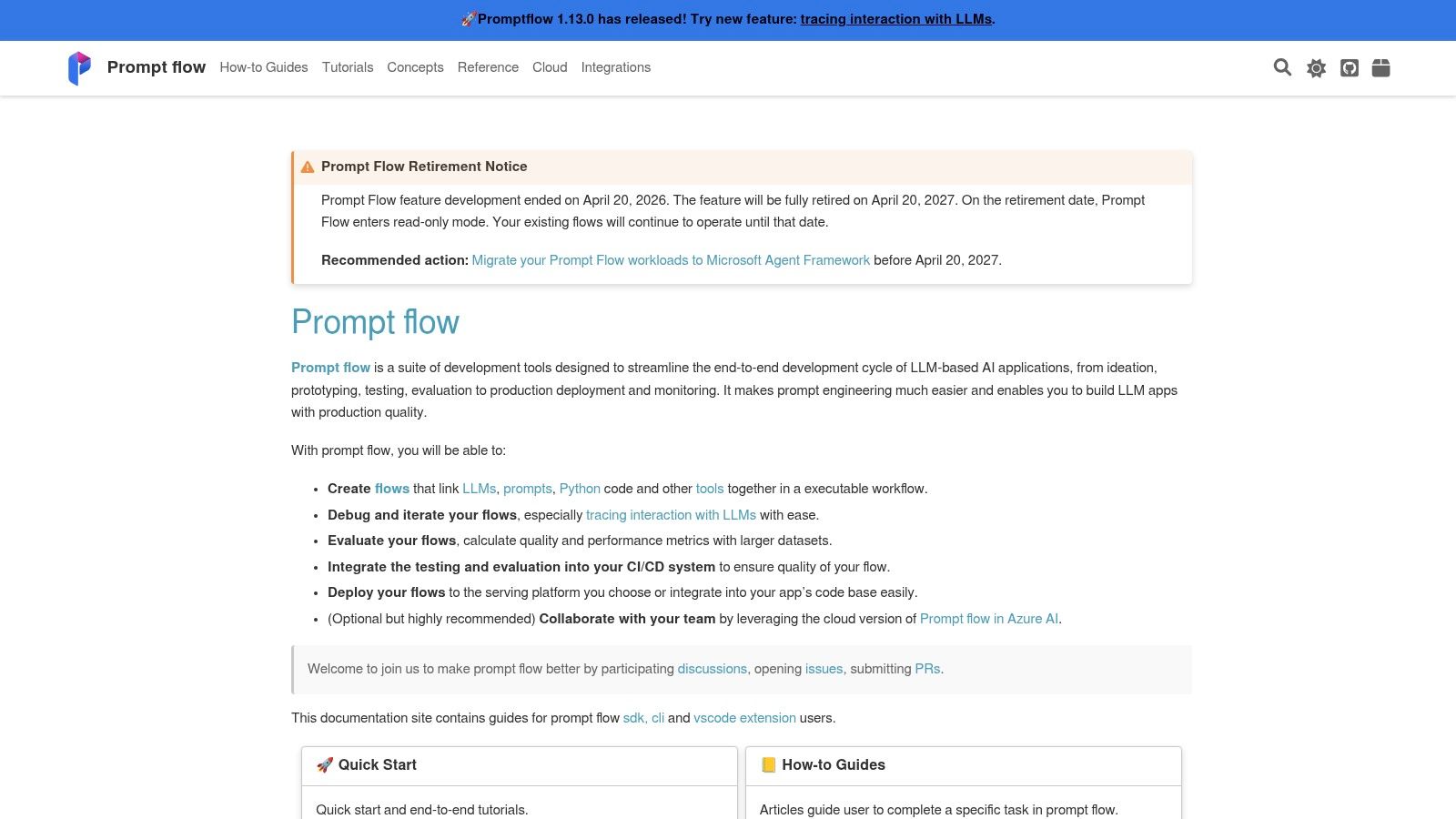
Azure AI Prompt Flow fits organizations that already operate inside Microsoft's cloud and need prompt development connected to enterprise security, deployment, and model governance. It provides visual flow authoring, prompt steps, dataset integration, evaluations, testing, and deployment hooks within the Azure AI Foundry environment.
The visual approach helps cross-functional teams understand how prompts interact with inputs, tools, models, and downstream steps. Engineering teams can connect flows to Azure OpenAI and the model catalog, while governance teams can apply existing Azure controls and operational practices.
Azure integration is both benefit and constraint
Azure AI Prompt Flow's strongest advantage is the production path around it. Enterprises can keep prompt flows, evaluations, model access, identity, and deployment within an environment their security teams already understand. That's often more important than having the most elegant standalone prompt editor.
The trade-off is platform dependence. Teams using several clouds or providers may find the Azure-first approach restrictive, especially when portability is a procurement requirement. Microsoft's documentation also includes migration guidance toward Agent Framework, with a roadmap extending through April 20, 2027 (Microsoft's Prompt Flow documentation). Teams should review that direction before starting a large implementation.
Roadmap check: Treat framework migration guidance as an architecture input, not a reason to abandon evaluation discipline.
Prompt Flow is a strong candidate for Azure-native enterprise applications, especially where compliance, identity, and deployment controls outweigh multi-cloud flexibility. Teams building or maintaining Microsoft bot infrastructure can also review Azure Bot Service guidance alongside their current architecture. Smaller teams may find the surrounding Azure environment more complex than the prompt problem itself.
8. MLflow Prompt Registry with MLflow and Databricks
MLflow Prompt Registry suits organizations that already run an MLOps registry and want prompts governed alongside models, evaluations, and deployment records. It supports a different operating model from a dedicated prompt CMS: engineers manage versioned assets, aliases, and promotion workflows rather than primarily editing prompts in a shared workspace.
A prompt can be stored as a registry object with versions and environment aliases. Applications resolve the alias instead of embedding a fixed version, so teams can promote or roll back prompt behavior without changing application code. Automatic logging can connect the prompt version used to a model run or evaluation, giving reviewers a clearer record of what produced an outcome.
A registry for teams with MLOps discipline
The value comes from applying familiar controls to prompt releases. Existing MLflow users can assign ownership, review changes, promote versions, and restore an earlier alias through the same general process used for models. Databricks-managed MLflow and Unity Catalog provide a governance route for organizations that need centralized control over AI assets.
The trade-off appears in daily editing. MLflow is less WYSIWYG than a prompt CMS, and support or product specialists may find visual testing and approval workflows less accessible. It also assumes established practices for registries, environments, and deployment ownership.
Choose MLflow when prompt lineage must sit beside model and evaluation records, or when adding another registry would create process friction. Treat it cautiously if the team needs collaborative prompt authoring more than release control. Databricks-managed deployment can also increase platform expense for organizations that are not already invested in that stack.
The registry governs instructions and deployment aliases, but it does not replace model development. Teams evaluating whether a problem belongs in prompts, retrieval, orchestration, or training can consult guidance on fine-tuning LLMs.
9. Weights and Biases Weave
Weave is best understood as an observability and experiment lineage layer that can version prompts as tracked artifacts or objects. It's less of a dedicated prompt CMS and more of an MLOps-oriented workspace for connecting prompt versions to experiments, evaluations, traces, and optimization workflows.
That distinction affects who gets the most value. Teams already using Weights and Biases for experiment tracking can add prompt lineage without introducing a separate operational vocabulary. Weave also integrates with workflows such as DSPy and LangChain, helping teams compare changes across structured experiments rather than relying on manual playground testing.
Strong lineage, lighter CMS experience
Weave's artifact model is rigorous. A prompt version can be linked to the run, evaluation, and experiment that used it, which makes later investigation more defensible. That's important for teams that need to reproduce an experiment or explain why a particular release was promoted.
The interface may feel less approachable to non-technical prompt editors. There's no reason to choose Weave for a simple approval queue if your team doesn't need experiment lineage and MLOps integration. The platform is strongest when prompts are part of a broader measurement system.
Use Weave when evidence matters more than editorial convenience.
Pricing sits within the broader W&B platform, and enterprise plans require a sales conversation. Budgeting should include existing W&B usage, user access, storage, trace volume, and the operational effort required to connect production applications. For a research-heavy or platform engineering team, that integration can be more valuable than a standalone prompt editor. For a support team, it may be unnecessarily technical.
10. Agenta
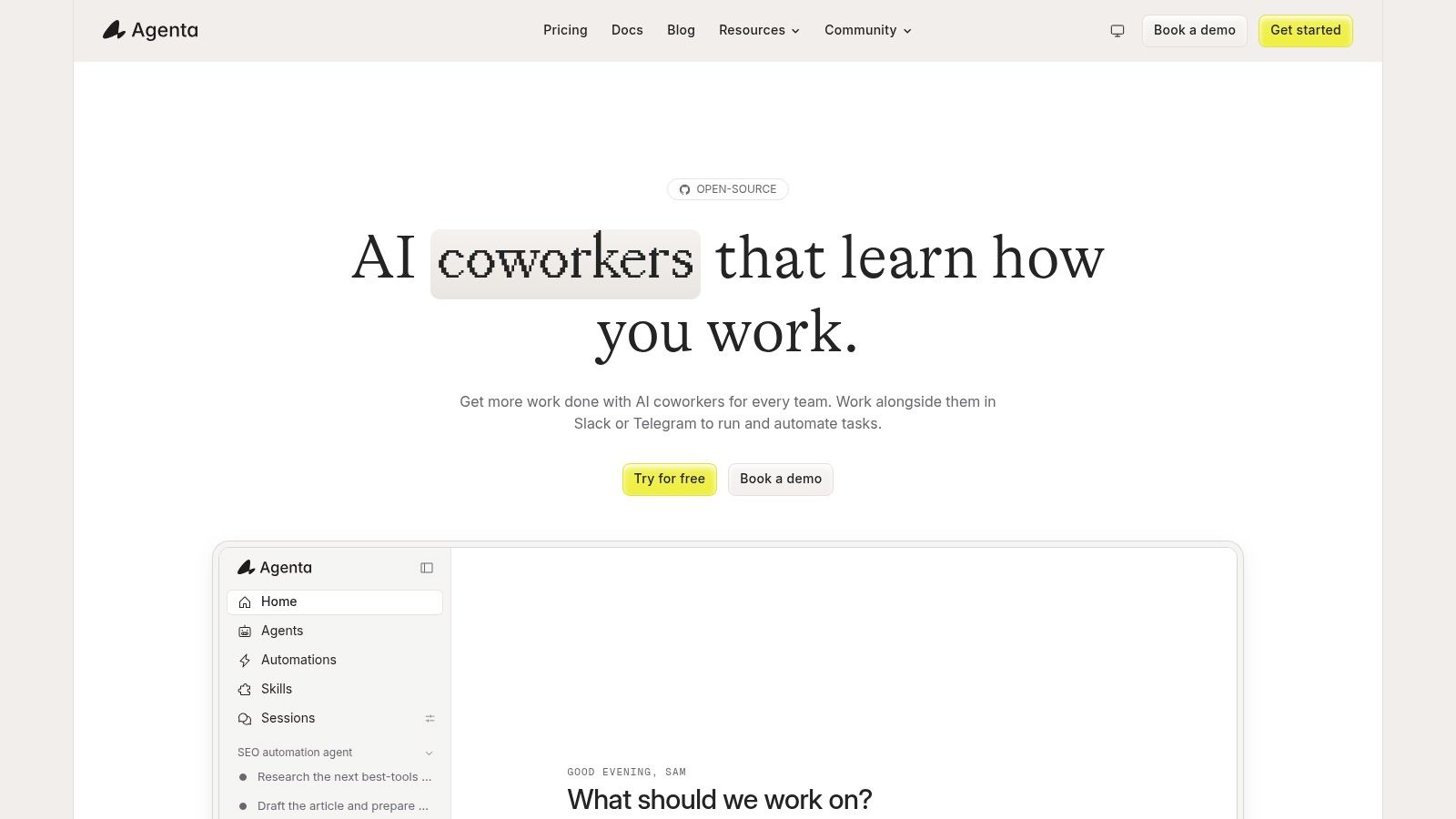
Agenta is an open-source platform for teams building agents across several model providers. Its workspace combines prompt and agent version history, evaluations, experiments, tracing, SDKs, and CLI access. Teams can self-host it or use managed cloud hosting, then choose how much infrastructure they want to operate themselves.
That operating model sits between a dedicated prompt CMS and a full MLOps registry. Agenta keeps configuration changes, evaluation runs, and trace inspection in one workspace, so developers can roll back an agent setup or compare iterations without assembling separate tools. Multi-provider support also reduces dependence on a single model vendor.
A practical choice for teams that want deployment control
Agenta fits startups and small engineering teams that need more than prompt storage but do not want a heavily managed enterprise platform. Self-hosting gives the team greater control over data and vendor dependence. Managed cloud hosting removes much of the infrastructure work, though deployment options may not offer identical capabilities.
The trade-off is product maturity and planning certainty. The interface may feel less polished than commercial alternatives, and some features are cloud-only. Cloud pricing can also change, so test the required workflows during a pilot before committing.
- Good for startups: Prompt, agent, experiment, and tracing workflows can develop in one workspace.
- Good for multi-provider teams: SDK and CLI support make it easier to work across model ecosystems.
- Check before production: Confirm SSO, retention, audit logs, support, backups, and self-hosted upgrade procedures.
Agenta suits teams comfortable with an actively evolving open-source platform. Organizations that require a mature compliance package and formal procurement documentation immediately may find a larger commercial or cloud-native platform easier to approve.
Top 10 Prompt Management Tools, Comparison
| Solution | Core features | UX / Quality | Price & Value | Target audience | Unique selling points |
|---|---|---|---|---|---|
| LangSmith (LangChain) | Prompt registry, tracing, evaluations, run comparisons ✨ | ★★★★, mature observability 🏆 | 💰 Enterprise/usage-based (LSUs) | 👥 LangChain teams & enterprises | 🏆 Deep LangChain integration; ✨ prompt+agent observability |
| Humanloop | Prompt registry/editor, evaluations, multi‑provider, proxy ✨ | ★★★★, cohesive UI for cross‑functional teams | 💰 Sales‑led; limited public self‑serve | 👥 Enterprises, PMs & support + eng | 🏆 Proxy to swap prompts/models w/o deploy; ✨ end‑to‑end workflow |
| Langfuse | OSS prompt mgmt, tracing, evaluations; cloud + self‑host ✨ | ★★★★, fast, docs & community | 💰 MIT OSS core + optional managed cloud | 👥 Teams wanting OSS control & self‑host | 🏆 Self‑host parity; ✨ client‑side caching for zero added latency |
| Portkey | AI gateway + prompt templates, observability, RBAC ✨ | ★★★★, control‑plane focused | 💰 Startup Production → higher enterprise tiers | 👥 Multi‑provider production teams | 🏆 Consolidated gateway+prompts+guardrails; ✨ built‑in load balancing/retries |
| PromptLayer | Prompt registry with diffs, approvals, deployments ✨ | ★★★☆, focused, simple UI | 💰 Pro & Team tiers; BAA/HIPAA option | 👥 Teams wanting git‑style prompt CMS | 🏆 Git‑style versioning & approvals; ✨ prompt diffs |
| Helicone | Prompt editor, experiments, packages, comparative testing ✨ | ★★★★, experiment‑first tooling | 💰 OSS + usage‑based cloud (costs vary) | 👥 Teams needing A/B, experiments & logging | 🏆 Strong experiment primitives; ✨ spreadsheet‑style comparisons |
| Azure AI Prompt Flow | Visual flow authoring, evaluations, Azure integration ✨ | ★★★★, visual & collaborative 🏆 | 💰 Azure pricing; enterprise SLAs | 👥 Azure‑centric enterprises | 🏆 Enterprise compliance + Azure integration; ✨ visual flow builder |
| MLflow Prompt Registry | Versioned prompts, env aliases, MLflow/Unity Catalog ✨ | ★★★☆, model‑style promotion | 💰 Open standard; Databricks managed costs apply | 👥 Teams using MLflow/Databricks | 🏆 Model‑like promotion/rollback; ✨ governance via Unity Catalog |
| Weights & Biases Weave (W&B) | Prompts as artifacts, experiment lineage, comparisons ✨ | ★★★★, rigorous MLOps pedigree | 💰 Part of W&B platform; enterprise plans | 👥 MLOps teams & researchers | 🏆 Auditable artifact lineage; ✨ experiment + side‑by‑side comparisons |
| Agenta | Agent workspace with prompt/agent versioning, tracing ✨ | ★★★, practical OSS workspace | 💰 OSS + optional managed cloud (lower cost) | 👥 SMBs & startups | 🏆 OSS agent‑centric platform; ✨ agent versioning & rollbacks |
Choose the Control Plane You Will Actually Use
The right choice depends on the operating model your team can maintain, not the number of boxes a vendor checks on a feature page. A dedicated registry is the sensible starting point when the main problem is versioning, approvals, ownership, and rollback. PromptLayer is the clearest example in this list, while Humanloop also supports that workflow for larger cross-functional teams.
Choose an observability-first platform when evaluation and tracing drive decisions. LangSmith works well for LangChain and LangGraph teams that need agent context, datasets, and runs connected to prompts. Langfuse, Helicone, and Weave are stronger candidates when the team values open-source control, experiment comparison, or MLOps lineage.
Choose an AI gateway when routing, provider resilience, cost visibility, guardrails, and prompt governance belong in the same control plane. Portkey is designed around that model. It can reduce fragmentation for multi-model production environments, but it's unnecessary if all you need is a reviewed prompt registry.
Cloud and MLOps choices make the most sense when the organization already operates the surrounding platform. Azure AI Prompt Flow fits an Azure-first enterprise with established identity, security, and deployment practices. MLflow Prompt Registry suits Databricks and MLflow users who want prompts to follow the same promotion and lineage patterns as models. Weave belongs with teams already invested in W&B experiments and observability.
Market demand is increasingly tied to governance. One independent report says 61% of enterprise AI program leaders identified regulatory compliance as a top-three reason to adopt dedicated prompt management tools in Q3 2025, compared with 29% in 2023 (DataIntelo's prompt management report). That shift supports a practical conclusion: approvals, audit trails, access control, retention, and reproducible evaluations aren't optional extras for many production teams.
Run a small pilot using representative support or product workflows, not synthetic demo prompts. Require the platform to demonstrate:
- Rollback: Move production back to a known-good prompt without changing application code.
- Evaluation repeatability: Run the same dataset against a baseline and candidate, then inspect individual failures.
- Access control: Separate prompt editing from production promotion and preserve an audit trail.
- Deployment safety: Test caching, fallback behavior, environment labels, and registry outages.
- Operational effort: Include integration, infrastructure, governance, training, monitoring, and vendor management in the total cost.
SupportGPT is relevant for non-technical support teams that need to define quick prompts, train agents on their own sources and links, apply guardrails, use escalation rules, and iterate through analytics and a real-time playground. It supports leading model providers, multilingual assistance, conversation tracking, and support workflows without requiring every prompt change to pass through an engineering team. That doesn't make it the universal choice. Teams with complex agent traces, MLOps lineage, or gateway-level routing may still need one of the developer-focused platforms above.
The best prompt management tool is the smallest control plane your people will consistently use. If editors bypass it, engineers can't trace releases, and evaluators test only isolated examples, the feature list won't save the deployment. Pick the workflow, prove it with real traffic and representative failures, then expand only after the team can explain what changed, why it changed, and how to reverse it.
SupportGPT helps teams create and manage AI support agents with quick prompts, training from their own sources and links, guardrails, escalation rules, analytics, and a real-time playground. Visit SupportGPT to test how a support-focused prompt workflow could fit your team.