How to Build a Chatbot That Actually Works
A practical guide on how to build a chatbot that delivers real results. Learn how to plan, select the right tools, design conversations, and deploy.
Before you even think about code or platforms, building a truly effective chatbot starts with a solid plan. I’ve seen countless projects go sideways because the team jumped straight into the tech without a clear vision. This initial planning stage is everything; it’s the foundation that determines whether your bot becomes a valued asset or just another frustrating customer service hurdle.
Laying the Groundwork for a Smarter Chatbot

The biggest mistake I see? Teams rushing this first step. A great plan ensures every single decision you make—from the LLM you choose to the tone of your prompts—serves a real purpose. It’s about building a blueprint before you start laying bricks.
First things first: what specific, tangible problem is this chatbot going to solve? Forget vague goals like "improving customer service." Get granular. Is the bot’s main job to deflect common support tickets about order tracking? Or maybe it’s meant to qualify inbound sales leads by asking the right questions? Perhaps it’s a smart assistant to help users find what they need in your complex product documentation.
This move toward focused, AI-driven automation is exploding. In India alone, the chatbot market hit an estimated USD 243.3 million in 2024. It’s projected to keep climbing at a rate of 20.43% every year through 2033. This isn't just hype; it's businesses seeing real, bottom-line value from automating support and slashing operational costs. You can dive deeper into these market trends to see just how big this is getting.
Defining Your Audience and Objectives
Once you’ve nailed down the problem, you need to get inside the heads of the people who will actually use your bot. Creating user personas is a game-changer here. Think about who they are, their level of technical know-how, and what might frustrate them.
For example, a persona for an e-commerce site might be "Priya, a 30-year-old busy professional who just wants quick, direct answers about her order status." A B2B SaaS product, on the other hand, might cater to "Amit, a new developer who needs detailed, technical guidance on integrating an API." Priya and Amit need completely different conversation styles and tones.
A great chatbot feels less like talking to a machine and more like interacting with your most helpful and efficient team member. This experience doesn't happen by accident—it’s the direct result of meticulous upfront planning and a deep understanding of user needs.
With these personas in mind, start mapping out the most common conversation paths. Sketching out the user's journey from their first question to a successful answer helps you spot potential dead-ends or moments of confusion before they happen.
A blueprint is essential for any successful chatbot project. The table below outlines the core components you need to define during this critical planning phase.
Your Chatbot's Core Blueprint Components
| Component | Key Questions to Answer | Example (Customer Support Bot) |
|---|---|---|
| Primary Goal | What is the single most important problem this bot will solve? | To reduce inbound support ticket volume for common queries like order status and returns. |
| Target Audience | Who are the primary users? What are their needs and pain points? | E-commerce customers, often on mobile, who need quick, transactional answers post-purchase. |
| Core Use Cases | What are the top 3-5 tasks the chatbot must handle flawlessly? | 1. Track an order.2. Initiate a return.3. Answer FAQs about shipping policies. |
| Success Metrics | How will we measure success? What does "good" look like? | Reduce support tickets by 25%. Achieve a 70% first-contact resolution rate. |
| Personality & Tone | How should the chatbot sound? Is it formal, friendly, witty? | Friendly, helpful, and efficient. Avoid jargon. Use clear, simple language. |
| Escalation Path | What happens when the bot can't help? | A seamless handoff to a live human agent via chat, with the full conversation history transferred. |
Defining these elements upfront provides a clear roadmap, preventing scope creep and ensuring your final product delivers real value.
Setting Measurable Success Metrics
Finally, you absolutely have to define what success looks like in clear, numerical terms. Without Key Performance Indicators (KPIs), you're just guessing. You won't know if the bot is actually working or be able to justify the investment. These metrics need to be specific and tied directly to that primary goal you set earlier.
Here are a few solid examples of what to track:
- Ticket Deflection Rate: Aim to slash the number of support tickets created by 25% within three months.
- Lead Conversion Rate: For a sales bot, look to increase qualified leads captured by 15% quarter-over-quarter.
- First-Contact Resolution: A great goal is for the chatbot to successfully resolve 70% of all inquiries without needing a human to step in.
This foundational work becomes your North Star for the entire project. It keeps everyone aligned and ensures you build something that genuinely helps both your customers and your business.
Choosing the Right Engine for Your Chatbot
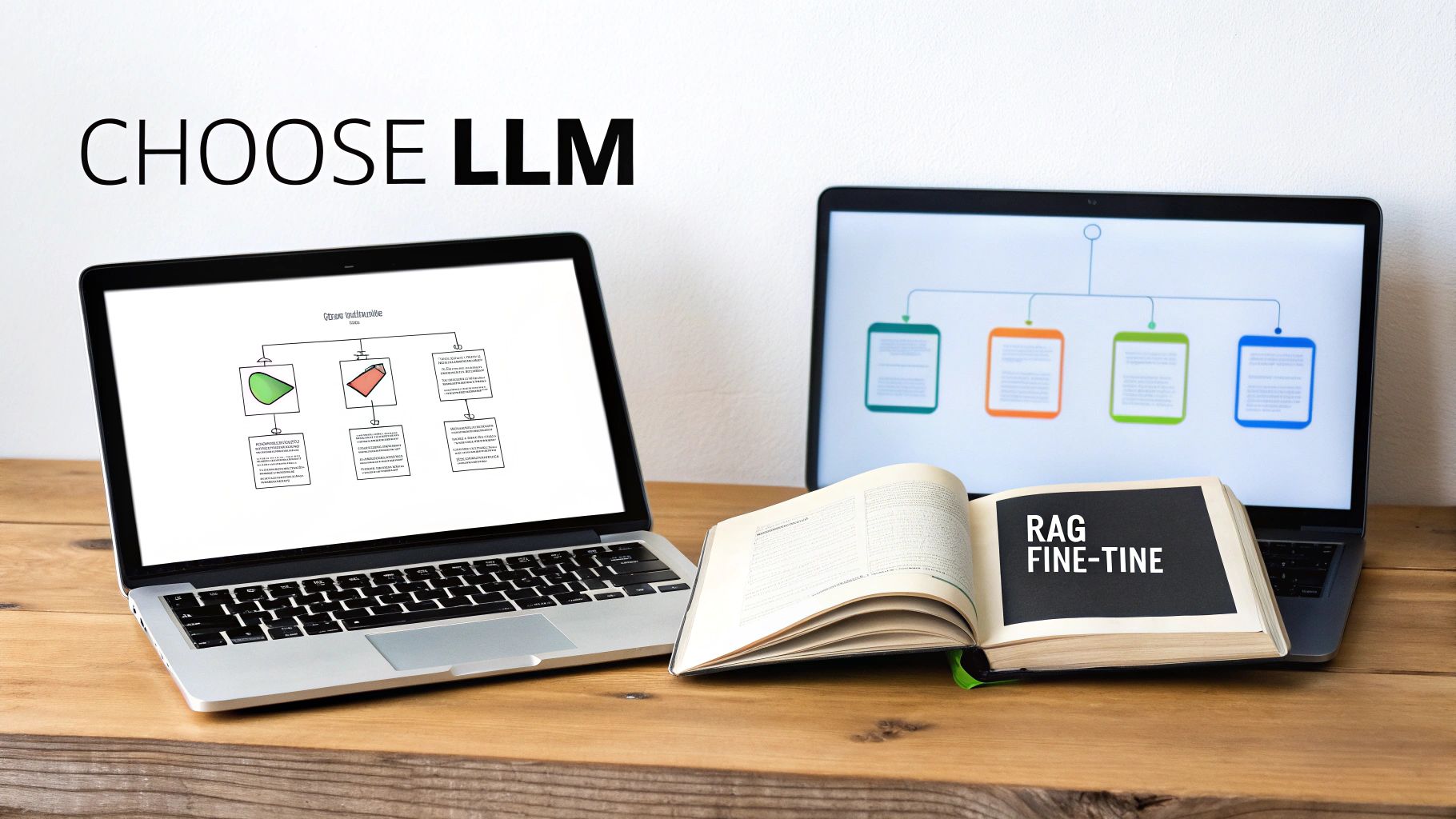
Alright, with your blueprint in hand, it’s time to choose the core intelligence for your chatbot: the Large Language Model (LLM). This is the engine that powers the conversation, and your choice here is going to have a massive impact on your bot’s performance, running costs, and what it can actually do.
The market is flooded with impressive options, and honestly, it’s easy to get lost in the jargon. At the end of the day, the decision usually boils down to a classic trade-off: reasoning power vs. speed vs. cost.
If you need a bot that can untangle complex problems and navigate nuanced conversations, models from OpenAI’s GPT-4 family or Anthropic’s Claude 3 series are often the front-runners. They’re the heavyweights.
But what if you need lightning-fast responses or you're working with a tighter budget? That’s where other models shine. Meta's Llama 3 has turned a lot of heads with its top-tier performance, and it can be a much more cost-effective option for high-volume tasks. The real secret is matching the model’s strengths to the specific jobs you outlined in your plan.
A Quick Look at the Leading LLM Options
Let's break down a few of the top contenders you'll likely run into. This isn’t a complete list, of course, but it covers the main players.
| Model Family | Key Strengths | Best-Fit Scenarios |
|---|---|---|
| OpenAI GPT Series | Seriously powerful reasoning, fantastic at following complex instructions, and a mature ecosystem of tools. | Customer support bots that need to follow multi-step processes or understand really tricky user problems. |
| Anthropic Claude 3 | Amazing at handling long documents, built with strong safety features, and has a more natural, less robotic tone. | Chatbots that need to digest large reports or maintain a very specific, helpful brand voice. |
| Meta Llama 3 | High-performance open-source models that are fast and have lower running costs. | Internal company tools, high-traffic chatbots where API costs are a real concern, or custom, self-hosted deployments. |
Picking a model isn’t about just grabbing the most powerful one off the shelf. It’s about finding the right balance for what you need. This is where platforms like https://supportgpt.app really help, as they let you plug into different LLMs. You can experiment and find the perfect fit without getting locked into one provider.
Giving Your Chatbot a Brain for Your Business
An off-the-shelf LLM is a genius with general knowledge, but it knows absolutely nothing about your products, your internal policies, or your customers. To make it genuinely useful, you have to connect it to your business data. This is typically done in one of two ways: fine-tuning or using Retrieval-Augmented Generation (RAG).
Getting your head around the difference between these two is critical. They solve different problems, and you can even use them together.
-
Fine-tuning is basically retraining a base LLM on a large, carefully prepared dataset of conversations. It’s perfect for teaching the bot a specific personality or communication style. Say you want your bot to have a witty, informal voice that matches your brand—fine-tuning it on thousands of example interactions is the way to do it.
-
Retrieval-Augmented Generation (RAG) doesn't actually change the model. Instead, you give the LLM access to a live knowledge base, like your help docs or product catalogue, which is often stored in something called a vector database. When a user asks a question, the system first finds the most relevant documents and then feeds them to the LLM along with the user's query to generate an answer.
Think of RAG as giving your chatbot an open-book exam. The "book" is your company’s latest, most up-to-date information, making it the go-to method for answers that rely on ever-changing facts.
Let’s say you’re building a support bot for an e-commerce brand. A customer wants to know their order status or your latest shipping promotion. RAG is the clear winner here. That information is dynamic, and the bot needs the facts as they are right now. You can't retrain the entire model every time an order ships—it just wouldn't work.
On the other hand, if your main goal is to make sure the bot always uses your brand's quirky terminology and maintains a cheerful tone, fine-tuning is the more effective tool for the job. By combining both, you can build a chatbot that’s not only factually spot-on but also perfectly on-brand—a combination that builds real trust with your users.
Crafting Conversations That Feel Natural
A powerful Large Language Model (LLM) is an incredible starting point, but on its own, it’s just a brilliant improviser waiting for a script. To build a chatbot that actually helps people and consistently delivers value, you have to give it clear, detailed direction. This is where the art and science of prompt engineering comes in.
Your main tool here is the system prompt. Think of it as the chatbot’s core constitution or its permanent set of instructions. It's not just about telling the bot what to do; it’s about sculpting its entire digital identity. A well-crafted system prompt is what transforms a generic LLM into your specific, brand-aligned assistant.
This whole process has become central to how businesses deploy AI, and it reflects a massive shift in what users expect. In India, for example, the preference for advanced, natural-language AI is crystal clear. As of October 2025, ChatGPT absolutely dominates the market with a 69.7% share. That’s not just a niche tech trend; it shows how deeply these conversational tools are woven into daily digital life.
This has spilled over into the business world in a big way. By 2024, around 58% of Indian B2B enterprises were already using chatbots for everything from customer service to lead generation. If you're curious about the scale of this adoption, you can discover more insights about chatbot usage statistics to see the bigger picture.
Defining Your Chatbot’s Personality and Rules
First things first: you need to establish your chatbot’s persona. Is it a friendly, empathetic guide for an e-commerce store? Or a formal, technically precise expert for a complex product? You have to spell this out in the system prompt.
Here’s a simple, practical example for a support bot that’s meant to be warm and helpful:
"You are 'SupportBot,' a helpful and cheerful assistant for Acme Widgets. Your goal is to assist customers with their orders and answer product questions. Always use a friendly and encouraging tone. Never use technical jargon. Keep your answers concise and easy to understand."
That one paragraph does so much work. It sets the bot's name, its purpose, its tone, and some key communication rules. Without this foundation, the LLM might just default to a generic, robotic style that feels completely disconnected from your brand.
Building Robust Safety Guardrails
Once you’ve defined the personality, you absolutely must build in safety guardrails. These are the non-negotiable rules that prevent your chatbot from going off the rails. Without them, a chatbot can easily invent information (a phenomenon known as hallucination), give harmful advice, or wander into completely irrelevant topics.
Guardrails are just direct commands in your system prompt that set firm boundaries. They are absolutely crucial for building trust with your users.
- Staying On-Topic: You have to explicitly forbid discussions outside your business domain.
- Preventing Harmful Content: Instruct the bot to flat-out refuse any requests that are unethical, dangerous, or inappropriate.
- Handling Unknowns: Give it a script for when it doesn’t know the answer. This stops it from guessing, which can be disastrous.
Let's bolt these guardrails onto our previous prompt:
"Crucially, you must never answer questions unrelated to Acme Widgets, our products, or customer orders. If asked about anything else, politely state, 'I can only help with questions about Acme Widgets.' If you do not know the answer to a question, say, 'That's a great question, but I don't have the information right now. Let me connect you with a human agent who can help.'"
This simple addition prevents countless potential problems. It also ensures the bot escalates tricky issues gracefully instead of just making things up.
From Ineffective to Effective Prompts
It’s amazing how small tweaks in your prompt can lead to dramatically different results. The secret is to be specific and provide clear instructions for behaviour, not just vague personality traits.
Let's compare a weak prompt with a strong one for a chatbot that needs to use a customer's name.
Ineffective Prompt:
"Be friendly to the user."
This is way too vague. The LLM could interpret "friendly" in a dozen different ways, or just forget to apply it consistently. It has no concrete action to take.
Effective Prompt:
"Always address the user by their name if it is known. Start your first response in every conversation with 'Hi [User Name]! How can I help you today?' This creates a personal and welcoming experience."
See the difference? The revised prompt gives a concrete, actionable instruction. It leaves no room for misinterpretation and guarantees a specific, desirable behaviour every single time. Nailing down these precise rules is the core of building a chatbot that not only works but feels natural, reliable, and genuinely helpful to every user.
Designing Intuitive User Journeys
A great chatbot does more than just spit out answers; it masterfully guides a user from problem to resolution. This is where we move beyond just building a bot and start designing an experience. The idea is to map out the most common paths your users will take, anticipating their needs at every turn to create a flow that feels logical and effortless.
Think of it like laying down a path in a forest. For the most popular destinations, you want clear signposts and a well-worn trail, not a free-for-all where everyone gets lost. This means striking a strategic balance between open-ended conversation and structured, guided inputs.
Structuring the Conversation Flow
Allowing a user to type freely is great, but it can also be a recipe for confusion. For common, predictable requests, structured inputs like buttons and menus are your best friends. They completely remove the guesswork for both the user and the bot, which means faster, more accurate results.
For instance, a customer looking up an order could be given a few clear options:
- Track my most recent order
- View my order history
- Start a return for a recent purchase
This is so much more effective than asking a vague question like, "How can I help with your order?" which could get you a dozen different, hard-to-understand responses. The trick is to reserve natural language for the unique, complex stuff and use structured inputs for the high-volume, simple tasks.
This infographic lays out a simple three-step process for crafting your chatbot's core logic, from its personality all the way to its safety rules.
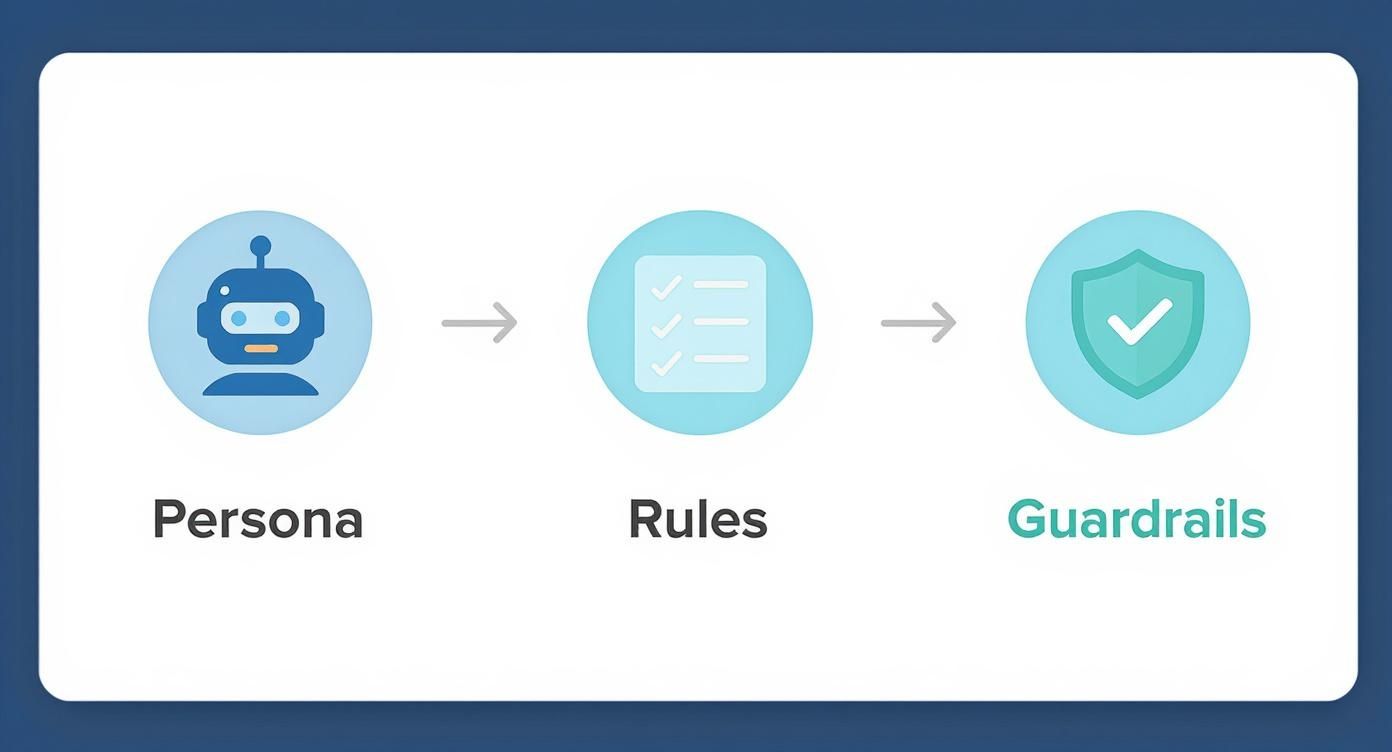
Following a process like this gives your chatbot a consistent and reliable foundation for every conversation, which is absolutely essential for creating an intuitive user journey.
Planning for a Seamless Human Handover
Let’s be honest: no chatbot is perfect. There will always be questions it can’t answer, complex problems it can’t untangle, or frustrated users who just want to talk to a person. Acknowledging this and planning for it is what separates a genuinely helpful bot from a truly infuriating one. A seamless escalation path to a human agent isn’t just a nice-to-have; it's non-negotiable.
The goal here is to avoid the dreaded "robotic loop" where a user feels trapped and unheard. You need to build in triggers that automatically spot when it’s time for a human to step in.
The true test of a chatbot's design isn't just how well it solves problems, but how gracefully it handles its own limitations. A smooth handover to a human isn't a sign of failure; it's a critical feature that builds user trust and ensures resolution.
This is where you can set up rules to detect signs of frustration. For example, if a user types "talk to an agent" or asks the same question three times in a row, the bot should immediately offer to connect them with your support team. When that handover happens, it's absolutely crucial that the full chat history goes with it. Nothing makes a customer angrier than having to repeat their problem from the very beginning.
Tools like SupportGPT make this much easier by letting you define these escalation rules in plain English, creating a reliable safety net for your users. By carefully mapping out these user journeys and planning for escalations, you build a chatbot that doesn't just provide answers—it delivers a helpful and trustworthy experience.
Launching and Improving Your Chatbot
https://www.youtube.com/embed/Vx69410t1Js
Alright, you’ve designed the conversation flows and sculpted your chatbot’s personality. Now for the exciting part: moving it from your workshop into the real world. This is where a solid testing and deployment plan makes all the difference.
Think of launching a chatbot not as a finish line, but as the start of a continuous cycle of learning and improvement. I’ve seen teams rush this part, and the result is almost always a disastrous first impression. A little patience now prevents awkward phrasing, broken logic, and frustrating errors from ever reaching your customers.
This isn’t just about kicking the tyres. We need to validate the chatbot's performance at several layers, starting small and expanding out to real-world scenarios until you're confident it’s ready for prime time.
A Layered Approach to Testing
To build a chatbot you can rely on, you have to test it from the inside out. We'll start with the smallest building blocks and work our way up to the complete user experience. This systematic approach is the best way I know to catch issues at every level.
Here’s a sequence that has always worked well for me:
-
Unit Testing: First, check individual components in isolation. Does your API call for pulling an order status actually work? Can the bot correctly identify a user’s intent from a specific phrase like "Where's my stuff?" These are quick, focused tests to confirm your core logic is sound.
-
End-to-End Testing: Next, string it all together and test entire conversation flows. Pretend you're a customer and go through the complete journey of tracking an order, from the initial question to the final answer. This is where you'll find awkward transitions or gaps in the experience.
-
User Acceptance Testing (UAT): Consider this the final dress rehearsal. Get a small pilot group of real users or colleagues from other departments to interact with the bot. A fresh pair of eyes is invaluable for spotting confusing language or unexpected detours that you've probably become blind to.
Launch day isn’t the end goal; it’s the starting line. The data you collect from real conversations is the single most valuable resource for making your chatbot smarter, faster, and more helpful over time.
Choosing Your Deployment Method
Once testing gives you the green light, you need to decide how your users will actually talk to your chatbot. The right deployment option depends entirely on where your audience already is and how they prefer to interact with you.
For example, embedding a widget directly on your website is perfect for instant customer support. But if your customers are constantly messaging you on WhatsApp, an integration there makes far more sense.
Of course, cost is a factor. Globally, chatbot development can range from $5,000 for simple bots to over $500,000 for complex enterprise systems. Despite the investment, the market is booming. In India, for instance, the chatbot market is set to grow at an incredible CAGR of 32.9% between 2025 and 2034. This signals huge user adoption and a fantastic environment to launch in. You can dig deeper into the chatbot market forecast to get a full picture of the landscape.
To help you decide, let's break down the most common deployment methods.
Comparing Chatbot Deployment Options
Here’s a quick comparison of the most popular ways to get your chatbot in front of users.
| Deployment Method | Best For | Pros | Cons |
|---|---|---|---|
| Website Widget | On-site support, lead generation, and user onboarding. | Simple to install; visible and accessible to all site visitors. | Confined to your website; can't engage users elsewhere. |
| Messaging Apps | Engaging users on platforms they already use (e.g., WhatsApp, Slack). | High user engagement; allows for proactive notifications. | Requires managing platform-specific rules and integrations. |
| Custom API | Integrating the chatbot into your mobile app or proprietary software. | Total control over the user experience and branding. | The most complex and resource-intensive to build and maintain. |
Each method has its place, and the best choice is the one that meets your users where they are with the least amount of friction.
Monitoring and Iteration: The Keys to Growth
Your chatbot is live! But the job isn't done—in fact, the most crucial phase is just getting started. You need to be actively monitoring its performance to understand what's working and, more importantly, what isn't.
Make it a habit to regularly analyse conversation logs. Look for common points where users get stuck or frustrated. Are there questions the bot just can't answer? Are conversations constantly being escalated to a human agent?
This feedback is pure gold. Use it to refine your prompts, expand the knowledge base, and improve the conversation flows. This loop—monitor, analyse, refine—is what separates a good chatbot from a truly great one.
Your Top Chatbot Questions, Answered
Alright, so you’ve got a vision for your chatbot. You've mapped out the user journeys and are thinking about the launch. Now, the practical, real-world questions start bubbling up. This is where the rubber meets the road. Let's dig into the common questions I hear all the time, moving from the big-picture strategy to the nitty-gritty details.
Thinking through these points now will save you a world of headaches later. It forces you to get real about your budget, timeline, and the resources you actually need to pull this off.
How Much Does It Really Cost to Build a Custom Chatbot?
This is always the first question, and the only honest answer is: it's all over the map. There’s no simple price tag. The final cost is a direct reflection of how complex the bot is, the tech stack you choose, and what other systems it needs to connect with.
For instance, a simple FAQ bot built on a no-code platform might just be a monthly subscription fee. That’s a fantastic starting point for businesses just testing the waters of conversational AI, keeping those initial costs nice and low.
But if you're building a truly custom AI chatbot with a premium LLM like GPT-4 or Claude 3, the costs naturally climb. The real work comes in when you need that bot to talk to your CRM, check inventory, or pull from other internal tools. That integration requires serious development time.
The main cost drivers you absolutely need to budget for are:
- Developer Time: This will almost always be your biggest line item for custom projects.
- LLM API Fees: Every single query costs money. High traffic means this can add up fast.
- Data Preparation: If you're using RAG, getting your knowledge base cleaned up and organised is a project in itself.
- Ongoing Maintenance: A chatbot isn't a "set it and forget it" tool. It needs constant monitoring, tweaking, and updating to stay sharp.
My best advice? Start with a very tightly defined scope for your Minimum Viable Product (MVP). Get it to solve one specific problem incredibly well. This approach not only keeps costs in check but also proves the bot's value much faster.
Do I Need Coding Skills to Build a Chatbot?
The classic "it depends." For a basic chatbot, you absolutely do not need to be a developer. Modern no-code platforms have completely changed the game here, offering intuitive drag-and-drop interfaces that let your non-technical teams build and launch a perfectly good bot.
These tools are brilliant for rule-based chatbots that handle common questions or capture leads. They take care of all the complicated backend stuff, so you can focus on crafting the conversation.
However, if you're dreaming of a truly custom, intelligent chatbot that's deeply woven into your business operations, then yes, development skills become non-negotiable. This is where you can create something truly powerful and unique. A custom build typically requires:
- Python Proficiency: It's the lingua franca of AI development.
- API Knowledge: Essential for getting your bot to communicate with other software.
- AI Frameworks: You'll need to know your way around tools for building on top of LLMs.
- Vector Databases: A must if you're implementing your own RAG system.
For many businesses, the sweet spot is a hybrid approach—a powerful platform that simplifies the build but still gives you the keys to customise it when you're ready.
How Long Does Building a Chatbot Take?
Just like the cost, the timeline is tied directly to your chatbot's complexity. Managing everyone's expectations around this is crucial for the project's success. Trust me, rushing the process almost always results in a clunky user experience.
One of the most common pitfalls I see is underestimating the time needed for solid planning and data preparation. These foundational steps often take longer than the actual coding, but they are the single best predictor of whether your chatbot will succeed or fail.
Let's look at some realistic timeframes:
- Simple FAQ Bot: With a good no-code platform, you could have a basic version live in a couple of days. The main job is just feeding it your questions and answers.
- Lead Generation Bot: A more involved bot that qualifies leads and syncs with your CRM will likely take 4 to 8 weeks to plan, build, test, and deploy correctly.
- Enterprise-Grade Support Bot: A sophisticated AI agent with multiple integrations, a flawless human handover process, and strong safety guardrails? A from-scratch project like this can easily take six months or more.
And don't forget to build in time for proper testing and a pilot phase. Rolling it out to a small group first helps you gather real-world feedback and iron out the kinks before the big public launch.
What Is the Biggest Challenge When Building a Chatbot?
Forget the technical hurdles for a moment. The single greatest challenge, time and again, is making sure your chatbot provides consistently accurate and relevant answers. A bot that hallucinates or gives out wrong information is worse than having no bot at all. It actively destroys customer trust.
This challenge has two sides. First, your bot is only as good as its knowledge base. Outdated documents or flawed data will lead directly to bad answers. Keeping that knowledge source pristine is a continuous, non-negotiable job.
Second, managing user expectations is a huge piece of the puzzle. People need to have a general idea of what the bot can and can't help with. This means designing conversations that can gracefully handle a question it doesn't understand. The bot has to know its own limits and, most importantly, know precisely when it's time to pass the conversation to a human. Solving this isn't a one-and-done task; it requires constantly reviewing conversation logs and committing to making the user experience better over time.
Ready to build a chatbot without the steep learning curve? With SupportGPT, you can create a powerful AI support agent in minutes. Our platform simplifies everything from prompt design to deployment, with enterprise-grade guardrails and smart escalation built right in. Start delivering fast, accurate support 24/7. Explore our plans and launch your first AI agent for free at https://supportgpt.app.