The Modern Playbook for Customer Support Ecommerce
Elevate your brand with our complete guide to customer support ecommerce. Learn proven strategies for AI, omnichannel support, and building lasting loyalty.
In the world of online shopping, customer support is the human (and sometimes digital) touchpoint that guides a shopper from casual browser to loyal customer. It’s everything from answering a quick question about a product to untangling a tricky shipping issue, all with the goal of creating a smooth, positive experience.
Why Exceptional Ecommerce Support Is No Longer Optional

In a sea of online stores, a great product just isn't enough to keep you afloat. Think about it: what truly sets a brand apart? It's the experience. Today, customer support in ecommerce has become the make-or-break factor that distinguishes a beloved brand from one that just fades away. It’s not just about fixing problems anymore; it's a core part of your brand's personality and promise.
Modern shoppers expect more. They want fast, personal, and helpful service, whether they're clicking a chat bubble, firing off an email, or looking for answers in your help centre. A single fantastic support interaction can turn a frustrated customer into your biggest fan, while one bad one can send them running to a competitor—and telling their friends about it.
The Shift in Customer Expectations
The path from "I think I want this" to "I love this brand" is rarely a straight line. Customers bounce between your social media, your website, and your support channels, and they expect a consistent, high-quality experience every step of the way. This puts a lot of pressure on support teams to be on their A-game.
Here’s what’s changed:
- Immediacy is the New Normal: Gone are the days of waiting 24-48 hours for an email reply. Customers want answers now, which is why live chat and smart AI bots have become so essential.
- Personalisation Builds Connection: Canned, robotic responses just don't cut it. Shoppers want to feel like they're talking to a real person who understands their history with your brand.
- Proactive Support Creates Trust: The best service doesn't wait for a problem to arise. It gets ahead of it, like sending a heads-up about a shipping delay or offering a helpful setup guide right after a purchase.
The Business Impact of Great Support
Putting time and resources into your support system isn't just an expense; it’s one of the smartest investments you can make for growth. Excellent support has a direct, measurable impact on everything from customer retention to your bottom line.
A well-run support team doesn't just put out fires—it builds relationships. Every support ticket is a chance to show a customer you're in their corner and reinforce why they chose you in the first place. That’s how you earn true loyalty.
This is particularly true in fast-growing markets. For example, customer support in Indian e-commerce is absolutely critical as millions of new shoppers from Tier-2 and Tier-3 cities come online. India’s e-retail market has ballooned to around $60 billion, with an online shopper base that now outstrips the US. Since 2020, a staggering 60% of new ecommerce customers have come from smaller towns, bringing with them unique logistical and digital literacy challenges that only top-notch support can navigate. You can get a deeper insight into how India shops online and what it means for support strategies.
Designing Your Omnichannel Support System

Think of your support channels as a well-stocked toolbox. Live chat is your trusty wrench for quick fixes. Email is the detailed instruction manual for tricky problems. And your self-service portal? That’s the user guide your customers can grab anytime they need it. A truly effective customer support ecommerce strategy doesn’t just have these tools—it connects them into a seamless omnichannel system.
Omnichannel support is all about creating one unified, consistent experience for your customers, no matter how they contact you. When someone moves from a chatbot to a live agent, they shouldn't have to repeat their entire life story. All the context and conversation history should travel right along with them, making the entire journey smooth and painless.
This simple act of remembering their story respects your customer's time. It shows you see them as a person, not just another ticket number, and it’s the key difference between a clunky, frustrating experience and one that feels intelligent and connected.
Core Channels in Ecommerce Support
The first step in building a great system is knowing what each channel does best. The goal is to offer a balanced mix that suits different customer preferences and problems, so you’re always ready to meet them wherever they are.
- Live Chat: This is your go-to for instant, real-time help with simple questions like "Where's my order?" or "Do you have this in blue?". In fact, research shows that 73% of customers consider live chat the most satisfying way to communicate with a business.
- Email Support: Perfect for more complex issues that need detailed explanations, screenshots, or some digging from your team. Email gives you a documented trail and allows you to give thoughtful, complete answers.
- Phone Support: Best reserved for urgent or sensitive problems where a human voice can offer reassurance and calm frayed nerves. It takes more resources, but for high-stakes interactions, it’s invaluable.
- Self-Service (FAQs & Knowledge Base): This is your 24/7 frontline. A solid self-service portal empowers customers to find their own answers, which deflects common tickets and frees up your agents to tackle the tougher stuff.
An omnichannel strategy isn’t just about being on multiple channels. It's about making those channels talk to each other, creating a single, unbroken conversation that builds real trust and loyalty.
Integrating Channels for a Unified Experience
The real magic happens when you integrate these channels. This is usually powered by a central help desk or a Customer Relationship Management (CRM) platform, which acts as the single source of truth for every customer interaction.
Let’s walk through a common scenario. A customer opens an AI chatbot on your site to ask about a return. The bot gathers the initial details but finds the request needs a human to approve it. So, it seamlessly escalates the ticket to a live agent.
The agent instantly gets the full chat transcript, order history, and customer details. They don't have to ask, "What's your order number?" or "Can you explain the problem again?". This integrated workflow saves a ton of time for everyone and leads to a much faster, happier resolution.
Choosing the right channel mix depends on understanding their strengths and weaknesses. Here’s a quick breakdown to help you compare them at a glance.
Comparing Ecommerce Customer Support Channels
| Channel | Typical Response Time | Best For | Resource Intensity |
|---|---|---|---|
| Live Chat | Instant (under 1 minute) | Quick questions, pre-sales queries, simple troubleshooting | High (requires real-time staffing) |
| 1-24 hours | Complex issues, documentation, non-urgent requests | Low to Medium | |
| Phone | Instant | Urgent problems, sensitive issues, high-value customers | Very High (requires dedicated staff) |
| Self-Service | Immediate | Common questions, how-to guides, policy information | Low (after initial setup) |
By carefully picking and connecting your support channels, you build something much greater than the sum of its parts. You create a resilient, customer-first operation that not only solves problems but actively makes the customer experience better. This turns your support team from a cost centre into a powerful engine for customer retention and lays a strong foundation for scaling your customer support ecommerce operations.
Measuring What Matters for Support Excellence
If you can't measure it, you can't improve it. It's an old saying, but it's the absolute truth when it comes to customer support. Moving beyond guesswork and gut feelings into a data-driven strategy is what separates a good support operation from a great one.
Think of your Key Performance Indicators (KPIs) as the dashboard on your car. They don’t just show your speed; they’re your early warning system. They flag potential engine trouble, tell you when to refuel, and help you find the most efficient route. In the same way, tracking the right metrics gives you a clear, honest look at your team's performance, pinpoints exactly where you need to improve, and makes sure every effort ties back to your business goals.
Key Metrics for Ecommerce Support
While you could track dozens of data points, a few core metrics will give you the biggest bang for your buck. Focusing on these will tell you almost everything you need to know about both the efficiency and the quality of your support, without getting lost in the weeds.
- First Response Time (FRT): This is simply how long a customer has to wait for that first reply. A low FRT is powerful; it immediately tells customers, "We're here, we see you, and we value your time."
- Average Resolution Time (ART): This tracks the entire journey, from the customer's first message to the moment their problem is completely solved. It's a fantastic indicator of your team's efficiency and how well they know your products.
- Customer Satisfaction (CSAT): Usually measured with a quick, post-chat survey ("How satisfied were you with your support?"), CSAT gives you direct, unfiltered feedback on a specific interaction. The score is typically a percentage.
- Net Promoter Score (NPS): This one looks at the bigger picture. By asking, "How likely are you to recommend our brand to a friend?", NPS gauges long-term loyalty and how people feel about your brand as a whole, not just a single support ticket.
Turning Data into Action
Just watching these numbers go up and down isn't the point. The real magic happens when you use them to make smart decisions. Every metric tells a story and points you toward a specific action you can take to make things better.
For example, is your First Response Time creeping up? That could be a sign you need better automation or pre-written responses for common questions. A high Average Resolution Time might mean your agents need more training, or that your internal knowledge base isn't pulling its weight. And low CSAT scores? They often point directly to gaps in your training or a clunky support process.
Measuring support isn't about keeping score—it's about empowering your team. When you truly understand your response times and satisfaction scores, you can give them the exact tools and training they need to turn good support into a world-class experience that builds real customer loyalty.
This data-first mindset is especially critical in fast-growing markets. Take India's e-commerce scene, for example. It's projected to become a $200 billion market by the end of 2025. This incredible growth is being driven by affordable smartphones, with over 70% of all transactions now happening on mobile. For any brand in this space, measuring support performance isn't just a good idea—it's the only way to keep up with the mobile-first expectations of millions of new, tech-savvy customers. You can explore more key stats about India's ecommerce landscape to get a sense of the scale here.
Practical Tips for Improving Your KPIs
Getting your metrics in shape is an ongoing process of tweaking and refining. Here are a few practical steps you can take right now:
- Cut Down FRT with Automation: Use an AI chatbot, like SupportGPT, to handle the simple, repetitive questions like "Where is my order?" It gives customers an instant answer and frees up your human agents for more complex issues.
- Lower ART with Better Tools: Build a rock-solid internal knowledge base. When your team has a single source of truth for product specs, return policies, and troubleshooting steps, they can solve tickets in a fraction of the time.
- Boost CSAT with Smart Training: Treat low CSAT scores as coaching opportunities. Dive into those conversations, see what went wrong, and use them as real-world examples in your next team training session.
- Lift NPS by Closing the Loop: Don't just ignore a bad NPS score. Personally follow up with unhappy customers. Taking the time to understand their feedback and genuinely trying to make things right can turn a critic into your biggest fan.
Integrating AI to Supercharge Your Support Team
Bringing Artificial Intelligence into your support workflow isn’t about replacing your talented human team; it’s about giving them superpowers. Think of an AI agent as the ultimate assistant—one that works tirelessly around the clock handling all the repetitive, high-volume questions. This frees up your human experts to focus on what they do best.
This partnership between human and machine is changing how customer support ecommerce operations work. They're moving from being reactive problem-solving centres to proactive, efficient engines for growth. The goal is simple: let technology handle the routine stuff, while your team tackles the complex, high-stakes issues that genuinely need a human touch.
Imagine your AI agent as the first line of defence. It can instantly answer the most common questions, like "Where is my order?" or "What's your return policy?" at any time of day or night. This satisfies customers who want quick answers and dramatically reduces the number of tickets that land in your team's queue.
How AI Agents Work in Ecommerce
At its heart, an AI support agent is a sophisticated programme that you train on your company's unique data. You don't just switch it on and hope for the best. You have to teach it everything it needs to know about your products, policies, and brand voice.
This training process is absolutely crucial. You feed the AI things like:
- Knowledge Base Articles: All your FAQs, how-to guides, and troubleshooting documents become the AI's core textbook.
- Product Documentation: Detailed specs, features, and user manuals give the AI the confidence to answer very specific product questions.
- Past Support Conversations: Analysing previous tickets helps the AI learn how customers talk and what solutions actually work.
Once it's trained, the AI uses this foundation to understand and respond to customer questions in natural, conversational language. You can put it to work across different channels, most often as a chatbot on your website, but also inside apps or through social media DMs.
Integrating AI isn't a replacement for human touch; it's a force multiplier for it. By automating up to 80% of common inquiries, AI frees your team to deliver exceptional, high-value support when it matters most, turning tricky situations into loyalty-building moments.
Establishing Guardrails and Smart Escalation
Of course, an AI agent can’t—and shouldn’t—handle everything. The real secret to making AI work is setting clear boundaries, or guardrails, and building a seamless handoff process for when a person needs to step in. This is what we call smart escalation.
Guardrails make sure your AI stays on-topic, keeps a professional tone, and doesn’t start guessing or giving out incorrect information. For instance, you can programme the AI to never even attempt to answer medical or legal questions, instead immediately passing the query to a human agent. For businesses looking for a robust way to implement this, platforms that offer built-in, enterprise-grade guardrails can simplify the entire process. Discover how tools like SupportGPT can manage these complexities while keeping your support reliable and secure.
A smart escalation workflow is the critical bridge between your AI and human support teams. The rules for this handoff have to be crystal clear.
- The AI escalates when: The customer flat-out asks to speak to a person.
- The AI escalates when: It fails to understand the customer's question after two attempts.
- The AI escalates when: The issue involves sensitive data, like payment details or account security.
- The AI escalates when: It detects a highly negative tone, like frustration or anger, in the customer's messages.
The diagram below shows the core metrics you can track to see how well both your AI and human agents are performing.
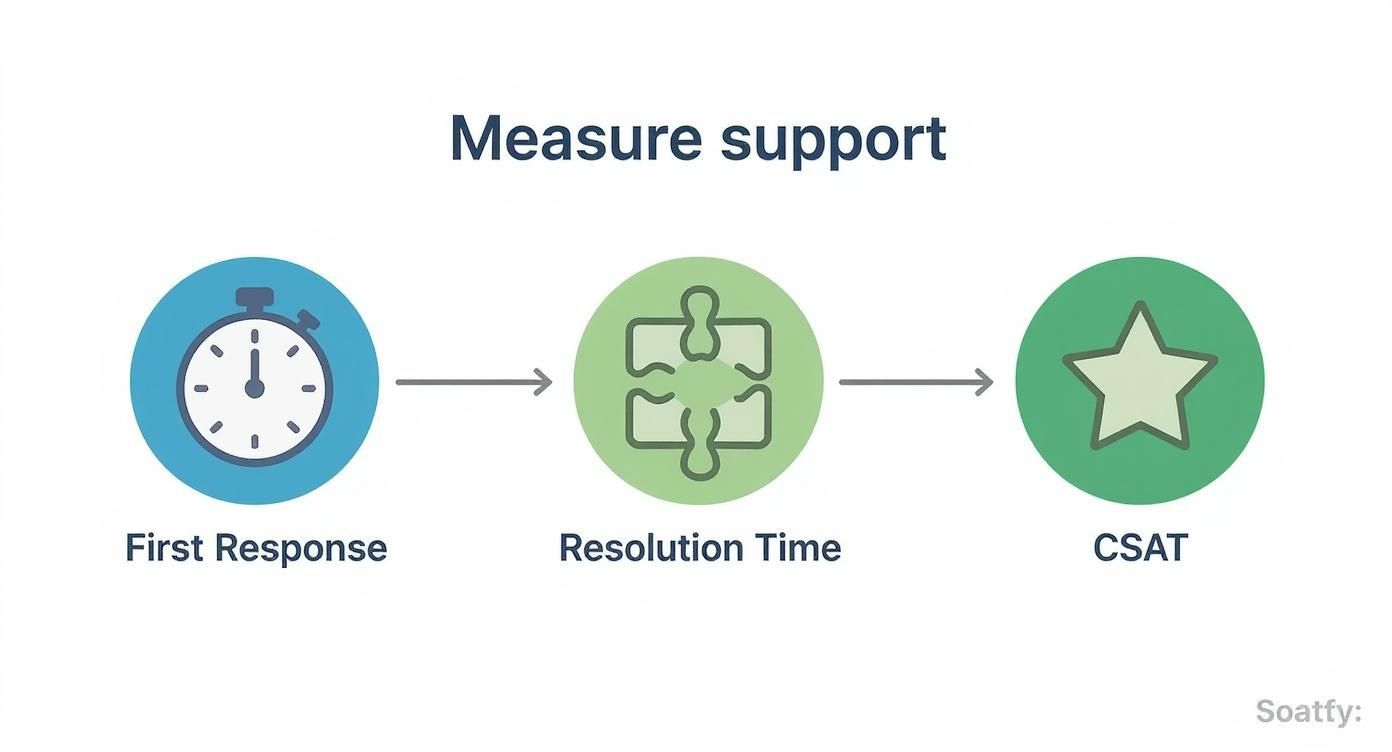
This process flow highlights the customer journey through key metrics, from the initial contact (First Response) to the final solution (Resolution Time) and their overall happiness (CSAT), showing how AI can improve each stage.
When an escalation happens, the AI should seamlessly transfer the entire conversation history, customer details, and any order information over to the human agent. This gets rid of the single biggest frustration for customers—having to repeat themselves. Your agent can then step in with full context, ready to provide the empathetic and nuanced support the situation requires. It’s a perfect example of how technology can enhance, rather than hinder, the customer experience.
Actionable Workflows and Best Practices

A great strategy is only as good as its execution. You can have all the right KPIs and the fanciest tools, but the real magic of top-tier customer support ecommerce happens in your day-to-day processes. This is where you iron out the wrinkles and make sure every customer gets the same fantastic experience, no matter who they talk to.
Think of your workflows as the secret recipes in your support kitchen. Without them, each agent is left to improvise, which leads to inconsistent service. But with a solid set of workflows, everyone follows a proven formula for happy customers. This means mapping out clear escalation paths for tricky problems and building an internal knowledge base that acts as your team's single source of truth.
Building a Bulletproof Escalation Path
Let's be honest: not all customer problems are the same. A simple question about shipping times is worlds away from a complex technical bug or a complaint about a faulty product. An escalation path is your formal game plan for getting difficult issues to the right expert—fast.
It saves your frontline agents from getting bogged down and stops minor frustrations from becoming major meltdowns.
A typical escalation workflow usually has a few tiers:
- Level 1 Support (The Frontline): This is where most agents, including AI bots, operate. They handle the common, easy-to-solve stuff like order tracking, return policies, and basic product questions.
- Level 2 Support (Technical Specialists): These are your product experts. They tackle issues that Level 1 couldn't crack, like tricky troubleshooting, payment gateway errors, or specific customisation requests.
- Level 3 Support (Team Leads or Managers): This level is reserved for the most critical situations—think potential security risks, major service outages, or extremely unhappy customers on the verge of churning.
The key is to set clear triggers for when an issue gets bumped up. For example, a ticket might be automatically escalated if it’s been open for over 24 hours or if a customer uses words that signal extreme frustration. This structured system makes sure the right expertise is applied exactly where it's needed most.
To make this crystal clear, here’s a simple breakdown of what an escalation workflow looks like in practice.
Sample Escalation Workflow for Ecommerce Support
| Level | Handled By | Issue Type Example | Resolution SLA |
|---|---|---|---|
| Level 1 | AI Bot / Frontline Agent | "Where is my order?" | Within 1 hour |
| Level 2 | Technical Support Specialist | "My payment failed but I was charged." | Within 8 business hours |
| Level 3 | Support Manager | "The product I received is a safety hazard." | Within 4 business hours |
| Level 4 | Head of Customer Experience | Major data breach or widespread service outage. | Immediate Response |
Having a map like this removes guesswork and empowers your team to act decisively.
The Power of an Internal Knowledge Base
Your team's most valuable tool isn't a piece of software; it's shared knowledge. An internal knowledge base (IKB) is a central library where your agents can find accurate, up-to-date answers in seconds. It’s the ultimate cheat sheet, packed with everything from detailed product specs to step-by-step troubleshooting guides.
An internal knowledge base doesn't just make your team faster; it makes them smarter and more confident. It is the single most effective tool for ensuring consistent, high-quality service across your entire support organisation.
Without an IKB, agents are constantly tapping colleagues on the shoulder, which causes delays and leads to inconsistent advice. With a well-maintained IKB, every agent has the collective wisdom of your whole company at their fingertips. This is especially critical in fast-growing markets.
For example, India's e-commerce market is set to hit $211.6 billion by 2025 and is projected to reach $326.7 billion by 2029. This explosive growth is largely driven by a surge in digital payments, with UPI leading the charge. As a result, support teams are handling more transaction queries and fraud concerns than ever, making a rock-solid knowledge base non-negotiable. You can discover more insights about India’s e-commerce boom to understand the scale of this shift.
Templates for Common Scenarios
While every customer conversation needs a personal touch, there’s no need to start from scratch every single time. Using pre-approved templates for common (and often tricky) situations helps maintain a consistent brand voice and gives agents the confidence to handle pressure with grace.
Here are a few essential templates you should have ready to go:
- De-escalating an Angry Customer: The goal here is to show you're on their side. Acknowledge their frustration right away, express genuine empathy, take ownership of the issue, and then clearly explain the exact steps you'll take to fix it.
- Processing a Refund or Return: Make it easy for them. Provide a simple, step-by-step guide on what they need to do. Be proactive and answer common questions like, "How long will the refund take?" to set clear expectations from the start.
- Saying 'No' to a Request: Sometimes, the answer has to be no. The key is to be polite but firm. Clearly explain why you can't fulfil the request (e.g., it's against company policy) and, if possible, offer a helpful alternative.
Your Top Ecommerce Customer Support Questions, Answered
As you've seen, building a great customer support system has a lot of moving parts. It's natural to have questions. Let's tackle some of the most common ones I hear from business owners trying to get it right.
How Can a Small Ecommerce Business Offer 24/7 Support?
For a small team, the idea of round-the-clock support can feel impossible. The good news is you don't need a massive, global team to pull it off. The secret lies in a smart mix of automation and human oversight.
Start by building out a robust self-service centre. Think of it as your first line of defence—a collection of detailed FAQs, how-to guides, and even short videos that answer your customers' most frequent questions.
Then, layer an AI chatbot on top of that knowledge base. This bot becomes your tireless after-hours agent, instantly answering common queries like "Where is my order?" or "How do I make a return?". When a question is too complex, the bot's job is simply to log a ticket and let the customer know a real person will get back to them during business hours. This way, customers always get an immediate response, and your team isn't overwhelmed.
What Is the Most Important Support Metric to Track?
While there are plenty of KPIs to watch, if I had to pick just one, it would be Customer Satisfaction (CSAT). Why? Because it’s the most direct measure of whether you actually helped someone and made them happy.
Metrics like First Response Time are great for measuring speed, but they don't tell you anything about the quality of the interaction. CSAT gives you a direct, unfiltered look at how customers perceive your support. High CSAT scores are a brilliant predictor of customer loyalty and repeat business. It gets straight to the point: did we solve their problem and leave them feeling good about our brand?
While speed is important, satisfaction is what builds a lasting brand. CSAT is your direct line to the customer's perception of your service quality, making it the ultimate measure of support excellence.
When Should an AI Bot Escalate to a Human Agent?
This is a critical one. You want your AI to handle the routine stuff, but you never want it to become a wall between you and a frustrated customer. A clear handoff process is non-negotiable.
Your AI bot needs to know its limits and pass the conversation over to a human agent immediately in these situations:
- The customer flat-out asks to speak with a person. No exceptions.
- The bot can't figure out what the customer is asking for after a couple of tries.
- The issue is sensitive. Think payment disputes, account security issues, or anything involving personal data.
- The bot's sentiment analysis picks up on extreme frustration or anger in the customer's tone.
Think of it as a safety net. It ensures a human expert steps in for the conversations that really matter.
Ready to supercharge your support with a reliable AI agent? SupportGPT offers a complete platform to build, manage, and deploy AI assistants that deliver fast, accurate help 24/7. Explore how you can reduce ticket volume and delight customers.