Unlocking Growth with Customer Services Automation
Discover how customer services automation can elevate your CX, reduce costs, and build loyalty. Our guide covers implementation, ROI, and key strategies.
So, what exactly is customer service automation? It's not about firing your support team and replacing them with robots. Think of it as giving your team a set of superpowers.
Automation uses technology, mostly powered by AI, to handle the simple, repetitive stuff that bogs down your best agents. This frees up your human experts to focus on the tricky, high-stakes problems where their skills really shine. The result is a support system that’s faster, more consistent, and can grow with your business without breaking the bank.
Why Customer Service Automation Matters Now

Let's cut through the buzzwords. Imagine a digital assistant for your support team—one that never sleeps, instantly knows the answer to every common question, and flawlessly routes inquiries to the right person every single time. That’s customer service automation. It acts as your first line of defense, making sure customers get immediate help while your skilled agents handle the conversations that genuinely need a human touch.
This shift isn't just a fleeting trend. It’s a seismic change driven by two powerful forces: sky-high customer expectations and the incredible advancements in AI. Today’s customers expect help now, not tomorrow, and businesses relying purely on manual support are struggling to keep up without their costs spiraling out of control.
The Power of Augmentation
The whole point here is augmentation, not replacement. When you automate the predictable, you empower your people to be exceptional. This gives you a serious strategic edge.
- Scale Without Chaos: Handle a huge influx of customer questions without having to triple your headcount. Automation lets you serve thousands of customers with the same care you'd give to ten.
- Happier Customers: Instant answers to simple questions like "Where's my order?" or "How do I reset my password?" make a massive difference in the customer experience and cut down on frustration.
- More Productive Teams: When agents aren't drowning in repetitive tickets, they can focus on building relationships, solving complex issues, and even feeding insights back to your product team.
This table breaks down the core benefits you can expect when you bring automation into your customer service workflow.
Key Benefits of Customer Service Automation at a Glance
| Benefit Category | Impact on Business | Example Metric |
|---|---|---|
| Operational Efficiency | Reduces manual workload and cuts down on operational expenses. | Decrease in Average Handle Time (AHT) |
| Cost Reduction | Lowers the cost-per-interaction by handling high-volume, low-complexity tasks. | Reduction in Cost to Serve (CTS) |
| Customer Satisfaction | Provides instant, 24/7 support, leading to faster resolutions and happier customers. | Increase in Customer Satisfaction (CSAT) Score |
| Team Empowerment | Frees up human agents to focus on complex, high-value problem-solving and relationship-building. | Improvement in Agent Satisfaction & Retention |
| Scalability | Allows support operations to handle significant growth in ticket volume without a linear increase in staff. | Ability to manage a 50% increase in tickets with only a 10% increase in headcount. |
Ultimately, these benefits compound. Better efficiency leads to lower costs, which allows you to invest in better tools and people, further improving the customer experience.
This isn’t some far-off concept—it’s already delivering real results for businesses today. A staggering 95% of organizations using AI have seen significant time and cost savings. In fact, AI-powered service can slash operational costs by up to 30%. You can explore more customer service statistics to see the full picture.
In this guide, we’ll walk you through exactly how to put these powerful tools to work. We'll break down the core technologies, give you a step-by-step implementation plan, and show you how to measure the real-world impact. By adopting customer service automation, you’re not just chasing efficiency—you’re building a more resilient, customer-first support operation ready for whatever comes next.
The Technology Behind Modern AI Support

To really get what’s happening with modern customer services automation, you have to look under the hood. The technology has come a long way from those clunky, frustrating chatbots we all remember. Today’s systems are a different beast entirely, moving beyond rigid scripts to have fluid, genuinely helpful conversations.
This shift really boils down to two different kinds of automation engines. Figuring out the difference is the first step to choosing the right tool for your business and actually seeing the benefits of AI support.
From Simple Rules to Smart Conversations
Automated support first started with rule-based systems. The easiest way to think of these is like a simple flowchart. If a customer says "password reset," the bot follows a script and sends a link. This approach is fine for super predictable, common questions.
But where do they fall apart? The moment a customer asks something in a slightly different way or has a more complex problem. Rule-based bots have zero flexibility. They can't handle any deviation from their programming, which is why we've all seen that dreaded "I'm sorry, I don't understand" message.
The real game-changer has been the arrival of AI agents powered by Large Language Models (LLMs). These are the brains behind platforms like SupportGPT. Think of an LLM as a combination of an enormous digital library and a brilliant research assistant that can instantly connect the dots.
An LLM has been trained on a massive amount of text and code, which gives it an incredible ability to grasp context, nuance, and what a customer actually means—something rule-based systems just can't do. This allows it to create natural, helpful, and relevant answers on the spot.
Instead of just following a script, an LLM-powered agent can understand the customer's question, pull information from different places, and craft a unique answer. This is the technology that finally makes automated support feel conversational and truly effective.
How LLM Agents Learn Your Business
Of course, a general-purpose LLM knows a lot about the world, but it doesn't know anything about your business. That’s where the magic of training and fine-tuning comes in. Modern automation platforms connect these powerful AI models to your company's private knowledge base.
This process involves feeding the AI your specific data, essentially creating a secure and private "brain" just for your business. The most common training materials include:
- Help Center Articles: Your entire library of how-to guides, tutorials, and troubleshooting tips.
- Product Documentation: All the nitty-gritty details about features, specs, and how to use your products.
- Past Support Tickets: Anonymized history of past customer chats. This is a goldmine for teaching the AI about common problems and what solutions actually work.
- Website Content: Information from your marketing pages, FAQs, and policy documents.
By soaking up all this curated content, the AI agent becomes a legitimate expert on your products and services. It can give answers that aren't just correct but also match your company's tone and brand voice perfectly.
The Platform as a Command Center
The LLM might be the engine, but a platform like SupportGPT is the command center that makes it all work. It provides the essential framework that keeps the AI safe, effective, and manageable for your team. This platform layer handles critical functions an LLM can't do on its own.
For instance, this is where you set up the guardrails—simple rules written in plain English that stop the AI from giving out wrong information or going off-topic. You could tell it to never discuss enterprise pricing and instead hand that conversation over to a sales rep.
The platform also manages the smart escalation process. When a chat gets too complex, sensitive, or just needs a human touch, the system seamlessly passes it to a live agent. The agent gets the full chat history for context, so the customer doesn't have to repeat themselves. It’s a safety net that ensures the customer always gets the best help, whether it comes from an AI or a person.
Measuring the True ROI of Automated Support
Figuring out the return on investment for customer service automation isn't just about subtracting costs. Sure, the direct savings are a big part of the story, but the real value becomes clear when you look at the whole picture—from smoother operations to happier customers. A solid ROI calculation has to account for the hard numbers and the subtler, long-term wins.
The most obvious win is for your budget. When you automate repetitive questions, you immediately lower your Cost Per Resolution, which is the total amount you spend to solve one customer problem. If an AI agent can handle 60% of routine queries about order tracking or password resets, the cost for those interactions plummets. That frees up money and people for more important work.
Hard Metrics Quantifying Your Return
To get buy-in and build a strong business case, you need to focus on metrics that leave no doubt about the efficiency gains. These key performance indicators (KPIs) are the proof that AI is genuinely improving your support operations.
Here are the essential data points to start tracking:
- Ticket Deflection Rate: This is your golden metric. It’s the percentage of customer questions the AI answers without a human agent ever needing to get involved. A high deflection rate means the automation is working exactly as intended, giving customers instant answers.
- First Contact Resolution (FCR): Automation is a superstar at boosting FCR. An AI with full access to your knowledge base can deliver the right answer on the first try, cutting out the frustrating back-and-forth that drives customers crazy on simple issues.
- Average Handle Time (AHT): Even when a problem needs a human touch, AI still helps speed things up. It can do the upfront work—gathering customer details, figuring out the root of the problem, and teeing it up for an agent—so your team can jump straight to solving it much faster.
These numbers create a virtuous cycle. Better deflection and FCR rates free up your human agents to handle the tricky, high-stakes conversations that actually build customer loyalty. Your support team starts to shift from being a cost center to a group that actively builds relationships.
The Softer Side of Automation ROI
Beyond the spreadsheets, automation delivers "soft" ROI that strengthens your brand and sets you up for future growth. These benefits might be harder to slap a number on, but they're absolutely critical for keeping customers and staying ahead of the competition.
One of the most powerful advantages is simply being there 24/7. Customers expect help on their own schedule, and offering instant support at 3 a.m. shows you respect their time. This constant availability can be a major differentiator, especially if you operate globally. Plus, taking the soul-crushing, repetitive tasks off your agents' plates does wonders for morale, which means less employee turnover and lower training costs.
The impact of self-service is undeniable. While up to 60% of support tickets are potentially resolvable through automated tools, currently only 36% are. Research predicts that by the end of 2026, driven by growing trust in generative AI, one in four brands will see a 10% increase in successful self-service interactions. This shift is critical, as 52% of consumers name time savings and faster resolutions as the top benefits of using chatbots. You can discover more about these predictions for AI in customer service from Forrester.
In the end, measuring the true ROI of automated support demands a holistic view. It's the powerful combination of lower operational costs, a more productive team, and a genuinely better customer experience that delivers a return you can count on for years to come.
Your Step-by-Step AI Implementation Plan
Jumping into customer services automation can feel like a huge project, but it doesn't have to be. The smartest way to start is by thinking small. Pinpoint one specific, high-impact area, prove the value there, and then expand your AI's role thoughtfully.
This simple framework will walk you through the entire process, from a back-of-the-napkin idea to a fully functioning AI agent ready to help your customers.
Step 1: Define Your Goals
First things first: what problem are you actually trying to solve? A fuzzy goal like "improve support" is a recipe for failure. You need to get specific and attach a number to it.
Are you aiming to slash your first response time during the afternoon rush? Or maybe your goal is to automatically handle 30% of those repetitive "Where's my order?" tickets that clog up the queue. Having a clear, measurable objective guides every other decision you'll make.
A few solid starting points include:
- Slash Response Times: Give customers instant answers to common questions so they never have to wait.
- Deflect Common Queries: Let the AI handle the high-volume, low-effort stuff so your human agents can focus on complex issues.
- Improve 24/7 Availability: Offer immediate help to customers in any time zone, long after your team has logged off.
Step 2: Curate Your Knowledge Base
Your AI agent is only as smart as the information you feed it. Think of your knowledge base as its textbook, its curriculum, its entire world. This is easily the most critical part of the process—get it right, and your AI will be incredibly helpful.
This collection of content becomes the AI's single source of truth. You can pull from existing help center articles, product manuals, internal FAQs, and even transcripts from past support chats. Just make sure the information is accurate and up-to-date, because this is the foundation your entire automation strategy is built on.
Step 3: Choose Your Platform
With a clear goal and your knowledge ready to go, it's time to pick your tool. You'll want a platform that’s powerful enough to do the job but simple enough for non-technical team members to manage.
Look for a solution like SupportGPT that offers an intuitive, user-friendly interface for building and tweaking your AI agent. The right platform acts as a command center, making everything from training to setting safety rules feel straightforward.
Step 4: Train and Test Your First AI Agent
This is where the magic happens. On modern platforms, "training" is often as simple as pointing the AI to your knowledge base. The system reads and understands all that content, building its own model of your business.
Once it's trained, you have to test it. Relentlessly.
Use a live playground or staging environment to pepper your agent with questions. Ask the easy stuff, the hard stuff, and try to trip it up with weird phrasing. This back-and-forth is essential for finding knowledge gaps and refining its answers before it ever speaks to a real customer.
Step 5: Set Guardrails and Escalation Paths
An AI without rules is a liability waiting to happen. Guardrails are simple, plain-English instructions that keep your agent on-brand and out of trouble. For instance, you can tell it to never discuss future product releases or try to resolve a complicated billing issue on its own.
Just as important is a clear escalation path. This is the safety net that hands a conversation off to a human agent when things get too complex, sensitive, or emotional. A good system will pass the entire chat history over, so the customer doesn't have to repeat themselves. It’s a seamless transition.
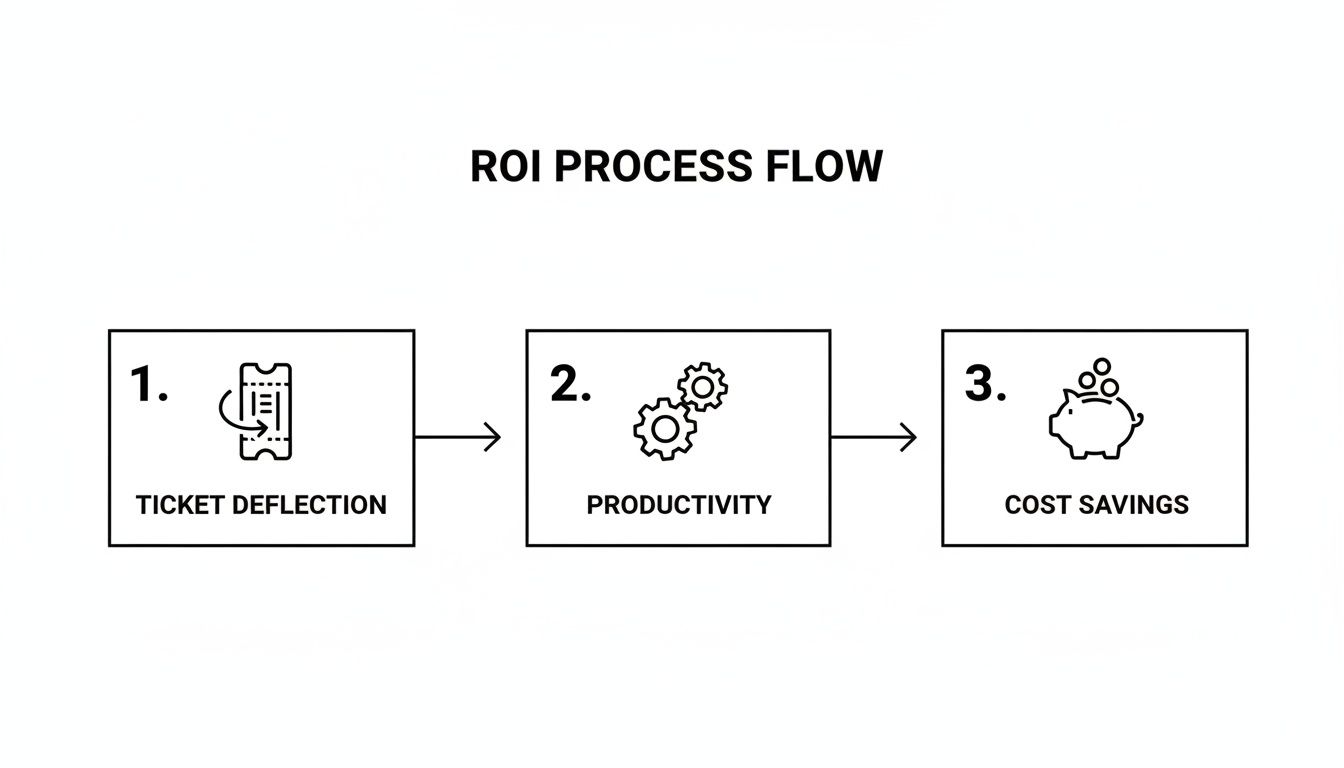
This flow shows exactly how smart automation directly boosts your team's efficiency and, ultimately, your bottom line.
Step 6: Deploy and Go Live
Feeling good about your agent's performance? Are your safety nets in place? It's time to launch. Most platforms make this dead simple—you usually just copy and paste a small snippet of code onto your website to add the chat widget.
Don't feel like you have to go all-in at once. Start by deploying it on a single, lower-traffic page or making it available to a small segment of your audience first.
Step 7: Monitor and Iterate
Going live is the start, not the finish line. Customer services automation is never a "set it and forget it" project. You have to keep an eye on how your agent is doing.
Dive into the analytics. Read through the conversation logs, see which questions it's nailing and which it's fumbling. This real-world data is gold—it tells you exactly where you need to update your knowledge base or tweak your rules to make the agent even better over time.
To help you stay on track, we've put together a simple checklist that covers the entire journey, from initial planning to long-term success.
AI Agent Implementation Checklist
| Phase | Key Action Items | Success Indicator |
|---|---|---|
| 1. Discovery & Planning | • Define 1-2 specific, measurable goals (e.g., deflect 25% of "order status" tickets).• Identify key stakeholders from support, product, and IT.• Audit existing knowledge base content for accuracy and gaps. | A clear project charter is approved with defined KPIs. |
| 2. Content & Platform | • Gather and clean all necessary documentation (FAQs, manuals, etc.).• Structure content for easy ingestion by the AI.• Evaluate and select an AI vendor/platform that fits your needs. | All required knowledge content is centralized and the platform is selected. |
| 3. Build & Train | • Connect the knowledge base to the AI platform.• Configure the agent's personality and tone of voice.• Define strict guardrails for out-of-scope topics. | The agent correctly answers 90% of test questions based on the knowledge base. |
| 4. Test & Refine | • Conduct internal testing with the support team.• Simulate edge cases and tricky questions.• Set up clear escalation paths to human agents. | The escalation path works flawlessly and agents find the handoffs smooth. |
| 5. Deployment | • Plan a phased rollout (e.g., start on one webpage or for 10% of users).• Announce the new support channel to your team.• Prepare a feedback mechanism for users. | The AI agent is live and handling its first customer conversations without technical issues. |
| 6. Monitor & Optimize | • Review conversation logs and analytics weekly.• Identify and fill knowledge gaps based on failed queries.• Collect and analyze customer satisfaction (CSAT) scores for AI interactions. | Ticket deflection rate meets or exceeds the initial goal, and CSAT is stable or improving. |
Following these phases turns a daunting project into a series of manageable steps, ensuring you build an AI assistant that truly helps both your customers and your team.
How Businesses Win with Automation

Theory is one thing, but the real magic of customer services automation happens when you see it solving actual business headaches. This isn't just a strategy for giant corporations with bottomless budgets. It’s a practical way for businesses of all shapes and sizes to work smarter, not just harder.
Let's dive into a few real-world stories. These aren't just hypotheticals; they show how companies took a specific, frustrating challenge and turned it into a win for both their team and their customers using a smart, automated solution.
E-commerce Peak Season Survival
For any online store, the holiday rush or a big sale like Black Friday is both a blessing and a curse. Orders pour in, but so do the support tickets. The volume can easily triple overnight, and most of it is the same handful of questions: "Where is my order?" and "How do I make a return?"
I saw this firsthand with an e-commerce brand selling custom apparel. They were completely buried in tickets every holiday season. Their solution was to implement an AI agent to handle the entire order tracking and return initiation process from start to finish.
The agent plugged directly into their shipping and order management systems, allowing it to give customers instant, personalized status updates around the clock. It could also walk people through the return process, generate shipping labels, and confirm when a package was received—all without a single human ever needing to open the ticket.
- The Challenge: Crushing ticket volume during peak seasons was leading to slow responses and unhappy customers.
- The Automated Solution: An AI agent was integrated with their backend systems to manage all order status and return requests.
- The Result: They successfully deflected 70% of inbound holiday tickets. This freed up the human team to focus on the truly complex issues, like damaged goods or tricky exchanges, and customer satisfaction stayed high even as sales went through the roof.
SaaS Startup Onboarding and Retention
A fast-growing SaaS startup had a different kind of problem: new users were giving up and leaving during the critical onboarding phase. If someone got stuck trying to set up a feature, they’d often just abandon the product before seeing its true value. With a small support team, providing instant help to every new user just wasn't possible.
Their fix was to embed an AI assistant right inside their application's dashboard. This bot was trained on their entire knowledge base and all their technical docs, effectively making it an instant product expert.
Now, when a new user has a question, they can ask the AI assistant right there without ever leaving the app. The bot gives them step-by-step guidance, explains features, and even links directly to the right tutorials. What used to be a moment of frustration is now a successful learning experience.
This in-app guide is now a core part of their onboarding. It not only cuts down on support tickets but actively helps users find success with the product—which, as we all know, is the best retention strategy there is.
B2B Lead Capture and Qualification
A B2B tech company was bleeding valuable leads. Why? Their website contact form was slow and impersonal. A prospect would fill it out and then have to wait hours, sometimes a full day, for a salesperson to get in touch. By that point, the initial spark of interest was often long gone.
They scrapped the static form and replaced it with an interactive AI agent built for lead capture. This agent strikes up a natural conversation with website visitors, asking key qualifying questions about their company size, role, and what they’re looking for.
Based on the conversation, the AI can do a few things:
- Instantly answer basic questions about pricing or features.
- Schedule a demo directly on the right salesperson's calendar.
- Route a high-value enterprise lead straight to the senior sales team with an immediate Slack alert.
This is a perfect example of how customer services automation can bridge the gap between marketing and sales. Every single lead gets an immediate, helpful response, which boosts conversion rates and makes the whole sales pipeline run that much more smoothly. From online stores to B2B tech, it's clear automation is a flexible and powerful tool for growth.
Choosing the Right Automation Platform
Picking the right partner for your customer service automation journey is a huge decision. It's not just about buying a tool; you're laying the foundation for your entire support strategy for years to come. The market is definitely crowded, but if you focus on a few key criteria, you can cut through the noise and find a solution that actually helps your team and makes customers happy.
The very first thing to consider is usability. Is this platform built for the people who will live in it every day? Your support managers and agents are experts at solving customer problems, not writing code. A platform that lets non-technical folks build, manage, and fine-tune AI agents without calling in the engineering team isn't a nice-to-have, it's a must-have.
Core Evaluation Criteria
To make a smart choice, you need a practical scorecard. When you're talking to potential vendors, focus your questions on the features that have a direct impact on performance, safety, and your ability to grow. It’s not just about what the AI can do, but how much control you have over it.
Here are the critical areas to dig into:
- Ease of Management: Can your support team easily update the knowledge base, tweak responses, and set rules on their own? Or will they need to file a ticket with the IT department for every little change?
- AI Model Flexibility: Are you locked into a single, proprietary AI model? The best platforms let you use leading LLMs from providers like OpenAI, Gemini, and Anthropic, ensuring you can always tap into the best tech available.
- Accuracy and Safety Controls: Ask for specifics. What guardrails are in place to stop the AI from making things up or going off-script? You need solid controls to protect your brand and maintain customer trust.
- Intelligent Escalation: How smoothly does the system hand off a tricky or sensitive conversation to a human agent? Look for smart, rule-based routing that passes along the full context so the customer doesn't have to repeat themselves.
Analytics and Security Considerations
A great automation platform does more than just answer questions—it gives you the data you need to get better over time. Your solution has to provide clear, actionable analytics. You should be able to track key metrics like ticket deflection rates, see what customers are asking about most, and pinpoint where the AI is getting stuck. This is the feedback loop that turns a good AI agent into a great one.
Of course, security and compliance are just as important, especially if you handle any kind of sensitive customer data.
The explosive growth of AI is reshaping markets, with the agentic AI sector projected to surge from $7.06 billion in 2025 to $93.2 billion by 2032. However, with 61% of customers hesitating due to reliability concerns, trust is paramount. Platforms like SupportGPT address this with enterprise-grade guardrails, robust analytics, and critical security features like SSO for compliant, scalable deployment. Discover more insights about the future of customer experience with AI.
Ultimately, finding the right platform is about striking a balance between power, simplicity, and safety. You need an AI engine that delivers accurate, helpful answers, a control panel your team can manage with confidence, and enterprise-grade security that protects both your customers and your business. By asking these tough questions upfront, you can find a partner that will truly help you scale your support thoughtfully and effectively.
Frequently Asked Questions About Automation
Diving into customer service automation naturally brings up some big questions. You're probably wondering what it really means for your team, your customers, and your day-to-day operations. Let's tackle some of the most common concerns head-on.
Will Automation Replace My Human Support Team?
This is the number one question we hear, and the answer is a clear no. The goal isn't to replace your people; it's to supercharge them. Think of automation as the first line of defense, handling the high-volume, repetitive questions that eat up your team's time.
This frees up your human agents to do what they do best: solve complex, high-stakes problems that require empathy, critical thinking, and a human touch. It creates a partnership where AI handles the routine stuff instantly, 24/7, and your team steps in for the moments that truly define your customer relationships.
The real power of automation lies in freeing up your team's most valuable resource: human expertise. It allows them to apply their skills where they matter most, solving nuanced problems that AI cannot.
How Difficult Is It to Set Up an AI Support Agent?
You might be picturing a massive IT project, but modern platforms have made setup surprisingly straightforward, even for non-technical folks. You can often get started just by pointing the AI to your existing knowledge base or help center articles.
From there, you’re in the driver's seat. You use a simple, visual interface to tweak responses, set up rules in plain English, and add the agent to your website with a quick copy-and-paste. We're talking minutes to get a basic version live, not months of development.
How Do I Keep the AI from Giving Wrong Answers?
An excellent and critical question. The last thing you want is a rogue bot giving out bad information. This is where enterprise-grade "guardrails" come in. Top-tier platforms are built with controls to keep the AI focused.
These tools allow you to:
- Confine the AI to only answer questions based on your provided knowledge base.
- Prevent it from guessing or making things up.
- Maintain a consistent, professional brand voice.
Plus, smart escalation is key. If a question is too complex, sensitive, or the AI simply doesn't know the answer, the system automatically and seamlessly hands the conversation over to a human agent. This ensures your customers always get a reliable, trustworthy answer.
Ready to see how simple and powerful AI-driven support can be? SupportGPT provides all the tools you need to build, manage, and deploy a secure AI agent in minutes. Start for free and transform your customer support today.