Customer Service Costs: Drivers, Benchmarks, and AI Savings
Break down customer service costs with real benchmarks, cost-per-ticket formulas, and AI strategies that cut spend without hurting satisfaction or retention.
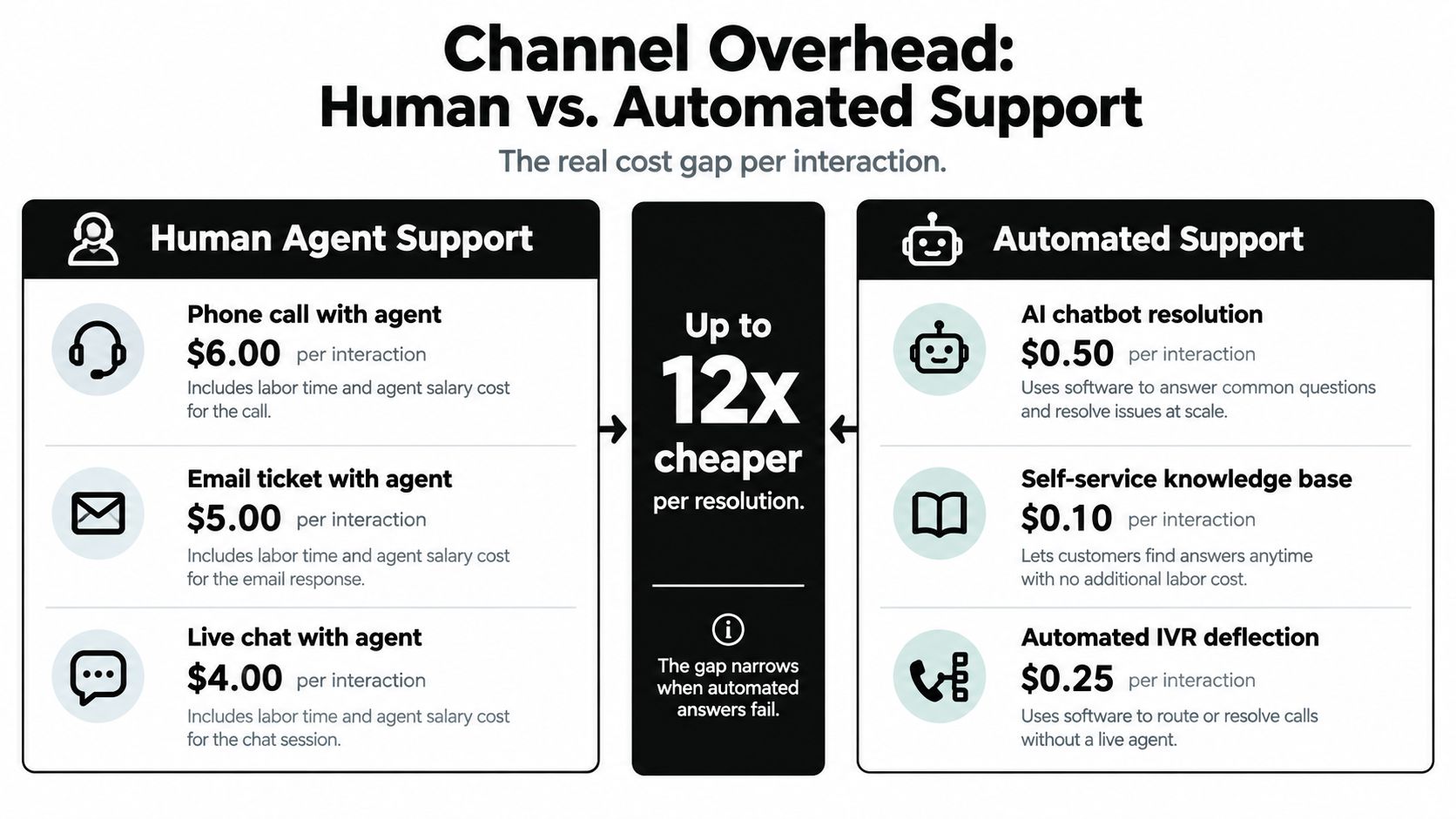
A contact-center interaction can cost about $6 with a human agent and roughly $0.50 with an automated chatbot, yet that twelvefold gap doesn't tell you what customer service costs. A failed bot can trigger another contact, a human escalation, a refund, or a lost customer. The relevant financial unit is therefore not the conversation. It's the successfully resolved issue.
For SaaS, ecommerce, and marketplace teams, that distinction changes how support investments should be evaluated. Labor remains the largest cost base, while automation creates value only when it resolves the right issues, preserves context, and protects customer lifetime value. The analysis below combines payroll economics, channel costs, satisfaction risk, and operational measurement into a model finance and support leaders can defend.
Why Customer Service Costs Are Dominated by Labor
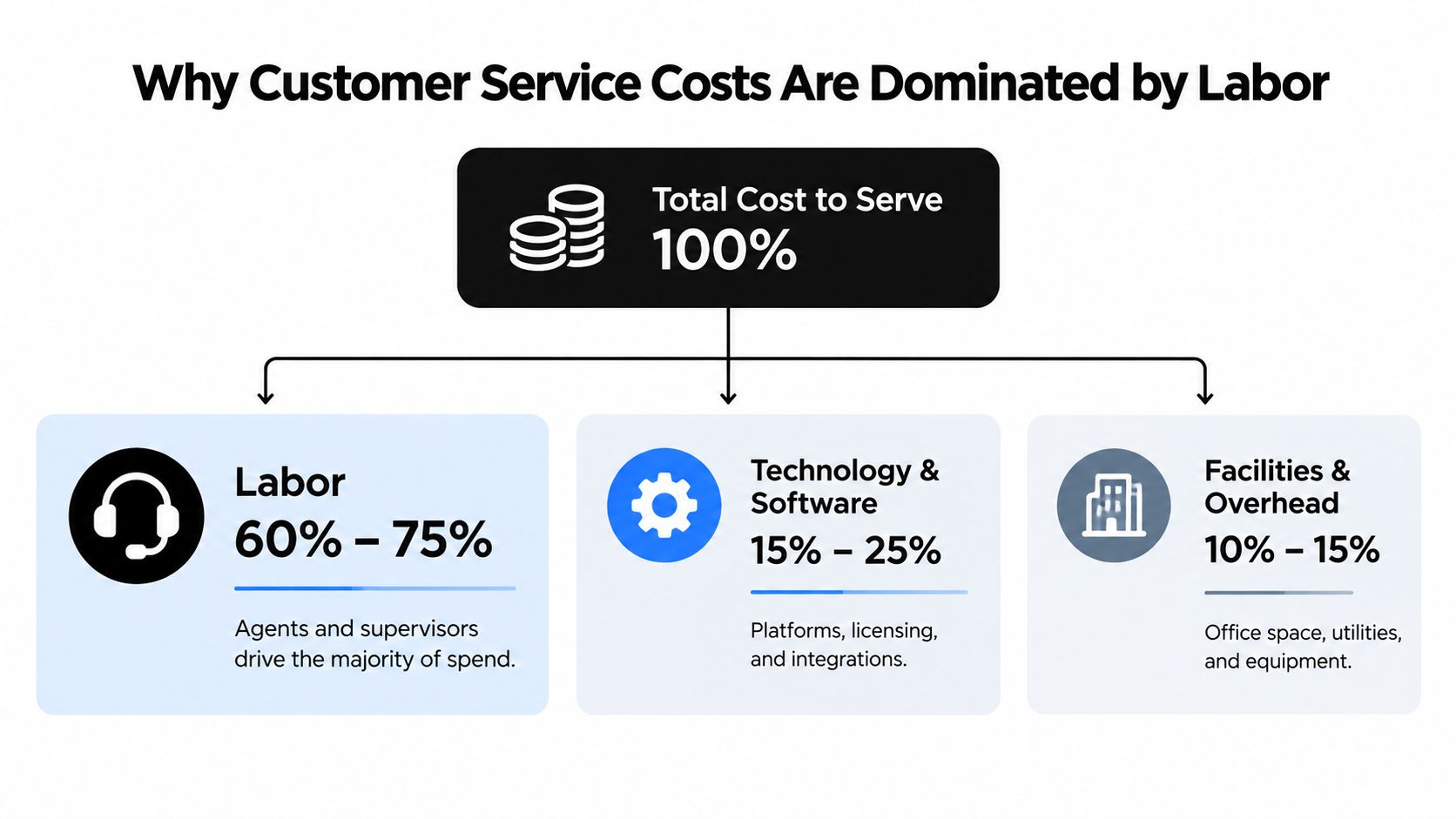
Labor typically accounts for 60% to 75% of total contact-center cost-to-serve, including wages, benefits, training, supervision, and attrition-related costs, according to industry contact-center cost benchmarks. Software invoices are easy to isolate, but staffing levels, productivity, scheduling, and turnover usually shape the larger cost base.
The same benchmark dataset reports approximately 2.814 million U.S. customer-service representatives in 2024, with a median wage of $20.59 per hour. At a full-time schedule of 2,080 hours, that produces roughly $42,827 in direct annual wages per representative, before benefits, management, facilities, technology, recruiting, and training.
Payroll creates the baseline
For a 100-agent operation, the direct wage example reaches approximately $4.28 million annually before non-wage costs. That scale changes the automation question. A modest gain in agent productivity can affect more spending than a small software reduction, especially when the same team handles growth, shortens queues, or takes on complex cases.
Reducing avoidable contacts can improve cost per resolved issue without immediate headcount cuts. The saving comes from fewer paid hours spent repeating account instructions, checking order status, or correcting incomplete answers. A contact that fails to resolve the customer's problem can consume automation capacity first, then agent time, making deflection a weak measure of financial performance.
A support leader should identify which issue types consume paid human hours before comparing subscription prices. A knowledge base that prevents repeat contacts, an assistant that drafts accurate replies, and routing that sends urgent cases to the right specialist can each reduce, shorten, or redirect labor demand. Their value depends on resolution quality, not activity volume alone.
Attrition multiplies the visible cost
The same benchmark reports a 31% annual U.S. contact-center attrition rate. In a 100-agent operation, that could mean replacing about 31 employees in a year. Recruitment is only one part of the expense. Managers interview and onboard replacements, experienced agents support new hires, and newcomers produce less while learning products and policies.
Turnover therefore belongs in the cost-to-serve model, not only in human-resources reporting. Lowering repetitive workload and giving agents better context can improve unit economics while retaining the human team. This guide to call-center cost reduction connects staffing decisions with automation and operational efficiency.
Practical rule: Measure the human hours consumed by each issue type. Select technology only after estimating which hours it can remove, shorten, or redeploy.
How to Model Cost Per Contact the Right Way
A defensible cost-per-contact calculation is simple in form:
Cost per contact = total controllable operating costs ÷ contacts handled during the same period.
The numerator should include labor, technology, facilities, management, and other controllable operating expenses. The denominator must match the period and the operating definition. If the numerator covers a quarter but the denominator counts only closed tickets from a different period, the result isn't a usable management metric.
Build an internal baseline
A single industry benchmark can mislead because contact centers differ in wage rates, geography, channel mix, automation, and case complexity. Calculate a rolling 6 to 12-month baseline and segment it by phone, email, chat, self-service, region, and issue type, following the modeling approach described by Klipfolio's cost-per-contact KPI guidance.
The denominator also needs careful treatment. Decide whether you count every inbound conversation, only resolved cases, reopened cases, or contacts that reach a human. A bot interaction followed by an agent escalation shouldn't disappear from the model. It consumed automation resources and human time, so the combined journey should remain visible.
For SaaS and ecommerce teams, useful segments often include account access, billing, order status, returns, product troubleshooting, and cancellation intent. Each category has a different probability of resolution, escalation, and repeat contact. Blending them into one average hides the issues that generate the greatest cost.
Separate the stages of a support journey
A partially automated case can contain several cost events:
- A customer searches self-service content or starts a bot conversation.
- The system provides an answer or asks for more information.
- The customer returns because the issue remains unresolved.
- An agent receives the case, reviews the transcript, and continues the work.
Counting that journey as one cheap automated contact overstates savings. Counting only the final agent ticket understates the automation cost and obscures the failure. Teams need a consistent rule for attributing costs across stages, then should compare automated resolutions with escalated human cases, rather than treating every conversation as equivalent.
Support operations that work across regulated or document-heavy industries can also review adjacent process examples, such as virtual legal assistants companies, to see how specialized workflows distinguish routine requests from work requiring human judgment. The principle applies broadly: classify the work before assigning a cost.
For resolution-time definitions and operational consistency, this explanation of average resolution time provides a useful companion metric. Cost per contact tells you what the operation spends. Resolution time helps explain why.
Channel Overhead and the True Cost Gap Between Human and Automated Support
Channel economics explain why automation attracts investment, but the relevant comparison is cost per resolved issue, not cost per conversation. Industry estimates place a human-agent interaction at about $6, compared with approximately $0.50 for an automated chatbot interaction, although complexity, escalation, technology, and geography change the result, according to customer-experience cost comparisons.
A separate Gartner benchmark, discussed in an analysis of call-center automation economics, places median human-assisted contact across phone, chat, and email at $13.50, compared with $1.84 for self-service, a difference of approximately 7.3 times. These figures use different definitions. Teams should therefore test the scope of each benchmark before applying it to their own support operation.
Deflection isn't containment
Deflection only means that a customer does not reach an agent. Containment means the issue is resolved without another contact or escalation. The distinction determines whether automation reduced cost or merely moved it.
A bot can block an agent ticket while leaving the customer uncertain. The customer may start another conversation, call the business, abandon a purchase, or request a refund. The initial contact appears inexpensive, while the unresolved issue creates additional work and retention risk.
A cheap conversation isn't a saving if the customer has to start again.
Routine status requests, policy questions, and documented troubleshooting often suit self-service. Complex disputes, regulated requests, urgent complaints, and cases involving account risk usually need a rapid human route. Sending those cases through a generic bot can consume the apparent saving through repeated explanations and escalation.
Design the channel around issue complexity
A cost-aware channel model has three routes:
- Automated resolution: Use self-service or a chatbot when the answer is documented, low-risk, and easy to verify.
- Human-led resolution: Send complex, regulated, urgent, or emotionally sensitive issues directly to trained agents.
- Hybrid resolution: Let automation collect context, identify intent, and suggest next steps, then transfer the complete history when judgment is required.
Channel design matters as much as channel price. The customer service channels guide provides context for comparing phone, email, chat, and self-service by issue type.
The operational target is the lowest cost per successfully resolved issue, not the highest automation rate.
The Hidden Cost of Bad Automation and Unsatisfied Customers
Across seven countries, 88% of consumers reported satisfaction with interactions handled mostly or fully by humans, compared with 60% for primarily AI-led interactions. 47% identified difficulty reaching a live agent quickly as their leading frustration, according to PwC's 2025 customer-experience survey.
These figures do not mean every request needs an agent. They show that automation quality affects the economics of the entire service journey. A bot that fails to resolve an issue can trigger another contact, repeated explanations, a concession, or a lost renewal. The first interaction may be cheap while the completed resolution becomes expensive.

Model the failure path
The cost of failed automation often follows this sequence:
- The automated answer does not resolve the issue.
- The customer makes another contact and repeats the details.
- An agent receives an escalated case with incomplete context.
- The business offers a refund, credit, or other concession.
- The customer spends less or leaves.
According to the Qualtrics XM Institute study of 28,400 consumers in 26 countries, poor customer experiences cost businesses approximately $3.7 trillion globally each year. The study also found that 51% of surveyed consumers reduce or stop spending after a negative experience. These figures connect support operations with revenue performance, even when the loss does not appear in the service budget.
A dashboard focused only on containment can therefore reward the wrong behavior. A bot may close or deflect conversations while customers reopen cases, contact another channel, cancel, or delay a purchase.
Optimize resolution, not deflection
The same PwC survey found that 53% of consumers actively dislike or hate AI in service, while four in five would choose human support even when wait times and outcomes were identical. For SaaS, that preference can influence renewal discussions. For ecommerce, it can affect repeat purchases and trust after delivery or returns problems.
The stronger financial measure is cost per successfully resolved issue. Combine automation expense, human handling time, repeat contacts, concessions, resolution time, and retention outcomes. A lower deflection rate can produce a better result when it prevents failed resolutions and unnecessary escalation.
Use automation selectively, with clear answers and an easy human handoff. Preserve the transcript during escalation, identify frustration early, and route high-risk cases before customers repeat themselves. Reliable knowledge controls also matter. Guidance on preventing AI hallucinations in customer support treats answer accuracy as a cost-control requirement, not only a quality concern.
What to Measure Before You Automate Anything
Automation needs a measurement system before it needs a launch date. Establish the baseline for each issue type and channel, then compare the automated journey with the prior human-assisted journey. The question isn't whether the bot handled a conversation. It's whether the customer reached a satisfactory resolution with fewer total resources.
Use a connected metric stack
| Metric | What it measures | Why it matters for cost |
|---|---|---|
| Containment rate | The share of conversations resolved without human escalation | Shows how much work automation appears to absorb, but needs quality checks |
| Escalation rate | The share transferred to an agent | Reveals where automation still consumes human capacity |
| Repeat-contact rate | How often customers return about the same issue | Exposes failed resolutions that inflate total cost |
| Resolution time | Time required to reach an outcome | Connects operational effort with customer friction |
| Satisfaction by channel | Customer sentiment for automated, hybrid, and human routes | Identifies quality losses hidden by low interaction costs |
| Retention impact | Changes in renewal, cancellation, or future purchasing behavior | Captures revenue risk outside the support ledger |
| Human-hours saved | Agent time avoided or redeployed | Converts operational change into a labor model |
A low-cost interaction that creates a repeat contact isn't a true saving. Compare containment with repeat-contact and escalation rates, then inspect customer outcomes by issue type. A bot may perform well on order-status requests and poorly on cancellation intent, but an overall average can conceal that contrast.
Follow the full cost chain
An unresolved issue increases repeat contacts, raises cost-to-serve, and can drive refunds or concessions. It may also reduce future purchases or cause churn, which means finance and customer-success data belong in the evaluation.
Use cohorts where possible. Compare customers who received automated resolution with similar customers who used human or hybrid support, while controlling for issue category and customer value. The purpose isn't to manufacture a perfect causal claim. It's to prevent the support team from claiming savings based on a single operational counter.
Review the metrics at a consistent cadence and investigate changes by language, region, product area, and customer segment. Automation can perform differently across those groups because documentation, intent, and expectations vary. Measurement should make those differences visible before leadership expands scope.
Measurement rule: Never approve a cost-saving claim until containment, repeat contact, escalation, and customer outcome move in the same direction.
How AI Features Become Cost Controls in Practice
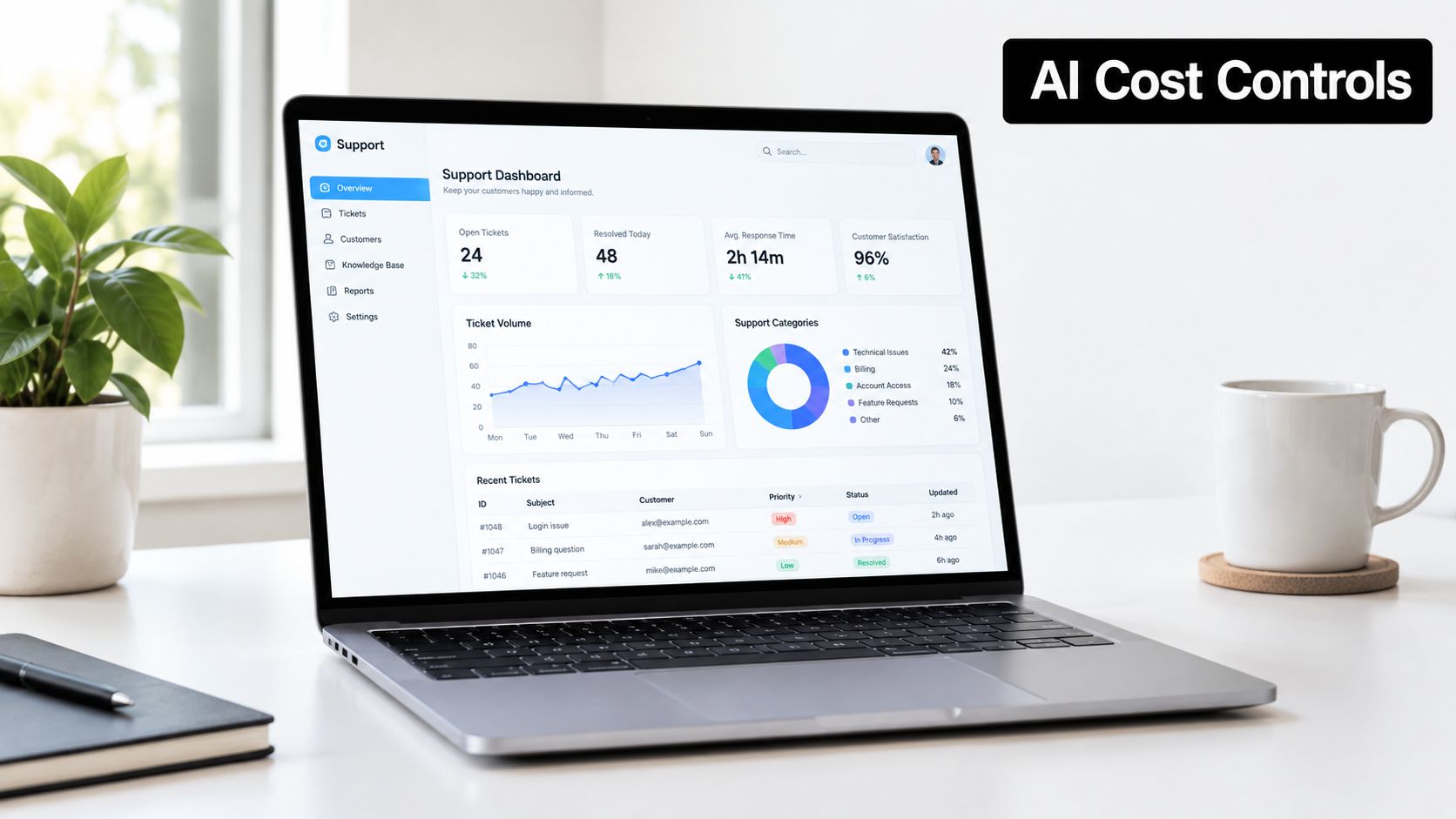
AI features affect customer service costs through the failure modes they prevent. A guardrail that blocks an unsupported answer can reduce rework. An escalation rule that recognizes cancellation intent can protect a high-value relationship. Analytics that identifies repeated contacts can expose a knowledge-base defect that a standard deflection report would miss.
Evaluate features by the cost they control
Guardrails limit misinformation and keep answers within approved sources. They can reduce quality-assurance rework and the reputational cost of incorrect guidance, especially when policies or product behavior change.
Smart escalation keeps the automation journey from compounding cost. Natural-language rules can route disputes, urgent cases, frustration signals, and cancellation requests to people, while preserving the conversation history so agents don't restart discovery.
Multilingual support can reduce dependence on specialized human queues for routine questions in different markets. It still requires language-specific quality monitoring because a translated answer can be grammatically correct while operationally wrong.
Conversation analytics connects intent, repeat contact, escalation, and resolution time. That connection lets a team find the issue types that consume disproportionate effort, rather than optimizing the largest volume category by default.
Disclosure and human choice protect trust. In a 2025 U.S. survey, 93.4% of consumers preferred human interaction, 71.0% had encountered AI struggling with complex issues, 78.3% believed humans resolved problems faster, 84.0% considered humans more accurate, and 49.6% said they would cancel a service over AI-driven customer service, according to Customer Experience Dive's survey coverage. Globally, Twilio's survey of 7,640 consumers in 18 countries found that 54% wanted businesses to disclose AI interaction, and the same percentage wanted an option to speak with a human, as reported in that source.
SupportGPT is one example of a platform that combines AI support agents with guardrails, smart escalation, multilingual support, conversation analytics, disclosure options, and human handoff. Its AI chatbot features can be assessed against the same cost-per-resolved-issue framework as any other support technology.
The right question isn't how many agents AI can replace. It's which interactions AI can handle without reducing customer lifetime value.
A practical evaluation compares human-first, AI-first with optional escalation, and hybrid routing. Measure cancellation, repeat purchase, satisfaction, resolution, and human-hours saved alongside software and labor costs. Features become cost controls only when they improve that complete equation.
A 30-60-90 Plan to Cut Customer Service Costs Without Hurting Retention
The first 30 days should produce a segmented baseline. Calculate cost per contact over a rolling period, then separate phone, email, chat, self-service, region, and issue type. Audit repeat contacts, escalations, resolution time, and satisfaction before changing routing.
Days 31 to 60 are for selective automation. Start with repetitive, well-documented, low-emotion issues. Keep complex, urgent, regulated, and emotionally sensitive cases human-led, and create escalation rules that transfer context rather than forcing customers to repeat themselves. Instrument containment, escalation, repeat contact, customer outcome, and human-hours saved from the first automated interaction.
Days 61 to 90 are for operating discipline. Review containment beside repeat-contact and satisfaction data, then compare retention or purchasing behavior by customer cohort. Expand only where the complete cost per resolved issue improves.
The leadership-level decision is a trade-off between lower interaction cost and protected lifetime value. A support operation hasn't reduced customer service costs if it lowers ticket expense while increasing cancellations, concessions, or agent workload. Judge the model across simple, complex, urgent, and emotionally sensitive issues, and let the resolution outcome determine where automation belongs.
SupportGPT helps teams automate routine support, apply guardrails, route complex cases to human agents, and analyze conversations across the customer journey. Visit SupportGPT to evaluate an AI support workflow against your own cost-per-resolved-issue baseline.