Chatbot for FAQ That Actually Resolves Tickets Fast
Build a chatbot for FAQ that answers accurately, escalates smartly and improves over time. Step-by-step guide to training, guardrails and deployment.
Your support inbox is full of questions your team has already answered dozens of times. Customers ask where to find an invoice, whether a plan includes a feature, how long delivery takes, or how to reset a password. Agents copy a help-center link, rewrite the same explanation, and wait for the next identical request.
A chatbot for FAQ can remove that repetition, but only when it does more than search for matching words. The reliable version retrieves from approved content, answers within clear boundaries, recognizes uncertainty, and hands the conversation to a person with enough context to continue without making the customer start over.
Why an FAQ Chatbot Is Your Fastest Support Win
An FAQ chatbot is usually the first support automation worth shipping because routine questions have a narrow knowledge boundary. A SaaS customer asking how to change a workspace setting needs an accurate instruction. An ecommerce shopper asking about a return policy needs the current policy, not a creative response. Those questions don't require judgment in every case, but they do require trustworthy retrieval.
That distinction separates a useful bot from a polished failure. A static FAQ page makes customers identify the right article, interpret the wording, and search through related questions. A conversational assistant lets them ask naturally, then returns a focused response or asks for clarification. It can also recognize when the question has moved beyond documented information.
The operational case is already substantial. A 2026 live-chat benchmark from Comm100 analyzed more than 220 million live-chat interactions and found that AI agents handled 75.3% of chats. The same benchmark reported 44.8% of conversations fully resolved by AI, while large teams using AI handling saw a 37.5% reduction in wait time. Those figures don't mean every FAQ bot will deliver the same outcome. They do show why routine support is often the first practical automation layer.
What the bot should resolve
Start with questions that have a stable answer and a clear source:
- Product guidance: Explain documented setup, configuration, and navigation steps.
- Policy questions: Provide current information about returns, billing, shipping, cancellations, or eligibility.
- Account basics: Direct users to supported password, profile, or subscription workflows.
- Pre-sales FAQs: Clarify features and plan differences without making unsupported promises.
Escalate disputes, security concerns, sensitive account changes, exceptions, and emotionally charged complaints. The bot's job isn't to keep every conversation away from an agent. Its job is to resolve the safe, repeatable portion and make the remaining handoff better.
Practical rule: Measure whether the customer reached a useful next step, not whether the bot prevented a human from seeing the conversation.
For SaaS and ecommerce teams, the fastest path is straightforward: identify recurring questions, consolidate the approved answers, connect those sources to a retrieval system, write response boundaries, and test real customer phrasing. SupportGPT describes the broader benefits of an AI chatbot, but the benefit only appears when coverage and governance are designed together.
Gather and Prepare Knowledge That Your Bot Can Trust
Prompt quality can't rescue a messy knowledge base. If your product documentation conflicts with your pricing page, or an old return policy sits beside the current one, retrieval may surface the wrong passage before the model generates anything.
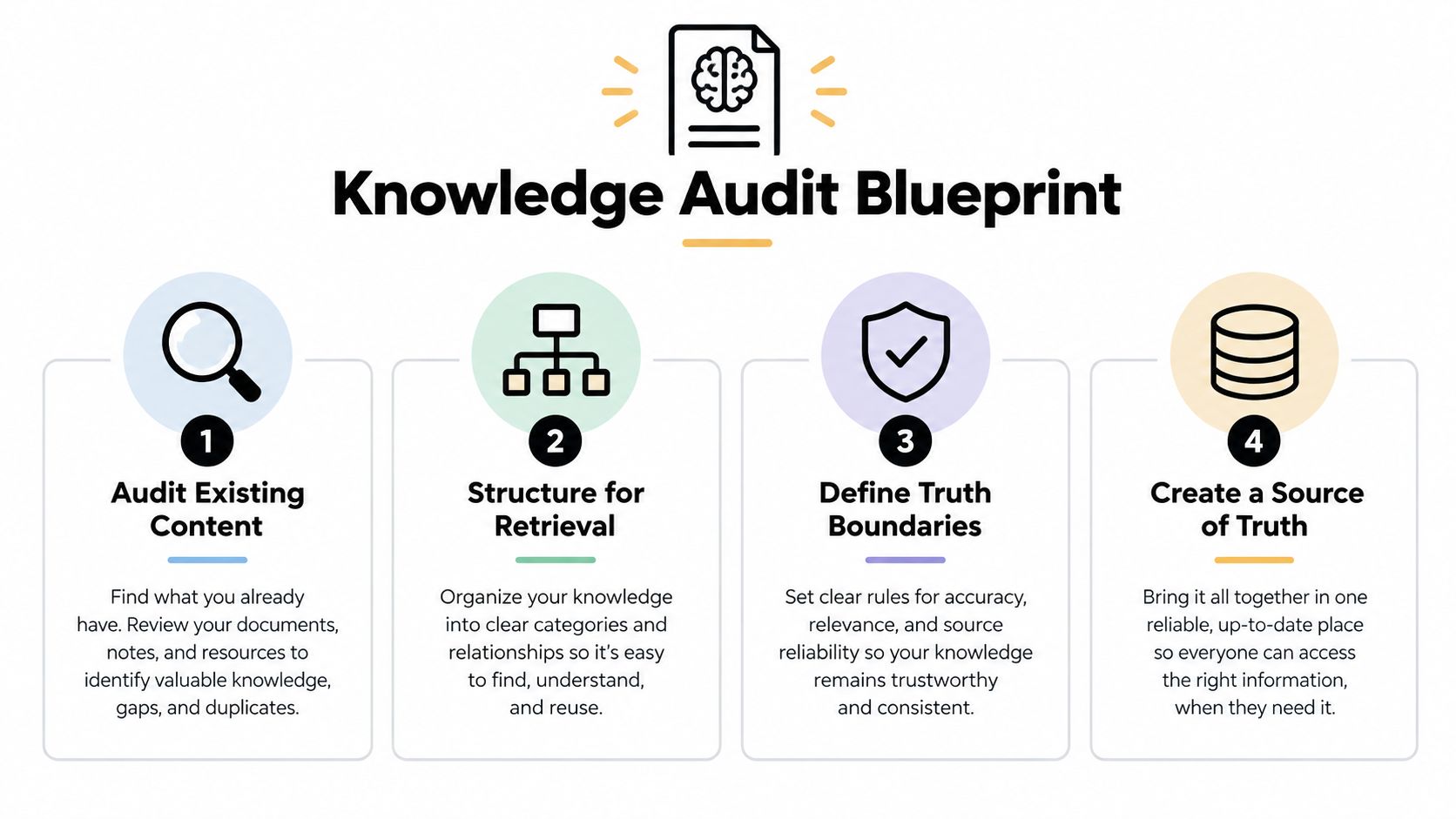
Begin with a content audit. Export help-center articles, FAQ pages, product documentation, public policy pages, onboarding emails, and resolved support conversations. Don't treat every ticket reply as approved knowledge. Agent responses often contain customer-specific exceptions, temporary workarounds, or assumptions that shouldn't become public guidance.
Build a source hierarchy
Create one explicit order of authority. For example, a current product policy can outrank an old blog post, and an account-specific system record can outrank a general help article. Archive or remove duplicate pages instead of hoping the bot will infer which one matters.
Use this preparation sequence:
- Collect: Bring together FAQs, files, text snippets, website pages, and connected documentation.
- Review: Mark content as approved, outdated, conditional, internal-only, or requiring legal or product-owner review.
- Rewrite: Turn long explanations into direct answers with prerequisites, exceptions, and next actions.
- Label: Add metadata such as product area, audience, language, publication status, and effective date.
- Test: Ask the same question using customer language, misspellings, abbreviations, and incomplete context.
Structure each article around a single intent where possible. Put the answer near the beginning, then add steps, limitations, and links. A retrieval system can work with longer content, but mixed topics make it harder to select the right passage.
Make multilingual content deliberate
Don't assume translated content has the same policy meaning. Keep canonical policy language controlled, then review localized versions for product names, legal terms, currency references, and regional conditions. Add language metadata so the system can retrieve the right version rather than combining passages from different locales.
Your knowledge-base training workflow should also include a refresh owner. Product teams should own product behavior, operations should own workflows, and policy owners should approve sensitive content. Without named ownership, the bot keeps answering from yesterday's truth.
Retrieval quality deserves its own test plan. A technical study on confidence scoring in RAG-based LLM chatbots reported that a basic prompt reached 69.33% accuracy, an advanced prompt reached 75.33%, and a combined prompt reached 81.33%. Yet the strongest retrieval approach reached only just over 30% Recall@10, demonstrating that a fluent model can still fail when the relevant source isn't retrieved.
Design Intents Prompts and Answers That Stay Accurate
Customers rarely phrase questions like your help center. Documentation may say “How to modify subscription billing,” while a customer asks, “Can I change the card on my account?” Conversation design maps both expressions to one intent without making the bot memorize every sentence.
Group questions by the action or answer required. “Where is my order?” and “Can you tell me when my package arrives?” can share an order-status intent only when the bot has access to the required order data. “What is your delivery policy?” belongs to a general policy intent and must not trigger an invented account update. Keep one intent focused on one outcome so retrieval selects the right passage.

Write prompts around evidence
A dependable system prompt defines the bot's role, approved sources, response style, uncertainty behavior, and escalation conditions. Set these instructions explicitly:
- Use retrieved content first: Answer from supplied sources, not general model memory.
- Do not fill gaps: If the sources do not support an answer, state what information is missing.
- Preserve conditions: Include eligibility rules, regional limits, prerequisites, and exceptions.
- Ask one useful question: Request the smallest missing detail needed to proceed.
- Offer a next step: Link to the relevant article, workflow, or human team.
- Stay within scope: Decline unrelated requests and redirect to supported help.
Keep each answer short enough to use. A password-reset response needs the path, prerequisite, and recovery option. A return-policy response should state the applicable window only when the source supports it, then explain how to begin. Do not place every possible caveat in the first reply.
Evaluate models from providers such as OpenAI, Gemini, and Anthropic, but model selection cannot compensate for weak source discipline. Use a real-time playground to compare prompts with actual customer phrasing, including questions that previously caused escalations. The prompt optimization guide can help structure those tests.
Add warning language where risk requires it
Hallucination control belongs in operations, not just copy review. A 2025 study of hallucinations in customer-service chatbots describes hallucinations as wrongful or inconsistent outputs and discusses warning statements and other safeguards. Its applied evaluation reported a fall in hallucination rate from 18.4% to 4.1%, a 78% reduction, after evaluation-driven improvements.
Use explicit wording for high-risk answers. State when policies vary by region, account-specific details require verification, or a human must review a dispute. Friendly language still matters. Zendesk reports that 64% of consumers are more likely to trust AI agents that feel friendly and empathetic in its 2025 CX Trends Report. Warmth should make uncertainty easier to understand, never conceal it.
Add Guardrails and Smart Escalation That Protect Experience
The most damaging FAQ bot isn't the one that says, “I don't know.” It's the one that gives a confident, plausible answer outside its evidence. Guardrails should make that outcome difficult before the response reaches the customer.
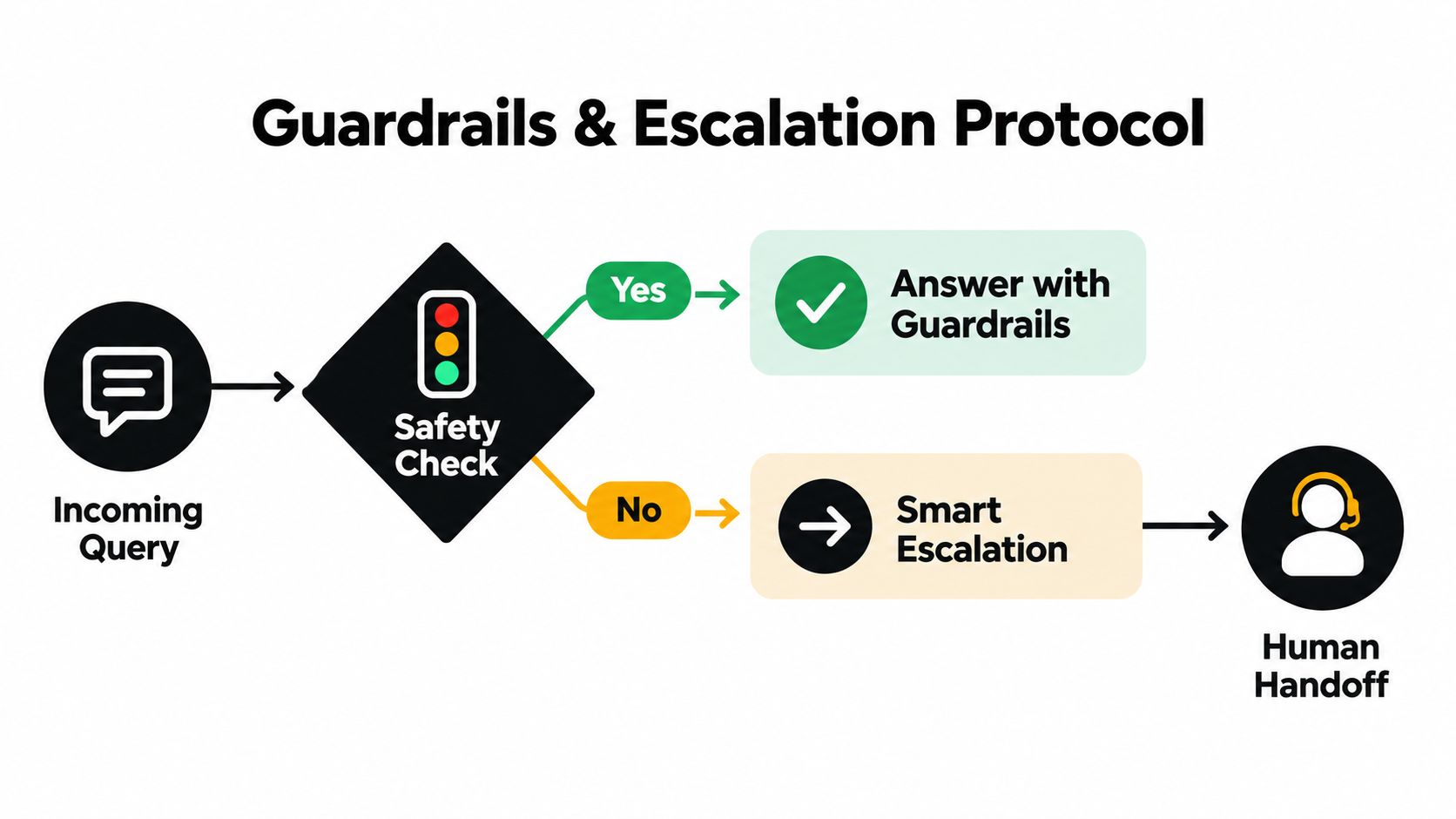
Create rules in plain language. Tell the bot which subjects it can answer, which sources it may use, what it must never reveal, and when it must stop. Include rules for prompt injection, requests for internal instructions, personal data, account changes, refunds, legal questions, safety issues, and abusive interactions.
Separate answer, action, and escalation
An FAQ response and an account action aren't the same thing. A bot can explain how a customer updates a billing method without being authorized to change the method itself. If you add AI Actions, require authentication, confirmation, and a defined success or failure response.
Escalate when:
- Evidence is missing: No approved source supports the requested answer.
- The customer repeats the question: Repetition signals that the prior answer didn't resolve the issue.
- The customer requests a person: Don't hide the handoff behind additional menus.
- The issue is sensitive: Route payment disputes, security concerns, personal-data requests, and account ownership questions according to policy.
- The customer is distressed: Empathy isn't a substitute for human judgment in a complaint or service failure.
- A policy exception is requested: A human should decide whether the exception is possible.
Gartner found that 51% of customers would be willing to use a GenAI assistant for customer service on their behalf, according to its 2025 customer-service trends announcement. Greater willingness to delegate raises the standard for consent, verification, auditability, and handoff design.
Pass context, not just a queue position
A clean handoff includes the conversation transcript, detected intent, retrieved sources, customer language, relevant identifiers, and the reason for escalation. The agent should see what the bot attempted, what remained uncertain, and what the customer wants next.
Use the grounding guidance for AI support to keep responses tied to evidence. In multilingual support, apply the same guardrails across languages and verify that escalation labels, policy terms, and fallback messages remain understandable. Trust comes from consistent behavior, not from claiming that the bot is intelligent.
Embed Test and Launch Your FAQ Chatbot in Minutes
A launch should be small, observable, and reversible. Choose one website, help-center, or in-product surface where repetitive questions are already concentrated. Avoid connecting every channel before you know whether the assistant retrieves the right sources and escalates correctly.
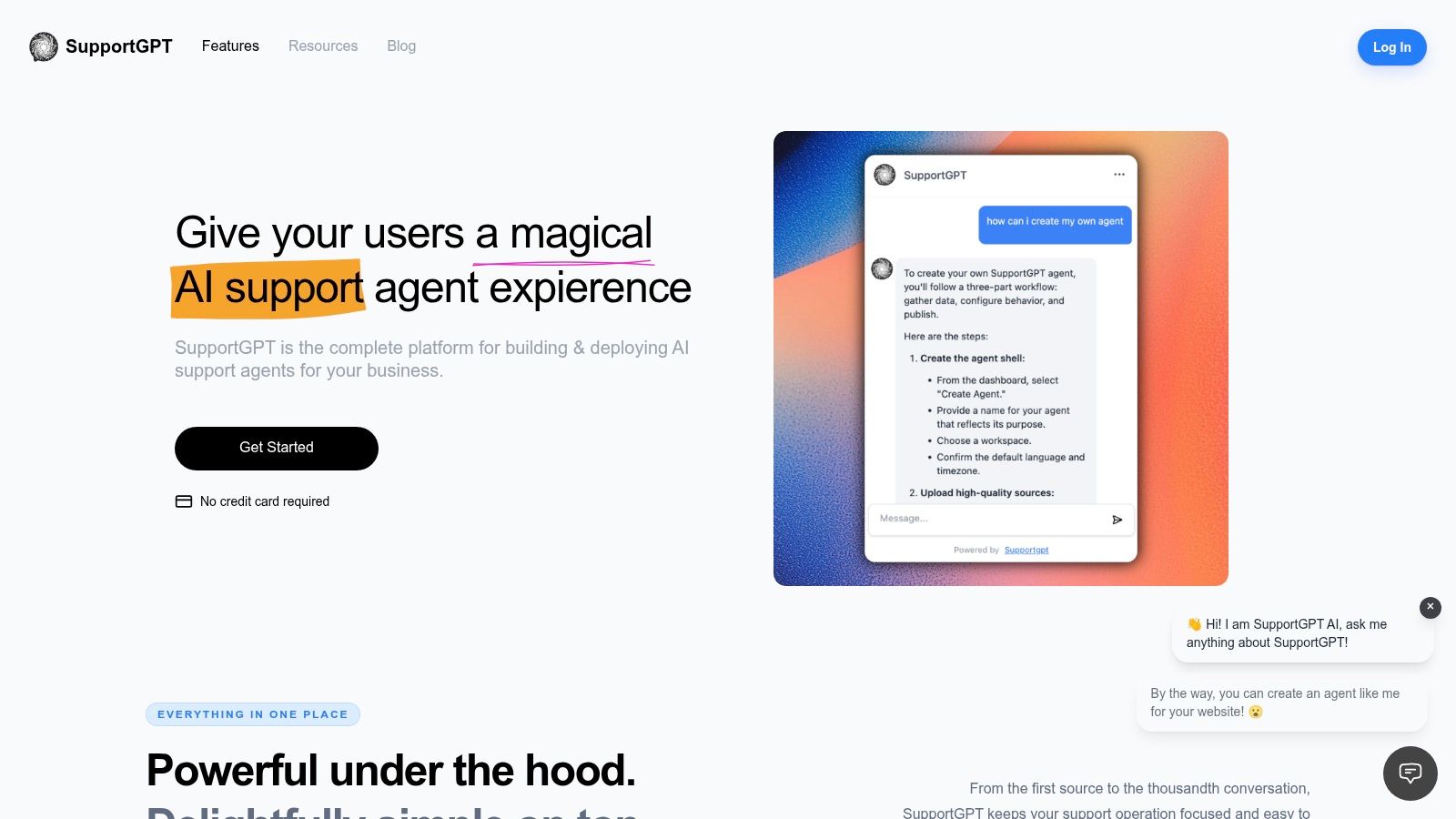
Start by configuring the assistant's name, greeting, visual treatment, and supported language behavior. Then connect the approved knowledge sources, including Q&A, files, text snippets, website content, or a maintained workspace such as Notion. A hosted widget or iframe can place the assistant on a site without making the support team dependent on a lengthy engineering project.
Run a release checklist
Before publishing, test conversations rather than isolated questions. Include the wording customers use, incomplete questions, contradictory source content, unsupported requests, and follow-ups that depend on prior context.
- Retrieval: Confirm the answer cites or reflects the current approved source.
- Fallbacks: Ask questions outside the knowledge boundary and inspect the response.
- Escalation: Request a person, repeat a failed question, and test sensitive scenarios.
- Actions: Verify authentication, confirmation, permissions, and failure handling.
- Language: Test localized questions, mixed-language messages, and translated product terms.
- Privacy: Review data handling, encryption, access controls, and compliance requirements.
- Presentation: Check mobile layout, links, loading behavior, and the visibility of the human option.
Use lead capture only where it serves the support journey. Asking for an email before answering a public product question adds friction. Collecting contact details during an unresolved handoff can help the agent continue, provided the request is clear and proportionate.
A playground is useful for comparing prompt versions and retrieval settings before launch. After each source or rule change, rerun the same regression questions. That discipline catches the common failure where a new article improves one intent but introduces conflicting answers elsewhere.
After the widget is live, watch the first conversations closely. Keep a human fallback visible, give agents a way to correct answers, and update the source rather than patching every individual response.
Optimize Performance With Analytics and Continuous Improvement
Launch data shows where the bot resolves work and where it creates more of it. Track resolved conversations, repeat questions, useful human handoffs, and customer satisfaction. Chat starts and message volume describe activity, not support quality.
The Comm100 benchmark offers practical reference points: chatbot satisfaction improved by 9.1%, chatbot-to-agent handoff CSAT reached 92.6%, and 44.8% of conversations were fully resolved by AI across industries. These figures are not deployment targets. They do show why resolution and handoff quality belong beside automation volume on the scorecard.
Read the failure patterns
Review conversation analytics for four separate failure types:
- Missing content: A legitimate question has no answer in the knowledge base.
- Retrieval failure: The answer exists, but the system selects an irrelevant or outdated passage.
- Generation failure: The source is relevant, yet the response adds unsupported claims.
- Routing failure: The bot should escalate but continues answering, or transfers the conversation without useful context.
Match the fix to the failure. Add or rewrite content for coverage gaps. Improve structure and metadata when retrieval fails. Tighten prompts and warning statements when generation adds unsupported information. Adjust escalation rules and context fields when routing breaks.
Measure the handoff as part of the product experience. A fast escalation with a complete transcript can be more valuable than a forced answer.
Set a recurring review rhythm. Examine failed and repeated conversations, group them by intent, update the source of truth, revise prompt rules, and rerun regression tests. Keep a change log that connects behavior shifts to content, model, or rule changes. A documented continuous improvement process makes those reviews repeatable instead of dependent on whoever notices a problem first.
Expand only after the FAQ layer works
After routine questions resolve reliably, add contextual personalization or task execution selectively. Gartner reports that 51% of customers are willing to use a GenAI assistant on their behalf, while Zendesk reports 67% of consumers are ready to delegate tasks such as order tracking and personalized recommendations to AI, and 61% expect interactions to feel personal. These signals support a careful move from static Q&A toward assistants that retrieve context, apply guardrails, route intelligently, and complete approved next steps.
Use analytics to choose the next capability. Repeated order-status questions may justify a secure order lookup. Repeated requests for exceptions may call for better human routing rather than automated decisions. A mature FAQ chatbot knows what it can resolve, provides agents with the conversation context they need, and improves without weakening trust.
SupportGPT lets teams create AI support agents from approved Q&A, files, text, website content, and connected sources, then deploy them through a website widget or iframe with guardrails, smart escalation, analytics, and conversation tracking. Visit SupportGPT to build a grounded FAQ assistant, test it in the playground, and launch a controlled support experience.