A Simple Guide to automating customer service with AI
Discover practical steps to automating customer service with AI, from workflows to rollout plans that boost efficiency and satisfaction.
Automating customer service isn't just a fancy way to cut costs; it's about fundamentally rethinking how you deliver a great customer experience. We're talking about using AI agents and smart workflows to give customers instant, 24/7 support. This frees up your human team to focus on the tricky, nuanced problems where a personal touch really makes a difference.
Why Automating Customer Service Is a Strategic Priority
Let's cut through the noise. The rush to automate support isn't just a trend; it's a direct response to what customers now demand. Speed, accuracy, and around-the-clock availability aren't just nice-to-haves anymore—they're the bare minimum. People expect answers right away, whether it's the middle of the night or a bank holiday.
Thinking of AI agents as simple chatbot replacements completely misses the mark. They're a core part of a modern customer experience (CX) setup. Automation gives you the power to scale your support operations without having to scale your team at the same rate. For any growing SaaS or e-commerce business, that's a massive advantage.
The Real Business Drivers Behind Automation
The decision to automate should always be tied to real business goals. The companies that get this right see automation as a way to enhance their support, not just deflect tickets. The main reasons they're doing it are pretty clear:
- 24/7 Availability: Offering instant help anytime, anywhere. This is a game-changer for businesses with customers in different time zones, and it doesn't require a huge, multi-shift human team.
- Instant Resolutions: Nailing the high-volume, simple questions in seconds. Think "Where is my order?" or "How do I reset my password?" Getting these answered instantly makes a huge difference to customer satisfaction.
- Empowering Human Agents: Pulling your skilled support pros out of the repetitive weeds. This lets them focus on high-value work—like handling complex escalations, saving at-risk customers, and providing genuine empathy where it counts.
The core idea is simple but powerful: let machines handle the predictable, and let humans manage the exceptional. This dual approach elevates both the efficiency of your support operations and the quality of your customer relationships.
Now, let's look at the bigger picture. This shift from manual to automated support is happening everywhere, changing how industries from banking to retail operate.
We've put together a quick summary of how this plays out across the business.
The Core Business Impact of Automation
This table breaks down the primary advantages organisations gain by implementing AI-driven customer service automation.
| Benefit Area | Impact on Business | Example Metric |
|---|---|---|
| Operational Efficiency | Reduces the cost-to-serve by handling routine queries at scale, allowing for leaner support teams. | Cost Per Resolution |
| Customer Experience | Provides instant, 24/7 answers, leading to higher satisfaction and loyalty. | First Response Time (FRT) |
| Agent Productivity | Frees human agents to focus on complex, high-value interactions, improving job satisfaction and skill utilisation. | Agent Touches Per Ticket |
| Business Scalability | Enables support to scale with business growth without a proportional increase in headcount. | Tickets Handled Per Agent |
Ultimately, these benefits combine to create a more resilient, responsive, and customer-focused operation that directly helps your bottom line.
A Global Shift Towards Conversational AI
The momentum is especially strong in markets where digital adoption is picking up speed.
Take India, for example. The conversational AI market there has gone from early experiments to full-blown commercial growth. It was valued at INR 38.10 billion and is expected to hit INR 152.31 billion by 2030. This boom is being led by banks, fintechs, and big e-commerce players who are using AI to slash query resolution times and offer 24/7 support in multiple Indian languages. Some of the leading banks have already set the standard, using AI to manage a huge chunk of their customer queries, which has only sped up adoption across the market. You can dive deeper into the data on the Indian Conversational AI market and its projected growth.
This shows that automating customer service isn't some futuristic dream—it's a proven strategy being put to work right now. For a SaaS company, it might be an AI agent guiding a user through a tricky feature setup. For an e-commerce store, it's an automated assistant processing a return without a single human touch. In every case, the result is a more resilient, responsive, and customer-centric business.
Building Your Automation Roadmap from Real Data
Jumping into AI automation without a clear plan is like setting sail without a map. Before you even think about tools or specific large language models, the most critical step is figuring out what you should actually automate. The best strategies are always built on a foundation of your own data, not guesswork.
Your support ticket history is an absolute goldmine. This is where you'll uncover the patterns that point directly to your biggest opportunities. The goal is to spot those high-volume, low-complexity queries—the repetitive stuff that eats up your agents' time but doesn't require much creative problem-solving.
This flow shows how automation builds on itself, first establishing a baseline of 24/7 support and then moving toward more sophisticated agent empowerment.
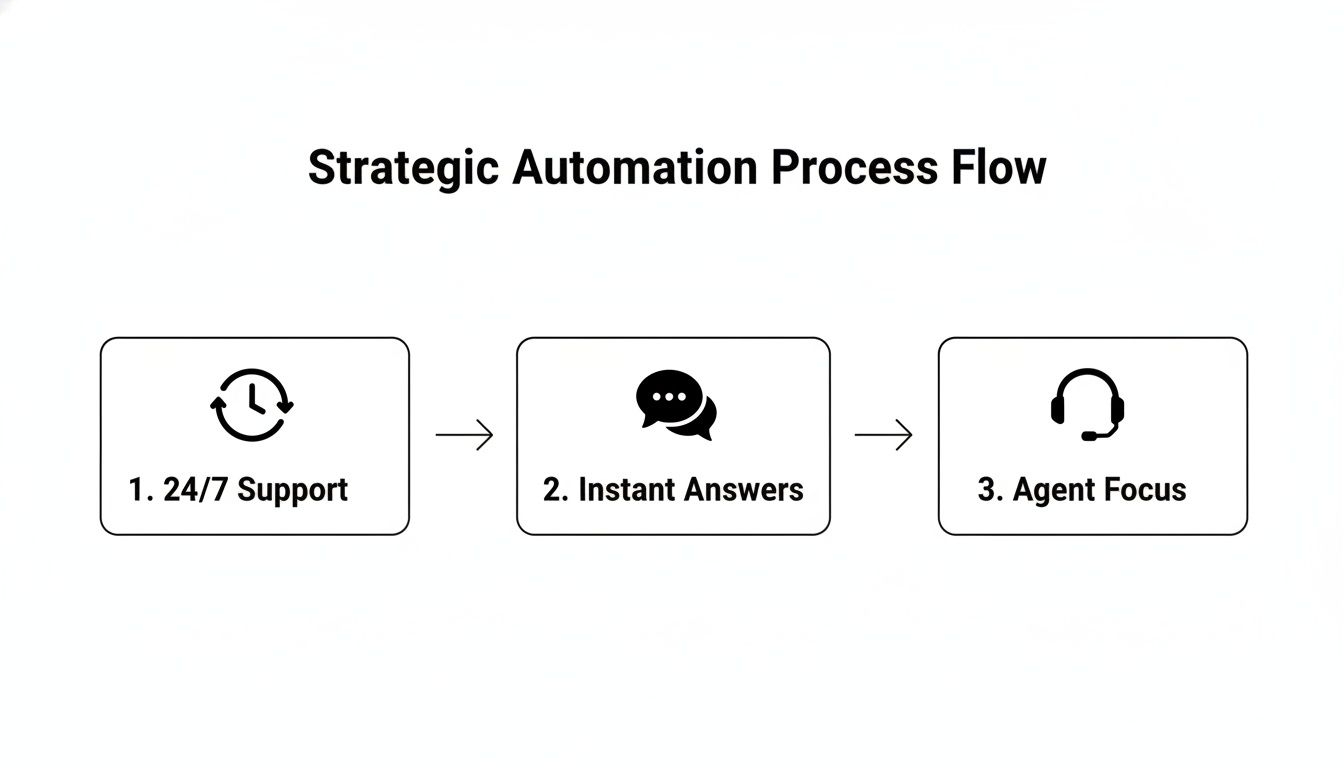
Ultimately, it's about providing instant answers around the clock, which frees up your human experts for the work that truly matters.
Uncovering Your Quick Wins
Start by digging into your helpdesk analytics. Pull your ticket data from the last three to six months and start categorising it. You’re looking for the top 5-10 reasons customers get in touch. I guarantee you’ll see some familiar themes emerge almost immediately.
For most businesses, the most common queries are simple and transactional.
- E-commerce: "Where is my order?", "How do I make a return?", and "What's your refund policy?" are the classics. These are perfect candidates for automation because the answers are consistent and can be pulled directly from your order management or shipping systems.
- SaaS: "How do I reset my password?", "Where can I find my invoice?", and basic "how-to" questions about core features are incredibly common. An AI agent can point users to the right documentation or even link them directly to the correct page in your app.
These "quick wins" are your ideal starting point. They offer a huge return on investment by tackling a large volume of tickets, giving immediate relief to your support team and much faster answers for your customers.
A phased approach is key. Start with the simplest, most frequent queries. Proving the value of automation with these quick wins builds momentum and makes it much easier to get buy-in for tackling more complex challenges down the line.
The current service gap really highlights the opportunity here. In India, for instance, where only about 37% of organisations have adopted AI for customer service, customers report a frustrating average resolution time of 3.8 days. Over a 12-month period, Indian consumers collectively spent an estimated 15 billion hours waiting for support. This massive wait time is exactly why businesses are turning to automation for faster, after-hours help. You can learn more about the state of customer experience in India to get a better sense of the landscape.
Distinguishing Between Simple and Complex Cases
It's obvious, but not all tickets are created equal. As you analyse your data, you have to separate the queries an AI agent can fully resolve from those that will need a human touch. This distinction is what will define your escalation rules.
A simple FAQ bot is great for pointing users to knowledge base articles. But a query like, "My recent order arrived damaged, and I need a replacement sent to a new address," is a different beast altogether. This needs an AI agent that can:
- Verify the customer's identity.
- Look up their order history.
- Process a replacement request in your backend system.
- Update the shipping address for that new order.
- Confirm everything back to the customer.
This is where the real power of automation shines—handling multi-step processes that integrate with your other business systems. Your roadmap should clearly define these two tiers. Maybe Phase One is a simple FAQ bot, while Phase Two introduces an AI agent with those deeper system integrations. This ensures you build out your capabilities logically, without overwhelming your team or your budget.
Designing Conversations That Actually Help Customers
All the fancy automation tech in the world means nothing if the conversation itself is a dead end. This is the moment of truth where your customer experience is either made or broken. Designing a conversation that helps, rather than hinders, is a delicate balance of empathy and logic. It's about getting inside your customer's head, anticipating their next question before they ask it, and giving them answers that are clear, direct, and actually useful.
We've all been trapped in those chatbot mazes designed to deflect, not resolve. That's the exact opposite of what we're aiming for. The goal must always be resolution, whether the AI handles it or passes the baton seamlessly to a human. This is how you build trust and show customers you value their time.

Mapping the User Journey
Before you write a single line of dialogue, you need to walk a mile in your customer's shoes. Start by mapping out the most common paths they take to get help. For an e-commerce store, the classic example is tracking a package.
Imagine a customer asks, "Where is my order?" A poorly designed bot just spits out a tracking number. A great one anticipates the obvious follow-up questions:
- What’s the current status?
- When is it supposed to get here?
- Is it delayed?
- Can I see where it's been?
A truly helpful AI agent delivers all of this in its very first response. This simple, proactive step turns a basic query into a complete, satisfying resolution, often without needing another message.
Crafting Clear and Concise Responses
Clarity is everything. You have to ditch the corporate jargon and convoluted sentences. Your goal is to make the information as easy to absorb as possible.
- Bad Response: "Per our fulfilment protocol, your consignment has been dispatched from our distribution centre and is currently in transit with our logistics partner."
- Good Response: "Great news! Your order has shipped and is on its way. You can expect it to arrive by Thursday, 5th October. Here is the live tracking link."
See the difference? The second example is friendly, direct, and gets straight to the point. That small shift in tone makes a huge impact on how the customer feels about the interaction.
Creating Intelligent Handoffs to Human Agents
Even the smartest AI has its limits. Knowing when and how to escalate a conversation to a person is the sign of a truly well-thought-out automation strategy. Nothing frustrates a customer more than a clunky handoff that forces them to repeat everything.
A seamless handover is non-negotiable. The human agent must get the full conversation transcript, customer details, and a summary of what the AI has already tried. This way, the customer feels heard and the agent is ready to solve the problem from the get-go.
This isn't about deflecting tickets; it's about genuine collaboration between your AI and your human team.
Common Triggers for Escalation
You need to set clear, non-negotiable rules for when a human needs to step in. Trying to automate 100% of interactions is a recipe for disaster. Here are some of the most critical triggers I've seen work well:
- Direct User Request: If a customer types "talk to a person" or "I need a human," the AI’s only job is to make that happen. Immediately. Don't trap them in an automated loop.
- Sentiment Detection: Modern AI is pretty good at sensing frustration or anger in a customer's language. If it picks up on negative sentiment twice in a row, that's a red flag. Escalate.
- High-Value Queries: Interactions about large orders, potential cancellations, or anything security-related (like a hacked account) should automatically be flagged for a human. The risk is too high.
- Repeat Failures: If the AI misunderstands the customer's request two or three times in a row, it’s time to stop. The bot is clearly out of its depth and needs to pass the conversation to an expert.
By building in these triggers, you create a safety net that protects the customer experience. The AI handles the routine stuff, freeing up your human experts for the moments they're needed most.
Choosing Your Tech Stack and Building a Prompt Library
The technology you choose is the absolute backbone of your AI customer service strategy. This decision goes way beyond just picking a tool; it's about committing to an architecture that can grow with you, fits your budget, and plays nicely with the systems you already have. Getting this right from the start saves a world of pain later on—think costly migrations and messy technical debt.
Your first big choice is a classic one: build or buy? A completely custom build gives you ultimate flexibility, but it comes with a hefty price tag and demands a dedicated engineering team just to keep the lights on. Honestly, for most businesses in SaaS and e-commerce, that’s just overkill.

This is where third-party platforms come in. They offer a much faster, more sensible path to getting your AI agent live. They’ve already done the heavy lifting on infrastructure, model integrations, and security, which frees you up to focus on what actually matters: designing a great customer experience.
Comparing Automation Architectures
Let's get practical and look at the common ways to build this. There's no single "best" option; the right choice really depends on your team's skills, budget, and how much control you truly need.
Choosing the right architecture is a foundational step. Here's a straightforward comparison to help you figure out where you fit.
Comparing Automation Architectures
| Architecture Type | Best For | Pros | Cons |
|---|---|---|---|
| All-in-One Platform | Most businesses, especially SMBs and mid-market companies seeking a fast, managed solution. | Quick setup, lower upfront cost, built-in guardrails, no deep technical expertise required. | Less customisation, potential vendor lock-in, reliance on the platform's feature roadmap. |
| Hybrid Model | Companies with some development resources who want more control over specific parts of the experience. | Balances speed with flexibility, allows custom integrations while using a managed core. | Requires more technical skill, can create maintenance complexity between systems. |
| Custom Build | Large enterprises with unique security needs, massive scale, and dedicated AI/ML teams. | Complete control over every component, maximum flexibility, and proprietary data handling. | Extremely high cost, long development time, requires specialised talent to build and maintain. |
For the vast majority of teams, an all-in-one solution is the most practical place to begin. Platforms like SupportGPT are built specifically for non-technical teams, giving you an intuitive way to build and deploy AI support agents with all the crucial guardrails and analytics baked right in.
Selecting the Right Large Language Models
Once your architecture is sorted, it’s time to think about the "brain"—the Large Language Models (LLMs) that will power your agent. The big players you’ll hear about are OpenAI's GPT series, Google's Gemini, and Anthropic's Claude, and each has its own personality.
- GPT-4: This model is a powerhouse for reasoning. If you have complex, multi-step problems, it's often the top choice for its ability to follow intricate instructions.
- Gemini: Known for being incredibly fast and efficient. This is a huge advantage for real-time chats where a snappy response makes all the difference.
- Claude: Its strength lies in handling long conversations and documents. Teams often prefer it for its more cautious, safety-first approach to responses.
The good news? You don’t have to marry just one. Modern platforms often let you A/B test different models or even assign specific models to specific tasks. This lets you find the perfect blend of performance and cost.
Mastering the Art of the Prompt Library
All the fancy tech in the world means nothing without clear instructions. That's what your prompt library is for. It's not just a folder of text files; it’s a centralised, living collection of prompts that dictates your AI's entire personality and how it handles every single task. A well-tended library is your secret weapon for consistency and scale.
Think of it as the AI’s official training manual.
Your prompt library is not a "set it and forget it" asset. It's a living system that you must continuously refine based on real customer interactions. This is the single most important lever you have for improving your AI's performance over time.
A robust library should have clear prompts that define:
- Core Persona and Tone: How should the AI sound? Is it bubbly and casual or buttoned-up and professional? This prompt is the foundation for everything else.
- Information Retrieval: Precise instructions on how to search your knowledge base and pull together the right details to give a perfect answer.
- Task Execution: The step-by-step playbooks for actions like "process a refund," "update account details," or "check order status."
- Escalation Rules: Crystal-clear logic for when a conversation is out of its depth and needs to be handed to a human, including what summary it should provide.
By standardising these instructions in a library, you guarantee every customer gets the same great experience. More importantly, it makes updating the AI's behaviour a breeze. Instead of a chaotic mess, you have a structured, manageable system that truly works.
Juggling Data Compliance and System Reliability
Once you start automating customer service, you're doing more than just managing conversations. You're becoming a custodian of sensitive customer data, and that's a huge responsibility. Getting security and compliance wrong can demolish customer trust overnight and land you in serious hot water with regulators.
Think about it: every single piece of information your AI agent touches, from a customer's name to their full order history, needs to be locked down. This means building your system with security at its core right from the get-go. Your strategy has to cover everything from data privacy laws and where that data is stored, to the specific security measures needed to keep it all safe.
Handling Customer Data with Care
Your first move should be designing a system that keeps its own data footprint as small as possible. The guiding principle here is simple: don't collect or store personally identifiable information (PII) unless you absolutely need it for a specific job.
For instance, rather than holding onto a full chat transcript that includes a credit card number, your system should be smart enough to recognise that sensitive info, use it for the transaction, and then immediately scrub it. Practical data protection really boils down to a few key practices:
- Data Anonymisation: This involves stripping out personal identifiers from any data you use for analytics or training your AI.
- Strict Access Controls: Make sure only the right people on your team can access customer conversation logs and other data. No exceptions.
- End-to-End Encryption: Your data needs to be protected both when it’s sitting on a server (at rest) and when it’s moving between systems (in transit).
A good way to think about it is to treat customer data like a hot potato. Hold it for the absolute minimum time needed to get the job done, and then get rid of it securely. This approach drastically cuts down your risk.
Following regulations like GDPR in Europe or India's Digital Personal Data Protection Act is non-negotiable. These laws set the rules for everything, from getting a user's consent to handling their data removal requests. Compliance can't be an afterthought; it has to be built directly into your automation logic from day one.
Launching a System People Can Trust
A system that’s compliant but flaky is completely useless. Before your AI agent has its first conversation with a real customer, you need to test it relentlessly. A buggy or unpredictable agent can damage your brand reputation far more than having no agent at all.
This isn't about a quick pre-flight check. It’s about methodically trying to break your own system to uncover its weak spots before your customers do. A solid, multi-layered testing plan is an absolute must.
The Multi-Layered Testing Framework
You need to test everything, from the tiniest components of a conversation right up to the full end-to-end customer experience.
| Test Type | What It's For | A Real-World Example |
|---|---|---|
| Unit Testing | Verifying that individual pieces of the conversation flow work correctly on their own. | Checking if the "password reset" part of the flow properly understands the user's request and gives the right instructions. |
| Integration Testing | Making sure the AI agent plays nicely with your other systems, like your CRM or e-commerce platform. | Confirming that when the AI processes a refund, the change shows up correctly in your payment system and your helpdesk software. |
| User Acceptance Testing (UAT) | Getting feedback from a pilot group of actual users to see how the agent holds up in the wild. | Letting a small group of loyal customers interact with the AI for a week to report confusing answers or dead-end conversations. |
Following a structured testing process like this ensures you’re not just launching another tool. You're launching a reliable and trustworthy experience that your customers can actually count on. It’s the final, crucial piece of building an automation strategy that’s not just effective, but responsible too.
How to Measure and Optimise Your AI's Performance
Getting your AI agent live is the starting line, not the finish. The real work begins now. You have to treat your AI less like a one-off project and more like a new team member that needs coaching and development. Continuous measurement and fine-tuning are what will transform a basic chatbot into an indispensable part of your customer service engine.
This isn't just about deflecting tickets; it's about genuinely improving the customer experience and getting the best possible return on your investment. If you aren't tracking the right things, you're essentially flying blind. You need to look past the surface-level numbers and dig into the key performance indicators (KPIs) that tell you what’s actually happening.
The KPIs That Really Matter
To get a clear picture, you need a balanced view of both efficiency and quality. I always recommend clients start with these three core metrics.
- Containment Rate: What percentage of conversations does your AI handle from start to finish without needing to escalate to a human? This is your most direct measure of the bot's ability to solve problems on its own.
- First-Contact Resolution (FCR): When an issue gets solved in the very first interaction, customers are happy. It's a huge win. You need to be tracking FCR specifically for conversations handled entirely by the AI.
- Customer Satisfaction (CSAT): The simplest way to get this is with a quick, automated question at the end of a chat: "Did we resolve your issue today?" This direct feedback is pure gold.
Don't get obsessed with hitting arbitrary targets. The goal is to understand the story your data is telling. For example, a high containment rate looks fantastic, but if your CSAT score is in the gutter, your AI is likely closing tickets before customers are actually satisfied. That's a recipe for frustration.
Turning Insights into Action
Data is useless until you do something with it. Your best source for actionable insights will always be the conversation logs themselves. I make it a habit to regularly review transcripts to see exactly where the AI is getting confused or frustrating users.
Look for patterns. Are people asking the same question in a dozen different ways? Are there specific points in a conversation where escalations spike? These are your clues.
Once you spot a weak point, you can fix it. If lots of customers are getting stuck asking about a new feature, that’s a clear sign you need to beef up the conversation flow for that topic or add more detail to your knowledge base. Every customer frustration is a data point you can use to make the system better for the next person.
This cycle of analysing, refining, and redeploying is the engine of continuous improvement when you automate customer service. The results can be impressive. One large Indian insurer, for example, found its multilingual bot now handles over 40% of all call-centre conversations.
More broadly, industry reports show that AI automation can slash operational costs by around 30% and cut resolution times by up to 50%. You can dig into the reported operational gains from AI in India to see just how significant the impact can be.
Common Questions About Automating Customer Service
Even with the best-laid plans, shifting to an automated customer service model is a big step, and it's natural for questions to pop up. Let's tackle some of the most common ones I hear from teams making this transition. Getting these concerns out in the open helps everyone get on the same page and move forward with confidence.
A big one is often about job security. The idea here isn’t to replace your talented human agents. It’s about elevating their roles. AI is fantastic at handling the high-volume, repetitive questions that, frankly, burn out your best people.
This frees up your team to apply their skills to the complex, emotionally charged situations where a human touch makes all the difference. You end up with a more engaged team of expert problem-solvers and, in turn, a much better experience for customers who have those really tricky issues.
How Much Does It Cost To Implement?
The investment can really run the gamut. If you go with an off-the-shelf SaaS platform, you're looking at a predictable, usage-based fee. It's a great, cost-effective way to get started quickly without a massive upfront commitment.
Building a completely custom solution, on the other hand, requires a much larger initial investment in development talent and time, but it gives you total control. From my experience, most businesses find a sweet spot by starting with a managed platform. It offers a great balance of speed and power, letting you prove the ROI before you even think about more complex custom builds.
The key is to start with a clear budget and a phased rollout. Tackle your highest-volume, lowest-effort queries first. This lets you demonstrate value quickly and makes it much easier to get buy-in for future investment.
How Do We Keep The AI On Brand?
Keeping your AI accurate and on-brand boils down to two critical things. First, the AI's accuracy is only as good as its knowledge base. This needs to be your single source of truth, and it has to be meticulously maintained and updated.
Second, you shape its personality through careful prompt engineering. This is where you define its persona, tone, and conversational style to match your brand's unique voice. You can't just set it and forget it, though. Regular audits of conversation logs are absolutely essential for catching any slip-ups and fine-tuning the AI's performance over time.
Ready to build an AI agent that truly helps your customers? SupportGPT provides a complete platform to deploy reliable, on-brand AI support in minutes. Start building for free.