Mastering the artificial intelligence knowledge base
Discover how an artificial intelligence knowledge base can transform your business. Learn setup, benefits, and best practices to boost support and decisions.
An artificial intelligence knowledge base isn't just a collection of documents. It's a smart repository that truly understands what a user is asking for and gives them a precise, conversational answer, rather than just pointing them to a long article.
Think of it this way: a traditional knowledge base is like a library's card catalogue, leaving you to find the book and the right page. An AI knowledge base is like having an expert librarian who has already read every book, understands your question, and gives you the exact answer on the spot.
From Search Bar to Smart Assistant
For decades, knowledge bases were basically digital filing cabinets. You'd type in a few keywords, cross your fingers, and then start digging through a pile of search results to find what you needed. It was slow, clunky, and often ended with a frustrated user creating yet another support ticket.
This old model was all about document retrieval. You'd ask one question and get back a long list of possible documents. An artificial intelligence knowledge base completely flips that around. It focuses on direct information delivery, creating a one-to-one relationship between your question and a specific, ready-to-use answer. It’s not just matching words; it’s about grasping the context and intent behind the query.
Moving Beyond Keywords to Conversations
Let’s say a customer asks, “How do I update my payment details for my subscription renewal next month?”
A classic system would likely pull up any article with the words “payment,” “update,” or “renewal.” An AI system, however, understands the whole question. It gets the context—the user wants to take a specific action related to a future event—and delivers a direct, actionable response. This conversational style makes getting help feel effortless and natural.
This shift is happening for a simple reason: efficiency. Businesses are finally realising that making customers and employees hunt for information is a massive hidden cost. When you can provide instant, accurate answers, you not only improve the user experience but also free up your support team to tackle the really tough problems.
At its heart, an AI knowledge base transforms a company's entire universe of content—from help articles and FAQs to internal wikis and policies—into a single, trustworthy source of truth that can hold an intelligent conversation.
Meeting Modern Expectations
The demand for this kind of technology is exploding, and it’s part of a much bigger trend in workplace productivity. In India, for instance, the adoption of AI tools by knowledge workers has skyrocketed. A staggering 92% now use AI at work, which is well above the global average of 75%.
This tells us that people now expect smarter, faster tools that deliver immediate results. An artificial intelligence knowledge base is built to do exactly that. You can read more about this shift in the 2024 Work Trend Index from Microsoft and LinkedIn.
By turning static content into a dynamic, interactive resource, these systems bring some serious advantages to the table:
- Instant Resolutions: Users get answers in seconds, any time of day, without ever having to wait for a human agent.
- Improved Accuracy: Every response is based on verified source documents, cutting down on the risk of human error or out-of-date information.
- Operational Efficiency: Automating answers to routine questions massively reduces support ticket volume and brings down operational costs.
How AI Knowledge Bases Actually Work
To really get what makes an AI knowledge base tick, you have to look under the bonnet. It isn't magic; it's a clever, multi-step process built to understand what people mean, find the right facts, and talk back like a human. Let's break down how this powerful workflow comes together, piece by piece.
The diagram below shows the shift from an old-school knowledge base to an AI-driven one. You can see how it moves beyond just handing over a list of documents to generating a direct, intelligent answer.
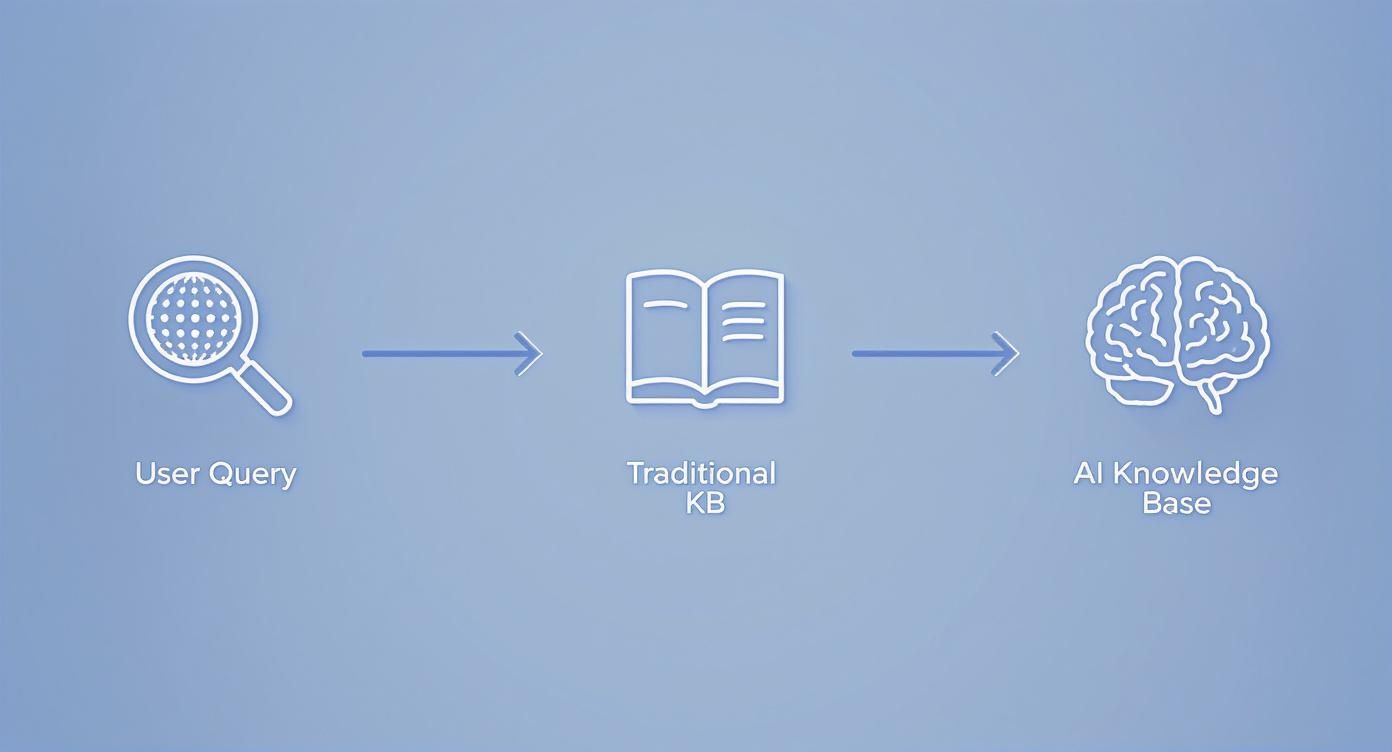
The real difference is clear: a traditional system gives you a list of links to read, while an AI system reads them for you and gives you the answer.
The First Step: Source Ingestion
It all starts with source ingestion. This is the learning phase, where the AI system reads and absorbs all your company's information. Think of it like a new hire's first week, spent devouring every internal document to get up to speed.
During this stage, the system is fed a huge variety of content, such as:
- Existing Help Articles: Your entire library of FAQs, how-to guides, and troubleshooting docs.
- PDF Documents: Internal policies, detailed product manuals, and technical specifications.
- Website Pages: Any content from your blog, marketing site, or community forums.
- Databases: Structured information pulled from internal wikis or product catalogues.
The aim here is to build a single, reliable source of truth. The better the information you feed it during ingestion, the smarter and more accurate your AI knowledge base will be. Simple as that.
Creating a Map of Meaning with Vectorization
Once all the content is in, the system needs a way to understand it conceptually. This is where vectorization comes into play. Imagine creating a giant, multi-dimensional map of meaning for your entire knowledge base.
Instead of just seeing words on a page, the AI converts chunks of text into numerical representations called vectors. On this "meaning map," concepts that are thematically related are plotted close to one another. For instance, phrases like "update billing info," "change payment method," and "credit card details" would all be clustered together in the same neighbourhood of the map.
This is the key step that allows the AI to grasp context and intent. When a user asks a question, the AI turns their query into a vector and instantly finds the most relevant information clusters on the map—even if the user's wording doesn't exactly match the keywords in your documents.
Vectorization is what truly separates an AI knowledge base from a standard search bar. It’s a shift from basic keyword matching to a deep, semantic understanding of information. This allows it to find the right answer, not just a document that happens to contain the right words.
How Retrieval and Generation Create Answers
With its "meaning map" built, the AI can now answer questions using a powerful one-two punch called Retrieval-Augmented Generation (RAG). This two-part process is what makes the answers both relevant and conversational.
- Retrieval: First, when a user asks something, the system uses its vector map to retrieve the most relevant snippets of information from your knowledge base. It’s not pulling whole articles, just the specific sentences or paragraphs that directly address the query. This is the "fact-finding" part of the job.
- Generation: Next, those factual snippets are handed over to a large language model (LLM). The LLM’s job is to take this retrieved information and synthesise it into a clear, concise, and natural-sounding answer. This is the "response-crafting" stage.
The RAG framework is so effective because it pairs the rock-solid, factual accuracy of your own knowledge base with the sophisticated conversational skills of an advanced LLM.
Grounding and Guardrails for Trustworthy AI
The final, and arguably most critical, layer is grounding and guardrails. These are the safety nets that make sure the AI behaves itself and provides trustworthy information.
Grounding forces the AI to base its answers only on the verified information it retrieved from your knowledge base. This is crucial for preventing a common AI problem known as "hallucination," where a model simply invents facts or pulls information from the wider internet.
Guardrails act as a set of rules that control the AI's tone, scope, and behaviour. They ensure it stays on-topic, remains professional, and doesn't stray into areas it shouldn't. Together, grounding and guardrails create a system you can rely on to deliver accurate, helpful answers every single time.
Choosing Your Architectural Approach

So, you've decided to build an AI knowledge base. That's the easy part. The real question is how you're going to build it. There's no single right answer here—the best path forward really depends on your organisation's goals, technical know-how, budget, and timeline.
Think of it like getting a new home. You could buy a house that’s completely finished and ready to move into (a managed platform). You could buy a pre-fabricated kit and assemble it yourself (open-source frameworks). Or, you could hire an architect and build your dream home from the ground up (a custom in-house build).
Each path has its own set of trade-offs. Let's walk through these three main architectural options to figure out which one makes the most sense for your business.
Option 1: Fully Managed Platforms
The fastest and most direct route to a functioning AI knowledge base is a fully managed, software-as-a-service (SaaS) platform like SupportGPT. This approach is all about speed and simplicity, taking the heavy technical lifting off your shoulders.
With a managed platform, all the tricky bits—ingesting data, vectorisation, setting up RAG pipelines, and implementing security guardrails—are already built and maintained for you. Your team can stop worrying about the underlying engineering and focus on what matters: connecting your data, configuring the AI's personality, and getting it in front of users.
This is the perfect choice for teams who need to see results quickly and want to avoid the massive overhead of managing complex AI infrastructure. It's the "move-in-ready" option that gets a powerful AI knowledge base live in days, not months.
Option 2: Open-Source Frameworks
If your team has some technical chops and needs more control, open-source frameworks offer a compelling middle ground. Tools like LangChain or LlamaIndex give you the fundamental building blocks to construct your own RAG system.
This is the "pre-fabricated kit" approach. You get the main structures and components, but it's up to your team to put it all together, connect the plumbing (your data pipelines), and add the finishing touches. This gives you a lot more control over individual pieces, like which vector database or LLM you want to use.
Of course, that flexibility comes with a price. Your team is now on the hook for handling deployment, scaling, maintenance, and security updates. You might save on upfront licence fees, but you'll be spending a lot more on engineering time and infrastructure costs.
Key Takeaway: The open-source path gives you a fantastic toolkit for customisation, but you also inherit full responsibility for the system's performance, reliability, and security. Success really depends on having the dedicated engineering muscle to manage it all.
Option 3: Custom In-House Build
The final route is to build everything from scratch, in-house. This gives you absolute control and is like designing and building a house from the foundation up. This path is usually only taken by large enterprises with extremely specific security needs, massive scale, or unique problems that an off-the-shelf solution just can't solve.
Building it all yourself means your team is responsible for every single detail. We're talking about selecting and fine-tuning models, architecting data-processing pipelines from scratch, and developing the entire user interface. This requires a dedicated team of specialised AI engineers, data scientists, and infrastructure experts.
The investment in both time and money is huge, often stretching into hundreds of thousands or even millions of pounds. While it results in a solution perfectly moulded to your needs, it also comes with the highest risk and the longest development timeline. It's a massive undertaking, best suited for organisations with the deepest technical resources and most complex requirements.
Comparison of AI Knowledge Base Architectures
To make the decision clearer, here's a side-by-side comparison of the trade-offs involved with each architectural approach.
| Factor | Managed Platform (e.g., SupportGPT) | Open-Source Frameworks | Custom In-House Build |
|---|---|---|---|
| Time to Value | Fastest (Days to weeks) | Moderate (Weeks to months) | Slowest (Months to years) |
| Initial Cost | Low (Subscription-based) | Low (No licence fees) | Very High (Salaries, R&D) |
| Total Cost of Ownership | Predictable (SaaS fees) | High (Engineering + infra) | Highest (Ongoing R&D, maintenance) |
| Technical Expertise | Minimal (Focus on configuration) | High (AI/ML engineering needed) | Expert-level (Dedicated, specialised team) |
| Flexibility & Control | Good (Configurable features) | High (Full component control) | Total (Every detail is custom) |
| Maintenance | Handled by vendor | Handled entirely in-house | Handled entirely in-house |
Ultimately, the right choice isn't about which option is "best" in a vacuum, but which is the best fit for your team's specific circumstances. A managed platform offers unmatched speed and simplicity, while a custom build provides ultimate control at a significant cost. Open-source frameworks sit somewhere in between, offering a balance of flexibility and responsibility.
Getting Your Launch Right: The Make-or-Break Factors
Building a smart AI knowledge base is a massive achievement, but a successful launch? That’s a whole different ball game. The tech itself is just one piece of the puzzle. A smooth rollout really comes down to thoughtful planning around your data, security, and—most importantly—the experience of the people who will actually use it.
These aren't just checkboxes on a project plan. They are the essential ingredients that make your system trustworthy, easy to use, and genuinely helpful from the moment it goes live. Cutting corners here can sink even the most sophisticated AI.
Start with Data Quality and Preparation
An AI is only as smart as the information it’s fed. You simply can't build an intelligent system on a pile of messy, outdated, or contradictory data. That old saying, "garbage in, garbage out," has never been more true.
Before you even think about uploading a single document, your first job is a thorough content audit. It’s not glamorous, but it’s critical. This means you need to:
- Weed out the old stuff: Get rid of old policies, retired product manuals, and anything else that could confuse the AI and your users.
- Fix what's wrong: Hunt down and correct any documents with factual errors or inconsistencies.
- Standardise your formats: A consistent structure across your documents makes it much easier for the AI to understand and process the information correctly.
Think of it like getting a student ready for a big exam. You wouldn't just throw a messy stack of disorganised, conflicting notes at them and expect a good grade. Give your AI knowledge base clean, reliable, and well-structured material, and you’re setting it up to succeed.
Double Down on Security and Compliance
When you pull all your company's knowledge into one place, you're also concentrating risk. This new system will likely hold sensitive information, from internal HR policies to confidential product details. Protecting that data isn't just a good idea—it's an absolute must for earning the trust of your employees and customers.
Your platform has to meet serious security standards. That includes data encryption (both when it's moving and when it's stored) to keep information unreadable to anyone who shouldn’t see it. You also need solid access controls to finely tune who can see or edit what within the knowledge base.
Security isn't just a feature; it's the bedrock of a trustworthy AI system. A single breach can destroy user confidence and lead to serious legal and financial trouble. Robust security and compliance are non-negotiable.
Don't Forget Multilingual Support
In today's world, your users, customers, and employees are scattered across the globe. To offer a truly inclusive experience, your AI knowledge base needs to speak their language—literally.
And I don't mean just a clunky, word-for-word translation. A genuinely capable system understands the nuances and cultural context behind different languages, allowing it to provide help that feels natural and accurate. As businesses grow internationally, this becomes a huge advantage. Just look at India, where the AI market is set to hit US$5.10 billion in 2025 and is projected to skyrocket to over $17 billion by 2027, thanks to a massive, multilingual online population. If you're interested in this trend, you can explore the full report on India's AI market growth.
Build a Smooth Hand-off to a Human
Let's be realistic: no AI is perfect. There will always be tricky, emotionally charged, or brand-new problems that need a human touch. That’s why any good launch plan must include a clear and seamless human escalation path.
This means designing a system where the AI knows its own limits and can gracefully pass the conversation to a human agent. For the user, this transition needs to be completely frictionless. The full context of their problem should be transferred over so they don't have to start from scratch. This "safety net" ensures that even when the AI hits a wall, the user still gets the help they need, preserving a positive experience and building trust in your entire support system.
Real-World Use Cases and Business Impact

Let's get practical. An artificial intelligence knowledge base isn't just about fancy tech architecture; its real worth is measured in the concrete results it delivers. This is where all the theory turns into tangible business improvements, changing how companies operate and how users feel.
Whether you're helping external customers or equipping your internal teams, the applications are both powerful and down-to-earth. We're seeing organisations use this technology to get more efficient, cut down on costs, and make people happier across the board. The return on investment is often crystal clear.
A Game-Changer for Customer Support with 24/7 Automation
Customer support is probably the most obvious and immediate place an AI knowledge base shines. Think of it as a tireless front-line agent who never sleeps, ready around the clock to give instant, spot-on answers to common questions. This takes the pressure off your human agents, freeing them from the repetitive stuff so they can tackle the truly complex, high-stakes problems.
Picture a customer fumbling with a product at 2 AM. Instead of having to wait until morning, they get a step-by-step fix right then and there. That kind of instant help is what builds real loyalty and drastically improves the customer experience. The success isn't just anecdotal; it's all in the numbers.
- Reduced Ticket Volume: By handling common issues on the spot, you can see the number of support tickets plummet by 30% or more.
- Improved First-Contact Resolution (FCR): When the AI solves a problem on the first attempt, it directly boosts one of the most important support metrics out there.
- Higher Customer Satisfaction (CSAT) Scores: It’s a simple formula: fast, accurate, and always-on support leads to much happier customers.
Empowering Your Own People with Instant Internal Support
This technology isn't just for your customers. Inside your company, it can become a centralised brain for the whole organisation, fielding everyday questions for HR, IT, and other departments. No more hunting down a colleague for a simple query about company policies, setting up software, or figuring out benefits enrolment.
This self-service approach smooths out internal operations and lifts a huge administrative weight off your specialised teams. For instance, an HR manager doesn't have to answer the same payroll question five times a day; employees get the correct answer instantly from the AI.
An internal AI knowledge base makes information accessible to everyone, ensuring every team member has what they need to do their job well. It builds autonomy and gives overall productivity a serious boost.
The talent behind these innovations is growing incredibly fast. India, for example, has become a global force in AI skills, ranking among the top four countries in the world. With a talent pool of around 600,000 AI professionals and being the second-largest contributor to AI projects on GitHub, the expertise is there to keep building these powerful business tools. You can find out more about India's impressive AI talent pipeline and market potential.
Smarter Onboarding and Training
Getting new hires up to speed is often a slow and costly affair. An AI knowledge base changes that by acting as a personal onboarding coach, ready to answer any question a new starter has—from connecting to the Wi-Fi to understanding the unwritten rules of the company culture.
This dramatically shortens the learning curve, helping new people feel productive and part of the team much faster. The benefits are easy to measure:
- Lower Employee Onboarding Costs: You're not tying up senior staff members with basic training duties.
- Faster Time-to-Productivity: New hires start contributing meaningfully in a fraction of the usual time.
- Improved Employee Confidence: It provides a safe space for new starters to ask anything without feeling like they're bothering someone.
Accelerating Your Launch with SupportGPT
Building an enterprise-grade AI knowledge base from scratch is a massive project. Let's be honest—it demands serious expertise in data science, AI engineering, and complex infrastructure management. But most businesses aren't trying to become AI research labs; they just want to deliver better, faster support.
This is exactly where a managed platform changes the game. It shoulders all the immense technical complexity, letting your team jump over the long, costly development cycle and get straight to creating value for your customers. A solution like SupportGPT is purpose-built to handle all that heavy lifting behind the scenes.
From Complex Engineering to Simple Setup
Think about the time saved. Instead of getting bogged down for months trying to master the nuances of data pipelines and model integrations, a managed solution lets you concentrate on what you know best: your content and your users. The platform manages the core technical components that make a powerful system tick.
This means you get:
- Automated Source Ingestion: You just point it to your existing help docs, PDFs, or website links. The platform does the rest.
- Optimised Vectorisation: It automatically creates the sophisticated "meaning map" the AI needs to understand context and nuance.
- Pre-built RAG Pipelines: The entire Retrieval-Augmented Generation framework is ready to use from day one, ensuring the answers are accurate and properly sourced.
By taking care of all these technical hurdles, you can get a sophisticated AI knowledge base up and running in a tiny fraction of the time it would take to build it yourself. That speed is a real competitive advantage.
The real beauty of a managed platform is how it immediately flips your focus. You stop thinking about building technology and start thinking about improving the user experience.
Built-in Governance and Continuous Innovation
The advantages don't stop after launch. A managed platform delivers ongoing benefits that dramatically reduce your total cost of ownership over time. Things like security, compliance, and governance aren't just tacked on at the end; they are woven into the fabric of the service. You get enterprise-grade guardrails that prevent hallucinations and keep conversations on track, all without needing a dedicated team of AI specialists to watch over it.
On top of that, the AI field is moving at lightning speed. A managed solution means you're always riding the wave of the latest advancements in language models and retrieval methods, with zero R&D investment on your part. The platform gets better, and your AI knowledge base gets smarter—automatically.
Ready to see how fast you can get going? You can explore the SupportGPT platform and discover how a managed solution can take you from a great idea to a fully functioning, intelligent support system. It’s a straightforward approach that simplifies deployment, cuts costs, and keeps you right at the front of AI-powered customer assistance.
Frequently Asked Questions
It's natural to have questions when you're exploring how AI can work for your business. Let's clear up some of the most common ones about building and using an AI knowledge base so you can move forward with confidence.
How Is an AI Knowledge Base Different from a Standard FAQ Page?
Think of a standard FAQ page as a static, one-way street. It's a fixed list of questions and answers, and it’s up to your customers to scroll through and hopefully find what they're looking for. It’s really just a digital leaflet that relies on good old-fashioned manual searching.
An AI knowledge base, on the other hand, is a dynamic, two-way conversation. It gets what the user is actually asking, even if their wording is a bit quirky. Instead of just pointing to a pre-written article, it pulls together information from its entire library to create a direct, precise answer on the spot.
The real difference is the leap from a passive list of information to an active, intelligent assistant. One makes you hunt for the answer; the other brings the answer directly to you.
What Kind of Data Can I Use to Build It?
The real power of an AI knowledge base lies in its ability to learn from all sorts of sources. You're definitely not stuck with just one type of document. Most modern platforms are built to pull in and make sense of a whole mix of content formats.
You can build a really robust knowledge base using things like:
- PDF Documents: Think of your detailed product manuals, internal policy guides, and technical white papers.
- Web Pages: You can easily connect it to your existing help centre articles, blog posts, and other website content.
- Internal Documents: All those Word documents or plain text files holding valuable company knowledge can be put to work.
This flexibility means you can finally create a single, unified source of truth from all the information you already have.
How Much Technical Skill Is Needed to Maintain It?
The amount of technical skill you'll need really comes down to the path you take. If you decide to build a custom solution in-house, you're signing up for a dedicated team of AI engineers and data scientists to handle the constant maintenance, updates, and troubleshooting. It's a high-effort, high-cost route.
On the flip side, using a managed platform brings that technical barrier way down. These tools are designed for non-technical users, taking care of all the tricky backend stuff—like data ingestion and model management—automatically. For you, maintenance becomes as simple as updating your source documents, letting you focus on the quality of your content, not the complexity of the code.
Ready to build a powerful AI knowledge base without the technical headache? SupportGPT handles the complexity so you can deliver instant, accurate answers in minutes. Start your free trial and launch your AI assistant today.