Build an AI Chatbot for Website From Scratch
Learn how to build, train, and launch a powerful AI chatbot for website. Our guide covers everything from choosing an LLM to measuring your success.
Let's be honest, an AI chatbot for your website isn't some futuristic tech anymore. It’s a core part of how modern businesses operate, grow, and actually connect with their customers. Think of it as your most reliable employee—one that provides instant, around-the-clock support, answers questions on the spot, and helps visitors find exactly what they need, 24/7.
Why Your Website Needs an AI Chatbot Right Now

We live in an age of immediacy. If a customer has a question, they want an answer now, not in a few hours or the next business day. Making them wait is practically an invitation to check out your competition. This is precisely where an AI chatbot for a website steps in, closing that gap by engaging visitors the second they land on your page.
It’s like having the perfect sales and support agent always on duty. One who never gets tired, never misses a beat, and is always ready to assist, qualify leads, or solve problems.
But this isn't just about fielding basic FAQs. Today's AI assistants can navigate complex conversations, truly understand what a user is asking for, and even take action. They turn your website from a static brochure into a dynamic, interactive platform, guiding prospects from casual browsing to becoming genuinely qualified leads, all while your team gets to focus on more strategic work.
The Tangible Business Impact
So, what does this actually mean for your bottom line? Adding an AI chatbot isn't just a "nice-to-have"; it's a strategic move with direct, measurable benefits that improve both your efficiency and your customers' happiness.
A quick look at the direct advantages businesses gain after implementing an AI chatbot.
| Benefit Area | Specific Impact on Your Business |
|---|---|
| Lead Generation | Proactively engages visitors, asks qualifying questions, and even schedules demos, turning anonymous traffic into real sales opportunities. |
| Support Costs | Handles the bulk of routine queries automatically, freeing up your human agents to focus on complex, high-value customer issues. |
| User Engagement | Provides instant, helpful answers that keep people on your site longer, dramatically reducing bounce rates and building brand trust. |
| 24/7 Availability | Your business is always open. It provides consistent support across all time zones, ensuring no customer is ever left waiting. |
This table shows just how quickly a chatbot can start delivering value across different parts of your business.
A well-implemented AI chatbot acts as a force multiplier for your team. It automates the repetitive stuff, freeing up your experts to do what they do best: build relationships and solve problems that need a human touch.
There's a reason everyone's getting on board. In India, for example, the AI chatbot market is exploding, with a projected annual growth rate of about 32.9% between 2025 and 2034. This isn't a slow burn; it's a rapid shift driven by industries like e-commerce and banking, where AI bots are on track to handle nearly 95% of all customer service interactions by 2025. You can discover more insights about this rapid chatbot adoption and see just how big this trend is becoming. This isn’t just a fad; it’s a fundamental change in how businesses and customers interact.
Laying the Groundwork: Planning Your Chatbot and Picking the Right LLM
Jumping into building an AI chatbot without a clear plan is like setting off on a road trip without a map. You might end up somewhere interesting, but it probably won’t be where you intended to go. The real foundation of a successful AI assistant is built on thoughtful planning and smart choices before you touch a single setting.
The very first, and most critical, step is to define your chatbot's primary purpose. What is its core mission? You need to dig deeper than a vague goal like "improve customer experience" and get specific. Is its main job to qualify sales leads, instantly resolve common support tickets, or walk new users through your product?
Each of these goals demands a completely different approach. A lead generation bot needs to be proactive and engaging, while a support bot must be patient, empathetic, and incredibly precise.
Defining Your Chatbot’s Core Job
Before you even think about the technology, put yourself in your user's shoes. What’s the main pain point your chatbot will actually solve? Nailing this down will guide every single decision you make from here on out.
A great place to start is by analysing your existing customer conversations. Comb through your support tickets, live chat transcripts, and even sales call notes. What are the top 5-10 questions that pop up again and again? Automating the answers to these is often the quickest win and provides an immediate return on your effort.
For example, an e-commerce site might find that the most frequent questions are about order status, return policies, and shipping costs. A SaaS company, on the other hand, might see constant queries about subscription tiers, where to find a certain feature, and password resets.
- E-commerce Scenario: A chatbot’s primary goal could be to answer "Where is my order?" by integrating directly with the shipping system. This frees up human agents to handle more complex issues like damaged goods.
- SaaS Scenario: The bot could be tasked with reducing churn by acting as an interactive guide, helping users find and adopt key features they might otherwise miss.
Mapping out these user journeys is essential. Think through the typical conversation flows. What information does the bot need from the user? Where could the conversation hit a dead end? Planning these paths helps make sure your chatbot provides real value instead of just trapping users in a frustrating loop.
Selecting the Right Large Language Model
Once you know what your chatbot needs to do, the next big decision is choosing the engine that powers its conversations: the Large Language Model (LLM). This choice has a massive impact on your bot's capabilities, from its conversational style to its running costs.
Not all LLMs are created equal. They vary wildly in performance, cost, speed, and what they’re good at. A model that excels at creative writing, for instance, might be a terrible choice for a technical support bot that needs to be factually accurate above all else. Thankfully, platforms like SupportGPT make this easier by letting you plug into various leading models like OpenAI's GPT series, Google's Gemini, or Anthropic's Claude.
Here’s a quick, practical look at some popular choices:
| Model Family | Best For | Key Considerations |
|---|---|---|
| OpenAI (GPT-4, GPT-3.5) | General-purpose tasks, high-quality conversation, and complex reasoning. GPT-4 is a powerhouse, but more expensive. | Excellent for lead gen or sales bots that need to handle nuanced, persuasive conversations. The cost per interaction can be higher. |
| Google (Gemini Pro) | Multimodal tasks (text, images), strong all-around performance, and very cost-effective. | A fantastic all-rounder for support bots that need a solid balance of performance and affordability. |
| Anthropic (Claude 3) | Enterprise-grade safety, handling massive documents, and maintaining a professional, on-brand tone. | Perfect for regulated industries or bots trained on extensive internal knowledge bases where accuracy and safety are non-negotiable. |
The best LLM for your chatbot isn't always the biggest or most powerful one. It's the one that best fits your specific use case, budget, and performance needs. Using an overpowered model for simple FAQ tasks is just burning money.
Think about a real-world example. A boutique online store needs a chatbot to act as a personal shopper, recommending products based on style preferences. A model like GPT-4 would shine here, using its advanced reasoning to mimic a helpful stylist. On the flip side, a B2B software company needs a bot to answer highly technical questions from its dense knowledge base. In that case, Claude 3, with its huge context window for digesting documents, might be the far more effective and secure choice.
Your decision should be a calculated one. Start by defining your bot's job, map out the conversations it needs to handle, and then pick an LLM that aligns with those needs without overspending on horsepower you won't use. This strategic approach ensures your AI chatbot becomes a genuinely useful tool, not just a flashy gadget on your website.
Training Your AI Chatbot with Your Business Knowledge
An off-the-shelf chatbot, no matter how powerful its underlying technology, is essentially a blank slate. It doesn’t know the first thing about your products, your brand’s unique voice, or the specific details of your return policy. To turn it from a generic gadget into a valuable member of your team, you have to teach it.
This training process is what breathes life and, more importantly, accuracy into your bot. If you skip this, you’re just setting yourself up for frustrating customers with vague or flat-out wrong answers, which can seriously damage the trust you’ve built. The goal is to create an assistant that speaks with your brand's authority, not just a robot spitting out generic scripts.
Before you get into the nuts and bolts of uploading documents, a little bit of planning goes a long way.
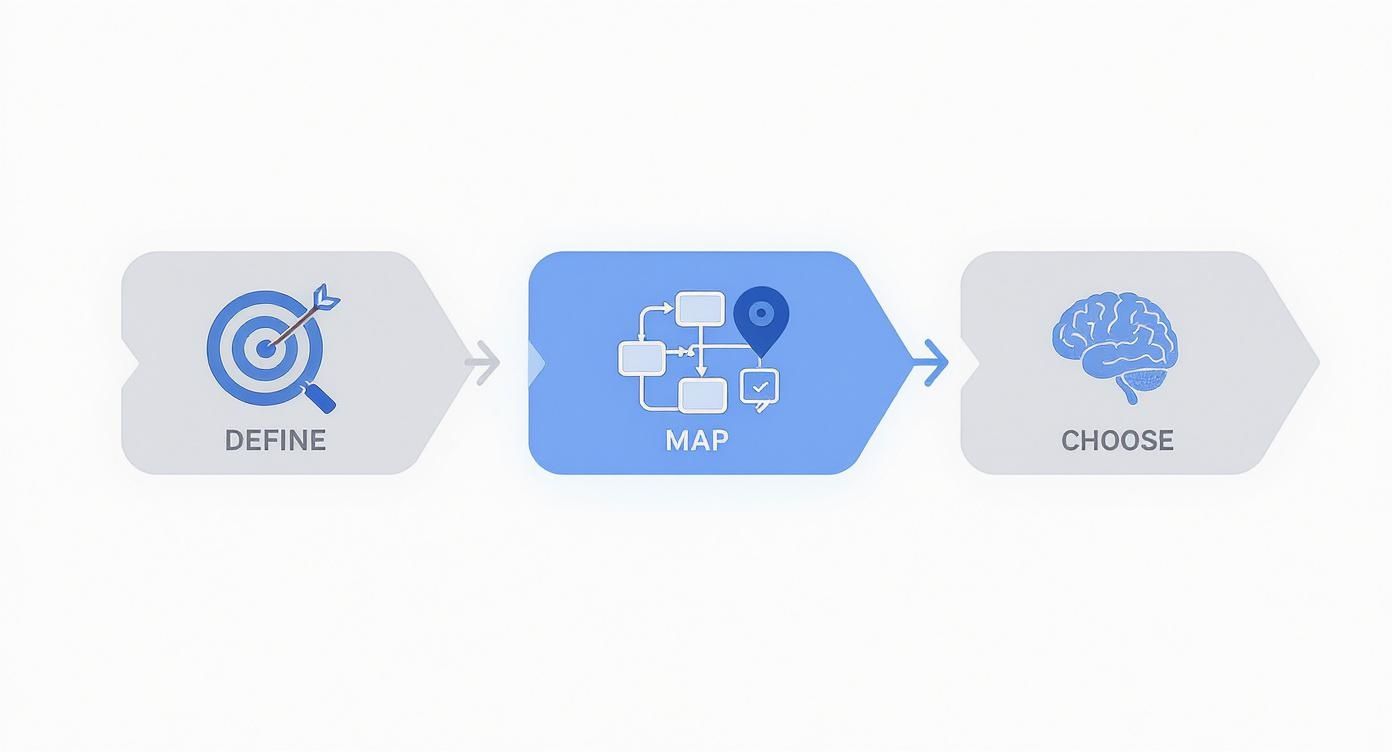
Thinking through these initial steps ensures your training efforts are targeted and directly support your business goals right from the start.
Preparing Your Knowledge Sources
The first real task is to round up all the raw materials your AI will learn from. This collection of documents and data is what we call a knowledge base. Think of it as the library of textbooks your chatbot will study to become an expert on your business.
You probably have most of this information already. The trick is to gather it and make sure it’s accurate, up-to-date, and organised.
Here are the usual suspects for great training material:
- FAQs and Help Centre Articles: This is pure gold. These articles are literally a list of the most common questions your customers are already asking.
- Product Documentation and Manuals: If you sell anything technical, these documents contain the detailed specs and instructions the bot will need to answer nitty-gritty questions.
- Internal Process Documents: Don't forget about the PDFs and internal guides that outline your company's return policy, shipping rules, or service procedures. They're essential.
- Website Content: You can often just point the bot to your own website pages. Think pricing tables, service descriptions, and your "About Us" page.
For instance, an e-commerce brand could upload a PDF of its return policy, a spreadsheet with product specifications, and the content from its shipping and company info pages. This mix of structured and unstructured data gives the AI a really well-rounded education.
Choosing Your Training Method
With all your data collected, the next question is how the AI will actually learn from it. There are a couple of primary methods, and while platforms like SupportGPT handle the heavy lifting, understanding the difference helps you make smarter decisions.
The two main approaches are Retrieval-Augmented Generation (RAG) and Fine-Tuning.
Retrieval-Augmented Generation (RAG) is the go-to method for most businesses today. It's efficient and incredibly effective. Instead of permanently changing the AI model itself, RAG works more like an open-book exam. When a customer asks something, the system first retrieves the most relevant bits of information from your knowledge base and then uses the LLM to generate a natural-sounding answer based only on those facts.
The real power of RAG is that it keeps the bot’s answers grounded in your specific data. This dramatically reduces the risk of the AI making things up—a problem known as “hallucination.” It’s also much faster and more cost-effective than fine-tuning.
Fine-Tuning, on the other hand, is a much heavier process, more like teaching the AI a completely new skill from scratch. It involves retraining the core LLM on a massive, specially prepared dataset of question-and-answer pairs. This actually adjusts the model’s internal wiring. Fine-tuning is best reserved for teaching the bot a very specific conversational style, a unique tone of voice, or a complex behaviour that goes beyond just recalling facts.
Practical Training in Action
Let’s walk through a real-world scenario. A SaaS company needs its website chatbot to handle questions about its various subscription plans. They have a detailed pricing page on their website and an internal PDF that breaks down the features available in each tier.
Using a RAG-based system, they simply upload the PDF and provide the URL to their pricing page. The platform gets to work, processing this information and making it instantly searchable for the AI.
Now, when a visitor asks, "Can I use the analytics feature on the basic plan?" the system kicks into gear:
- Retrieve: It quickly scans the documents and pinpoints the sections that mention the "basic plan" and the "analytics feature."
- Augment: It bundles this specific context together with the user’s original question and hands it to the LLM.
- Generate: The LLM crafts a clear, human-like answer: "The analytics feature is included in our Pro and Enterprise plans, but not the Basic plan. The Basic plan does include a monthly performance summary."
This ability to train bots on niche knowledge is having a huge impact. In India, for example, the telecom sector has seen a 38% AI adoption rate, with virtual assistants now handling around 65% of initial customer queries. That success is built entirely on training bots with deep, industry-specific information. You can explore more about this transformation of business operations to see the wider implications.
By feeding your website's AI chatbot the right business knowledge, you're not just deploying a tool; you're creating a powerful, accurate, and genuinely helpful digital assistant.
Setting Up Guardrails and Human Handoffs
An intelligent AI chatbot for a website is more than just a knowledge machine; it needs a solid set of rules to keep it helpful, safe, and on-brand. Without clear boundaries, even the most powerful AI can go off-script, offering wrong information or frustrating your customers. This is where setting up thoughtful guardrails and a smooth human handoff process becomes non-negotiable.
Think of these systems not as limitations, but as a way to responsibly direct your bot's power. They ensure your AI assistant is a dependable asset that actually improves the customer experience, rather than hurting it. Getting this right from the start is one of the most critical steps for any business serious about deploying a reliable bot.
Establishing Essential Chatbot Guardrails
Guardrails are the predefined rules that govern your chatbot's behaviour. They're your safety net, stopping the bot from making common mistakes like inventing answers ("hallucinating") or wading into sensitive topics. The goal is to create a controlled environment where the bot can do its job effectively and stick to its purpose.
One of the most fundamental guardrails is teaching the bot to confidently say, "I don't know." When a question falls outside its knowledge base, the bot absolutely must admit its limitations instead of taking a wild guess. This simple act builds trust and prevents the spread of misinformation, which is far more damaging to your brand than an unresolved query.
For instance, imagine a customer asks your e-commerce bot about a product you discontinued years ago. Rather than trying to stitch together old data, a well-configured bot would say something like, "I don't have information on that product, but I can help you find a current alternative. Would you like me to connect you with someone who can check our archives?"
Platforms like SupportGPT offer enterprise-grade guardrails that you can implement without any complex coding. You can easily define off-limits topics, filter out specific keywords, and lock in a professional tone.
Here are the crucial guardrails you'll want to configure:
- Topic Restriction: Block conversations about politics, religion, or any other sensitive area that has nothing to do with your business. This keeps every interaction professional and focused.
- Knowledge Confinement: Instruct the bot to only use the knowledge base you’ve provided. This is the single most effective way to stop it from making things up.
- Profanity and Tone Filters: Automatically detect and block inappropriate language. This ensures all conversations reflect your brand's communication standards.
Designing a Seamless Human Handoff
Let's be realistic: no AI chatbot can handle every single query, nor should it. The real sign of a smart system is knowing exactly when to step aside and bring in a human expert. A seamless escalation path is critical for solving complex issues and, just as importantly, capturing high-value opportunities.
The key is to define clear triggers that automatically pass a conversation to a live agent. These triggers should cover both signs of customer frustration and signals of high intent. If you wait for a customer to type "I want to speak to a human," it's often too late—the frustration has already peaked.
Your escalation strategy needs to be proactive, not reactive. The bot’s job is to spot situations where a human touch will deliver a better outcome and make the transfer feel like a natural, helpful next step—not a system failure.
A great handoff also ensures no context is lost. When the chat gets transferred, the human agent should see the entire conversation history. This simple step allows them to pick up right where the bot left off, sparing the customer the agony of repeating themselves.
Think about these practical trigger scenarios:
- High-Intent Keywords: A visitor on your SaaS pricing page asks, "Can I get a custom quote for 100+ users?" That's a hot sales lead. The conversation should be escalated to your sales team immediately.
- Repeated Failure: If the bot fails to understand a user's question two or three times in a row, that’s a clear signal for human help. It prevents the customer from getting stuck in a maddening loop.
- Negative Sentiment: Modern platforms can detect negative sentiment in a user's messages. If someone types, "This is not working" or "I'm so frustrated," the bot should proactively offer to connect them to a support agent.
By thoughtfully combining strong guardrails with intelligent human handoffs, your AI chatbot becomes a powerful front-line tool that truly supports your team, delights your customers, and safely scales your operations.
Embedding and Optimising Your Chatbot Widget
You've built your chatbot's brain and set up the necessary guardrails. Now for the exciting part: bringing it to life on your website so it can start interacting with your visitors. The final step is all about integration, but it needs to be done thoughtfully. You can't let a powerful new tool slow down your site's performance.
The key is to embed a lightweight, responsive widget that loads in a flash and works perfectly on any device, especially mobile. A clunky, slow-loading chat widget is a surefire way to frustrate visitors and send your bounce rate soaring, which completely defeats the purpose.
Getting the Widget Live on Your Site
Modern AI chatbot platforms have made this part incredibly simple. In most cases, adding the widget is as easy as copying a small snippet of JavaScript code and pasting it into your website’s HTML, usually right before the closing </body> tag.
This is a one-time setup that even non-technical folks can handle, especially with content management systems like WordPress or Shopify. Platforms such as SupportGPT provide a single, optimised script specifically designed to have a minimal impact on your page load times. You can get it up and running in a matter of minutes, which is a huge reason why this technology has become so popular.
This growth is especially prominent in India, where the AI chatbot market is booming. It's estimated that by 2025, 70% of customer interactions in the country will involve AI. Interestingly, small businesses—those with fewer than 250 employees—account for a massive 40% of chatbot adopters. This proves that embedding an ai chatbot for website is no longer a luxury reserved for massive corporations. You can discover more insights about the democratisation of AI chatbot technology on thunderbit.com.
Customising for Brand and Engagement
Just dropping the widget onto your site isn't enough. It needs to look and feel like it belongs there. A generic, out-of-the-box chat window can feel disconnected and impersonal, eroding trust before the first message is even sent.
This image shows a fairly standard chatbot interface, which is a great place to start thinking about customisation.
You can see the basic building blocks here—an avatar, a text box, and the conversation history. Each of these elements can, and should, be tailored to reflect your brand's unique identity.
Start with these key tweaks:
- Colours and Logo: The first and easiest win. Update the widget’s colours to match your brand palette and pop your logo in. This simple visual cue immediately makes the bot feel like a trusted part of your team.
- Avatar and Name: Don't stick with a generic robot icon. Give your bot a name and an avatar that fits your brand’s personality. Is it a friendly helper, a formal expert, or something else entirely?
- Welcome Message: This is your opening line. Ditch the robotic "How can I help you?" and craft something that invites conversation. For a SaaS site, you could try, "Hi there! Have a question about our features? I can help you find the answer."
Your chatbot’s welcome message is your most important piece of microcopy. I always recommend A/B testing different greetings to see what sparks the most conversations. I’ve seen simple changes in wording dramatically increase engagement rates.
Proactive Triggers for Maximum Impact
Don't just sit back and wait for visitors to start the conversation. The real magic happens when you use proactive triggers to initiate chats at just the right moment. By setting up simple rules, your chatbot can pop up with a perfectly timed, relevant message.
Here are a few scenarios where this works brilliantly:
- On the Pricing Page: After a visitor has been browsing your pricing for 30 seconds, trigger a message like, "Finding the right plan? I can help you compare the features."
- At the Checkout: If someone is lingering on the checkout page for more than a minute, they might have a last-minute doubt. The bot can jump in with, "Having trouble? I can answer any questions about shipping or payment."
- On High-Value Blog Posts: Let's say you have a detailed product comparison post. This is a perfect spot to trigger a bot that offers a direct link to a demo or a free trial.
These targeted interactions turn your chatbot from a passive support tool into an active engagement engine. It becomes a guide, helping users along their journey and capturing opportunities you might otherwise have missed. With a platform like SupportGPT, setting up these advanced triggers is straightforward, letting you fine-tune your bot’s behaviour for the best possible results.
Measuring Performance and Improving Your Bot
Getting your AI chatbot live is just the beginning. The real magic happens in the weeks and months that follow, through a steady cycle of measuring, analysing, and refining. If you’re not looking at the data, you’re flying blind. You’ll have no real way of knowing if your bot is actually helping customers or just becoming another point of frustration.
First things first, you need to decide what “success” actually means for you. Forget vague goals. Pinpoint specific, quantifiable metrics that show how your chatbot is performing. Tracking these numbers gives you a clear, honest picture of what’s working and, more importantly, where you can make things better.
What You Should Be Tracking
To get a handle on performance, you don’t need a hundred different metrics. Just focus on a few key indicators that tell the real story of your bot's effectiveness. These data points will guide your tuning efforts and help you prove the value of your investment.
-
Resolution Rate: What percentage of conversations does the bot handle from start to finish without a human getting involved? A high resolution rate—say, over 80%—is a great sign that your knowledge base is solid and the bot is correctly interpreting what people are asking.
-
Escalation Rate: On the flip side, how often does a conversation get passed to a human agent? If this number starts creeping up, it could mean you have gaps in your bot's training data or you’re seeing a spike in complex queries that genuinely need a person to solve.
-
User Satisfaction (CSAT) Score: This one is simple but powerful. A quick post-chat survey asking, "Were you satisfied with your experience?" gives you direct, unfiltered feedback. It’s the ultimate test of whether your ai chatbot for website is a helpful tool or a digital roadblock.
I can't stress this enough: consistently reviewing conversation logs is the single most powerful habit for improving your chatbot. It’s like having a direct line into your customers' minds, showing you their exact pain points and most common questions in their own words.
The Cycle of Constant Improvement
Once you have your metrics, you can fall into a simple but effective rhythm for making your bot smarter over time. This isn't a one-and-done task; it's an ongoing process that keeps your bot in sync with your business and your customers' needs.
Set aside time each week to look at the data and spot trends. Are people suddenly asking about a new feature you haven't documented yet? Is the bot stumbling over a particular phrasing or question? These insights are your treasure map.
Use what you find to take specific, targeted action. You might need to add new articles to your knowledge base, tweak existing answers to be clearer, or adjust the rules for when a chat gets escalated to a live agent.
On a platform like SupportGPT, this process is incredibly fluid. You can make changes in a real-time playground environment, test how the bot responds to your improvements, and then push the updated version live with a single click. This continuous loop is what turns a good AI assistant into an indispensable one.
Frequently Asked Questions
When you're looking to integrate an AI chatbot for website use, it's natural to have questions. Getting clear answers upfront helps you move forward with confidence, making sure the choices you make are the right ones for your business and budget.
Let's dive into some of the most common queries that pop up during the planning and building phases.
How Much Does It Cost to Build an AI Chatbot for a Website?
The costs can really swing depending on the path you choose. If you go with a no-code platform like SupportGPT, you're looking at a monthly investment anywhere from a few thousand to twenty thousand rupees. This is often the smartest way to get a powerful, tailored bot up and running without a massive upfront cost.
On the other hand, if you decide to build a completely custom solution from the ground up with complex AI features, the price tag can easily run into several lakhs. What you end up paying will depend on things like the LLM you select, how much custom work is needed, and the number of conversations you expect it to handle each month.
Can an AI Chatbot Handle Multiple Indian Languages?
Yes, absolutely. Most modern chatbot platforms, and the LLMs that power them, are designed to be multilingual from the get-go. You can easily train your bot to understand and chat fluently in Hindi, Tamil, Bengali, and many other regional languages—this is usually part of the initial setup.
This is a must-have for any business that wants to connect with a diverse customer base across India. When you can offer support in someone's native language, it dramatically improves their experience and helps build a much stronger connection with your brand.
How Can I Ensure Customer Data Is Kept Secure?
Data security has to be your top priority, period. You should only work with a chatbot provider that is fully compliant with data protection laws and is completely transparent about their security measures.
Think of your chatbot as an extension of your business—it needs to uphold the same level of trust. Always lean towards platforms that have robust security features built right in to protect both your customers and your reputation.
Look for key features like data masking, which automatically redacts sensitive info like credit card numbers or Aadhaar details from conversation logs. You also need to confirm that all data is encrypted, both when it's being transmitted and when it's stored. Setting up clear data retention policies from day one is another crucial step in keeping everything secure.
Ready to build a secure, multilingual AI assistant for your website? With SupportGPT, you can launch a powerful AI chatbot trained on your business knowledge in minutes. Start your free trial of SupportGPT today and see how easy it is to deliver instant, accurate support.